

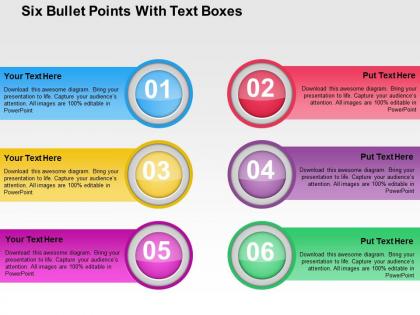
Six bullet points with text boxes flat powerpoint design




Try Before you Buy Download Free Sample Product
 Impress Your
 Audience
 100%
100% Editable
 Save Hours
 of Time


Are you looking for an eye-getting layout to impart your business procedures to your gathering of people? At that point your pursuit is over as you can use our six bullet points with text boxes for business process PowerPoint configuration slide. The control work helps dealing with the business in different ways. Our template design helps the administration in accomplishing pre-decided objectives. Six bullet points and text boxes has been used to craft this power point template diagram. This PPT diagram contains the concept of data representation. Use this PPT diagram for business and data related presentations. The control procedure additionally guarantees the productivity of different capacities. The weakness in different fields is additionally announced for taking restorative measures. Control gives premise to future activity. With the assistance of our PowerPoint visual, you can without much of a stretch feature your controlling systems and the group of onlookers can comprehend your procedure. The control framework helps in enhancing hierarchical productivity. Download this prebuilt six bullet point with text boxes PowerPoint template. Each of our Six Bullet Points With Text Boxes Flat Powerpoint Design are a work of art. Crafted specially to deliver your thoughts.
People who downloaded this PowerPoint presentation also viewed the following :
Six bullet points with text boxes flat powerpoint design with all 4 slides:
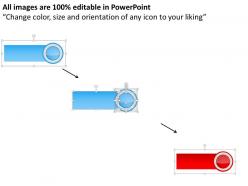
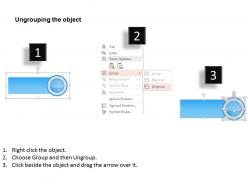
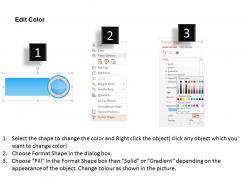
Our Six Bullet Points With Text Boxes Flat Powerpoint Design can be changed to suit any condition. You will find them extremely adaptive.
FAQs for Six bullet points with text boxes
Dude, the six bullet point thing is actually genius. People's brains can only handle so much before they check out - and honestly, after six points most folks are already thinking about lunch anyway. It forces you to cut all the random stuff you don't really need. Your slides look way cleaner too. I started doing this and my presentations got so much tighter. No more rambling! Plus you'll probably finish on time for once. Just pick your six best points and ditch everything else. Trust me, your audience will thank you.
So here's the thing with six bullet points - people can actually follow along without getting lost. I break stuff into chunks because nobody wants to sit through a massive info dump. Plus your audience knows what's coming next, which honestly makes them way more likely to stick around. It forces you to cut out the boring parts too (guilty of rambling sometimes). When each point stands on its own, people remember more. Oh, and definitely number them out loud so everyone can see you're making progress through the list.
Six bullets hit the sweet spot for stuff people actually want to read - process steps, quick wins, that kind of thing. Each point should pack a punch without turning into a mini-essay (seriously, bullet novels are the worst). Perfect for benefits lists or troubleshooting guides. The format makes you cut the fluff and focus on what matters. Put your strongest point first, then work down from there. Your readers will actually stick around instead of bouncing after the first wall of text. It's all about making things scannable - people's attention spans aren't getting any longer.
Oh totally, six bullets are perfect for tech and consulting presentations - executives actually pay attention instead of zoning out. Finance and healthcare people are obsessed with this format because they're already buried under endless reports. I've watched so many marketing teams turn massive campaign decks into six clean bullets (thank god). Sales demos work great this way too. Training sessions actually stick when you keep it tight like this. Honestly, anytime you're presenting to people who'll be half-checking their phones, just go with six points max.
Dude, your bullet points will hit so much better with some visuals thrown in. Icons next to each point work great - they're like little anchors for people's brains. Charts are perfect if you've got numbers to show. Honestly, photos or even just color-coding beats staring at boring text every time. I always try to match each bullet with something visual that actually connects to what I'm saying. Not just random decoration, you know? Even simple diagrams help break things up. Trust me, your audience will thank you for not making them read a wall of words.
Ugh, don't cram paragraphs into single bullets - nobody reads those. Keep each one focused on just one idea. The length thing matters too - mix short punchy ones with longer explanations so it doesn't look like a boring list. I can't tell you how many presentations I've sat through where every bullet starts the same way. Gets old quick. Oh, and here's something people forget: your bullets should actually connect to your main point, not just random stuff you thought of. Sounds obvious but you'd be surprised how often this gets messed up.
Honestly, smooth transitions make such a huge difference. Try phrases like "building on that idea" or "here's what really matters" between your points. I've totally bombed presentations with awkward dead air - not fun. Reference what you just said before jumping ahead: "So yeah, we know the problem exists, now let's dive into our solution." Numbers work great too - first, second, finally keeps people following along. Oh and definitely practice saying these out loud beforehand! They'll sound way more natural when you're actually presenting. Trust me on this one.
Okay so bullet points - start with punchy action verbs, not those corporate-speak words like "utilize" (ugh). Keep the structure consistent too. Like if you begin with "Develop," stick to that pattern for the rest. I swear, half the decks I see just throw random phrases together and call it a day. Throw in actual numbers when you can, and don't cram multiple ideas into one bullet. Oh, and bold the important stuff so people's eyes go there first. Quick test - read them out loud. If you're gasping for air halfway through, they're way too long.
Dude, you gotta read the room completely differently depending on who's there. Executives? Hit them with ROI and business impact right off the bat - they don't want fluff. Tech people are the opposite - they want to know HOW things work and need those nitty-gritty details. Mixed crowds are honestly the worst because you're trying to please everyone. Stick with benefits everyone gets and drop the technical speak. Think about what actually stresses each group out daily. Marketing worries about totally different stuff than ops does. Oh, and if you can - run your main points by someone who's like your audience first. Saves you from bombing.
Look, nobody wants to hear a laundry list of stats. Turn those bullet points into actual stories people can picture. So instead of "sales increased 20%" - tell them about Sarah's complaint that made you redesign everything, which then boosted those numbers. Way more engaging, right? Each point needs context and some emotion behind it. I always start bullets with stuff like "After we discovered..." or "When the team realized..." - pulls people right into the moment. Trust me, your audience will actually pay attention instead of scrolling their phones. Stories stick; random facts don't.
Honestly, just watch people's faces while you're talking - you'll know pretty quick if they're getting it or zoning out. Look for nodding, note-taking, that kind of stuff. I always throw in questions throughout to check if they're following along. Post-presentation surveys are clutch too, people will usually tell you straight up if something didn't make sense. Oh, and here's something that works well - follow up like a week later and see what they actually remember. If they can't repeat your main points without looking at notes, that's your answer right there. Also time yourself on each section so you don't rush the important bits.
Honestly, Canva's your best bet - their bullet point templates are actually decent and you won't spend forever tweaking fonts. PowerPoint works obviously, but the default layouts are kinda meh. Google Slides is fine too if you're collaborating. Figma gives you way more control if you're feeling fancy, though it might be overkill for six bullets. Prezi adds movement which can be cool or annoying depending on your audience. I've even seen people use Notion for quick presentations - weird but it works. Start with Canva though, seriously. The templates will save you so much time.
Oh man, this is so important! Different cultures read bullet points totally differently. Like, Americans want you to cut to the chase - just give them the bottom line. But when I presented to our Tokyo team once, they needed way more background context first. Asian cultures often expect you to build relationships before jumping into business stuff. Some cultures look for hidden meanings between the lines too, while others want everything super explicit. The visual hierarchy thing matters too - certain cultures care more about group benefits than individual wins. Honestly? Just have someone local review your presentation beforehand. Saves you from looking clueless.
Guy Kawasaki nailed this with his Apple launches - hit six core benefits like "revolutionary interface" and "10x faster performance." You see it in TED talks constantly. Brené Brown organizes around six research findings, and don't even get me started on Steve Jobs' iPhone reveal - six game-changing features, boom. Once you notice the pattern, it's literally everywhere in good pitches. Works because six points give you enough meat without making people's eyes glaze over. Actually, try this: pull up your favorite TED talk and count the main points. I'd bet money you'll find six clear ones hiding in there.
Get feedback right after each presentation - people forget details super fast. Ask about specific stuff like pacing and whether your main points actually made sense. I cringe remembering times I totally rushed through important parts, but honestly that's the feedback you need most. When multiple people say the same thing, fix that issue first. Keep a simple template tracking what bombed vs. what worked. Here's the key part though - actually look at those notes before your next presentation. Most people just stuff them in a folder somewhere and never check again.
-
Amazing product with appealing content and design.
-
Commendable slides with attractive designs. Extremely pleased with the fact that they are easy to modify. Great work!