

Workshop Training Proposal Powerpoint Presentation Slides




Try Before you Buy Download Free Sample Product
 Impress Your
 Audience
 100%
100% Editable
 Save Hours
 of Time


Be it the composition of official mails, fluency in the latest software, or basic communication and personality development exercises, professional grooming has become an integral part of human resource management. Personality development is an essential skill for maintaining a successful career in the corporates today. It is no surprise, therefore, that a rising number of companies have started inviting professional trainers for hosting employee upskill workshops. The Workshop Training Proposal PowerPoint Presentation Slides present a good outline for pitching your company’s resource for training your clients’ employees. Propose your team for training the new recruits of your client company with a well-written cover letter. The table contents allow you to get through all the major highlights of your recruit training proposal PPT in a comprehensive manner. With our training proposal PPT template, explain your proposal objectives and project context clearly in a professional theme. List the various components of your proposed workshop like corporate communication, Microsoft suite proficiency, personality development, etc within the dedicated slides included with this PowerPoint training proposal. Highlight your expertise in professional grooming by showcasing detailed assessment plans and timelines for the sessions to your client firm. Specially designed graphs, charts, and line diagrams ensure that your pitch is presented in the best possible outline with our employee training PowerPoint presentation. Explain to your audiences the training objectives of the workshop that may range from social media presence management, formal etiquettes, corporate lingo fluency, fundamentals of finance, etc through the aesthetically designed slides of this employee upskilling PPT deck. You can showcase a proposed time schedule to your customers very conveniently via this personality training PPT proposal. This worker training workshop proposal presentation ensures that you can smartly discuss any prior infrastructural needs for carrying out the event successfully. Download and employ this PowerPoint proposal template for employee education workshops to raise your firm’s bar of success!
People who downloaded this PowerPoint presentation also viewed the following :
Content of this Powerpoint Presentation
Slide 1: This slide introduces Workshop Training Proposal. State Client details and User details.
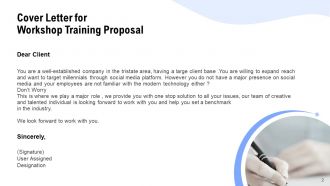
Slide 2: This slide displays Cover Letter.
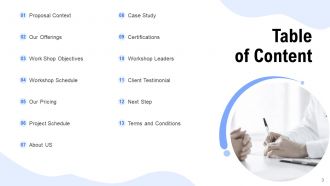
Slide 3: This slide displays Table of Content of the presentation.
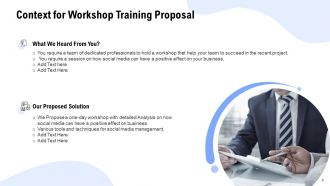
Slide 4: This slide displays Context for Workshop Training Proposal
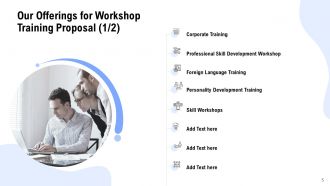
Slide 5: This slide represents Our Offerings for Workshop Training Proposal such as- Professional Skill Development Workshop, Foreign Language Training, Corporate Training, Personality Development Training, Skill Workshops.
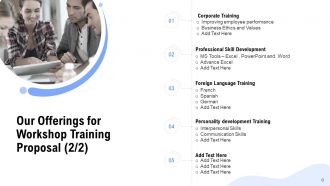
Slide 6: This slide shows Our Offerings for Workshop Training Proposal.
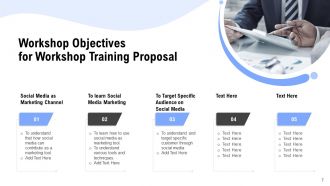
Slide 7: This slide represents Workshop Objectives for Workshop Training Proposal.
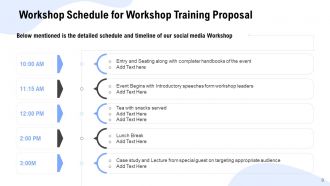
Slide 8: This slide showcases Workshop Schedule for Workshop Training Proposal. Below mentioned is the detailed schedule and timeline of our social media Workshop
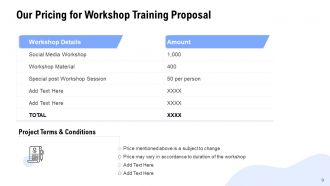
Slide 9: This slide represents Our Pricing for Workshop Training Proposal.
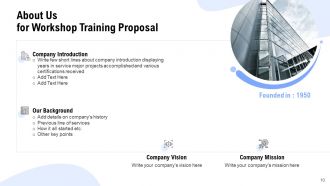
Slide 10: This is About Us slide. Write few short lines about company introduction displaying years in service major projects accomplished and various certifications received
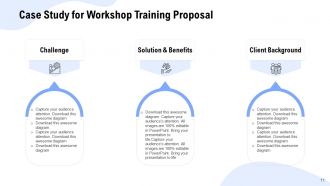
Slide 11: This slide depicts Case Study for Workshop Training Proposal.
Slide 12: This slide showcases Certifications for Workshop Training Proposal.
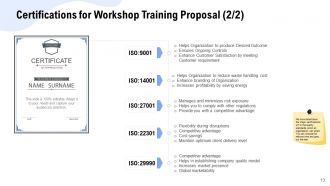
Slide 13: This slide showcases Certifications for Workshop Training Proposal. We have listed down the major certifications wrt to the quality standards which an organization can attain. You can choose the relevant one and grey out the rest.
Slide 14: This slide displays Workshop Leaders Training Proposal. Write key credentials and major highlights of the Workshop Leader
Slide 15: This slide represents Workshop Leaders. Write key credentials and major highlights of the Workshop Leader
Slide 16: This slide displays Client Testimonial for Workshop Training Proposal
Slide 17: This slide presents Next Step for Workshop Training Proposal.
Slide 18: This slide represents Terms and Conditions for Workshop Training Proposal.
Slide 19: This is Contact Us slide with Email address, Contact number and Address.
Slide 20: This is Icons Slides for Workshop Training Proposal.
Slide 21: This slide is titled as Additional Slides for moving forward.
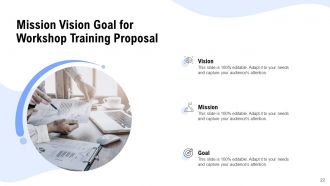
Slide 22: This slide displays Mission, Vision and Goal.
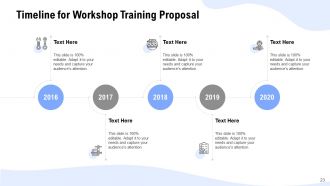
Slide 23: This slide shows Timeline process.
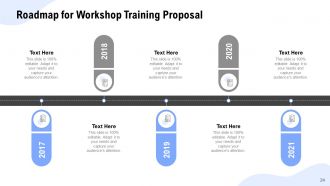
Slide 24: This slide depicts Roadmap for Workshop Training Proposal.
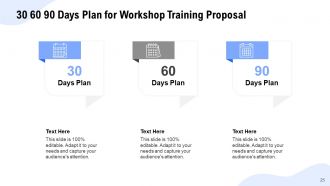
Slide 25: This slide shows 30 60 90 Days Plan for Workshop Training Proposal.
Workshop Training Proposal Powerpoint Presentation Slides with all 25 slides:
Use our Workshop Training Proposal Powerpoint Presentation Slides to effectively help you save your valuable time. They are readymade to fit into any presentation structure.
FAQs for Workshop Training Proposal
Hey! So for your workshop proposal, focus on three things. First, get super specific about what people will actually learn - like "master Excel pivot tables" instead of just "better data skills." Way more convincing. Then spell out how this helps their actual job and career. Honestly, stakeholders eat that stuff up. Last thing is showing how you'll measure if it worked - assessments, feedback surveys, whatever. Keep each objective to one punchy sentence so they can scan it quickly and hopefully say yes to your budget. The clearer you are upfront, the easier the approval process gets.
Honestly, you can't just say "everyone needs this training" - that's the fastest way to get your budget rejected. Figure out which specific teams or roles are actually struggling with whatever problem your workshop fixes. Maybe it's new managers who don't know how to give feedback, or the sales team bombing client presentations. Dig into performance reviews, survey data, whatever you can find. Pin down their experience levels and current skills too. Decision-makers want to see exactly who benefits and why it's worth the money. The more specific you get about your audience, the easier it becomes to show real ROI later.
Mix it up with hands-on workshops, visuals like infographics, and discussion groups for people who love to talk. Case studies work great too - honestly, role-playing exercises are where concepts really click for most people. Don't forget the quiet ones though! Self-paced digital stuff gives introverts time to actually process without pressure. Oh, and build in reflection time between activities. The whole point is hitting the same content from different angles so everyone finds their groove somehow.
Definitely do before/after assessments to see if people actually learned anything. Then track real stuff like job performance or how they're doing on tasks 30-60 days later - that's where you see if training actually stuck. Satisfaction surveys are kinda basic but honestly they catch problems you'd totally miss otherwise. Pick concrete numbers like "80% hit proficiency" or "cut errors by 25%." Just make sure you can actually track this stuff with whatever systems you have. Oh and don't go crazy with metrics. Three or four good ones beats having tons of data you'll never look at.
So budget-wise, you've got the obvious stuff like trainer fees and venue rental. Materials, printing, tech equipment - all that adds up quick. If people are traveling, factor in their meals or lodging too. Software licenses can be sneaky expensive btw. Always build in like 10-15% extra because trust me, random costs will pop up. Maybe you need last-minute copies or the projector dies. Also think about what happens after - do they need follow-up materials or evaluation surveys? I'd honestly just make a massive list of every possible thing that could cost money, then price it all out. Better to overestimate than scramble later.
Definitely add a risk section - call out stuff like low turnout, tech crashes, or mixed skill levels. Then map out how you'd handle each one. Murphy's Law is real with these events, trust me! Maybe offer hybrid options if people bail, keep IT support ready, and break content into chunks that work for beginners and pros. Budget buffers are smart too. Oh, and scout backup venues just in case. The whole point is showing you've actually thought about what could go sideways. Stakeholders eat that up because it proves you're not just winging it.
Dude, tech makes such a huge difference in workshops! Interactive polls and breakout rooms keep everyone awake instead of zoning out. I love using Mentimeter for live Q&A - people actually ask questions when it's anonymous. Miro's great for brainstorming sessions too. Even boring compliance training gets way better with the right setup, though you definitely want to test everything first. Tech always breaks at the worst possible moment, trust me on that one. Oh, and pick tools that actually help your goals, not just because they look cool. Screen sharing works fine for simple demos if you don't need anything fancy.
Make a "Facilitator Credentials" section that highlights your experience and certifications. Throw in real numbers - years you've been doing this, how many people you've trained, satisfaction scores if you have them. Skip just listing degrees though. Focus on hands-on stuff that connects to what you're teaching. Testimonials from past sessions work really well here, honestly they're probably more convincing than fancy titles. Also mention any speaking gigs or industry recognition you've gotten. The whole point is showing why you're the perfect fit for their specific training needs.
Honestly, people check out after like 10 minutes of straight talking, so you've gotta switch things up constantly. Try breakout rooms, polls, case studies - anything interactive. I usually change activities every 15-20 minutes max. Ask specific people direct questions and get them sharing real examples from their jobs. Small groups work great too since shy people actually contribute more. The best sessions happen when participants teach each other instead of you lecturing the whole time. Oh, and start by having everyone share a current challenge they're dealing with - works every time for instant engagement.
Set up three feedback points: quick check-ins during sessions, end-of-day reviews, and follow-up surveys a few weeks out. Honestly, those mid-session pulse checks saved my butt once - had a whole group lost on a concept but nobody said anything until I asked. Digital polls work great, or just do the sticky note thing. For your post-workshop surveys, skip the "how'd we do" fluff and ask about actual behavior changes. Oh, and build in time between sessions to tweak stuff based on feedback. Short sentences here, longer explanatory ones there - you get the idea. The real win is catching problems before they derail everything.
Honestly, I'd mix a few different approaches. Pre/post tests are pretty standard and show clear learning gains. Real-time polling during sessions keeps people engaged - tools like Mentimeter work well for this. Skills-based exercises are clutch if your workshop is hands-on stuff. Peer evaluations can be brutal but they're usually spot-on. Reflection journals capture the deeper thinking too, though some people hate writing. Don't just pick one method - combining 2-3 gives you better data. Figure out what you actually want to measure first, then choose tools that test those specific skills. Makes the whole process way more targeted.
Honestly, the best approach is scattering case studies throughout your modules instead of lumping them together. Grab examples from their actual industry - way better than boring textbook scenarios. Mix it up with success stories, epic failures (people love those), and current stuff that's happening right now. Small group analysis works great too - have them break down a case and pitch solutions. Oh, and make sure your examples aren't from like 2015 or something. Nothing kills engagement faster than outdated content that doesn't match what they're actually dealing with.
For workshops, I usually pitch 6-8 weeks total. Spend your first 2-3 weeks on needs assessment and stakeholder interviews - honestly this phase always drags longer than expected. After that, give yourself a week for reviews and revisions. Then comes pilot testing, which needs another 2-3 weeks. Always add buffer time because something will go sideways, guaranteed. The pilot phase is crucial though - you really want to test your content with a small group before going live. Oh, and work backwards from your launch date when you're mapping everything out. Makes the timeline way clearer.
Oh man, there's so many ways to do this! I'd definitely set up some check-in calls - maybe at 30 and 60 days? People love sharing their wins and getting unstuck when they hit roadblocks. Email templates are clutch too, honestly everyone always asks for those afterward anyway. A private LinkedIn group works great for ongoing questions. Slack's good if your crowd uses it more. Don't try to do everything though - pick like one or two things first. You'll burn yourself out otherwise, trust me.
Skip the boring feature lists - nobody cares about your curriculum outline. Instead, hit them with real results like "30% productivity boost" or "say goodbye to those annoying bottlenecks." Honestly, outcomes are everything. Got any success stories? Use them! Testimonials work better than any fancy marketing copy. Create some urgency too - limited seats or early pricing usually does the trick. Oh, and here's the thing: figure out what keeps your ideal participant up at night, then show how your workshop fixes exactly that problem. It's basically positioning yourself as the solution to their biggest headache.
-
Out of the box and creative design.
-
Content of slide is easy to understand and edit.
-
Presentation Design is very nice, good work with the content as well.
-
Topic best represented with attractive design.
-
Very unique and reliable designs.