

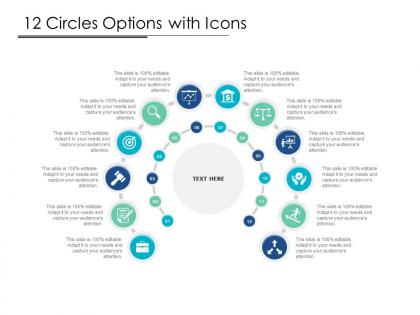
12 circles options with icons




Try Before you Buy Download Free Sample Product
 Impress Your
 Audience
 100%
100% Editable
 Save Hours
 of Time


Get folks aware of false allegations with our 12 Circles Options With Icons. Bring insinuations to an end.
People who downloaded this PowerPoint presentation also viewed the following :
12 circles options with icons with all 5 slides:
Friction abates with our 12 Circles Options With Icons. Folks become more accomodating.

FAQs for 12 circles
Icons basically work like visual shortcuts - your audience gets the idea instantly without slogging through paragraphs. They break up text-heavy slides and guide people through your story. Complex stuff becomes way easier to digest. I always think of them as road signs that keep everyone on track and engaged. Honestly, they stick in people's minds way better than boring bullet points ever will. Just make sure your icons actually match what you're talking about. And be consistent throughout - don't just throw random graphics everywhere because that's not real visual storytelling, it's just messy.
Your icon style basically tells users who you are before they even read anything. Minimal, clean icons? People think you're professional and modern. Go with playful illustrations and you'll seem more friendly and approachable. Bold colors definitely grab attention, but honestly they can be way too much if you're dealing with complex interfaces. The biggest thing though - keep your icons consistent across everything. When users see the same style everywhere, they trust you more and feel confident using your stuff. Mix different styles randomly and you'll just look messy. Oh, and test with real users first because what looks amazing to you might totally confuse them.
Oh man, I made this mistake once - mixed outline and filled icons and my slides looked like a hot mess. Download a whole icon set first instead of scrambling for random ones later (trust me on this). Don't go crazy with them though, maybe 2-3 per slide tops. They should back up your text, not replace it entirely. Size them big enough so people in the back can actually see what they are. Also line everything up properly with your text blocks - misaligned stuff drives me nuts and looks super amateur.
Icons can totally backfire when you're presenting globally. That thumbs up? Actually offensive in some Middle Eastern countries - who knew, right? Hand gestures are tricky everywhere. Colors and religious symbols mean different things too, plus reading direction matters (left-to-right vs right-to-left cultures). I'd honestly just run your slides by local teammates first if you can. Otherwise stick with super basic stuff - plain arrows, simple shapes, everyday objects. Oh and throw in text labels when you're unsure. Better safe than accidentally insulting your audience.
Icons are basically visual shortcuts - your audience gets the idea instantly without reading a wall of text. Super helpful for breaking down processes or making abstract stuff more digestible. Like, that warning triangle? Everyone knows it means "watch out" way faster than any explanation. You can build visual hierarchies with them, walk people through complicated workflows, or ditch confusing labels for symbols everyone understands. Just make sure your audience actually recognizes the icons you pick - honestly, testing them first saves you from looking totally out of touch later.
Honestly? Just start with Figma. It's free, runs in your browser, and the learning curve won't make you want to throw your laptop out the window. Adobe Illustrator is obviously more powerful but way overkill for basic icons - plus expensive as hell unless you're already paying for Creative Suite. Canva works too if you need something super quick and dirty. Oh, and definitely browse Noun Project or Flaticon first for inspiration, then customize whatever catches your eye. Figma handles like 90% of what you'll actually need anyway.
Look, when you use the same icons consistently, people start recognizing your presentation style without even thinking about it. Think Apple vs Google icons - totally different vibes, right? Your brain gets trained on these visual patterns. I'd honestly start with maybe 10-15 core icons and stick to the same colors and placement style across all your decks. It sounds boring but it actually makes everything look way more professional. Plus people remember your presentations better when they feel cohesive. It's like you're building brand recognition every time someone sees your stuff.
So basically, don't just throw icons out there without labels or alt text - people get confused by those random squiggly symbols all the time. I learned this the hard way in a presentation once, ugh. Screen readers can't guess what your cute little graphics mean either. Make them big enough to actually see and don't rely on just color to get your point across. Honestly, some icons are so abstract these days that even I have to squint and wonder what they're supposed to be. Just think of icons as nice visual extras, not the main way you're communicating something important.
Icons either back up your text or create contrast to grab attention. A trash can next to "Delete"? Zero confusion there. But you can flip it - throw a warning icon with happy text to make people pause and actually read it. The trick is being deliberate about it. Random icons everywhere just make things messy and honestly kind of annoying. When they complement your message, they're doing the work for you - people can scan faster and get what you mean instantly. Just pick your approach and stick with it.
Honestly, just go with the minimal flat style everyone's using right now. Those outlined icons are everywhere for a reason - they look clean and scale perfectly in presentations. Make sure your colors have enough contrast (colorblind users will thank you). I'm personally obsessed with Feather and Heroicons instead of making custom ones - way less headache and they already nail the current trends. Oh, and animated icons can be cool but don't overdo it or people won't focus on what you're actually saying.
Icons are honestly game-changers for breaking up text-heavy slides. Drop them next to your main points and watch people's eyes go straight there. Think of it like highlighting, but classier. I'd stick with the same style throughout though - mixed icon styles look super messy. Different icons can mean different things too (lightbulb for insights, target for goals, whatever). Oh and don't go overboard - maybe 2-3 key points max per slide or it gets overwhelming.
For free stuff, Feather Icons and Heroicons are honestly your best bet - super clean and consistent. Lucide's another solid choice. The Noun Project has everything but good luck not getting lost in there for hours lol. If you don't mind spending a bit, IconScout and Streamline have some really nice unique options. Flaticon works too when you need variety. I'd just grab Feather first and see how it goes. Way easier to stick with one set than mixing styles - learned that the hard way on my last project.
Honestly, dynamic icons are amazing when you time them right with what you're saying. Like when you mention a new idea, boom - lightbulb appears. Or arrows pointing at your data right as you talk about it. The magic happens during rehearsal though - you'll want to practice that timing until it's smooth. Keep the animations simple too. Gentle fades, slides, maybe some scaling up or down. I learned this the hard way, but spinning stuff everywhere just makes people dizzy lol. Your audience should be listening to YOU, not getting distracted by flashy effects. Test it out beforehand and you're golden.
So basically, colors mess with people's heads in predictable ways. Red screams "urgent!" - that's why error messages use it. Blue makes users feel all calm and trustworthy (hence why every tech bro company picks it). Green = good to go. Shape-wise, circles feel way friendlier than sharp angles. Triangles are energetic but kinda unstable - weird how our brains work, right? Squares scream "reliable and boring" but sometimes that's exactly what you want. Oh, and cultural stuff matters too since colors mean different things everywhere. Just test a few options with real users - they'll tell you what actually works.
Honestly, just go with the obvious stuff - house icons for home, envelope for email, you know? Don't get all creative with weird abstract symbols that'll confuse people. I made that mistake once and everyone just stared at my slide like... what? Keep the same style throughout and make them big enough to actually see. Also, if there's ANY chance someone won't get it immediately, just add text labels. Test them on someone first though - if they pause for even a second trying to figure it out, pick something more obvious instead.
No Reviews