

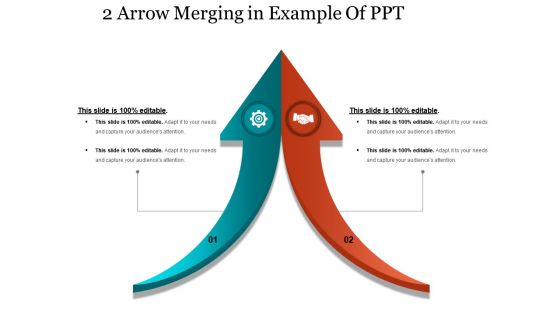
2 arrow merging in example of ppt





Try Before you Buy Download Free Sample Product
 Impress Your
 Audience
 100%
100% Editable
 Save Hours
 of Time


Handle irate folks with our 2 Arrow Merging In Example Of Ppt. Address factors causing impatience.
People who downloaded this PowerPoint presentation also viewed the following :
2 arrow merging in example of ppt with all 5 slides:
Our 2 Arrow Merging In Example Of Ppt put you in the forefront. Your innovative thoughts will make an impact.



FAQs for 2 arrow merging in
So you've got two sorted lists, right? Just compare the first items and grab whichever's smaller. Move your "pointer" forward in that list and repeat. Super simple but weirdly powerful. I actually think this is one of those concepts that clicks way better when you just try it. Grab two sorted arrays and walk through it manually - you'll see the pattern immediately. It's basically the secret sauce behind merge sort and a ton of database stuff. Each step you're just asking "which front element is smaller?" then advancing that position. Keep going until both lists are empty and boom, you've got one perfectly sorted result.
So basically 2-arrow merging lets you process two data streams at once instead of doing them one after the other. Way faster throughput since everything runs in parallel. I've been using it on bigger datasets and honestly the speed difference is crazy noticeable. Plus you don't eat up as much memory because you're not storing a bunch of temporary stuff between operations. Your ETL jobs will finish way quicker, especially with complex joins - though I guess that depends on your setup too. Definitely try it on your next project, you'll see what I mean about the performance boost.
So 2-arrow merging works great when you've got structured data with clear join keys - databases, CSV files, API responses with consistent schemas. Time-series stuff is perfect since timestamps give you natural merge points. Really shines when your data sources have overlapping info that complements each other. Like merging CRM customer data with payment transaction data - that combo tells a way better story. Just clean up your join keys first though. Trust me, nothing's worse than spending hours debugging messy merges when you could be actually digging into the analysis instead.
Okay so basically you grab two sorted arrays and put a pointer at the start of each one. Compare whatever's at both pointers, take the smaller one and toss it in your result array. Move that pointer forward and repeat. Once you hit the end of one array, just dump everything left from the other array straight in - no need to keep comparing since it's already sorted anyway. Oh and make sure your result array is big enough from the start or you'll hate yourself later. The time complexity is O(n+m) which honestly isn't bad at all. Pretty straightforward once you get the hang of it.
Honestly, use 2-arrow merging when regular 3-way merges turn into a nightmare. Long feature branches? Perfect for it. Your team keeps stepping on each other's code? Even better. The two-step thing actually makes sense - you can see what's happening instead of just crossing your fingers. We started using it for hotfixes across multiple branches and wow, what a difference. Cherry-picking got way cleaner too. I mean, it's not magic, but when you hit one of those merge conflicts that makes you want to cry, try this instead. Saved my butt more times than I can count.
So basically, 2-arrow merging always picks the "right arrow" dataset when there's duplicate keys. The left-side data just gets tossed. Honestly, this trips up a lot of people at first because they don't realize which side "wins." Most tools let you change this behavior though - you can keep both records, add suffixes, or set up custom rules based on timestamps and stuff. I learned this the hard way once, lol. Just figure out which dataset you actually trust before you hit merge, otherwise you might lose the data you wanted to keep.
Dude, you really gotta get your data clean before doing any 2-arrow merging. Inconsistent formats will totally screw you over - like if one dataset has dates as MM/DD/YYYY and another uses DD-MM-YYYY, your merge is toast. Missing values and duplicates are just as bad. I learned this the hard way last month debugging for like 3 hours straight. Even stupid little things like extra spaces can break everything. Honestly, I'd rather spend 30 minutes cleaning data upfront than deal with weird results later. Your downstream analysis will thank you for it.
Git's perfect for 2-arrow merges, honestly. You can use `git merge` or `git rebase` from command line, but if you're just starting out, try GitKraken or Sourcetree first - way easier to visualize what's happening. GitHub's web interface works fine too. Once you get the hang of it though, command line is actually faster than all the clicking around (learned that the hard way). Bitbucket and GitLab have decent merge tools built in as well. I'd say start with whatever you're already using, then maybe switch to terminal commands later. Less overwhelming that way.
Honestly, flow diagrams are a game changer for this stuff. Map out how the arrows interact at merge points - it'll click way faster than staring at logs. I always do visual timelines too since timing matters so much with conflict resolution. Color-coding is kind of extra but whatever, it actually works for spotting patterns you'd totally miss otherwise. Oh and if you can find interactive tools, even better - you can dig into specific scenarios. Start with paper sketches though, that's where I figured out the logic before going digital.
Oh man, 2-arrow merging is such a pain when branches have competing changes. Merge conflicts are the worst part - you'll be manually fixing stuff constantly, especially if multiple people touched the same files. Bigger repos make everything slower too, which is honestly just annoying when you're trying to get work done. My advice? Get your team on the same page about branching rules first. Otherwise you'll spend forever sorting through conflicts. Merge tools help a lot, but really it comes down to having a workflow that actually makes sense for how your team works.
So 2-arrow merging basically cuts down on all that overhead from handling multiple data streams separately. You're processing both arrows in one go instead of dealing with them individually - saves you memory allocation and CPU cycles. Think of it like doing laundry (weird comparison but whatever) - way better to wash similar stuff together than run two separate loads. The performance boost is huge when you're in high-throughput situations where every millisecond matters. I'd start with your hottest code paths first since that's where you'll actually notice the difference right away.
So basically you'd use 2-arrow merging when you're combining datasets that have some connection. Like say you've got user behavior data and you want to add demographic info to it - perfect use case. Same thing happens a lot with training data where you're joining features to their labels. Oh, and time-series stuff too - merging old data with new real-time feeds. The main thing is your keys need to match up cleanly between datasets. Trust me, I've learned this the hard way - if your merge keys are messy, you'll spend forever debugging why half your data went missing.
You really need strict validation at both merge points - catches issues before they spread everywhere. Set up automated checks for schema comparison, duplicate detection, conflict flagging between your data streams. Most teams totally skip this part because it seems like busy work. Big mistake though. Run rollback procedures and test with sample data first - seriously saves you from wanting to throw your laptop later. Short sentences work. Longer ones that flow naturally are good too when explaining complex validation logic. Get those checkpoints working early. Way easier than debugging a mess afterward.
Dude, document everything - before, during, after. I'm talking initial state of both arrows, why you made each decision, final config, the works. Any conflicts that pop up? Write down how you fixed them. I've watched way too many of these go completely off the rails because people got lazy with documentation. Set up automated checksums for data integrity and keep a clear audit trail showing who approved what and when. Oh, and definitely create a rollback plan beforehand - seriously test that thing. Trust me on this one.
So 2-arrow merging is pretty decent - beats basic mergesort by like 10-15% most of the time. Works best when your data isn't completely random. It's not gonna blow your mind or anything, but honestly the biggest win is how much easier it is to code up compared to TimSort or those fancy adaptive algorithms. Way less debugging headaches. If your current sorting is working fine don't stress about it, but if you need a quick boost without overhauling everything, 2-arrow's probably your best bet to try first.
-
Great quality slides in rapid time.
-
Informative presentations that are easily editable.