


Accounts payable template powerpoint slide designs




Try Before you Buy Download Free Sample Product
 Impress Your
 Audience
 100%
100% Editable
 Save Hours
 of Time


Describe the meaning of accounts payable info graphically with this accounts payable PPT slide image. Thus, it is the total amount which needs to be payable to your business vendors or suppliers in a short period of time. This AP process PPT image design allows you to analyze your company’s operating structure and also evaluates your unpaid purchases. You can even explain the process of how and where such business pendency’s are shown or represented in the company balance sheet. Use this accounts payable process flow chart PPT diagram to define the different stages of the process in a graphical manner. It starts from the stage of sending purchase order till the final stage of settling down your payable expenses. You can even graphically represent your business strategy model with this AP sub ledger PPT image. It also results in managing your business finances in accordance to which your management can take financial business decisions. Therefore, simply start customizing this AP PPT image as per your financial plan. Thus, click on the download link below. Feel electric with our Accounts Payable Template Powerpoint Slide Designs. Ideas will come like a bolt from the blue.
People who downloaded this PowerPoint presentation also viewed the following :
Content of this Powerpoint Presentation
Description:
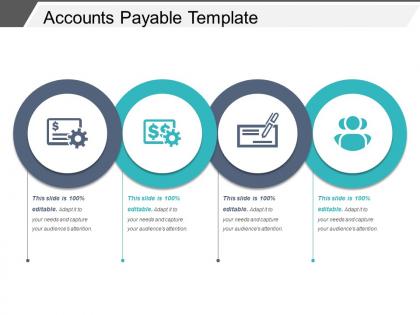
The image shows a PowerPoint slide titled "Accounts Payable Template." It features four circular icons, each representing a different aspect of the accounts payable process, which is integral to a company's financial operations. The slide is designed to be fully editable, allowing users to customize the information to fit their specific presentation needs.
The first icon shows a dollar sign with a gear, which could represent the automation of payments or financial processing systems within accounts payable.
The second icon, also featuring a dollar sign and a gear, but with different styling, might indicate a different aspect of financial operations, such as budgeting or financial planning related to accounts payable.
The third icon, with a checkmark and a writing tool, likely represents the approval and verification process of invoices or payments that are part of the accounts payable workflow.
The fourth icon depicts three figures, which typically symbolize collaboration or teamwork, suggesting that this part of the template could be used to discuss the roles and
responsibilities of the team in the accounts payable department.
Each icon is intended to visually cue a particular aspect or step in the accounts payable process, providing a structured way to present this information in a business or financial context. The note "This slide is 100% editable. Adapt it to your needs and capture your audience's attention.
Use Cases:
This accounts payable presentation template is applicable across various sectors for financial management, illustrating the flow and oversight of payable obligations.
1. Manufacturing:
Use: Explaining the accounts payable process for materials and equipment procurement.
Presenter: Chief Financial Officer
Audience: Procurement Team, Accountants
2. Retail:
Use: To present the vendor payment and invoice reconciliation procedures.
Presenter: Accounts Payable Manager
Audience: Suppliers, Finance Department
3. Health Services:
Use: Detailing payment processes for medical supplies and services.
Presenter: Finance Controller
Audience: Hospital Management, Department Heads
4. Construction:
Use: Outlining the management of subcontractor and supplier payments.
Presenter: Project Accountant
Audience: Project Managers, Contractors
5. Hospitality:
Use: Demonstrating the handling of payments for vendors and service providers.
Presenter: Financial Analyst
Audience: Hotel Operations Team, General Managers
6. Education:
Use: For explaining the processing of payments for educational resources and staff.
Presenter: Director of Finance
Audience: School Board, Administrative Staff
7. Government Agencies:
Use: Presenting the protocols for disbursing public funds to vendors and contractors.
Presenter: Public Finance Officer
Audience: Oversight Committees, Audit Teams
Accounts payable template powerpoint slide designs with all 5 slides:
Educate fresh healthcare assistants with our Accounts Payable Template Powerpoint Slide Designs. Explain elements of intensive care.

FAQs for Accounts payable template
So you'll need the basic vendor stuff - name, contact info, payment terms. Invoice details too: number, date, amount, when it's due. Build in approval workflows with sign-off spots. GL codes are super important for categorizing everything (accounting will hate you otherwise). I'd add fields for purchase order numbers and delivery confirmations. Oh, and space for any supporting docs you need to reference. The status tracker is clutch - you can see what's pending, approved, or already paid without digging around. Honestly, start basic and add more fields as you figure out what works.
Honestly, just getting invoice scanning software will save you tons of time each week. The whole point is cutting out manual data entry and all that repetitive stuff that makes your day drag. Set it up to grab invoice data automatically, match purchase orders, and send approvals to whoever needs to see them. Once it's running, you barely have to think about it. Your vendors actually get paid on time too, which is nice because angry vendor calls are the worst. The system catches mistakes way faster than you would manually. I'd say start small with just the scanning part - you can always add more features later once you see how much easier life gets.
Honestly, AP templates are like having a backup plan for compliance stuff. You'll hit all the boxes auditors want - proper approvals, documentation, vendor checks, tax details. Short sentences keep you focused. Templates also catch duplicate payments and other messy situations before they blow up on you. I learned this the hard way at my last job when we didn't use them consistently. Your processes stay standardized, which sounds boring but actually saves your butt during audits. Trust me, stick with templates religiously and you won't be scrambling when audit season rolls around.
Honestly, those AP templates are game-changers for cutting down mistakes. Set up required fields and dropdown menus for your regular vendors - stops people from entering random stuff. The math errors basically disappear since calculations happen automatically (no more late-afternoon brain fog disasters). Templates keep your approval process moving too, so invoices don't just sit there forever. When everything looks the same, weird discrepancies jump out during reviews. I'd start with whatever invoice types you see most often and build from there. You'll probably notice fewer screw-ups pretty quickly.
Start with the basics - vendor info, invoice numbers, amounts, due dates, and who needs to approve what. Honestly, spending time on data validation upfront will save you so much headache later when people inevitably mess up entries. I'd throw in some dropdown menus for your regular vendors and expense types too. Makes everything faster. Group similar stuff together so it actually makes sense when people use it. Oh, and definitely test it with your team first - they'll spot the annoying parts you totally missed. Clean formatting is key, but don't overthink it.
So basically, AP templates save you from pissing off your vendors by keeping payments consistent and on time. You won't miss deadlines or make dumb mistakes that strain relationships. Vendors love predictable communication too - they know exactly what to expect from your invoices and payment schedules. I know it sounds boring as hell, but this stuff actually matters long-term. Plus tracking payment history becomes way easier, which helps when you're negotiating terms or dealing with disputes later. Start with simple invoice and payment tracking templates - you'll see the difference pretty quickly.
Don't just grab a random template and call it a day - biggest mistake ever. You've gotta customize it to match how your company actually works. People constantly forget to update vendor info too, or they skip checking if all the required fields are filled out. I've literally watched companies pay the same invoice twice because nobody bothered matching it against the purchase order first. Oh, and approval chains - set those up properly in your template from the start. Honestly, spend like 20 minutes tweaking any template before you use it. Always add verification steps or you'll regret it later.
So basically when you connect your AP templates to your accounting software, they stop being just static forms and start doing actual work. All that vendor info and GL codes get pulled in automatically - no more double entry nonsense. Approved invoices flow straight into the system too. The error reduction alone is worth it, but honestly? Month-end close becomes so much easier since everything's already there. Real-time reporting is nice too, beats digging through random spreadsheets. I'd check what integrations your accounting software actually supports first though - some are pickier than others.
Honestly, start with the basics - invoice date, due date, vendor name, invoice number, and amount. Payment terms are huge too (like Net 30 or those 2/10 deals). I always throw in a status column so I can see what's pending, paid, or overdue without squinting at dates. Notes section is clutch for tracking early payment discounts or weird vendor agreements. Oh, and maybe add vendor contact info while you're at it? Trust me, you'll thank yourself later when you can quickly spot what needs paying and when.
AP templates are honestly a lifesaver for tracking where your money's going. Set up automated reminders for discount deadlines first - you'll be shocked how much you save just by paying a few days early. They help you standardize tracking payment dates and vendor terms so stuff doesn't slip through the cracks. You can actually see spending patterns and time your payments better instead of just winging it. The cash flow visibility alone makes it worth the setup time. Plus you won't miss those early payment discounts anymore, which adds up fast.
Honestly, charts and visuals are a game-changer for AP presentations. Your executives don't want to squint at endless spreadsheet rows - they want to see aging buckets and payment statuses at a glance. Color-coded dashboards make overdue invoices pop out instantly. I've found that people actually engage when they can spot cash flow issues without hunting through data. Quick visual scan beats death by Excel every time. Plus those trend charts tell the real story way better than numbers alone. Trust me, you'll get way better questions and feedback when stakeholders can actually digest what you're showing them.
Honestly, AP templates are a game changer for cash flow forecasting. Set them up to track payment patterns and you'll see exactly when money flows out. I love how they help you spot trends - like those annoying seasonal spikes that always catch you off guard. The consistency thing is huge too. When everything's categorized the same way, pulling reports becomes actually manageable instead of a nightmare. Make sure your templates capture payment terms and due dates so you can map out timing. Oh, and add some forecasting fields to whatever you're using now - that's probably the easiest place to start.
So there's a bunch of stuff you can track with AP templates. DPO (days payable outstanding) tells you how long you're taking to pay suppliers - pretty basic but useful. Invoice processing time is another big one, plus cost per invoice which honestly helps a ton with budgeting. Payment accuracy and early discount capture rates matter too. Most templates have aging reports built in, so you can see what's overdue without digging around. Oh, and don't try tracking everything at once - pick like 2-3 metrics that actually matter to your business first. You'll get overwhelmed otherwise.
So retail templates are all about inventory purchases and seasonal buying - you know, getting ready for back-to-school or holiday rushes. Manufacturing is totally different though. You're dealing with raw materials, equipment maintenance, and those crazy expensive machines that need approval from like five different people. The payment cycles are way different too - retail moves super fast while manufacturing takes forever. Honestly, don't even bother trying to hack a generic template. Just grab one that's built for your industry from the start. The whole chart of accounts thing gets messy otherwise.
Here's what I'd worry about with AP templates: First, lock down who can edit the actual templates - you don't want random people adding sketchy vendor details or messing with approval flows. Honestly, I've seen way too many companies leave sensitive bank info sitting right in the templates (total facepalm moment). Version control is your friend for tracking changes. Encrypt anything with financial data and audit access regularly - maybe quarterly? The security landscape changes fast, so what worked six months ago might not cut it now.
-
Good research work and creative work done on every template.
-
Unique and attractive product design.