

Android App Development Proposal Powerpoint Presentation Slides






Try Before you Buy Download Free Sample Product
 Impress Your
 Audience
 100%
100% Editable
 Save Hours
 of Time


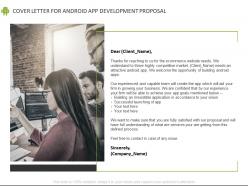
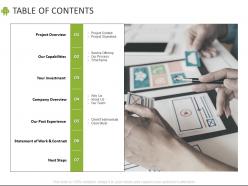
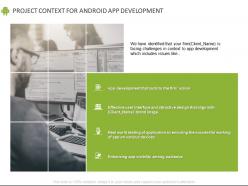
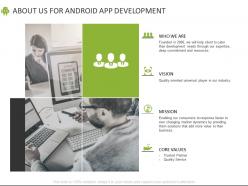
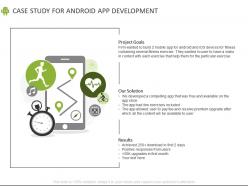
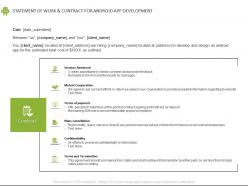
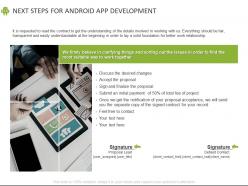
Demonstrate your competence in building a mobile app by using these Android App Development Proposal PowerPoint Presentation Slides. As a mobile developer, mobile app is the first thing that a client notices to judge your skills. Show to your clients that you live and breathe the digital world by making use of this remarkable android app project proposal PowerPoint visual. Persuade your clients into adopting your software services by showcasing your company’s biggest achievements. Also, include a few customer testimonials to prove that you are the best in the market. You can also give a brief introduction of your company and talk about your objectives in detail such as launching an app, marketing it, app maintenance etc. Focus on these objectives and validate how your services are a perfect match to the wants of your client. Communicate effectively with your client by making use of our extensively researched mobile app proposal PPT complete deck by molding it any which way. This mobile app idea proposal PowerPoint visual can be used as a powerful tool to set a dialogue between you and your client. It will also help in establishing a balance between persuading your client and getting hired by them. The scope of this android app sample proposal PowerPoint slideshow includes many deliverables like project goals, objectives, capabilities, process, timeframe, investment etc. You can customize these slides to adapt it to your business needs and requirements. Furthermore, you add your desired information to make this PPT much more useful. Hence, download this ecommerce mobile app development PPT graphic now to freely access it and save it for further application.
People who downloaded this PowerPoint presentation also viewed the following :
Android App Development Proposal Powerpoint Presentation Slides with all 34 slides:
Use our Android App Development Proposal Powerpoint Presentation Slides to effectively help you save your valuable time. They are readymade to fit into any presentation structure.















FAQs for Android App Development Proposal
For Android, you're looking at **Java** and **Kotlin** mainly. Kotlin's become Google's go-to now - way less verbose than Java, which honestly makes everything smoother. There's **C/C++** through NDK if you need serious performance stuff, but that's pretty specialized. Cross-platform wise, **Dart** with Flutter or **JavaScript** with React Native work well, though you lose some native speed. Oh, and if you're brand new to this? Skip Java entirely and go straight to Kotlin. Trust me on that one - you'll thank yourself later when you're not writing twice as much code for the same thing.
Dude, lifecycle issues are performance killers. Your app gets paused and resumed constantly when people switch apps, and if you mess up those transitions you'll get memory leaks everywhere. Plus that annoying thing where the screen rebuilds from scratch when they come back. I spent way too many late nights fixing this stuff early on. Save your state properly and clean up resources in onPause() - that's like 80% of it right there. Oh and seriously, test by rotating your screen a bunch and jumping between apps. Sounds boring but it'll catch most bugs before users start complaining.
Definitely go with Android Studio first - it's got everything you need. Kotlin over Java though, trust me on this one. Way cleaner code and you'll actually enjoy writing it. Firebase handles all the backend headaches like auth and databases. Oh, and Retrofit makes API calls so much easier. Glide's perfect for loading images without crashes. Jetpack Compose is where UI development's heading, but honestly XML still works fine if you're just starting. Gradle build variants help manage different versions too. Start with Studio + Kotlin combo and you're golden.
So you'll want to test on different screen sizes and API levels - ConstraintLayout and LinearLayout are your friends for responsive stuff. Android Studio's emulator is okay I guess, but real devices are way better if you can borrow some. Set your minSdkVersion and targetSdkVersion properly in build.gradle, and AndroidX helps with backwards compatibility. Don't forget different screen densities and orientations too. Try to get at least one crappy old phone, a newer flagship, and maybe a tablet. That combo usually catches most of the weird issues you'll run into.
Honestly, just stick with Material Design - Google already figured out what Android users expect. Make your navigation predictable and use icons people recognize. Touch targets need to be 48dp minimum because our thumbs are basically sausages. Give everything room to breathe with white space, it really helps. Test on different screen sizes constantly since Android fragmentation will bite you otherwise. I know it's tempting to get creative, but following platform conventions actually works better than trying something totally new. Check out Google's design docs and spend time using apps that feel smooth - you'll start noticing patterns pretty quickly.
Just ask for runtime permissions when users actually need them, not all upfront during onboarding. Android 13+ is honestly a pain with the new granular media stuff - definitely test that thoroughly. Before requesting anything, explain why you need it in your UI first. People aren't idiots, they'll grant permissions when they get the reasoning. Handle denials well too and give alternative options where you can. Oh, and use the newer permission APIs - they're much cleaner. Start with core permissions only, then grab others as users go through your app. Way better user experience that way.
Dude, Jetpack is a lifesaver. Google basically bundled together all these libraries that handle the annoying stuff - lifecycle management, navigation, Room for databases, data binding, whatever. Instead of writing everything from scratch, you just plug these in. Navigation Component and Room are probably your best starting points if you're just getting into it. They'll cut out so much boilerplate code it's ridiculous. Everything plays nice together too, which is honestly refreshing because usually Android feels like you're wrestling with it. I wish I'd started using it way earlier than I did.
So first thing - check what's actually draining your battery with Android's Battery Historian tool. You'd be shocked what pops up sometimes. Location services are usually the worst culprit, along with constant network requests and wake locks keeping the phone awake. Batch your network calls instead of hitting the server constantly, and use JobScheduler for background stuff rather than polling every few seconds. GPS settings matter too - don't ask for super precise location if you just need general area. Oh, and go through your permissions. Remove any location or sensor access that isn't absolutely necessary.
Start with Android Studio's debugger - breakpoints are a lifesaver for stepping through code and checking variables. Logcat is absolutely essential for crashes and monitoring behavior, honestly can't code without it. Different log levels (Log.d, Log.e) help track what's happening. Layout inspection tools fix UI headaches pretty quick. Oh and LeakCanary catches memory leaks before they become a nightmare. Developer options on your test device gives you extra debugging stuff too - I always forget to turn that on first but it's super helpful for performance monitoring.
Dude, APIs and third-party libraries are total lifesavers. You don't have to build everything yourself - just grab Retrofit for networking, Glide for images, Stripe for payments, whatever you need. Trust me, coding without them would suck so bad. Your app can talk to external services through APIs. Libraries give you ready-made stuff to drop in your project. Oh and definitely check any third-party code for sketchy security issues - learned that one the hard way. Keep your dependencies updated too or you'll run into weird compatibility problems later.
Honestly, the biggest pain will be getting your team on board if they're Java diehards. There's definitely a learning curve with Kotlin's syntax and null safety stuff. Compile times might drag a tiny bit, but whatever - barely matters these days. Oh and mixing Kotlin with existing Java code? Sometimes creates these weird debugging headaches that'll make you want to scream. The functional programming concepts trip people up too. My advice? Don't go crazy converting everything at once. Start small with new features and let people get comfortable first. Way less drama that way.
Dude, MVVM and MVP will save your sanity. You know how we always end up with those massive Activities that do everything? These patterns fix that mess by splitting things up properly. Business logic goes in one place, UI stuff in another, data handling somewhere else. Super clean. When you need to change how your app grabs data, you just hit the Model layer. UI changes? Touch the View, leave everything else alone. I'm telling you, debugging becomes so much easier when everything has its own spot. Plus adding new features won't mean rewriting half your code like usual.
Honestly, start with OWASP's mobile security stuff - it's a lifesaver. Data encryption is huge (both stored and transmitted), and make sure you're using HTTPS for all API calls. Certificate pinning is one of those things developers always skip but shouldn't. Authentication flows need to be solid too. Android's Keystore is perfect for sensitive data storage. Input validation prevents injection attacks, which... yeah, you don't want those. Session management matters more than people think. Biometric auth is nice when it fits. Oh, and code obfuscation - worth doing even though it's kind of a pain.
For Android apps, in-app purchases are probably your best bet - stuff like premium features or subscriptions. AdMob ads work pretty well too, especially if people actually use your app regularly. Most successful apps I've seen do both honestly, since relying on just one thing is kinda risky. The whole freemium thing kills it on Android. Oh, and don't try to do everything at once - pick one method first, figure out what your users actually want, then maybe add the other stuff later. Way less headache that way.
Jetpack Compose is probably the biggest thing right now - Google's really pushing their declarative UI stuff. Kotlin Multiplatform is solid for cross-platform work too. Privacy requirements are getting serious, so think about that early. AR/VR integration isn't just hype anymore, and honestly foldable support matters now (weird to say that). ML Kit keeps popping up everywhere too. I'd jump on Compose first since Google's going all-in. The privacy stuff you can't ignore anymore - plan for it from day one or you'll hate yourself later. Multiplatform's worth exploring if you're doing iOS too.
-
Excellent design and quick turnaround.
-
Editable templates with innovative design and color combination.
-
Illustrative design with editable content. Exceptional value for money. Highly pleased with the product.
-
Excellent Designs.
-
Innovative and Colorful designs.