

Idea proposal powerpoint presentation slides






Try Before you Buy Download Free Sample Product
 Impress Your
 Audience
 100%
100% Editable
 Save Hours
 of Time


Highlight your strategic business techniques by taking the help of our ready-made Idea Proposal PowerPoint Presentation Slides. The assistance in the fulfillment of the funds for making the project successful can be discussed with your customers here. You can explain to your consumers how your firm can align with your client’s programs to make them economically sustainable by using appropriate innovative technologies. Mention the strategic objectives your company aims to achieve and give a clear vision to the customer by incorporating this idea presentation agreement PPT template. The topics discussed in this idea contract PowerPoint visuals include product overview, market opportunity, investment opportunities, SWOT analysis, Porter’s five forces model and selecting the target audience. Furthermore, you can explain the product roadmap, market map, future benefits to investors, cost-benefit analysis of marketing strategies, budget allocation, etc. You can elucidate the product strategy, competitive advantage, technical feasibility, and product profitability to summarize the client by utilizing this business idea proposal PowerPoint visual. Porter’s Five Forces model can be explained by focusing on points like the bargaining power of buyers, the threat of substitute products or services, bargaining power of suppliers, and the threat of new entrants. Additionally, with the help of our professionally designed business idea, you can describe the parameters on which your company selects the target audience. Incorporate our product introduction agreement PPT slideshow to elaborate on the roadmap of the complete procedure of idea implementation starting from idea generation to the evaluation of results. Download this product idea agreement PowerPoint slideshow and showcase your marketing strategies in selling your brand idea.
People who downloaded this PowerPoint presentation also viewed the following :
Content of this Powerpoint Presentation
Slide 1: This slide introduces Idea Proposal. State Company name and Client name.
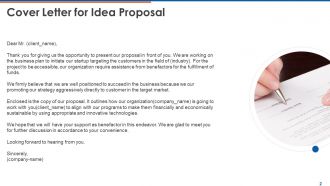
Slide 2: This slide displays cover letter.
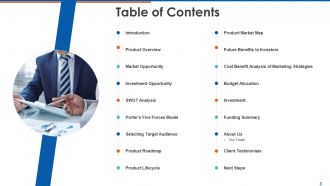
Slide 3: This slide displays Table of Contents of the presentation.
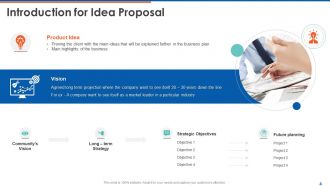
Slide 4: This slide displays Introduction for Idea Proposal.
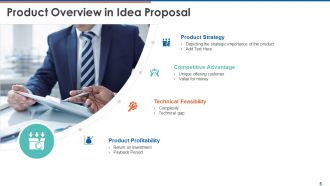
Slide 5: This slide showcases Product Overview in Idea Proposal.
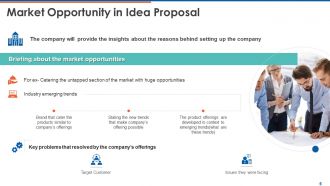
Slide 6: This slide depicts Market Opportunity in Idea Proposal.
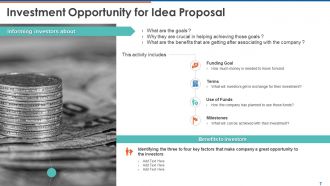
Slide 7: This slide shows Investment Opportunity for Idea Proposal.
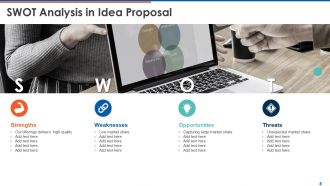
Slide 8: This slide showcases SWOT Analysis to analyze strengths, weaknesses, opportunities and threats.
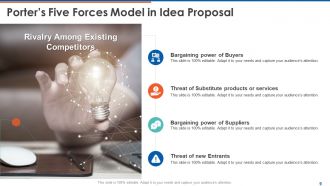
Slide 9: This slide showcases Porter’s Five Forces Model.
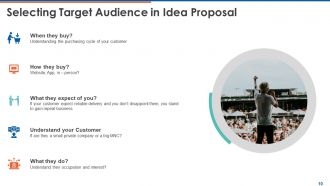
Slide 10: This slide depicts Selecting Target Audience in Idea Proposal.
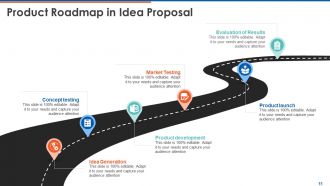
Slide 11: This slide displays Product Roadmap.
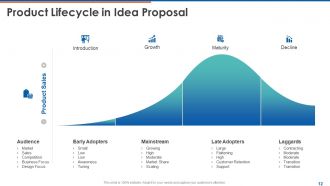
Slide 12: This slide represents Product Lifecycle in Idea Proposal.
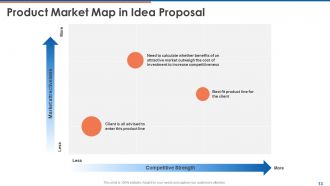
Slide 13: This slide depicts Product Market Map.
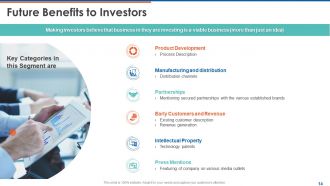
Slide 14: This slide showcases Future Benefits to Investors with key categories.
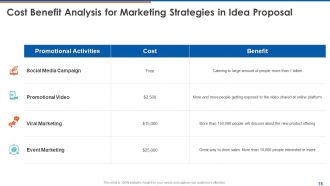
Slide 15: This slide depicts Cost Benefit Analysis for Marketing Strategies.
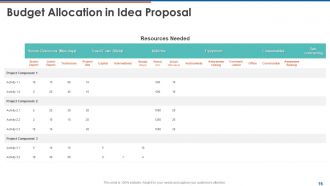
Slide 16: This slide presents Budget Allocation in Idea Proposal.
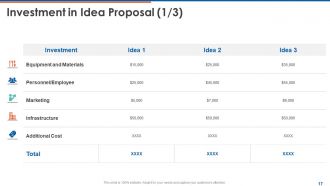
Slide 17: This slide showcases Investment in Idea Proposal.
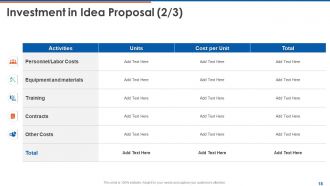
Slide 18: This slide also showcases Investment in Idea Proposal in tabular form.
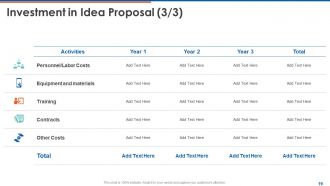
Slide 19: This slide presents Investment in Idea Proposal in tabular form.
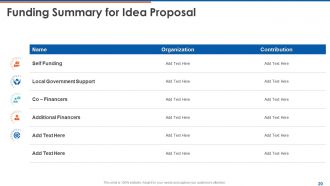
Slide 20: This slide showcases Funding Summary for Idea Proposal.
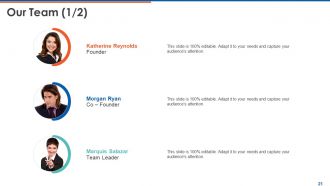
Slide 21: This is Our Team slide with names and designations.
Slide 22: This is Our Team slide with names and designations.
Slide 23: This slide displays Client Testimonials with names and designations.
Slide 24: This slide Client Testimonials with names and designation. (2/2)
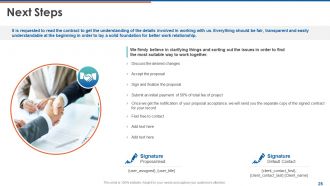
Slide 25: This slide showcases Next Steps.
Slide 26: This is Contact Us slide with Address, Contact number and Email address.
Slide 27: This slide is titled as Additional Slides for moving forward.
Slide 28: This is About Us slide to showcase company specifications.
Slide 29: This is Our Mission slide with Mission, Goal and Vision.
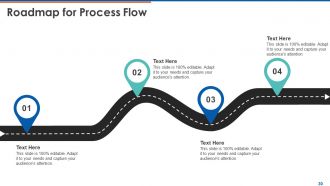
Slide 30: This slide depicts Roadmap for Process Flow.
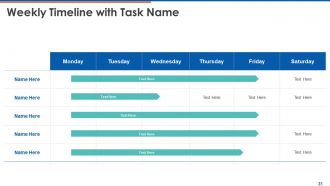
Slide 31: This slide showcases Weekly Timeline with Task Name.
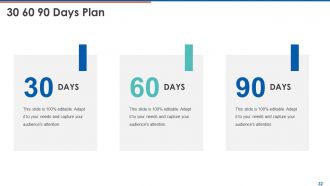
Slide 32: This is 30 60 90 Days Plan slide.
Idea proposal powerpoint presentation slides with all 32 slides:
Use our Idea Proposal Powerpoint Presentation Slides to effectively help you save your valuable time. They are readymade to fit into any presentation structure.





FAQs for Idea proposal
You'll want four main pieces on that slide: the problem you're solving, your actual solution, what benefits it brings, and what you need from them. I always start with the problem first - gets people invested before you pitch the fix. Then explain your solution (keep it tight), throw in some numbers if you have them because executives love that stuff, and finish with your ask. Could be money, could be approval, whatever. Oh and make it visual! Text-heavy slides are where presentations go to die. Practice your pitch beforehand too - you don't want to be reading off the slide like a robot. Two minutes max should do it.
Honestly, visuals are game-changers for presentations. People remember what they can see way longer than paragraphs of text. When you show a chart instead of rattling off numbers, everyone gets it instantly. Mockups let people actually picture your idea instead of trying to imagine it. I swear, some of the best concepts I've seen just flopped because they got lost in endless bullet points. Plus visuals give you those natural breaks where you can pause and let things sink in. Oh, and infographics are clutch for breaking down complicated processes. Pick your three biggest points first, then find visuals that back them up.
White space is your best friend - don't cram everything together. Stick to 2-3 colors and use fonts at least 24pt because nobody wants to squint. I'm weirdly passionate about this, but slides packed with text are the worst. Break things up with visuals or simple charts that actually matter. Your main point should jump out in 5 seconds max. Go problem → solution → impact → next steps. Oh, and test your slides on different screens first - you might end up presenting on some dinosaur laptop that makes everything look terrible.
Ok so here's what works: pick 2-3 really solid stats that actually back up your main point. Don't dump a million numbers on people - they'll tune out. Charts beat tables every time (trust me on this). Start strong with your best stat to hook them, then sprinkle the others throughout. The key thing? Explain what those numbers actually mean for THEM, not just rattling off data. Oh and round weird decimals to whole numbers - way easier to remember. Also cite where you got everything so you look legit.
Look, storytelling makes your idea proposals way more memorable than just throwing facts at people. Nobody's gonna remember your bullet points, but they'll definitely remember the story about those frustrated customers who sparked your breakthrough. You want that classic story structure - set up the problem, show why current solutions suck, then boom, your idea saves the day. Honestly, proposals without stories just feel flat and forgettable. People connect with narratives way more than features and benefits. Before you write anything, ask yourself what story you're actually telling. That'll guide everything else.
Honestly, you've gotta tailor everything to whoever's sitting across from you. With executives? Hit them with ROI and business impact right off the bat - they don't have time for fluff. Technical people want the nitty-gritty details and what might go wrong. Marketing teams care about user experience and market potential. I've seen so many people bomb presentations because they used the exact same slides for everyone. Switch up your examples too - pick stuff that actually matters to their day-to-day work. Oh, and make like 2-3 versions of your key slides beforehand so you're not scrambling to adjust on the fly.
Dude, don't cram every detail onto your slides - people's eyes just glaze over. One main point per slide, that's it. Those cheesy stock photos? Skip them entirely, they look lazy. Practice your timing too because I've watched so many good presentations get ruined when someone rushes through the best parts. Start with your strongest benefit right up front. Visuals should actually help explain your point, not just fill space. And seriously, make your ask super obvious - don't make people guess what you want from them.
Honestly, colors and fonts do like 80% of your persuading before you even open your mouth. If you go bold and high-contrast, you'll look confident and grab attention. Muted colors seem more thoughtful but can be kinda boring - trust me on that one. Clean fonts make you look professional and trustworthy. Quirky ones work too if you don't overdo it. Your color scheme needs to match what you're pitching though. Bright colors for innovative stuff, classic ones for reliable ideas. Just pick something consistent that actually supports your message instead of working against it. Typography helps guide people's eyes to your key points too.
Dude, mix up how you present stuff and get them involved. Throw in questions, maybe some polls if you've got the tech. After big moments, just pause and let it sink in. Tell stories instead of rattling off facts - bullet points make everyone's eyes glaze over. Keep slides super visual with barely any text so they're actually watching you talk. Walk around, change your voice up. Oh and build in little discussion breaks where people can turn to whoever's next to them. That always saves me when I can tell I'm losing the room. Just read their faces and pivot if needed.
Start with the problem you're solving - that's your hook. Don't waste time on background stuff nobody cares about yet. I've watched so many people bomb because they spent 5 minutes setting up context before getting to the point. Your value prop needs to hit early. Make them care first, then show you can actually do it. Save the market research and technical details for backup slides unless they're make-or-break for your story. People zone out fast, so put your best stuff upfront. It's like writing headlines - grab attention immediately, then fill in the details. Oh, and be super clear about what you're asking for.
Honestly, storytelling works wonders - do the whole "it's like Netflix, but for..." thing to make it click. You could flip it and start with the problem nobody talks about, then drop your crazy solution. Interactive stuff is gold if you can swing it. I've watched people nail this with props or even arguing against their own idea first (weird but effective). Short version: match your energy to how wild the idea is. Don't pitch something revolutionary with basic slides - that's just painful to watch. Pick whatever format feels right and go all in.
Get feedback right after you present, then sort it into buckets - stuff about clarity, missing content, how it looks. I throw everything into a basic spreadsheet because honestly it makes the patterns way more obvious. Hit the feedback that multiple people brought up first since that's what's actually throwing your audience off. But don't go crazy trying to fix every tiny comment or you'll mess up slides that were working fine. Oh, and definitely test your changes with a few people before the real deal - sometimes you think you fixed something but made it worse.
Honestly, just go with whatever your team's already using first. PowerPoint's got all the fancy features if you need them polished. Google Slides is clutch for collaborating in real-time - no more emailing versions back and forth. If you're like me and design isn't your strong suit, Canva's templates actually look professional without being obvious templates. Oh, and Figma's worth checking out for really slick presentations. Prezi's kinda cool too with that zooming thing, though some people find it distracting. Start simple, then upgrade if you need more design power later.
Okay so for your closing slide - don't just throw up a "thank you" slide, that's basically throwing away your best moment. Hit them with your main point again in one punchy sentence. Then remind them what's in it for them (the big win or opportunity). Here's the thing though - you need a real call-to-action. Not some weak "any questions?" but something like "Can we get this into the Q1 budget?" or "What's our next step on timeline?" Keep the slide super clean visually so they're listening to you, not squinting at text. You want them walking out thinking about next steps, not trying to remember what you even pitched them.
Get your one-pager ready first - that's your lifeline since half these people won't remember anything tomorrow. Then put together the detailed brief with timelines, budget, all that stuff. Honestly, the visual mockup is what sells it though. Doesn't matter if it's rough - people need to see something real. I'd also map out next steps and who's doing what. Send everything within 24 hours while they're still excited about it. Make each doc work on its own too because they'll definitely get passed around to other people.
-
Great
-
great
-
User-friendly slides, easy to understand
-
Best Representation of topics, really appreciable.
-
Very unique, user-friendly presentation interface.
-
Great product with highly impressive and engaging designs.
-
Content of slide is easy to understand and edit.