

Application Firewall Powerpoint Presentation Slides





Try Before you Buy Download Free Sample Product
 Impress Your
 Audience
 100%
100% Editable
 Save Hours
 of Time


App assaults are the most common cause of breaches since they allow access to sensitive data. A web application firewall WAF protects websites from these application-layer attacks such as cross-site scripting XSS, SQL injection, and cookie poisoning. Here is a professionally designed Application Firewall template that gives a brief idea about its services, architecture, deployment options, and impact on the organization after its deployment. This PowerPoint presentation covered an overview of the web application firewall company, its core values, etc. In addition, this PPT contains hardware-based, software-based, and cloud-based web application firewall services, etc. Furthermore, this template includes information about the types of WAF security models, various cyberattacks from which WAF can prevent, and business-use scenarios for WAF. Additionally, it showcases the comparison between web application firewall and traditional firewall system, benefits, and security use cases. Moreover, this WAF PPT caters to a hybrid WAF, pricing for deployment, deployment process, how WAF will protect from cyberattacks, and its impact on the organization. Lastly, this deck comprises a timeline for WAF deployment, a roadmap, and a dashboard to monitor WAF performance. Get access now.
People who downloaded this PowerPoint presentation also viewed the following :
Content of this Powerpoint Presentation
Slide 1: This slide introduces Application Firewall. State your company name and begin.
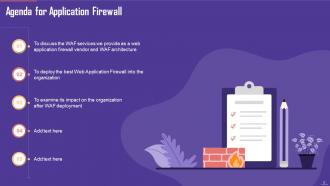
Slide 2: This slide states Agenda of the presentation.
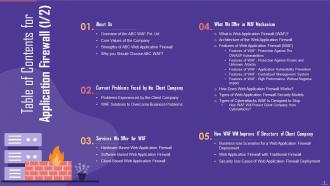
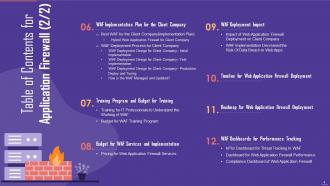
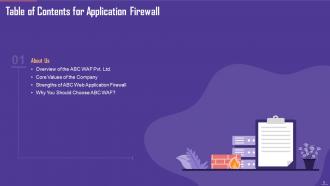
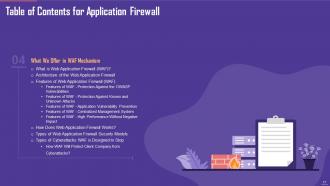
Slide 3: This slide shows Table of Content for the presentation.
Slide 4: This is another slide continuing Table of Content for the presentation.
Slide 5: This slide depicts title for four topics that are to be covered next in the template.
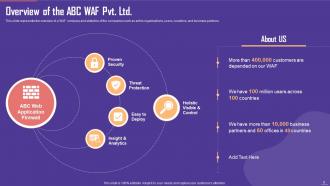
Slide 6: This slide represents the overview of a WAF company and statistics of the companies such as entire organizations, users, countries, etc.
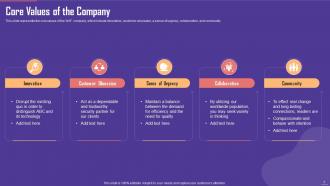
Slide 7: This slide represents the core values of the WAF company, which include innovation, customer obsession, a sense of urgency, etc.
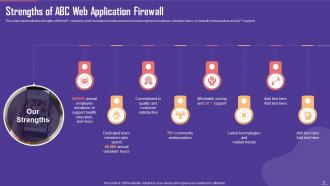
Slide 8: This slide represents the strengths of the WAF company, and it includes the total amount of annual employee donations, volunteer hours, etc.
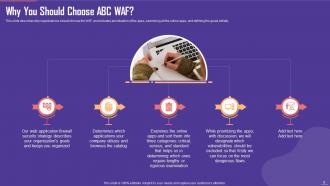
Slide 9: This slide describes why organizations should choose the WAF and includes prioritization of the apps, examining all the online apps, etc.
Slide 10: This slide depicts title for two topics that are to be covered next in the template.
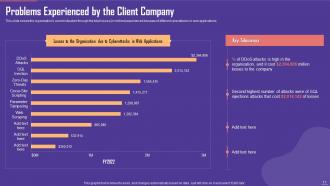
Slide 11: This slide shows the organization's current situation through the total losses (in millions) experienced.
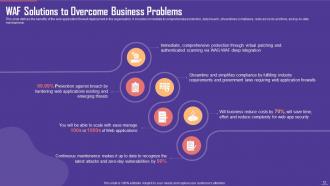
Slide 12: This slide defines the benefits of the web application firewall deployment in the organization.
Slide 13: This slide depicts title for three topics that are to be covered next in the template.
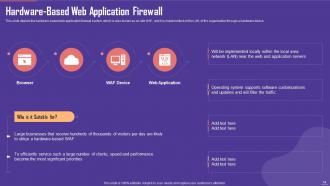
Slide 14: This slide depicts the hardware-based web application firewall system, which is also known as on-site WAF.
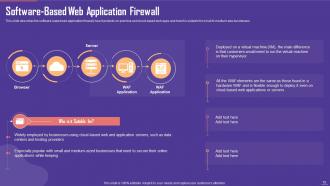
Slide 15: This slide describes the software-based web application firewall, how it protects on-premise and cloud-based web apps, etc.
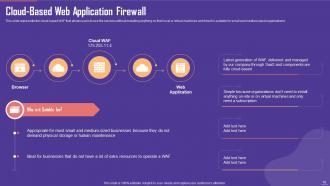
Slide 16: This slide represents the cloud-based WAF that allows users to use the services without installing anything.
Slide 17: This slide depicts title for twelve topics that are to be covered next in the template.
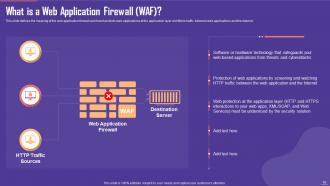
Slide 18: This slide defines the meaning of the web application firewall and how it protects web applications.
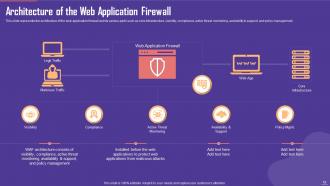
Slide 19: This slide represents the architecture of the web application firewall and its various parts such as core infrastructure, visibility, etc.
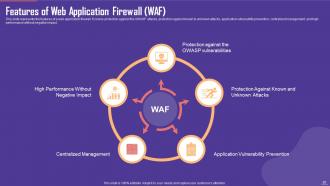
Slide 20: This slide represents the features of a web application firewall.
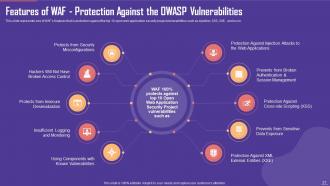
Slide 21: This slide represents one of WAF’s features that is protection against the top 10 open web application security project vulnerabilities.
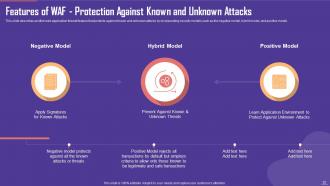
Slide 22: This slide describes another web application firewall feature that protects against known and unknown attacks by incorporating security models.
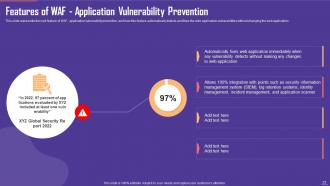
Slide 23: This slide represents the next feature of WAF, application vulnerability prevention, and how this feature automatically detects.
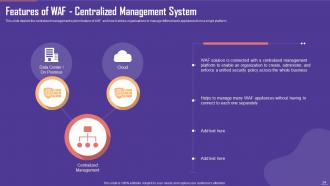
Slide 24: This slide depicts the centralized management system feature of WAF and how it allows organizations to manage different web appliances.
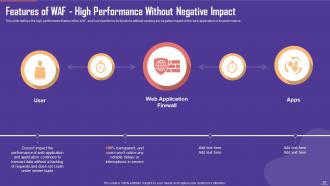
Slide 25: This slide defines the high-performance feature of the WAF and how it performs its functions without causing any negative impact.
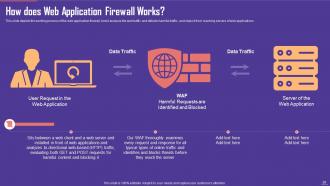
Slide 26: This slide depicts the working process of the web application firewall, how it analysis the web traffic and detects harmful traffic, etc.
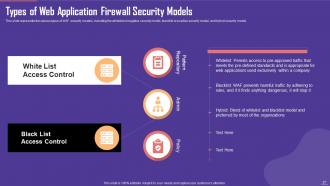
Slide 27: This slide represents the various types of WAF security models, including the whitelist or negative security model, etc.
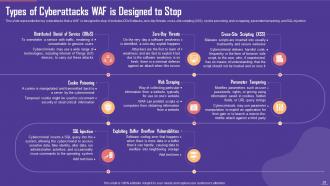
Slide 28: This slide represents the key cyberattacks that a WAF is designed to stop.
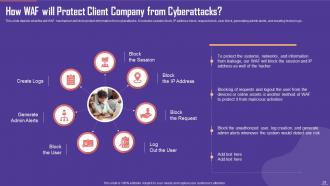
Slide 29: This slide depicts what the will WAF mechanism will do to protect information from cyberattacks.
Slide 30: This slide depicts title for three topics that are to be covered next in the template.
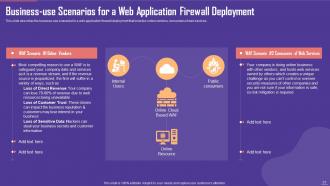
Slide 31: This slide describes the business-use scenarios for a web application firewall deployment that includes online vendors, etc.
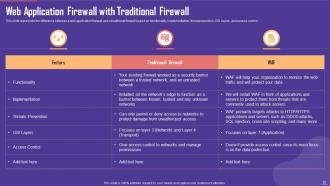
Slide 32: This slide represents the difference between a web application firewall and a traditional firewall based on functionality, etc.
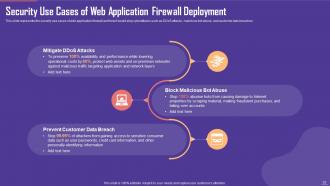
Slide 33: This slide represents the security use cases of web application firewall and how it would stop cyberattacks such as DDoS attacks, etc.
Slide 34: This slide depicts title for five topics that are to be covered next in the template.
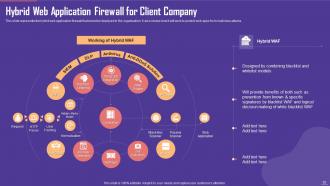
Slide 35: This slide represents the hybrid web application firewall that would be deployed in the organization.
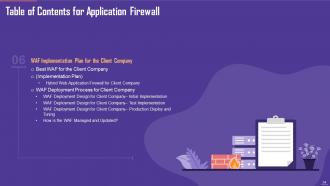
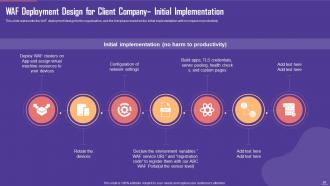
Slide 36: This slide represents the WAF deployment design for the organization.
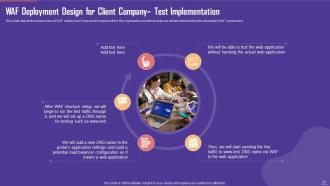
Slide 37: This slide depicts the test process of WAF deployment, how we will implement it in the organization, etc.
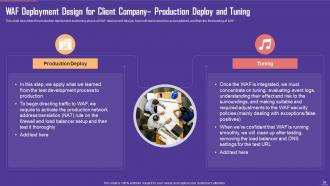
Slide 38: This slide describes the production deployment and tuning phase of WAF deployment design, how both tasks would be accomplished, etc.
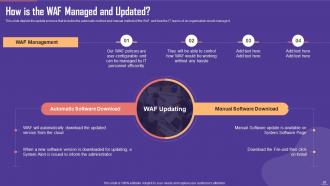
Slide 39: This slide depicts the update process that includes the automatic method and manual method of the WAF.
Slide 40: This slide depicts title for two topics that are to be covered next in the template.
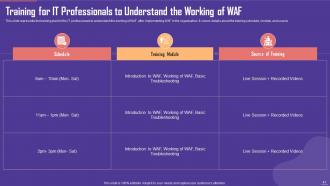
Slide 41: This slide represents the training plan for the IT professionals to understand the working of WAF after implementing WAF in the organization.
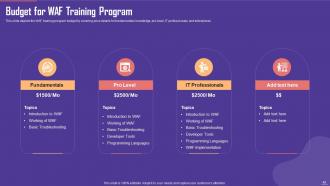
Slide 42: This slide depicts the WAF training program budget by covering price details for fundamentals knowledge, pro-level, IT professionals, and enterprises.
Slide 43: This slide depicts title for two topics that are to be covered next in the template.
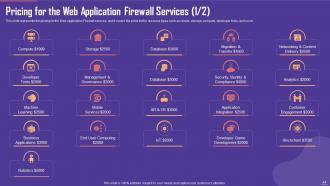
Slide 44: This slide represents the pricing for the Web Application Firewall services.
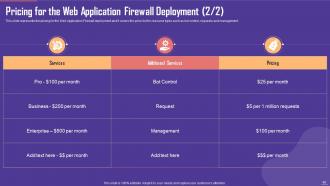
Slide 45: This slide represents the pricing for the Web Application Firewall deployment and it covers the price list for resource types.
Slide 46: This slide depicts title for two topics that are to be covered next in the template.
Slide 47: This slide represents the Web Application Firewall deployment pricing.
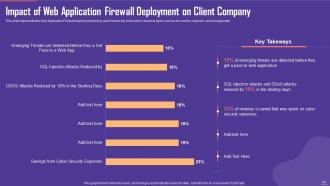
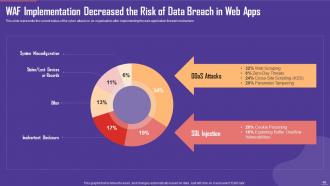
Slide 48: This slide represents the current status of the cyber attacks in an organization after implementing the web application firewall mechanism.
Slide 49: This slide depicts title for one topic that is to be covered next in the template.
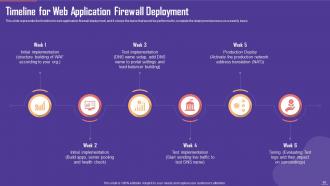
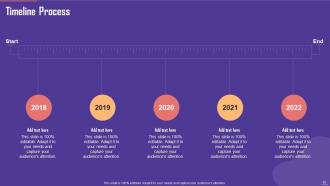
Slide 50: This slide represents the timeline for web application firewall deployment.
Slide 51: This slide depicts title for one topic that is to be covered next in the template.
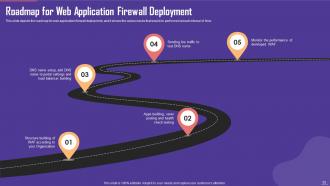
Slide 52: This slide depicts the roadmap for web application firewall deployment.
Slide 53: This slide depicts title for three topics that are to be covered next in the template.
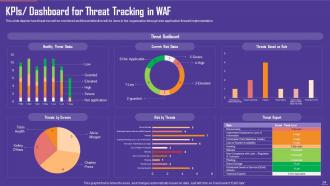
Slide 54: This slide depicts how threat risk will be monitored and threat detection will be done in the organization.
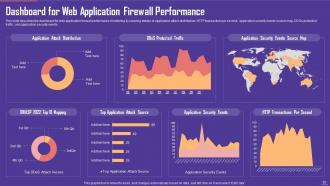
Slide 55: This slide describes the dashboard for web application firewall performance monitoring by covering details of application attack distribution, etc.
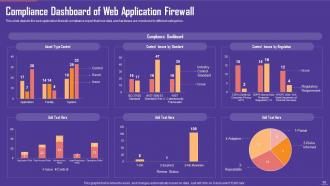
Slide 56: This slide depicts the web application firewall compliance report that how data and hardware are monitored in different categories.
Slide 57: This slide contains all the icons used in this presentation.
Slide 58: This slide is titled as Additional Slides for moving forward.
Slide 59: This is About Us slide to show company specifications etc.
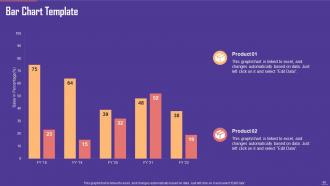
Slide 60: This slide presents Bar chart with two products comparison.
Slide 61: This slide depicts Venn diagram with text boxes.
Slide 62: This slide provides 30 60 90 Days Plan with text boxes.
Slide 63: This is an Idea Generation slide to state a new idea or highlight information, specifications etc.
Slide 64: This slide shows Post It Notes. Post your important notes here.
Slide 65: This is a Timeline slide. Show data related to time intervals here.
Slide 66: This is a Thank You slide with address, contact numbers and email address.
Application Firewall Powerpoint Presentation Slides with all 71 slides:
Use our Application Firewall Powerpoint Presentation Slides to effectively help you save your valuable time. They are readymade to fit into any presentation structure.







FAQs for Application Firewall
So application firewalls dig way deeper than regular ones - they actually read what's inside your traffic instead of just checking ports. Think of it like a bouncer who opens every bag vs. one who just glances at IDs. They'll catch nasty stuff like SQL injection and XSS attacks that would totally sneak past your network firewall. Plus they validate data inputs and watch for weird behavior patterns. Honestly, if you're running any web apps or APIs (which, let's be real, who isn't these days?), you'd be crazy not to have one protecting your stuff.
So network firewalls are pretty basic - they just check IP addresses and ports. Application firewalls actually dig into your web traffic content though. Like, one bouncer checks your ID while the other searches your whole bag, you know? Application ones catch SQL injection attacks and cross-site scripting that regular firewalls totally miss. They examine HTTP requests and database queries in detail. Honestly, if you're running any web apps, you really need both types. Network firewalls alone just aren't enough anymore - too many attacks slip through at the application level.
So basically, application firewalls catch the nasty stuff that regular firewalls totally miss - like SQL injection attacks and cross-site scripting. Think of it as your website's security guard. It filters out malicious traffic before it even hits your servers, which is pretty sweet. You get way better insights into who's trying to mess with you too. Plus if you're dealing with compliance stuff like PCI DSS (ugh, the paperwork), it helps check those boxes. Oh, and you can customize rules for your specific apps. I'd start with whatever web applications are most critical to your business first - don't try to do everything at once.
So DPI is basically when your firewall actually cracks open data packets and reads what's inside - not just the address labels. Regular firewalls only check basic stuff like IP addresses and ports. But DPI? It digs into the actual content to spot malware, sketchy patterns, whatever. You can block specific apps or even filter out certain keywords. Pretty cool honestly, though it can slow things down a bit. I'd say just set up rules for what you actually need rather than going crazy with every option. No point making your network crawl, you know?
So basically an application firewall is like having a smart bouncer for your app. It catches all the nasty web attacks - SQL injection, XSS, cross-site request forgery, that stuff. Unlike regular network firewalls, this one actually understands what your app is doing, so it spots weird requests and malicious payloads way better. It'll block sketchy bots and DDoS attempts too. Oh, and it helps stop data from getting stolen. Just make sure you configure the rules right for your specific app, otherwise you might accidentally block real users (learned that one the hard way).
So basically an application firewall sits between your users and web app, checking all the HTTP requests coming in. It'll block sketchy stuff like SQL injection and XSS attacks before they hit your actual code. Pretty much works like a smart bouncer - knows what malicious traffic looks like and stops it. Uses rule sets and behavioral analysis to catch attacks that could exploit bugs you haven't even found yet (which honestly happens more than we'd like to admit). You'll want to set up rules tailored to your specific app and actually check those blocked traffic logs regularly to tweak things.
So application firewalls are basically your safety net for PCI DSS and GDPR compliance. They block malicious traffic before it reaches your apps, which auditors absolutely love seeing. For PCI, they help you nail requirement 6.5.1 around protecting cardholder data. GDPR-wise, they count as those technical safeguards you need for personal data protection. Honestly, they're kind of like your "look, we're actually taking security seriously" proof - though obviously they've gotta work properly too. The trick is configuring them right and being able to show they're actively guarding whatever data the regulations care about. Pretty straightforward stuff once you get it set up.
First thing - figure out what you're actually trying to protect and how much coverage you need. Network-based gives you broader protection, host-based is more granular. Cloud options are pretty solid these days, way less headache to manage. Your team's skill level matters too since some of these things are a pain to configure properly. Budget's obviously a factor but honestly don't just grab the cheapest one. Oh and definitely test a few vendors with your real traffic first - saved my ass when one looked great on paper but totally choked on our actual workload.
So there are three main types of app firewalls you can go with. Hardware appliances are physical boxes that sit in your network - crazy fast and rock solid, but they'll cost you. Software ones run on whatever servers you already have, which is way more flexible and won't break the bank. Cloud WAFs are probably the easiest route though - they filter stuff before it even reaches your network. Most places I know started with cloud because honestly, why make it harder than it needs to be? You can always move to on-premise later when you need more control.
So app firewalls actually fit in really well with whatever you've already got running. They sit between your web servers and users, working with your network firewalls and SIEM stuff. Most of them can dump logs straight into your monitoring tools and work fine with identity management for auth. Here's the thing though - they don't replace your existing setup, they just add another layer. Your network firewall still handles basic traffic filtering, but the app firewall goes deeper and catches application-level nasties like SQL injection attempts. Oh, and definitely set up log forwarding to your SIEM so you can see everything in one place.
So app firewalls are kinda tricky - they can't see inside encrypted traffic without doing SSL termination first. Performance takes a hit under heavy loads too. The worst part? They're basically blind to new attacks they haven't encountered before. Here's what actually works: set up SSL bridging so you can inspect the encrypted stuff, use load balancers to spread the performance impact around. Keep your rules current - seriously, this matters more than people think. Those ML-based WAFs are getting decent at spotting weird patterns now. But honestly, don't put all your eggs in one basket. Layer different security tools together.
So machine learning basically makes your firewall way smarter - instead of just following preset rules like a boring old system, it actually learns what normal traffic looks like. The cool part? It can catch weird behavioral stuff and zero-day attacks that would totally slip past traditional detection. ML builds these baselines of your normal network activity, then flags anything suspicious in real-time. Over time the models get better at reducing false alarms while catching more sophisticated threats. Honestly, I'd look for anything with behavioral analysis - it'll destroy static rule sets every time.
Yeah, app firewalls do add latency since you're throwing another inspection layer in front of every request. The performance hit really depends on your ruleset complexity though - basic filtering vs deep packet inspection makes a huge difference. Modern solutions are pretty optimized, so you're looking at milliseconds most of the time. Nothing users would actually feel. Just don't go crazy with complex regex patterns or you'll shoot yourself in the foot. Oh, and definitely load test with the firewall running so you know exactly what you're dealing with in your environment.
So here's the thing - WAFs can't catch zero-days since nobody knows about them yet, but they're still pretty useful. They watch for sketchy patterns like weird SQL injections or XSS stuff, even when they don't recognize the exact attack. Think of it like a bouncer who knows something's off even if they can't pinpoint what. Honestly, the behavioral analysis part works better than you'd expect. Just make sure you keep updating those rule sets and turn on learning mode so it picks up new attack patterns. Not perfect, but way better than nothing.
Oh man, you've gotta keep that firewall updated or you're asking for trouble. Signature updates catch all the new nasty stuff hackers are trying. We got burned last year missing a big one - not fun explaining that to management. Set up auto-updates if you can, but test everything in staging first because broken firewalls suck worse than outdated ones. Don't forget the boring stuff either: check your logs regularly, clean out old rules that aren't doing anything. Honestly, firmware updates usually help performance too, so it's worth the hassle.
-
SlideTeam makes creating presentations easy. Unlimited products, premium quality designs and affordable.
-
Perfect template with attractive color combination.