

Barriers In Business Communication Training Module On Business Communication Edu Ppt




Try Before you Buy Download Free Sample Product
 Impress Your
 Audience
 100%
100% Editable
 Save Hours
 of Time


This PowerPoint training deck in-depth covers the concept of Barriers in Communication. It includes slides containing examples and measures to overcome physical, cultural, language, perceptual, interpersonal, gender, and emotional barriers at the workplace for better communication. The PPT module also contains key takeaways, discussion questions, MCQs, and memes to make the training session interactive. Further, it includes additional slides on about us, vision, mission, goal, 30-60-90 days plan, timeline, roadmap, training completion certificate, energizer activities, detailed client proposal, and training assessment form.
People who downloaded this PowerPoint presentation also viewed the following :
Content of this Powerpoint Presentation
Slide 4
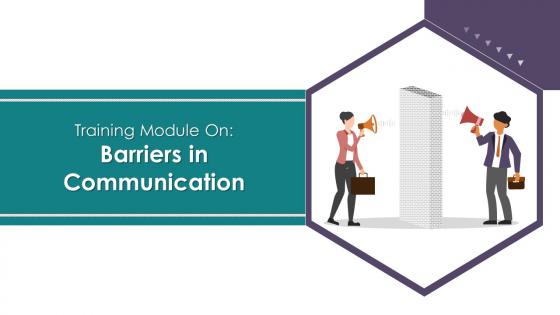
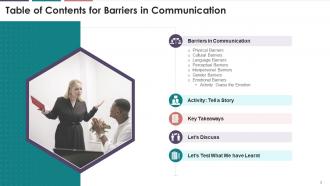
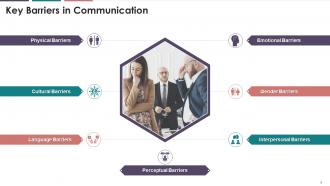
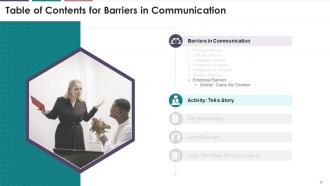
The slide lists down the major barriers in business
communication such as physical barriers, cultural barriers, language barriers,
perceptual barriers, interpersonal barriers, gender barriers and emotional
barriers.
Slide 6
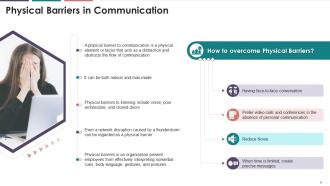
This slide depicts that any physical element or factor
that acts as a distraction to obstruct the flow of communication is a physical
barrier in communication.
Instructor’s Notes:
Some of the most significant physical
barriers in an organization are as follows:
·
Inadequate lighting
·
Noise in the background
·
Closed Doors
·
Geographical distances between message
sender and receiver
Types of Physical Barrier in Communication
·
Noise: The
most common physical barriers to listening is noise. Noise impedes the flow of
messages, causes them to be inaccurate or unclear, and leads to
misinterpretations. Environmental noise, technological noise, and written noise
are all examples of noise. A message that is poorly written or printed is an
example of written noise
·
Excessive Information: Communication
can suffer when the amount of information is too large for a person to store or
process. The sender may have a lot of information to share but no way to
process it. The inability to send or receive large amounts of printed data is a
physical barrier
·
Distortion: A
distorted message is one that has been misrepresented or misinterpreted. It
happens when the meaning of a message is lost in translation or during decoding
Slide 8
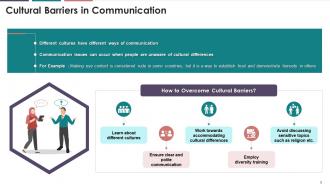
This slide depicts the information regarding cultural
barrier. It occurs when people are unaware of cultural differences.
Slide 10
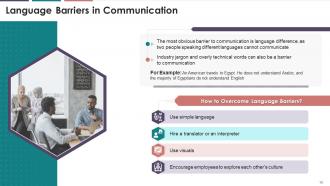
This slide covers the information regarding language
barrier. It occurs when people speaking different languages cannot communicate.
Instructor’s Notes:
Types of language barriers
·
Language difference: It
occurs when a person interacts with someone who speaks a different native
language
·
Dialects and accents: It
occur when two people share the same language but speak it differently
·
Lack of clear speech: It
occurs when people speak too softly or too quickly. In either case, it is
unclear what they are saying
·
Technical terms or jargon: It
occurs when someone communicates using highly technical and subject-specific
terms
·
Word choice: It
occurs when someone uses words with two meanings or says something
sarcastically that the listener may misinterpret
Slide 12
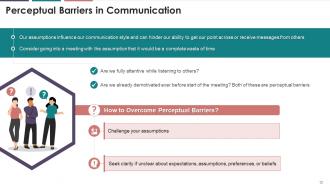
This slide covers the information regarding perceptual
barrier. These are mental roadblocks caused by internal biases we have about
people or events around us.
Instructor’s Notes:
Types of perceptual barriers
·
Selective perception - It
entails paying attention to information that supports your ideas while ignoring
the rest
·
Stereotypes - A
stereotype is an oversimplified mental picture associated with a specific group
(e.g., women are emotional and fat people are jolly)
·
Halo effect - In
organizations, the halo effect occurs when managers provide overly favorable
evaluations of employees based on isolated successes
·
Projection - The
tendency to attribute one's own beliefs, feelings, tendencies, motives, or
needs to other people
·
Expectations - An
expectation is the tendency to find what one expects to find in a situation or
a person. Our expectations greatly influence how we perceive the world around
us
Slide 14
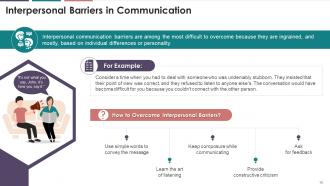
This slide covers the information regarding
interpersonal barriers, and it is most challenging to overcome because they are
based mainly on personality.
Slide 16
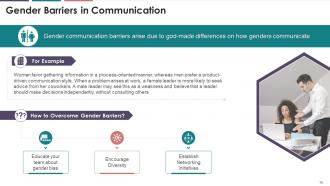
This slide covers the information regarding Gender
Barriers in Communication. These are barriers that arise due to the different
ways in genders communicate.
Slide 18
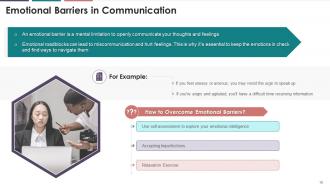
This slide depicts the information regarding emotional
barriers, which is a mental limitation to communicate your thoughts and
feelings openly.
Instructor’s note: Types of emotional Barrier
·
Anger - Anger
is an emotional barrier to communication that affects how your brain processes
information. A person is less likely to be logical in discussions because of
anger. Moreover, a person is less likely to contribute constructively to problem-solving
and more likely to oppose other people's ideas
·
Pride - It
is an emotional barrier to communication that hinders healthy communication in
a variety of ways. Pride as an emotion implies that you are proud of what you
say and do. This means that you talk more than you listen
·
Anxiety - It
is another emotional barrier to effective communication, and it can harm
communication skills and effectiveness. People won't concentrate on what others
are saying because they will be preoccupied with what they want to say.
Furthermore, anxiety may cause them to avoid social situations, even in a
professional setting
Slide 19
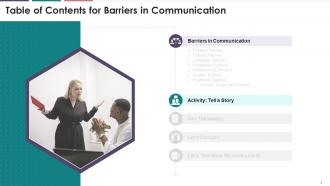
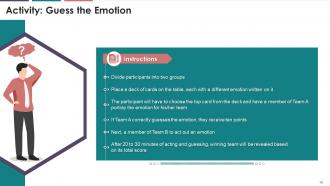
This slide depicts an activity that the trainees can
perform during their training session that will allow participants to develop
empathy and better understanding among colleagues.
Instructor’s Notes:
·
The activity allows all participants to
develop empathy and improve the understanding of their colleagues' or group
members' reactions
·
Each member must portray the emotion in a
specific amount of time, perhaps a minute or two
·
Acting opportunity should be shared equally
between the two teams
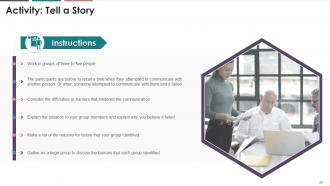
Slide 20
This slide showcases an activity that the trainees can
perform during their training session to identify the type of communication
barrier.
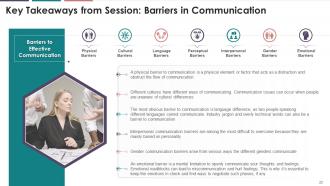
Slide 22
The purpose of this slide is to showcase the summary of
barriers in communication training session.
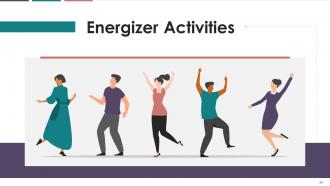
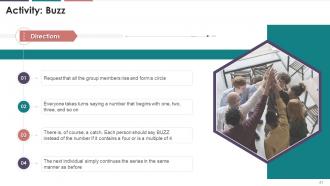
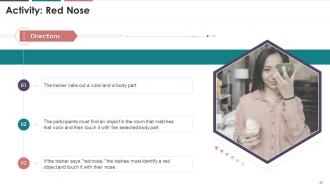
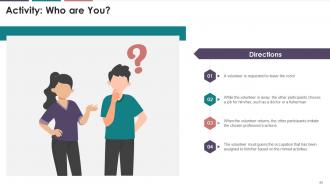
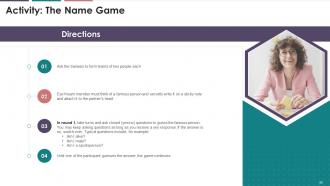
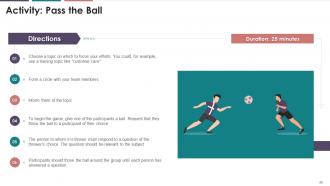
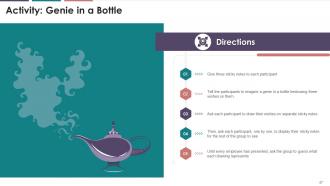
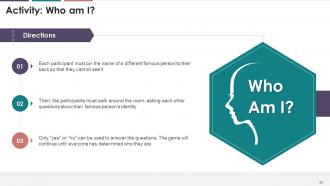
Slide 41 to 52
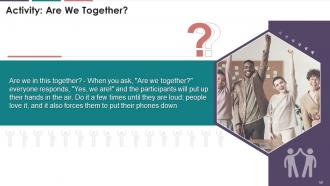
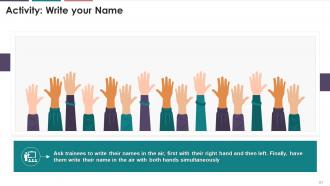
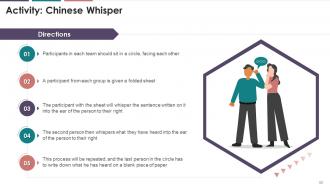
These slides depict energizer activities to engage the
audience of the training session.
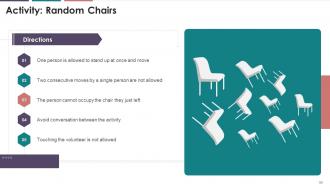
Slide 55
The above slide displays the activity for the team
members found less energetic and enthusiastic. It will ensure an increase in
energy levels and the productivity of employees at the workplace.
Instructor's Notes:
·
Multiple chairs are to be adjusted in the
empty and spacious room in a random order
·
The chairs should be put in a manner that
every chair points in a different direction and all the chairs are occupied
Now,
·
Ask for a volunteer from the batch. (Batch
may include a maximum of 15 people for a regular size room)
·
The volunteer is supposed to walk slowly
and approach his/her empty chair and sit down. If the chair is already
occupied, then he/she is expected to occupy the other/next alternative empty
chair available
·
All other members will try to stop the
person from approaching the relevant chair
Strategy Formulation:
·
Multiple teams can be made to conduct the
activity
·
Each team can be allotted 2 minutes for
planning
·
Each round is to be reviewed for the
outcomes achieved from the activity
·
Each team should have a different
volunteer, preferably the person with the lowest energy levels from the batch
·
The volunteer should move cautiously so as
to not bump into any of the props or persons in the room
Activity Review/Outcomes:
·
How did the activity influence the teamwork
and engagement skills of all the participants?
·
How was the experience while planning and
working with 15-20 members at a time?
·
Was everybody clear about the purpose and
conduct of the respective activity?
·
Did you observe any flaws that you wish to
improve? Or any other instructions you want to include to make the activity
conduct easier?
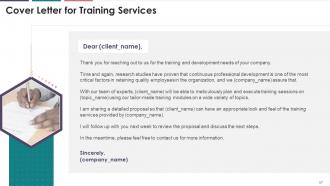
Slide 57
This slide highlights the cover letter for the training
proposal. It includes details regarding what the company providing corporate
training can accomplish for the client.
Slide 60
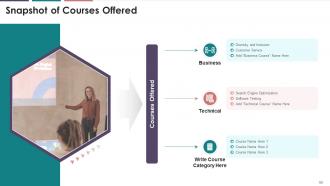
The purpose of this slide is to showcase the multiple
types of courses offered by the training company.
Slide 62
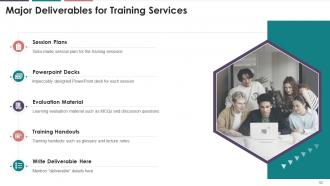
This slide indicates the major deliverables that the
corporate training firm will provide to the client. The key deliverables
highlighted are session plans, PowerPoint deck, evaluation material, and
training handouts.
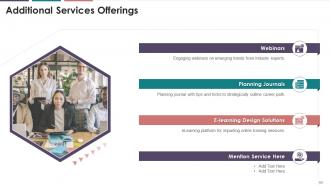
Slide 64
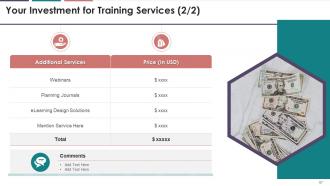
This slide represents the multiple additional services
offered by the training firm to the client, such as webinars, planning
journals, and e-learning design solutions.
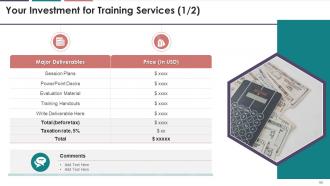
Slide 66
This slide tabulates the major deliverables offered by
the training company to the client along with their associated costs.
Slide 67
The purpose of this slide is to highlight the multiple
additional services offered by the training firm along with their cost details.
Slide 69
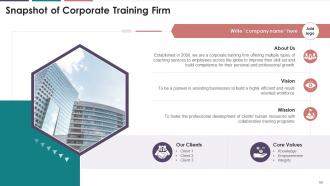
This slide provides an overview of the corporate
training firm's vision and mission statements, core values, and key clients.
Slide 71
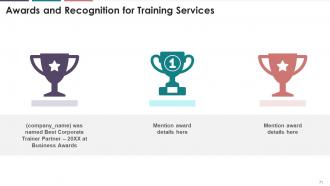
This slide highlights the major awards and recognition
won by the training firm for their exceptional service to clients.
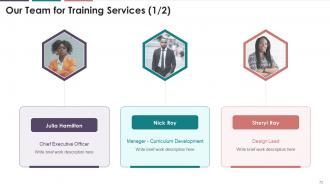
Slide 73
The slide provides information regarding the team
members that would be providing the training services to the client. It
includes details of the trainer and their respective designations
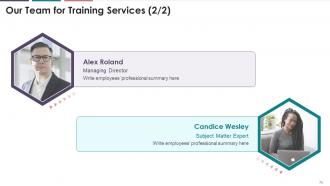
Slide 74
The slide provides information regarding the team
members that would be providing the training services to the client. It
includes details of the employees names and their respective designations.
Slide 76
This slide provides information pertaining to
testimonials given by satisfied clients of the training firm.
Slide 77
This slide highlights the testimonials from multiple
satisfied clients of the training firm providing information regarding
congratulatory messages, client name, and company details.
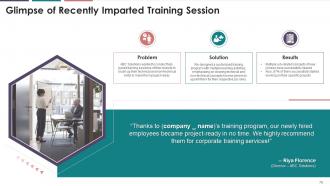
Slide 79
This slide showcases the case study for the training
proposal. It includes information regarding the problem faced by the client and
solutions offered by the training firm. It also covers details of the results
and client testimonial.
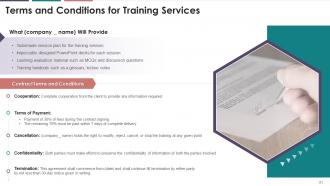
Slide 81
This slide provides information regarding the contract
terms and conditions of the training proposal. It also includes details of
deliverables that the training company will provide to the client.
Slide 83
The purpose of this slide is to provide the contact
information of the corporate training firm. It includes the firm’s official
address, contact number, and email address.
Slide 84
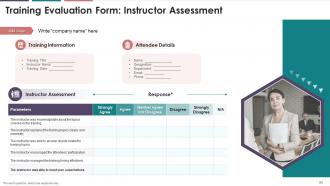
This slide highlights the training evaluation form for
instructor assessment. It also includes sections to fill details of training
information and attendee details.
Slide 85
This slide showcases the questions for the assessment
of the training content by the attendees.
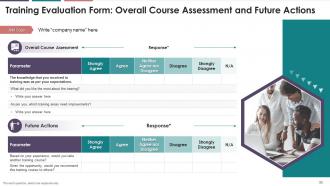
Slide 86
The slide indicates the evaluation form for course
assessment. It also includes questions pertaining to the future actions of the
attendees.
Barriers In Business Communication Training Module On Business Communication Edu Ppt with all 91 slides:
Use our Barriers In Business Communication Training Module On Business Communication Edu Ppt to effectively help you save your valuable time. They are readymade to fit into any presentation structure.










FAQs for Barriers In Business Communication Training Module On Business
Honestly, good communication is what makes or breaks a team. When everyone's on the same page, you avoid those nightmare projects where nobody knows what's going on. People actually trust each other more when they're not constantly guessing what others are thinking. Short deadlines become manageable because everyone knows their role. Problems get fixed faster too - people aren't scared to bring up issues. I've seen teams fall apart just because they couldn't talk to each other properly. Start small though - just be more clear about updates and don't be afraid to ask questions when you're confused.
Honestly, templates are like having guardrails for your brain. They force you to break down messy ideas into chunks people can actually digest. No more word vomit slides! You get that logical flow - here's the problem, here's my fix, here's why you should care. The visual stuff stays consistent too, so your audience isn't distracted trying to decode weird layouts. I mean, nobody wants to play detective with your presentation. When you stick to familiar formats like comparison charts, people can focus on what you're saying instead of figuring out how to read it. Grab a basic template and tweak it.
Honestly? Start with regular check-ins from day one - same format, same schedule. I totally bombed a project once because everyone was getting different info from different people. What a mess. Weekly emails work great, or quick calls if that's more your style. Flag problems early though - don't wait until everything's on fire. Oh, and this is key: executives just want the big picture while your team needs all the nitty-gritty details. Tailor what you're saying to who you're talking to. Draft a simple communication plan first and actually follow it.
Dude, knowing your audience is everything in business communication. Like, a CEO doesn't want a novel - just give them bullet points and tell them how it affects the bottom line. But your tech team? They actually want all the nitty-gritty details and specs. I've watched so many people send emails that just... die because they didn't think about who's reading it. What does this person actually care about? How do they like getting info? Then match that vibe. Honestly, it's kind of obvious when you think about it, but people mess this up constantly.
Ugh, don't read straight off your slides - it's so painful to watch. Also avoid cramming walls of text everywhere and definitely don't go over time (people get cranky). Practice out loud beforehand, seriously. I used to skip this and it always bit me in the ass. Keep slides visual and test your tech early - Murphy's law is real with projectors. Oh, and don't turn your back on people while talking. When someone asks a tough question you can't answer? Just say you'll follow up later instead of word-vomiting nonsense.
Dude, visuals are a game changer. People absorb images so much faster than reading paragraphs of stuff. Plus let's be honest - everyone's attention span is basically nonexistent these days. When you've got complicated data or processes, charts and diagrams keep people from mentally checking out. They give you something concrete to point at too, which keeps the whole room on the same page. Even just a basic graph makes such a difference. I learned this the hard way after watching people's eyes glaze over during my first few presentations. Trust me, throw in some visuals next time.
Oh man, this is huge at work! Some people are super blunt while others hint at everything - took me forever to figure that out. Time's weird too... like my German colleague gets annoyed if you're 2 minutes late, but my Brazilian friend thinks showing up "on time" means within 15 minutes lol. You gotta switch up your whole style depending on who you're talking to. Different email tones, meeting energy, feedback approaches. Honestly? Just ask people how they prefer to communicate instead of guessing.
Honestly, just weave feedback into your normal conversations instead of making it this big formal thing. Do regular check-ins and use shared docs where people can jump in with comments whenever. But here's what really matters - ask specific questions! "Any feedback?" gets you nothing. Make it feel casual, not like some assignment. People need to feel safe being real with you. Oh, and this part's huge - actually tell them what you're doing with their input. I've seen so many teams where people just stop contributing because they think no one's listening anyway.
Slack and Zoom are pretty solid for messaging and video calls. For project stuff, try Asana or Notion - we bounced between way too many tools before settling on those. Google Drive or Microsoft 365 work great for sharing docs too. Honestly, the biggest mistake is using like 5 different apps for everything. Pick one for each thing and actually stick with it. Start simple with just messaging and video first. You can add project management later once everyone's not completely overwhelmed. Trust me on this one.
Oh man, conflict sucks but you gotta face it head-on. Listen to everyone first - I mean really listen - before you try fixing anything. Stay calm and use "I feel" instead of "you always do this" crap. Don't make it personal, stick to the actual problem. Honestly, avoiding it just makes everything worse (learned that the hard way). Jump on issues early before they blow up. Maybe do quick one-on-ones with each person first? That way you get their real thoughts without the group drama. Create space where people won't get punished for speaking up. Write down what you decide and check back later - people forget agreements surprisingly fast.
Honestly, most presentations bomb in the first 30 seconds, so nail your opening with something that actually grabs attention. Figure out exactly what you want people to walk away thinking or doing - sounds obvious but you'd be surprised how many people skip this. Structure your points so they flow logically, and back up everything with real examples or data that matters. I always practice out loud beforehand (yeah, talking to yourself feels weird but it works). When you're presenting, ditch the robotic slide-reading thing. Make eye contact, use your hands naturally, and just talk like you're explaining something to a colleague. The whole point is connecting with people, not performing perfectly.
Honestly, stories make business stuff way less boring. People's eyes glaze over with bullet points, but throw in a real customer example? Suddenly everyone's paying attention. Start with a problem your audience actually deals with, show how it got solved, boom - way more memorable than random data dumps. I've seen the most mundane presentations come alive just because someone shared a quick anecdote instead of another slide full of numbers. The situation-action-result thing works great for proposals too. Even in emails, a brief story beats dry facts every time.
Okay so first thing - put your strongest point right at the top, don't make them hunt for it. I used to write these rambling emails that went nowhere lol. Structure it like: here's the problem, here's my solution, here's what you get out of it. Back everything up with real numbers or examples, not just fluff. Write like you're confident about it too - none of that "maybe we could possibly consider" garbage. Focus on what THEY get, not what you need from them. Oh and always end with exactly what you want them to do next. Make it stupid easy to say yes.
Honestly, start simple - just ask "did people actually do what we asked them to?" That's your best metric right there. You can get fancy with surveys asking if your messages were clear, but good luck getting responses (seriously, it's like pulling teeth). Email open rates and meeting attendance give you some clues too. I'd also watch for whether your key points come up in conversations later - that tells you if stuff actually stuck. Oh, and track follow-through on action items because that's where the rubber meets the road. Don't overthink it though. Pick one thing to measure first, see how it goes.
Dude, body language is SO much more important than people think at work. Like, you can say "sounds good" but if you're rolling your eyes or have your arms crossed, everyone knows you hate the idea lol. Your posture says everything too - I learned this the hard way when my boss called me out for looking disengaged in meetings. Now I actually sit up straight and make eye contact. The trick is matching your face/body to whatever you're actually saying. Trust me, people notice when something feels off, especially during big presentations or when you're trying to seem credible.
-
The templates are the best in class. Very clear and innovative graphics! I am excited to explore and download more presentations.
-
Awesome presentation, really professional and easy to edit.