

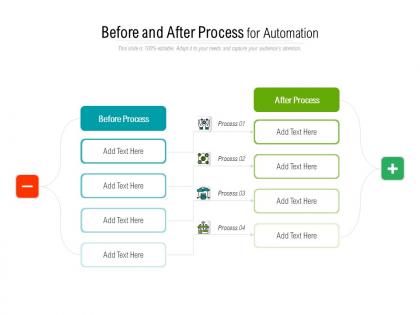
Before and after process for automation




Try Before you Buy Download Free Sample Product
 Impress Your
 Audience
 100%
100% Editable
 Save Hours
 of Time


Great decisions emerge with our Before And After Process For Automation. They ensure you arrive at the correct conclusions.
People who downloaded this PowerPoint presentation also viewed the following :
Before and after process for automation with all 5 slides:
Bring your business into focus with our Before And After Process For Automation. They are designed for commercial activity.




FAQs for Before and after
Honestly, it comes down to three big things: money, staffing headaches, and trying to keep up with everyone else. Most companies I've seen are automating their most boring, repetitive stuff to save cash and let people focus on work that actually matters. Customers want everything yesterday now - and done perfectly - which is tough when you're doing things manually. The pandemic was huge for this too since remote work made all the inefficient processes super obvious. Finance teams especially love it for cutting down on those stupid human errors. I'd say look at whatever tasks make you want to pull your hair out first.
Hunt for stuff that's repetitive and follows clear rules - data entry, invoice processing, basic customer support tickets. High-volume tasks are perfect. Your team probably complains about the boring, mind-numbing work anyway, so you'll be doing everyone a favor. Focus on processes where mistakes cost money or create headaches. Honestly, just follow people around for a day and listen. When someone goes "ugh, I've done this exact same thing like 40 times today" - bingo, that's your target. Map out whatever's eating the most hours or creating those annoying bottlenecks first.
Look, training your people is honestly everything here. I've watched companies completely bomb their automation rollouts because they just assumed workers would adapt - spoiler alert, they don't. People get scared they're gonna lose their jobs or feel totally lost with new systems. Start mapping out skill gaps now and show them how these tools actually make their work better, not obsolete. Focus on both the tech side and helping them through the change mentally. Oh, and don't rush it - that's where most places screw up. Your team needs to see automation as their sidekick, not their replacement.
Honestly, the biggest headaches are gonna be job displacement fears and those brutal upfront costs. Your team might freak out thinking they're getting replaced - morale can tank fast if you handle it poorly. Then there's the whole dependency thing where if your shiny new system crashes, you're basically screwed. Oh, and vendors always make implementation sound like a breeze (spoiler: it's not). Security holes are another fun surprise waiting to happen. Start with small pilot tests though. Be straight up with everyone about what's changing. That way you'll spot the disasters before they drain your budget.
Track your hard savings first - labor hours saved, fewer screw-ups, faster processing times. Compare that to what you spent on implementation over like 12-18 months. The soft stuff matters too but it's harder to measure... better customer satisfaction, your team doing more valuable work instead of grunt tasks. Pick 3-4 metrics that actually matter for your specific situation. Get your baseline numbers before automating, then check progress monthly. Honestly? Don't get so obsessed with ROI calculations that you miss the bigger strategic wins.
So there's three big ones you should know about. AI/ML is the brain - it predicts stuff like equipment failures and optimizes supply chains. RPA basically becomes your digital assistant, clicking through boring repetitive tasks (seriously, it's weirdly satisfying to watch). Then IoT connects all your physical devices so they actually communicate with each other. The difference is scope, really. RPA handles specific tasks, IoT links everything together, and AI makes the whole system think better. I'd say map out your biggest headaches first - then you can figure out which tech actually fixes what. Don't try to do everything at once though.
Dude, definitely start small - pick some boring, repetitive stuff that won't break everything if it goes wrong. Map out what you're currently doing first though, can't stress this enough. I've watched teams skip this step and it's a disaster every time. Don't go all-in right away - run the automation alongside your normal process for a bit so people can get used to it. Your team needs to actually trust this thing before you flip the switch completely. Start with one department, figure out what actually works, then slowly roll it out. Oh and stick to simple, rule-based tasks at first.
Yeah, automation mostly changes jobs rather than killing them off completely. The boring, repetitive stuff gets automated first. But then you need people to manage those systems, fix them when they break, etc. It's wild how fast it all happens honestly. Your team's gonna need different skills - more creative thinking, problem-solving, people skills. The stuff robots still suck at, basically. I'd start figuring out what processes might get automated next, then help your people learn whatever new skills they'll need. Better to get ahead of it than scramble later.
Honestly, build compliance right into your workflows from the start - don't try to add it later, that's a nightmare. First thing is mapping which regulations hit each process you're automating. Then code those rules as validation steps or approval gates. Documentation will save your ass during audits. Keep detailed logs of everything your automation does and when. I've watched teams scramble because they couldn't prove their systems followed regulations - not pretty. Start with your riskiest processes first. Work with compliance folks to figure out what "automated compliance" actually means for your industry. Worth the upfront effort, trust me.
Honestly, the biggest myth is that automation = mass layoffs and robot takeover. Most of the time you're just changing what people do, not getting rid of them. People think it's like flipping a switch too - do everything at once. Bad idea. It's more like... ongoing tweaks and improvements? Never really "done." Oh, and don't try automating your whole operation right away. Pick the boring, repetitive stuff first. Build on small wins. You want to make your team better at their jobs, not obsolete.
Okay so first thing - get your executives actually using the tools themselves and hyping them up. People notice when leadership walks the talk. Be super upfront about WHY you're doing this automation stuff, like how it actually helps the team not just saves money. Training is key obviously. Some folks will hate change no matter what (there's always that one person lol). But honestly? Let your team pick which processes get automated first. When they feel heard, they're way more likely to get on board. Oh and definitely celebrate the people who jump in early - that peer pressure works wonders.
Honestly, automation can be a game changer for customer experience - you get faster responses, round-the-clock support, and personalized stuff at scale. Customers love getting instant answers and smooth self-service options. But here's where companies mess up big time: they automate literally everything. Bad move. You need to figure out what actually makes sense to automate versus where people still want to talk to a real human. I'd start by looking at your customer journey first - like, really mapping it out to see which parts would benefit from bots and which need that personal touch. It's all about balance.
Honestly, you've gotta nail down your quality controls first before even thinking about ramping up speed. Build those validation checks and error alerts right into your automated workflows from day one. I learned this the hard way - "set it and forget it" is a recipe for disaster. Keep monitoring everything continuously and set alerts when your quality metrics start dropping. Here's what works: increase your automation speed super gradually, but only after you've tested that your safeguards actually catch problems. Start slow and conservative. Once you trust the system won't break on you, then you can optimize for speed.
Amazon's warehouse automation cut fulfillment times by 50% - pretty insane numbers. UPS saves over 100 million miles yearly with their route optimization thing. Tesla had some rough patches with over-automating their gigafactory (classic Musk move), but they're cranking out batteries at crazy scale now. Cleveland Clinic automated patient scheduling and dropped wait times 30%. JPMorgan's AI does contract analysis in seconds that used to take lawyers like 360,000 hours. Banking's been huge for this stuff. Honestly though, I'd check what companies in your space are doing first since that'll be most relevant.
You should totally look into AI automation that can make actual decisions, not just do boring repetitive stuff. The big trend is hyperautomation - basically different tools talking to each other without breaking. No-code platforms are blowing up too, which is kinda wild because now anyone can build workflows without coding skills. Voice interfaces are everywhere now. Oh, and predictive automation is getting scary good at catching problems before they even happen. My advice? Pick one small area and just start messing around with it. Don't overthink it.
No Reviews