

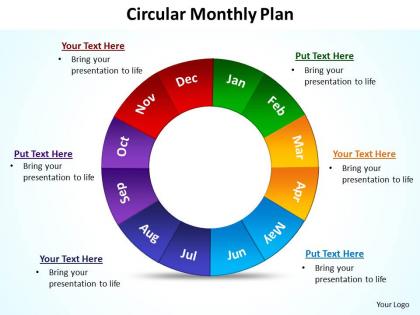
Circular monthly plan powerpoint diagram templates graphics 712




Try Before you Buy Download Free Sample Product
 Impress Your
 Audience
 100%
100% Editable
 Save Hours
 of Time


Depart from the norm with our circular monthly plan powerpoint diagram templates graphics 712. Your thoughts will get freshly innovative.
People who downloaded this PowerPoint presentation also viewed the following :
Circular monthly plan powerpoint diagram templates graphics 712 with all 10 slides:
Make the wisest decision to enable you to captivate your audience by using our versatile circular monthly plan powerpoint diagram templates graphics 712 in your presentation. They will emphatically define your message.


FAQs for Circular monthly plan powerpoint diagram
Key components of an effective circular monthly plan include goal setting, resource allocation, timeline mapping, progress tracking mechanisms, and stakeholder communication frameworks. These elements work together by establishing clear objectives, optimizing operational efficiency, and ensuring accountability across teams, with many organizations finding that this structured approach delivers improved project outcomes and enhanced strategic alignment.
A circular monthly plan enhances team collaboration by providing visual clarity of interconnected tasks, deadlines, and dependencies, enabling seamless coordination across departments. This cyclical approach streamlines project workflows by highlighting recurring processes, milestone alignments, and resource allocation patterns, with many organizations finding that teams communicate more effectively and deliver projects faster through improved transparency and shared accountability.
Visual representation in presentations enhances circular monthly plan understanding by illustrating cyclical workflows, highlighting interdependencies between phases, showing progress tracking mechanisms, and demonstrating resource allocation patterns throughout the cycle. Through charts, diagrams, and infographics, organizations streamline communication of complex scheduling concepts, enable stakeholders to grasp timing relationships more intuitively, and ultimately deliver clearer project oversight and improved team alignment.
PowerPoint, Keynote, Canva, Prezi, and Google Slides offer robust features for creating circular monthly plan presentations. These platforms streamline design through customizable templates, timeline tools, and collaborative features, with many organizations finding that PowerPoint's SmartArt and Canva's visual elements deliver professional presentations while enabling seamless team collaboration and real-time updates.
A circular monthly plan emphasizes continuous cycles of planning, execution, review, and adjustment, while traditional linear planning follows sequential phases from start to finish without built-in feedback loops. This cyclical approach enables organizations to adapt quickly to market changes, incorporate real-time feedback, and maintain strategic flexibility, with many businesses finding that circular planning delivers improved responsiveness and sustainable growth.
Colors and graphics in circular monthly plans enhance visual hierarchy, improve information retention, enable quick pattern recognition, and reduce cognitive load when processing complex schedules. These visual elements streamline project management by distinguishing priority levels, highlighting deadlines, and creating intuitive navigation paths, with many organizations finding that teams respond faster to visual cues, ultimately delivering improved coordination and operational efficiency.
Circular monthly plans can be tailored by customizing segments for industry-specific workflows, with marketing teams tracking campaign phases, lead generation, and content calendars, while project management focuses on milestone tracking, resource allocation, and deliverable timelines. These adaptable frameworks enable organizations to visualize cyclical processes, monitor progress across different operational areas, and maintain strategic alignment, ultimately delivering enhanced productivity and clearer accountability across diverse business functions.
Feedback serves as the critical mechanism for identifying performance gaps, resource bottlenecks, market shifts, and operational inefficiencies within circular monthly plans. Through systematic feedback collection, organizations can recalibrate strategies, reallocate resources, and optimize processes in real-time, with many companies finding that continuous feedback loops ultimately deliver enhanced agility and competitive advantage.
Effectively communicating circular monthly plan benefits requires presenting clear ROI metrics, sustainability impact data, and operational efficiency improvements through visual dashboards, comparative cost analyses, and waste reduction statistics. Organizations in manufacturing, retail, and healthcare find that highlighting specific outcomes like 30% cost savings, reduced environmental footprint, and enhanced brand reputation resonates with stakeholders while demonstrating long-term competitive advantage.
Implementation challenges include resistance to change, resource allocation complexities, measurement difficulties, and coordination across departments. Organizations overcome these by establishing clear communication protocols, implementing phased rollouts, investing in training programs, and utilizing project management tools, with many companies finding that strong leadership support and regular feedback loops ultimately deliver improved team alignment and operational efficiency.
Measuring circular monthly plan effectiveness involves tracking resource efficiency metrics, waste reduction percentages, cost savings, and sustainability KPIs alongside traditional performance indicators. Organizations across manufacturing, retail, and healthcare sectors monitor material flow optimization, circular revenue streams, and stakeholder engagement levels, with many finding that integrated dashboards combining environmental and financial metrics deliver comprehensive insights and competitive advantage.
Common pitfalls include overcrowding slides with excessive text, using inconsistent visual elements, creating unclear timeline flows, neglecting to highlight key milestones, and failing to maintain logical progression between circular segments. These presentation challenges can undermine audience comprehension and engagement, with many organizations finding that streamlined design, consistent formatting, and strategic emphasis on critical deadlines ultimately deliver clearer communication and stronger stakeholder buy-in.
Goal-setting within a circular monthly plan involves establishing clear objectives at the beginning of each cycle, tracking progress through weekly checkpoints, and incorporating continuous feedback loops for adjustment. This framework enables organizations to maintain strategic alignment while adapting to changing priorities, with many businesses finding that circular planning delivers enhanced accountability, improved resource allocation, and ultimately greater achievement of quarterly targets.
Successful circular monthly plan implementations include Patagonia's repair and resale programs, Interface Inc.'s Mission Zero sustainability cycles, and Philips' lighting-as-a-service model. These companies demonstrate how monthly circular strategies streamline resource utilization, reduce operational costs, and enhance customer retention, with many organizations finding that systematic monthly reviews ultimately deliver improved sustainability metrics and competitive advantage.
A circular monthly plan should be reviewed weekly and updated bi-weekly or monthly depending on business dynamics, market changes, and performance metrics. Through regular assessment cycles, organizations can identify operational inefficiencies, adjust resource allocation, and respond to emerging opportunities, while maintaining strategic alignment, ultimately delivering enhanced agility and competitive advantage in an increasingly volatile business environment.
-
Excellent template with unique design.
-
Helpful product design for delivering presentation.