


Cloud computing roadmap public vs private vs hybrid and saas vs paas vs iaas complete deck





Try Before you Buy Download Free Sample Product
 Impress Your
 Audience
 100%
100% Editable
 Save Hours
 of Time


Our Cloud Computing Roadmap Public Vs Private Vs Hybrid And Saas Vs Paas Vs Iaas Complete Deck are topically designed to provide an attractive backdrop to any subject. Use them to look like a presentation pro.
People who downloaded this PowerPoint presentation also viewed the following :
Content of this Powerpoint Presentation
Slide 1: This slide introduces Cloud computing roadmap Public vs Private vs Hybrid and SaaS vs PaaS vs IaaS. Mention your Company name.
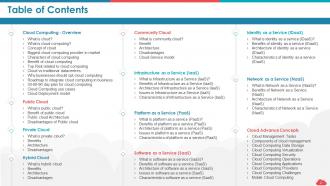
Slide 2: This slide depicts Table of Contents of the presentation.
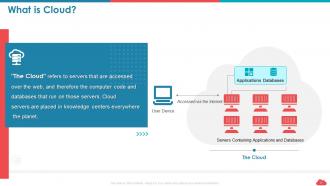
Slide 3: This slide gives an overview of Cloud.
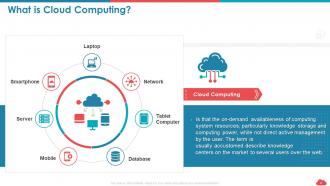
Slide 4: This slide presents overview of Cloud Computing.
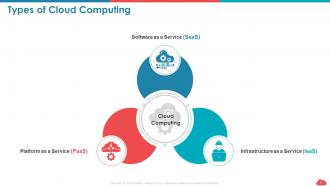
Slide 5: This slide presents Types of Cloud Computing
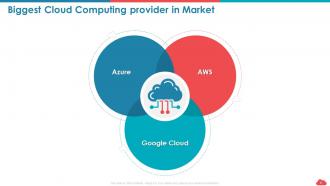
Slide 6: This slide shows Biggest Cloud Computing provider in Market
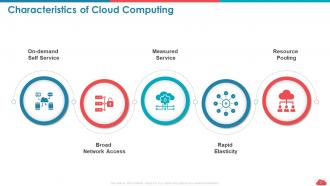
Slide 7: This slide shows Characteristics of Cloud Computing
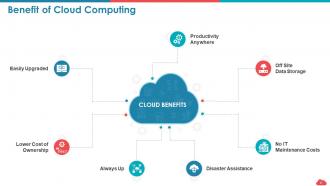
Slide 8: This slide highlights Benefit of Cloud Computing
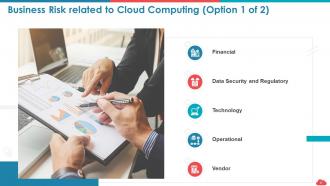
Slide 9: This slide presents Business Risk related to Cloud Computing.
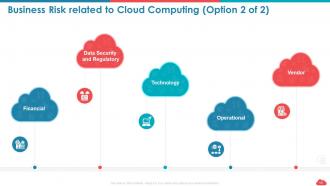
Slide 10: This slide shows Business Risk related to Cloud Computing.
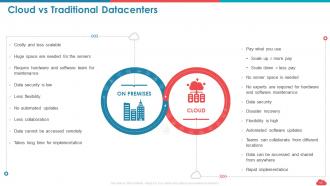
Slide 11: This slide depicts Cloud vs Traditional Datacenters
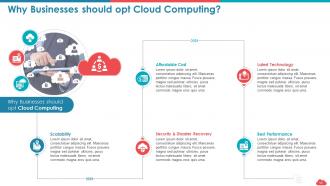
Slide 12: This slide explains Why Businesses should opt Cloud Computing.
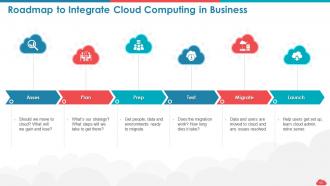
Slide 13: This slide highlights Roadmap to Integrate Cloud Computing in Business
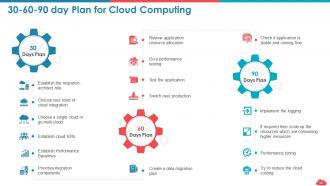
Slide 14: This slide depicts 30-60-90 day Plan for Cloud Computing
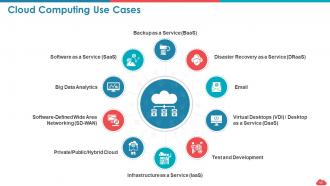
Slide 15: This slide presents Cloud Computing Use Cases.
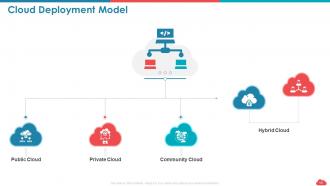
Slide 16: This slide shows Cloud Deployment Model with- Public Cloud, Private Cloud, Community Cloud, Hybrid Cloud.
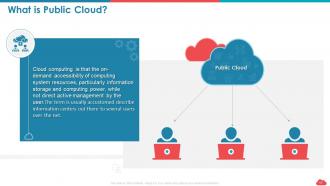
Slide 17: This slide gives information about Public cloud.
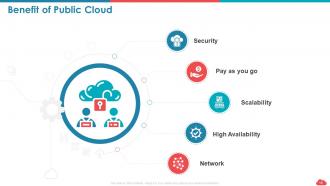
Slide 18: This slide depicts Benefit of Public Cloud
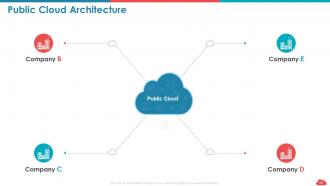
Slide 19: This slide shows Public Cloud Architecture
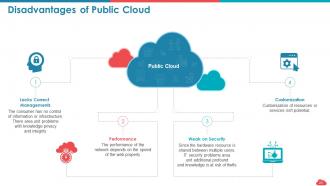
Slide 20: This slide displays Disadvantages of Public Cloud
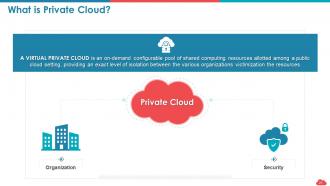
Slide 21: This slide depicts Private Cloud.
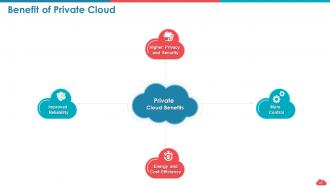
Slide 22: This slide shows the Benefit of Private Cloud
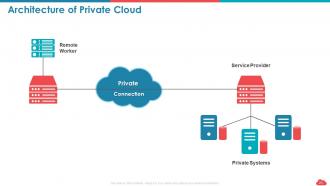
Slide 23: This slide presents Architecture of Private Cloud
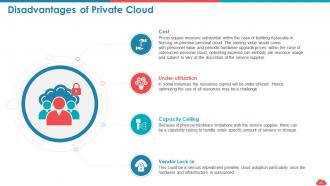
Slide 24: This slide shows the Disadvantages of Private Cloud
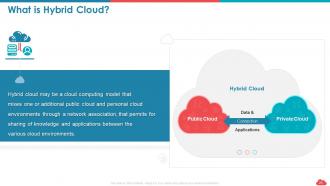
Slide 25: This slide provides information about Hybrid Cloud.
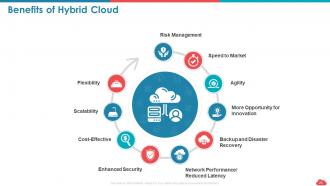
Slide 26: This slide presents Benefits of Hybrid Cloud
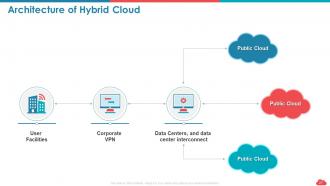
Slide 27: This slide showcases Architecture of Hybrid Cloud
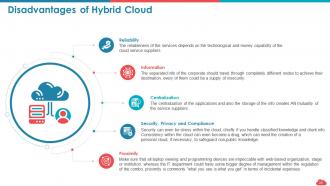
Slide 28: This slide displays Disadvantages of Hybrid Cloud
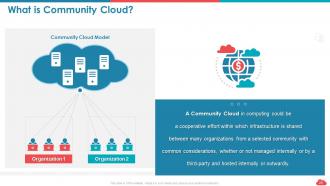
Slide 29: This slide shows What is Community Cloud?
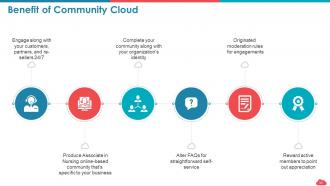
Slide 30: This slide presents Benefit of Community Cloud
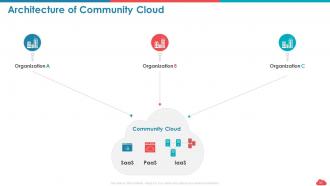
Slide 31: This slide shows Architecture of Community Cloud
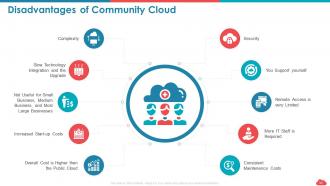
Slide 32: This slide displays Disadvantages of Community Cloud
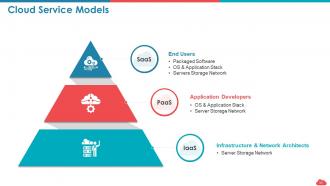
Slide 33: This slide demonstrate Cloud Service Models
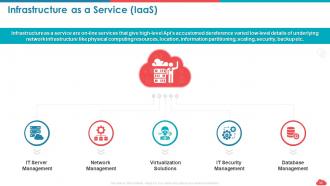
Slide 34: This slide highlights Infrastructure as a Service (IaaS)
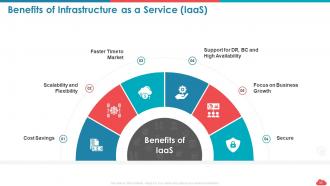
Slide 35: This slide shows Benefits of Infrastructure as a Service (IaaS)
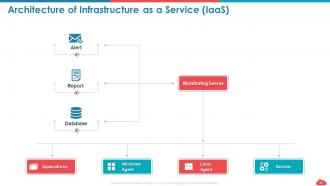
Slide 36: This slide demonstrate Architecture of Infrastructure as a Service (IaaS)
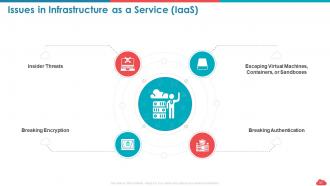
Slide 37: This slide depicts Issues in Infrastructure as a Service (IaaS)
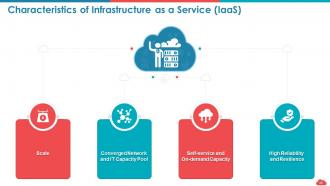
Slide 38: This slide shows Characteristics of Infrastructure as a Service (IaaS)
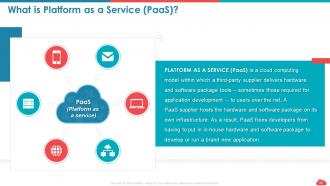
Slide 39: This slide describes Platform as a Service (PaaS)?
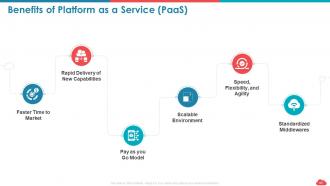
Slide 40: This slide shows Benefits of Platform as a Service (PaaS)
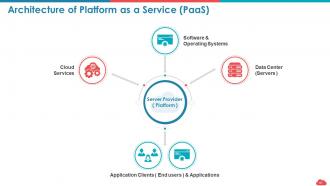
Slide 41: This slide displays Architecture of Platform as a Service (PaaS)
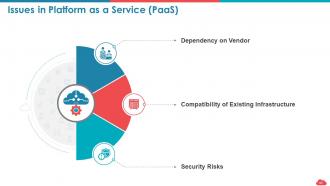
Slide 42: This slide shows Issues in Platform as a Service (PaaS)
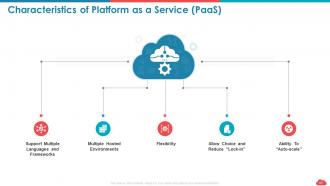
Slide 43: This slide presents Characteristics of Platform as a Service (PaaS)
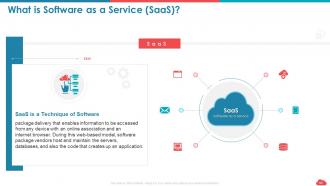
Slide 44: This slide describes Software as a Service (SaaS)?
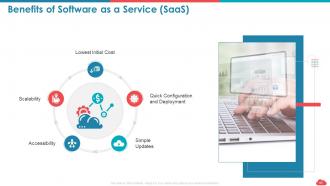
Slide 45: This slide describes Benefits of Software as a Service (SaaS)
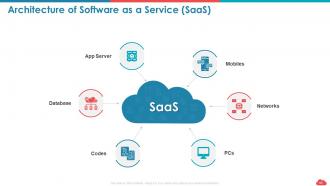
Slide 46: This slide demonstrate Architecture of Software as a Service (SaaS)
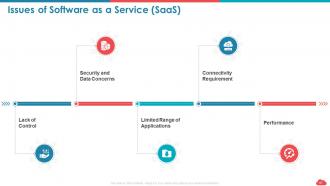
Slide 47: This slide presents Issues of Software as a Service (SaaS)
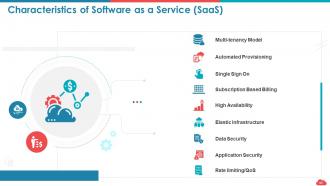
Slide 48: This slide shows Characteristics of Software as a Service (SaaS)
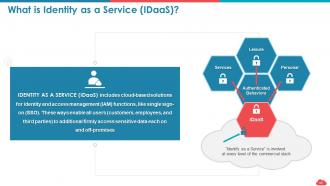
Slide 49: This slide describes Identity as a Service (IDaaS)?
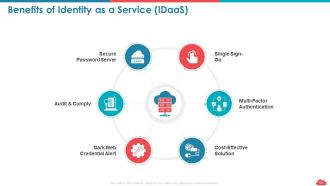
Slide 50: This slide depicts the Benefits of Identity as a Service (IDaaS)
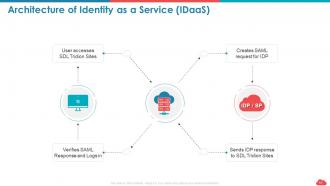
Slide 51: This slide demonstrate Architecture of Identity as a Service (IDaaS)
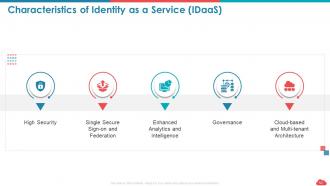
Slide 52: This slide shows Characteristics of Identity as a Service (IDaaS)
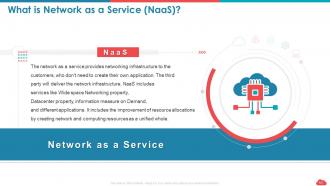
Slide 53: This slide explains Network as a Service (NaaS)?
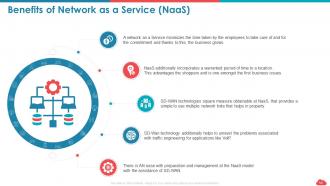
Slide 54: This slide shows Benefits of Network as a Service (NaaS)
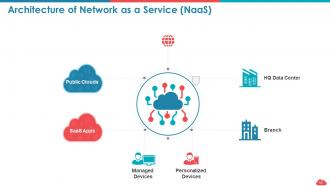
Slide 55: This slide describes Architecture of Network as a Service (NaaS)
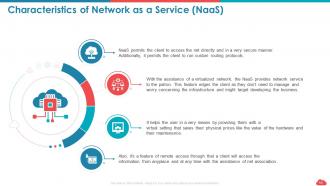
Slide 56: This slide shows Characteristics of Network as a Service (NaaS)
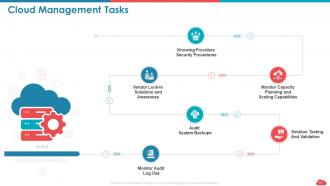
Slide 57: This slide displays Cloud Management Tasks
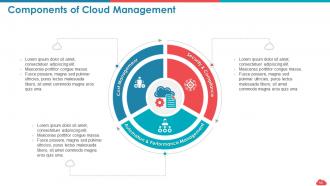
Slide 58: This slide shows Components of Cloud Management
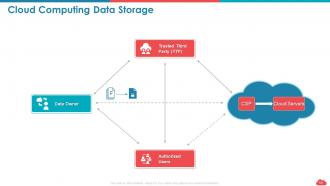
Slide 59: This slide presents Cloud Computing Data Storage
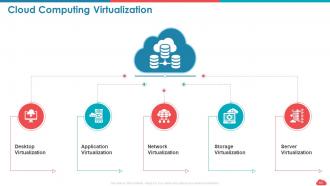
Slide 60: This slide presents Cloud Computing Virtualization
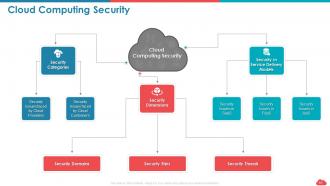
Slide 61: This slide describes Cloud Computing Security
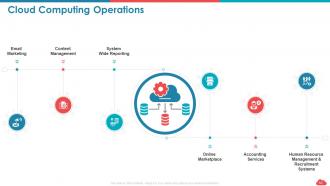
Slide 62: This slide presents Cloud Computing Operations
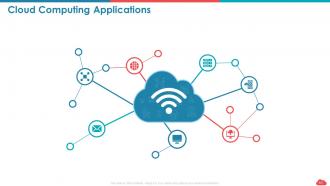
Slide 63: This slide depicts Cloud Computing Applications
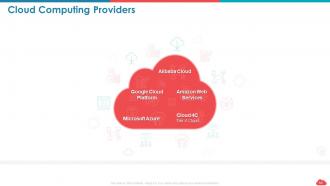
Slide 64: This slide presents Cloud Computing Providers containing- Alibaba Cloud, Amazon Web, Services, Google Cloud, Platform, Microsoft Azure, Cloud 4C, Tier 4 Cloud.
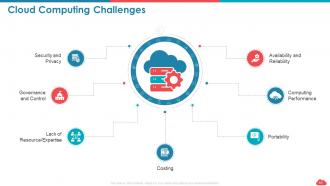
Slide 65: This slide shows Cloud Computing Challenges
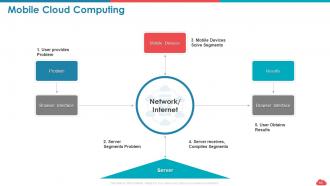
Slide 66: This slide shows Mobile Cloud Computing
Slide 67: This is Cloud Computing Icons Slide.
Slide 68: This slide reminds of Coffee break.
Slide 69: This slide displays Graphs and Charts
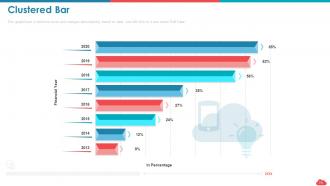
Slide 70: This slide shows Clustered Bar chart for comparison of products.
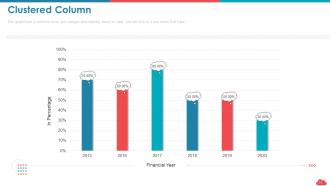
Slide 71: This slide depicts Clustered Column.
Slide 72: This slide is titled as Additional Slides for moving forward.
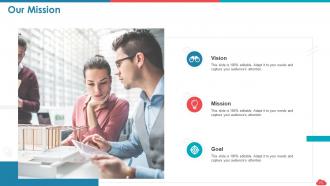
Slide 73: This slide displays Mission, vision and goals of the company.
Slide 74: This is Our Team slide with Names and Designations.
Slide 75: This is About Us slide to showcase Company specifications.
Slide 76: This slide displays Venn.
Slide 77: This is Circular slide.
Slide 78: This is Thank You slide with Contact details.
Cloud computing roadmap public vs private vs hybrid and saas vs paas vs iaas complete deck with all 78 slides:
Use our Cloud Computing Roadmap Public Vs Private Vs Hybrid And Saas Vs Paas Vs Iaas Complete Deck to effectively help you save your valuable time. They are readymade to fit into any presentation structure.


FAQs for Cloud computing roadmap public vs private vs hybrid and saas vs paas vs
So you'll want to map out four main things: where you're at now, where you want to end up, how you'll get there, and your governance rules. The current state audit is honestly such a drag but you gotta do it - catalog all your infrastructure and apps first. Then sketch out your target architecture and pick your migration style (lift-and-shift is easier, refactoring is smarter long-term). Don't forget timelines and how you'll measure success. Oh, and definitely start with your non-critical stuff first. Way less stressful than jumping straight into mission-critical systems.
First thing - audit everything you've got right now. Servers, software, network stuff, security setups. Yeah, it's tedious but you need that baseline. Document all of it. Then figure out what actually needs to move to the cloud vs. what should stay put. Look at your team's cloud knowledge too (that's honestly where a lot of companies mess up). Budget matters obviously. I'd start with applications that won't break everything if something goes wrong - low risk but still give you some wins to show progress.
So first thing - audit what you've got now, then pick some non-critical workload for a pilot run. That's honestly where you'll learn the most (and probably curse a lot). After that, migrate your data and validate security, then move apps in chunks. Oh and don't skip the performance testing checkpoints - learned that one the hard way. Your team's gonna need training too since everything works differently. Cost monitoring throughout is crucial or you'll get some nasty surprises. Map out realistic timelines based on how complex your stuff actually is, not some idealized version.
Ugh, compliance stuff is such a pain but you literally can't ignore it. So basically it controls which cloud services you can even touch and how you roll them out. Map out your data residency rules first, then whatever industry standards hit you - SOC 2, HIPAA, all that fun stuff. Your roadmap needs to start with compliant providers, not the flashy ones. Build in those audit cycles and documentation from day one. Oh, and seriously get legal involved from the start. I made the mistake once of trying to add compliance after - what a nightmare. Way harder to retrofit than just doing it right upfront.
Honestly, start by figuring out what your critical workloads actually need - that'll save you a headache later. Budget's obviously huge here. Public clouds like AWS are dirt cheap and super flexible, but you're giving up control. Private gives you way better security and customization, though it costs more and your team needs to actually know what they're doing. Most companies I know end up with hybrid anyway because, let's be real, nothing ever fits perfectly into one box. Oh, and don't forget compliance stuff if that applies to you - it can totally change the game.
Definitely track both the tech stuff and business impact. Cost savings are obvious, but also check system uptime and how fast your dev team can push updates now. Performance gains matter too - load times, disaster recovery, less downtime overall. Honestly? Time to market is probably your best indicator since cloud should speed everything up. Don't forget user satisfaction and how much happier your IT folks are without dealing with server headaches. Oh, and measure everything before you migrate - otherwise you're just guessing if it actually worked.
Don't make security an afterthought - build it into your cloud plan from the start. Seriously, I've watched teams migrate fast then panic when compliance audits hit. It's way harder and pricier to bolt on security later. Map out your data classification first (trust me on this one). Figure out identity management, encryption, and disaster recovery early. Different workloads need different security levels, so plan that upfront too. Oh, and governance stuff - compliance requirements, access controls, all that fun bureaucratic nonsense. Getting this right initially saves massive headaches.
Start with the big cloud certs - AWS, Azure, Google Cloud. They're actually solid. Get some internal "champions" who can teach others instead of outsourcing everything. Different teams need different stuff though - your devs don't need the same training as security folks. Set up sandbox environments so people can mess around without breaking production (learned that one the hard way). The trial-and-error phase sucks but it's totally normal. Book learning won't cut it with cloud - you've got to get your hands dirty. Just make sure you're giving people actual time to practice this stuff.
Dude, most people way overprovision their instances - I see it all the time. Start there first. Get automated scaling running so you're not burning cash on stuff sitting idle. Reserved instances are clutch for anything predictable since they're like half the price of on-demand. Oh and storage costs will murder your budget if you don't stay on top of old snapshots and random volumes just hanging around. Set up some billing alerts too so you catch spikes before they wreck you. CloudWatch works fine for monitoring. Pick one thing and do it this week - you'll actually notice the difference pretty quick.
Honestly, microservices are gonna be your best bet here instead of dealing with monoliths. Start with containers - they make moving stuff around so much easier. Auto-scaling should be baked in from the beginning, not something you bolt on later. Load balancers are obvious but don't forget about setting up multiple availability zones. I learned this the hard way lol. Managed services handle most of the scaling headaches automatically. Try to stay cloud-agnostic with your tools so you're not stuck with one vendor forever. First step though? Audit what you've got now and see which pieces need auto-scaling most urgently.
Honestly, AI and IoT are making everyone scramble to redo their cloud setups. The data processing demands are insane, plus you need real-time responses for IoT stuff - edge computing becomes non-negotiable for handling latency. Your infrastructure has to scale way more dynamically too, especially for AI workloads. I'd start by figuring out what AI and IoT projects your company's actually planning. Then you can spot the gaps in your current setup. Your roadmap needs edge-to-cloud architectures now, specialized ML services, and way beefier data pipelines. It's chaotic but kinda exciting if you're into this stuff.
APIs are definitely your go-to here - they connect old and new systems without tearing everything apart. Middleware platforms work too since they basically translate between legacy apps and cloud stuff. I know lift-and-shift gets criticized but honestly it's perfect when you need quick results. Hybrid setups are clutch for complex situations - keep some things on-premises, move others to cloud. Oh, and definitely map your data flows first (learned that one the hard way). Test everything in sandbox before you flip the switch or you'll hate yourself later.
Honestly, most companies mess this up by rushing the planning part. Don't just do a "lift and shift" - that's basically moving your problems to someone else's servers. Security gaps will absolutely wreck you if you don't figure out data governance first. Costs always end up higher than expected too. Also, vendor lock-in is real and annoying later on. Your team probably doesn't know the new environment yet, so budget for training. My advice? Do a proper assessment of what you've got now, then move things in phases. Trying to migrate everything at once is asking for trouble.
Okay so cloud collaboration tools are honestly a game changer - your whole team can work together no matter where they are. Google Workspace, Slack, those kinds of things. You'll have real-time document editing, messaging, video calls, all that stuff synced up. It's actually pretty crazy watching someone edit a spreadsheet while you're adding comments at the same time. No more nightmare email chains with like 20 versions of the same file floating around. Everyone sees the same updated info, you can switch between your phone and laptop seamlessly. I'd say just pick one tool first and go from there.
AI/ML stuff is finally getting practical in cloud platforms - not just flashy demos anymore. Multi-cloud is pretty much standard now because nobody wants vendor lock-in (trust me on that one). Edge computing's blowing up since people expect everything lightning-fast. Serverless keeps growing too, and honestly, the sustainability features are becoming a big deal for budgets and compliance. Oh, and your CFO will probably love the cost savings part. I'd start with serverless functions if I were you - it's easier to wrap your head around than the other stuff. Build from there.
-
Amazing product with appealing content and design.
-
Editable templates with innovative design and color combination.
-
Easy to edit slides with easy to understand instructions.