

Digital Transformation in Education Industry Training ppt




Try Before you Buy Download Free Sample Product
 Impress Your
 Audience
 100%
100% Editable
 Save Hours
 of Time


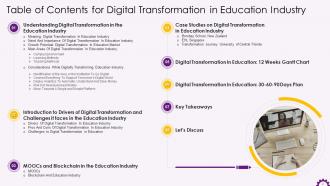
The PPT training deck provides a comprehensive overview of digital transformation in the education industry. It covers the need, importance, and growth potential of digital transformation in the education sector. It also includes the main areas of digitalization in the education industry campus environment, learning methods, and teaching methods. The PowerPoint module also has drivers, pros and cons, and challenges to the successful digitalization of the education sector. It also covers the role of MOOCs and blockchain technology in academic institutions. The Digital Transformation PPT deck has case studies and discussion questions to make the training session interactive. Further, it also contains about us, vision, mission, goal, 12 weeks Gantt chart, 30-60-90 days plan, timeline, roadmap, training completion certificate, energizer activities, and client training proposal.
People who downloaded this PowerPoint presentation also viewed the following :
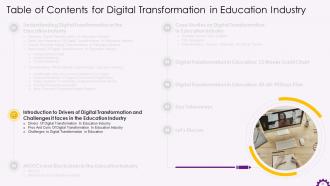
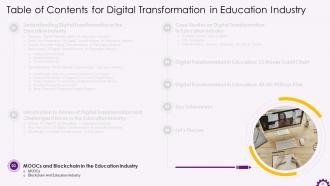
Content of this Powerpoint Presentation
Slide 4
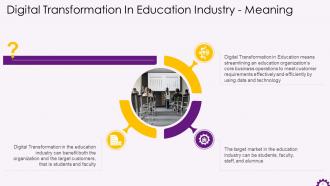
This slide explains the meaning of digital transformation in education. It states that digital transformation in education means streamlining an education organization’s core business operations in order to meet customer requirements effectively and efficiently by using data and technology.
Slide 5
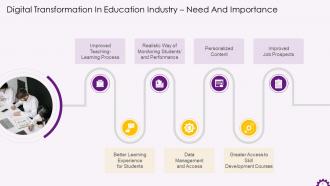
This slide mentions the points of need and importance of digital transformation in education sector. Digital Transformation in education sector is required to improve teaching -learning process, provide better learning experience for students, arrange for a realistic way of monitoring students and their performance, provide better data management and access, offer personalized content, provide greater access to skill development courses, and offer improved job prospects.
Slide 6
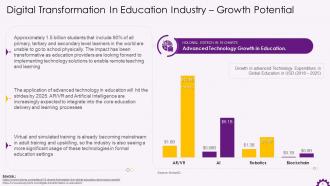
This slide mentions the growth potential for digital transformation in education.
Slide 7
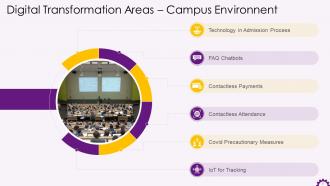
This slide mentions significance of digital transformation in campus environment. It includes technological advancements in admission process, contactless payments, contactless attendance, covid precautionary measures: Thermal screening and social distancing alert system, FAQ chatbots, and IoT for tracking.
Slide 8
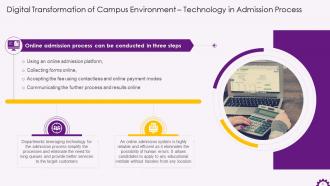
This slide mentions how technology is utilized in the admission process of educational institutions. Online admission process is conducted using online platform, online forms, online payments, and conveying information online.
Slide 9
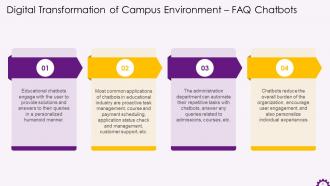
This slide illustrates the use of FAQ chatbots in educational sector. Educational Chatbots engage with the user to provide solutions and answers to their queries in a personalized humanoid manner. Most common applications of chatbots in educational industry are proactive task management, course and payment scheduling, application status check and management, customer support, etc.
Slide 10
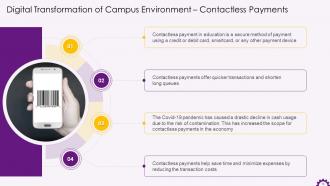
This slide mentions the significance of contactless payments in digital transformation of education. Contactless payment in education is a secure method of payment using a credit or debit card, smartcard, or any other payment device.
Slide 11
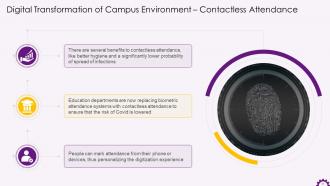
This slide explains how educational departments are using contactless attendance systems in educational departments. Educational departments are now replacing biometric attendance systems with contactless attendance to avoid spreading the infection.
Slide 12
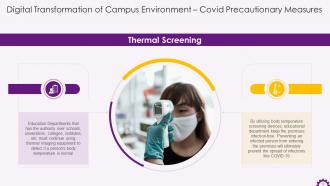
This slide explains how educational institutes are implementing thermal screening as a covid precautionary measure in departments. They use thermal imaging equipment to detect if a person's body temperature is normal. Utilizing body temperature screening devices, educational departments keep the premises infection-free. Preventing the contagious person from entering the premises will ultimately prevent the spread of infections like COVID-19.
Slide 13
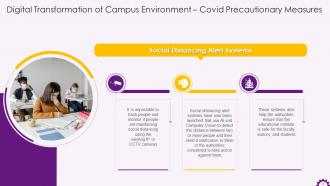
This slide explains how educational institutes are implementing social distancing alert systems such as a covid precautionary measure in departments. Social distancing alert systems have now been launched that use AI and Computer Vision to detect the distance between two or more people and then send a notification to them or the authorities concerned to take action against them.
Slide 14
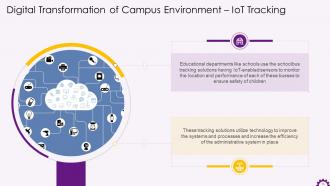
This slide explains how IoT tracking is used in management of educational institutions. Educational departments like schools use the school bus tracking solutions having IoT-enabled sensors to monitor the location and performance of busses to ensure children's safety.
Slide 15
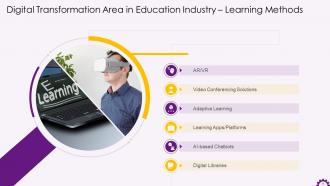
This slide mentions the concepts covered under digital transformation of learning methods. The concepts are AR/VR in education, video conferencing solutions, adaptive learning, learning apps/platforms, AI-based chatbots, and digital libraries.
Slide 16
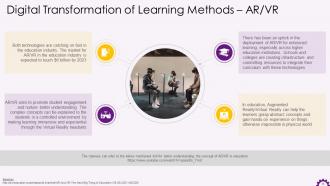
This slide explains how AR/VR is used in education and how it is benefiting the education industry. Augmented Reality/Virtual Reality can help learners grasp abstract concepts and gain hands-on experience on things otherwise impossible in physical world. These technologies aim to promote student engagement and nurture better understanding. Complex concepts can be explained to the students in a controlled environment by making learning immersive and experiential through the Virtual Reality headsets.
Instructor’s Notes:
The most significant benefits of AR/VR in education are:
- AR/VR makes learning experiential and immersive
- It causes enhanced memory retention among learners
- It is considered to be a great aid to students who experience difficulty in learning
- It simplifies complex topics and concepts for better understanding of students
- It fosters self-sufficiency and self-learning among students
- It is a great training tool to instill confidence in learners
- It makes remote learning more engaging and interesting
Slide 17
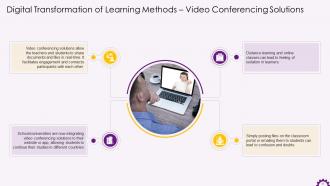
This slide explains how video conferencing solutions encourage education delivery to people from different countries. Schools/universities are now integrating video conferencing solutions to their website or app, allowing students to continue their studies in different countries. Video conferencing solutions allow the teachers and students to share documents and files in real-time. It facilitates engagement and connects participants with each other.
Slide 18
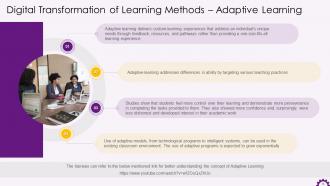
This slide explains how adaptive learning has improved the students’ learning experience. Adaptive learning delivers custom learning experiences that address an individual's unique needs through feedback, resources, and pathways rather than providing a one-size-fits-all learning experience. Students feel more control over their learning and demonstrate more persistence and patience in program tasks with adaptive learning.
Instructor’s Notes:
Benefits of adaptive learning are as follows:
- Students can choose the speed of learning or the pace at which they worked
- They were motivated to complete their work This (the increased drive) was visible after just a glance at the progress charts
- They enjoy the teacher's support and explanations during practice sessions
- Students reported more learning and comfort when the content was taught using adaptive learning
- They claimed they were less stressed due to the adaptive pace, as they found themselves ready to move to new concepts
- They experience tremendous success due to their dedication to the learning content. Students' skills saw rapid improvement as they could control the pace and level of difficulty
Slide 19
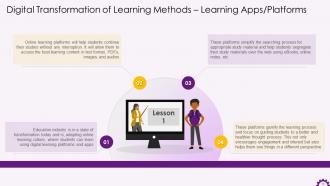
This slide explains how the educational sector is moving towards online learning platforms for a better experience. Online learning platforms will help students continue their studies without any interruption. It will also allow them to access the best learning content in text format, PDFs, images, and audios.
Slide 20
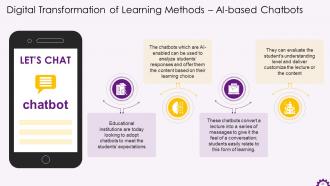
This slide explains how the AI and Chatbots are encouraging digital transformation in education. The chatbots which are AI-enabled can be used to analyze students’ responses and offer them the content that matches their learning choice. These chatbots can be used to teach students by converting a lecture into a series of messages to give it the feel of a conversation.
Slide 21
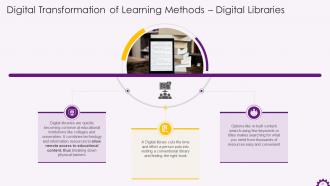
This slide explains the benefits of digital libraries in today’s education system. A Digital library cuts the time and effort a person puts into visiting a conventional library and finding the right book. Options like in-built content search using few keywords or titles make searching for what you need from thousands of resources easy and convenient.
Slide 22
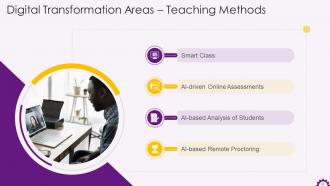
This slide mentions the concepts covered under digital transformation of teaching methods. The concepts are adoption of smart classes, AI-driven online assessments, AI-based analysis of students, and AI-based remote proctoring.
Slide 23
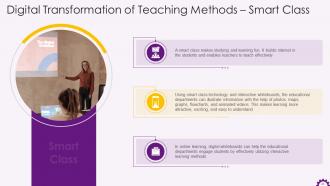
This slide explains how the education is transforming from traditional classrooms to smart classrooms. Using smart class technology and interactive whiteboards, the educational departments can illustrate information to students with the help of photos, maps, graphs, flowcharts, and animated videos. This makes learning more attractive, exciting, and easy to understand.
Slide 24
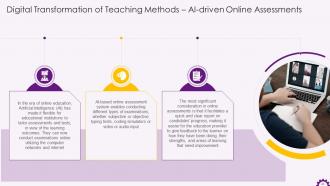
This slide mentions the existence and success of AI-driven online assessments. AI-based online assessment system enables conducting different types of examinations, whether subjective or objective, typing tests, coding simulators or video or audio input. It facilitates a quick and clear report on candidates' progress, making it easier for the education provider to give feedback to the learners on how they have been doing, their strengths, and areas of learning that need improvement.
Slide 25
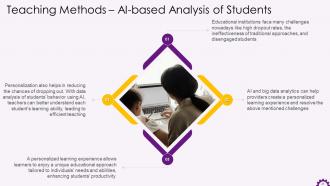
This slide illustrates digital transformation in analysis of students by utilizing the AI-based analysis system. In education, AI and big data analytics can help providers create a personalized learning experience and resolve challenges like high dropout rates, disengagement of students, etc. An AI-based personalized learning experience allows the learner to enjoy a unique educational approach tailored to individuals’ needs and abilities leading to improved productivity of students.
Slide 26
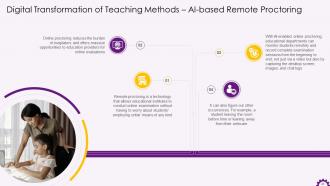
This slide mentions the technology behind online monitoring of students. Remote proctoring is a technology that allows educational institutes to conduct online examination that prevents students from indulging in any unfair means or practice. Online proctoring reduces burden of invigilators and offers massive opportunities to education providers for online evaluations. With AI-enabled online proctoring, educational departments can monitor the students remotely and record complete examination sessions from the beginning to end, not just via a video but also by capturing the desktop screen, images, and chat logs.
Slide 28
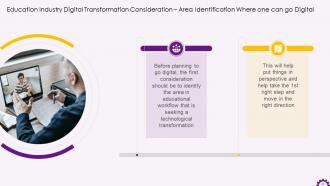
This slide mentions identification of area as a consideration while digitally transforming education sector. Identification of area beforehand will help to plan things accordingly and move in the right direction.
Slide 29
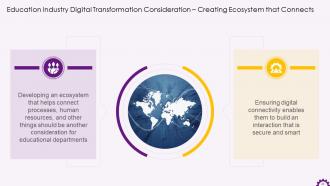
This slide mentions the significance of creating an ecosystem that connects processes and resources. This enables you to build an interaction that is secure and smart.
Slide 30
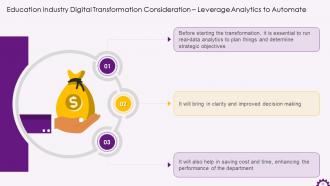
This slide mentions why deploying analytics in education sector is significant in understanding things and saving money. Big data analysis will contribute in getting clarity on things, saving cost and time, and thus enhancing performance as a result of better decisions.
Slide 31
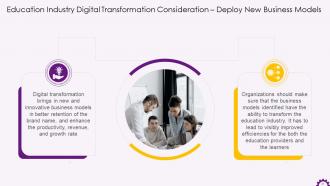
This slide mentions how digital transformation in education brings in new and innovative business models. It will help in better retention of the brand name, productivity, the revenue, and the growth rate of the sector.
Slide 32
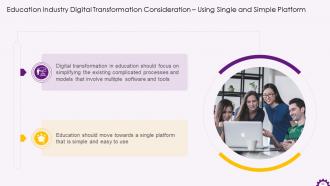
This slide explains that digital transformation in education should move towards a single platform that is simple and easy to use, rather than models that are complicated and involve multiple software and tools.
Slide 34
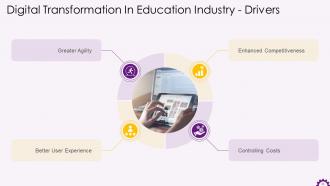
This slide mentions various drivers of digital transformation in education sector. The drivers are enhanced competitiveness, controlling costs, better user experience, and greater agility.
Slide 35
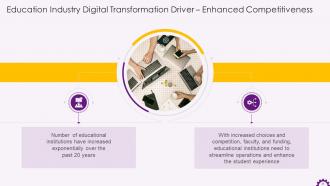
This slide mentions enhanced competitiveness in the market as a driver of digital transformation in education. With increased choices and competition, faculty, and funding, educational institutions should streamline operations and enhance the student experience.
Slide 36
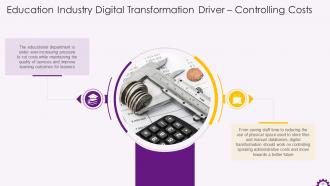
This slide mentions controlling costs as a driver of digital transformation in education. It says that from saving staff time to reducing square footage used to store files and manual databases, digital transformation should work on controlling spiraling administrative costs. Digital transformation helps us move towards a better future.
Slide 37
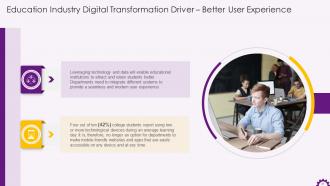
This slide explains how digital transformation is driving better user experience. It says that leveraging technology and data will enable educational institutions to attract and retain students better. So, the departments need to integrate different systems to provide a seamless and modern user experience.
Slide 38
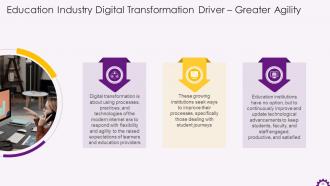
This slide illustrates how greater agility is driving growth of digitalized education sector. Organizations should use processes, practices, and technologies of the modern internet era to respond with flexibility and agility to the raised expectations of learners and education providers.
Slide 39
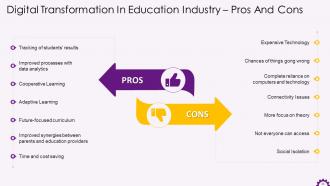
This slide mentions the pros and cons of digital transformation in education. Digital education platforms and technologies enable improved processes utilizing data analytics, tracking students’ results, cooperative learning, adaptive learning, etc. Along with the ample benefits of digital transformation in education, it also causes social isolation in students, focuses more on theory, face connectivity issues, chances of things going wrong, and double fold the expenses on technology.
Slide 40
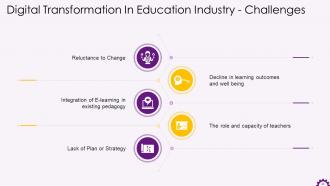
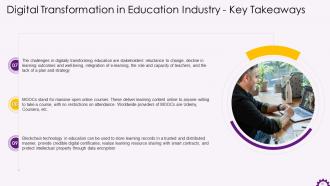
This slide mentions the challenges in the digital transformation of education. The most significant challenges are reluctance to change, the decline in learning outcomes and well-being, Integration of E-learning in existing pedagogy, teachers' role and capacity building, and lack of plan or strategy.
Slide 41
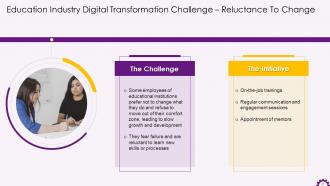
This slide mentions Reluctance to Change as a challenge in the digital shift of education. It says that employees resist change because they fear failure. To overcome this challenge, the department should plan regular training, preferably on-the-job training, and allot mentors who can assist teachers in using the technology and developing the required skills.
Slide 42
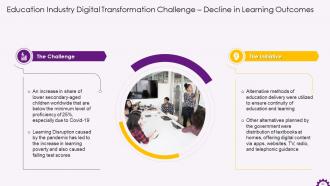
This slide mentions the decline in learning outcomes and well-being as a challenge in the digital transformation of education. It mentions that initiatives like alternative methods of education delivery, telephonic delivery of lessons, digital content via apps, etc. have been planned for reducing and eliminating these challenges.
Slide 43
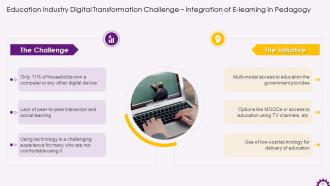
This slide mentions the integration of E-learning as a challenge in the digital transformation of education. It mentions that initiatives have been planned for reducing and eliminating such challenges like multi-modal access to education, education using television, MOOCS, etc. A special focus has been put on bringing low-cost technology to simplify the process of delivering education online.
Slide 44
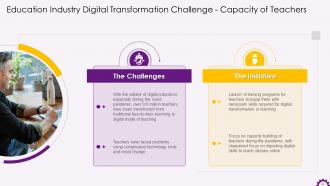
This slide mentions teachers' existing role and capacity in traditional teaching as a challenge in the digital transformation of education. It notes that teachers are suddenly expected to shift their patterns and concerns from conventional teaching to modern teaching using modern methods. In response, the government has launched training programs to remove the existing barriers and move towards the digital transformation of education.
Slide 45
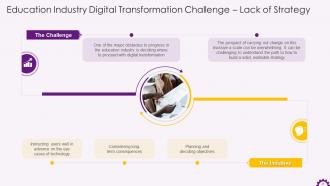
This slide mentions the lack of plan or strategy as a challenge to digital transformation in education. It suggests that the organizations should plan and decide objectives in advance, considering the long-term consequences of the decisions. The departments also need to provide proper instructions to the users of technology on all its use cases.
Slide 47
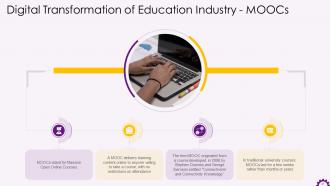
This slide explains the concept of MOOCs in digitalization of education. It states that MOOCs stand for massive open online courses, which deliver learning content online to anyone willing to take a course, with no restrictions on attendance.
Slide 48
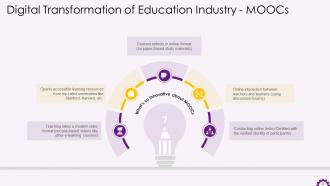
This slide mentions the USP of MOOCs in education. It states facts like MOOCs deliver education in a modern video format, offer openly accessible learning resources, encourage online interactions between teachers and learners, and conduct regular online tests with certifications.
Slide 49
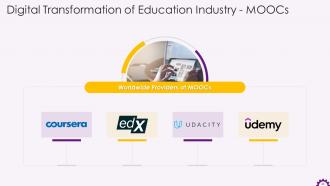
This slide mentions various providers of MOOCs worldwide. The most common providers of MOOCs are Coursera, EdX, Udacity, and Udemy.
Slide 50
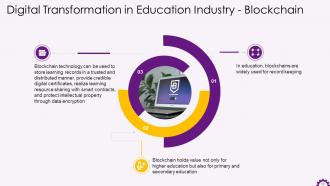
This slide explains how blockchain is used in education. Blockchain technology can be used to store learning records in a trusted and distributed manner, provide credible digital certificates, realize learning resource sharing with smart contracts, and protect intellectual property through data encryption. It holds value not only for higher education but also for primary and secondary education.
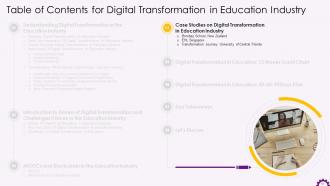
Slide 52
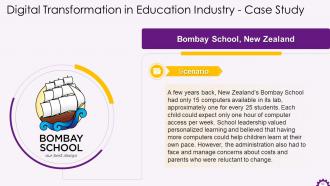
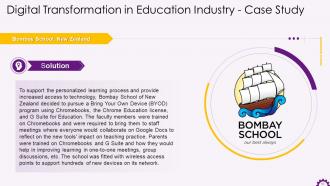
This slide mentions the case study on the Bombay school of New Zealand. It explains how the school transformed its methods and services when the administration faced issues against adding more computers to its infrastructure.
Slide 53
This slide mentions the Bombay school case study. The institution is located in New Zealand. It explains how the school transformed its methods and services when the administration faced issues against adding more computers to its infrastructure.
Slide 54
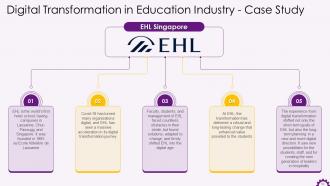
This slide mentions the case study of EHL Singapore. It explains how the institution turned digital and what impact it had on the growth and results. It says that at EHL, the transformation has delivered a robust and long-lasting change that enhanced the value provided to the students.
Slide 55
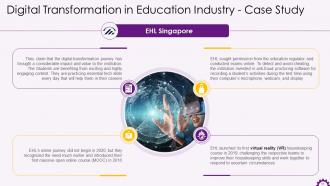
This slide mentions the EHL Singapore case study. It explains how the institution turned digital and what impact it had on the growth and results. It says that digital transformation journey has brought a considerable impact and value to the institution. The students are benefiting from exciting and highly-engaging content. They are practicing essential tech skills every day that will help them in their careers.
Slide 56
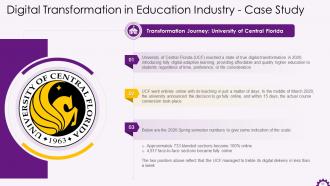
This slide mentions the transformation journey of University of Central Florida. It explains the factors which led the institution to turn digital. It mentions the success of university in a matter of days after the introduction of digital transformation.
Slide 58
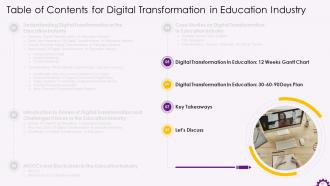
The slide mentions a 12-week Gantt chart for digitalizing education sector. It outlines the phases for planning digital transformation in education, starting with research and planning, determining goals and objectives, and constantly assessing and discussing the processes.
Slide 59
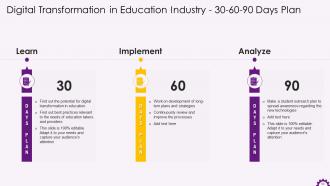
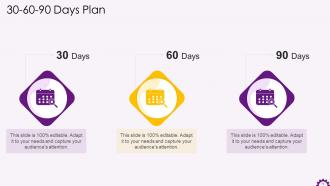
The slide shows a 30-60-90-day plan for the digitization of education. There are three stages to the plan: Learn, Implement, and Analyze. The first 30 days should be devoted to the learning phase, followed by the implementation phase and analysis phase.
Slide 60 to 61
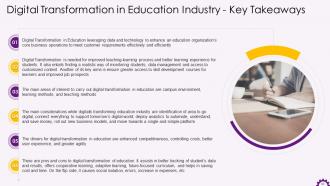
These slides mention the key takeaways from the session digital transformation in education.
Slide 62
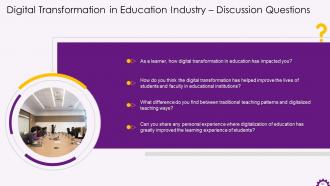
This slide mentions the discussion questions for the topic digital transformation in education.
Slide 74 to 89
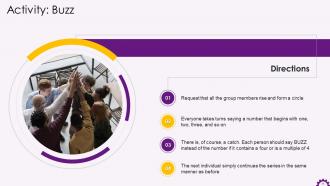
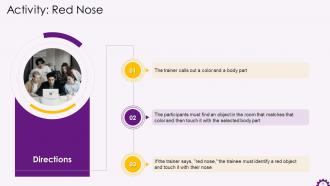
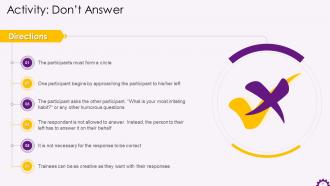
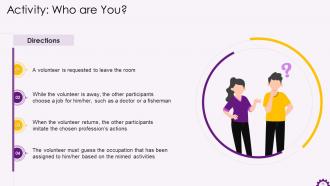
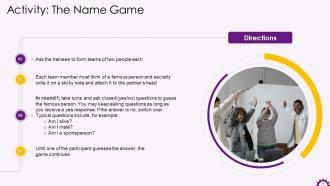
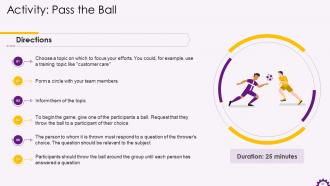
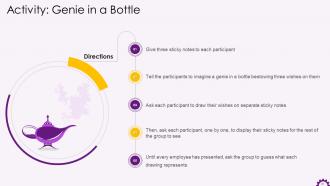
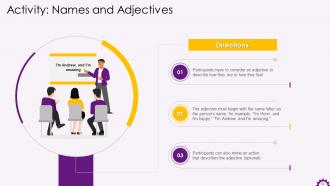
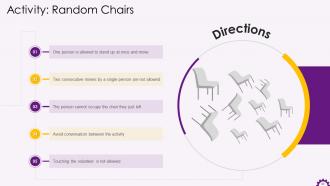
These slides contain energizer activities to engage the audience of the training session.
Slide 90 to 117
These slides contain a training proposal covering what the company providing corporate training can accomplish for the client.
Digital Transformation in Education Industry Training ppt with all 122 slides:
Use our Digital Transformation in Education Industry Training ppt to effectively help you save your valuable time. They are readymade to fit into any presentation structure.










FAQs for Digital Transformation in Education
So basically each kid gets their own digital tutor that figures out how they learn best. AI spots where they're struggling and switches up the content - maybe throws in a video instead of text, you know? The analytics are actually pretty neat because you can see exactly what's clicking for each student. Kids aren't stuck waiting for slower classmates or getting left behind anymore. Real-time difficulty adjustments keep them challenged but not overwhelmed. Honestly, I'd start with just one subject using adaptive apps - don't go crazy trying to overhaul everything at once.
Figure out what you actually want students to learn first. Then pick tech that helps with those specific goals - don't just throw in apps because they look cool. Mix digital stuff with regular teaching methods. Interactive science sims are great, but so are simple shared docs for group work. Honestly? The newest flashy tools usually aren't worth the headache. Pick platforms kids can use without you becoming tech support for 20 minutes. I'd start with just one or two solid tools, get those down pat, then slowly add more based on what actually works. Less is more here.
Honestly, you're gonna hit some bumps with data privacy stuff and teachers who hate change - some of them still use overhead projectors if you let them! Upfront costs suck too. But the cool part? Kids get learning that actually fits how their brain works, teachers stop drowning in grading, and you can catch struggling students way earlier. Don't go crazy with a huge rollout though. Start small, maybe one department, and get your teachers excited about it first. That buy-in makes or breaks everything.
Honestly, it's crazy how schools are using data now instead of just winging it. They're tracking student performance to spot who might drop out early - which is actually pretty smart if you think about it. K-12 schools catch learning gaps as they happen rather than waiting until it's too late. Universities can see patterns in everything from grades to which resources actually work. My cousin's a principal and she says it's like having x-ray vision for education decisions. Start with something simple though - just pick one thing you already track and dig into what it's telling you. Way less overwhelming that way.
Digital transformation definitely gets kids more engaged - they actually participate when there's interactive videos and simulations instead of just sitting through lectures. What's really cool is how adaptive tools let each student move at their own speed and get instant feedback. Honestly, they're on screens constantly anyway, so might as well use that to our advantage, right? The tricky part is making sure the tech actually helps learning instead of just being another distraction. I'd say start with one tool, see how it goes, then build from there.
Honestly, start with a survey first - schools always guess wrong about what families actually need. Set up device checkout programs like the library does with books. Partner with local internet companies for cheaper rates (this part's usually easier than you think). Train parents on basic tech fixes so you're not constantly troubleshooting. Don't forget kids with disabilities need different setups too. The trick is building something that lasts, not just throwing money at laptops once. Oh, and definitely get some kind of tech support system going because stuff breaks constantly.
Honestly, online platforms are a total game changer for extending your classroom. Students can learn at their own pace and access stuff whenever they want - super convenient. I'd start with something simple like posting homework or extra videos before going all-in. The flipped classroom thing works really well too - they watch lectures at home, then you use class time for actual discussion and hands-on activities. What's cool is you get analytics showing who's actually doing the work (finally!). You can set up personalized learning paths and give instant feedback through quizzes. Don't overwhelm yourself though - baby steps first.
Skip those awful one-day workshops - they're basically useless. Your teachers need ongoing practice with actual tools they'll use. Try short training sessions focused on one thing at a time, then pair up your tech-comfortable teachers with the ones who struggle. Monthly "show and tell" meetings work great too. Teachers demo whatever's actually helping in their classrooms (not just fancy buzzword stuff nobody uses). The whole point is creating a space where people can mess up without drama and learn from each other. Make it about solving real problems they're facing, not theoretical nonsense.
Honestly, consent and transparency are your biggest headaches here. Parents and students need to actually understand what data you're grabbing - not some legal nightmare document they'll never read. Only grab what you absolutely need for teaching stuff. The tricky part? Personalized learning needs data, but everyone wants privacy too. Also, watch out for third-party vendors who might be sneakily profiting off student info. I'd start by checking what your current edtech tools are actually collecting. Seriously, you might be shocked at how much random stuff they're hoarding.
Okay so digital transformation totally changes how you build and deliver curriculum. Gone are the days of just slapping existing content online - now you're dealing with personalized learning paths, interactive stuff, real-time analytics tracking student progress. Plus VR and AI tutors if you're feeling fancy. The big shift? Moving away from one-size-fits-all to adaptive content that actually meets students where they're at. I'd start by looking at your current curriculum first - figure out what needs the most help. Your delivery gets way more flexible too: microlearning, mobile design, collaborative spaces. It's a lot but worth it!
Honestly, don't make tech a separate class - weave it into what you're already teaching. Train your teachers first though, because kids can smell when adults don't know what they're doing with technology. I've watched schools just hand out tablets and expect magic to happen. Spoiler alert: it doesn't work. Start with one grade or department, then grow from there. Critical thinking about online info is huge - teach kids to question what they see. Oh, and digital citizenship matters just as much as the technical stuff. Nobody wants to deal with cyberbullying drama because we skipped teaching online responsibility.
So with VR and AR, kids can actually walk through ancient Rome or mess around with 3D molecules instead of just staring at textbook pictures. Pretty wild stuff. AR's cool too - they point tablets at random historical sites and boom, digital reconstructions pop up. My favorite example is floating through space to see planetary orbits rather than memorizing facts about the solar system. Oh, and med students can practice surgeries without, you know, accidentally killing anyone. Just don't go overboard with the tech - pick experiences that actually beat regular teaching methods.
Dude, parents are like the secret ingredient here. Without them backing tech stuff at school, programs just crash and burn. They need to be pushing for funding, helping kids with digital tools at home, and giving real feedback about what actually works (not just what admin thinks works). Here's the thing though - you can't just dump decisions on them after the fact. Survey them early about their comfort level with current tools. Get them in planning conversations from day one. I mean, they're dealing with homework help and tech troubleshooting at home anyway, so why not tap into that?
Honestly, I'd focus on both the numbers and the feelings side of things. Track login rates, assignment completion, test scores - the usual suspects. But also survey students and teachers about whether they actually like using the tech. That stuff matters way more than people think. Oh, and definitely monitor IT tickets because nothing kills momentum like broken systems. My advice? Pick maybe 3-4 metrics that actually match what you're trying to achieve. Don't go crazy measuring everything or you'll drown in data that doesn't tell you much.
Honestly, AR/VR stuff is where things get really interesting - students actually stay engaged when they can interact with content that way. AI personalized learning platforms are solid too, already making a real difference in classrooms. Blockchain for credentials? Still feels kinda gimmicky to me, but some people swear by it. Voice assistants and adaptive testing tools though - those are everywhere now. My advice? Pick one thing that actually fits how you teach instead of trying to do everything at once. You'll have way better luck that way.
-
Great work on designing the presentation. I just loved it!
-
“Thank you to the SlideTeam. Your presentations look really skillful and have made my life so much easier.”