

Example Presentation About New Product Powerpoint Presentation Slides





Try Before you Buy Download Free Sample Product
 Impress Your
 Audience
 100%
100% Editable
 Save Hours
 of Time


Familiarize yourself with any features you crave through our example presentation about new product PowerPoint presentation slides. Inform your shareholders and clients about our new product launch through these PPT designs. Give a total overview of your new product through this complete deck. This PTPT bundle contains seventy-three high-quality ppt layouts to reflect on your Product. Bank upon these designs with diverse and professional topics at your side, worry the least for a powerpack presentation. Highlight your agenda and outline key points and topics including, product idea screening, new product analysis, product lifecycle, tools and techniques, market analysis, development plans, branding and repositioning, cost analysis and product feasibility & review. A range of editable and predesigned slides with all sorts of related charts and graphs, overviews and topics for a complete analysis are included in this PPT bundle. Enlighten folks on the correct action and include our example presentation about new product PowerPoint presentation slides in your business presentations. Enlighten folks on the correct action to adopt with our Example Presentation About New Product Powerpoint Presentation Slides. Guard against any injury.
People who downloaded this PowerPoint presentation also viewed the following :
Content of this Powerpoint Presentation
Do you plan to launch a product into the market? If yes, you must know everything about the forces that’ll work in and against your favor. In technical terms, this is also called the business environment.
A new product could be an innovation or an improvement of an existing product in the market and thus will require a specific marketing technique to make the desired impact. This is why a thorough evaluation of the product, and the market prior to its guided launch is highly recommended.
Hence, a product manager needs to prepare a presentation that covers everything from the development, specifics, and product’s unique selling point. This information should be made available to anyone within the team who handles the product from its ideation, development, all the way to marketing.
With these critical needs defined, SlideTeam has designed this ideal Presentation About New Product to discuss the nuances of your business output in detail. Check out this PPT Presentation featuring 73 dedicated slides to create a valuable product guide.
Strategize on design, composition, and purpose of the new product while evaluating the market (demand and competition) dynamics. Get this complete combination in templates that are 100% editable and customizable now. You get a starting point, the structure and the capability to tailor each presentation to the audience profile you are about to address.
Let’s explore!
Template 1: Product Idea Screening
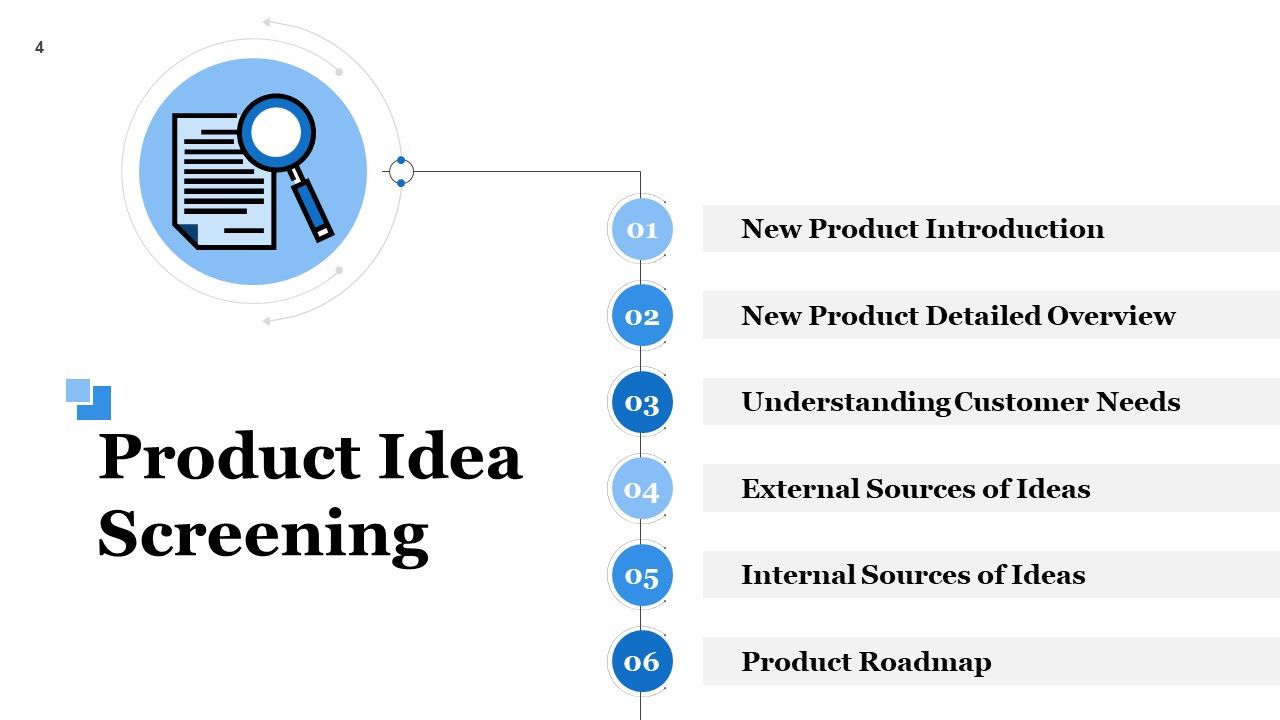
This PPT Slide allows you to introduce key aspects of product idea screening. To create a new business product, you and your team need to contemplate and collect the best ideas for its design and composition. This includes product introduction, detailed overview, customer evaluation, etc. Next, you need to gather sources of ideas and select the best one. This presentation layout also hints at yet another important element of the new product launch i.e. its roadmap.
Template 2: New Product Detailed Overview
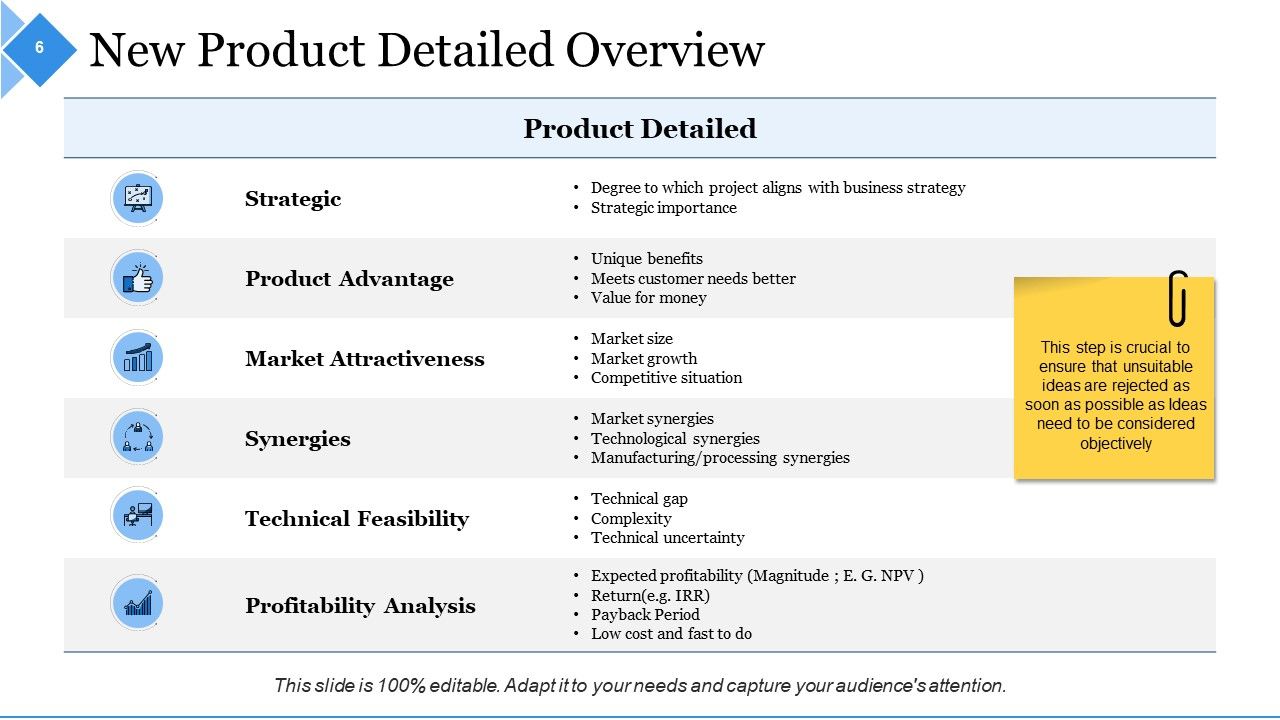
This PPT Design lets you discuss in depth the new product, its design features, advantages and market attractiveness. You can add aspects like technical feasibility, and synergy with research-backed facts and figures. Finally, profitability analysis must also be studied to excite potential investors into financing your program.
Template 3: External Sources of New Product Ideas
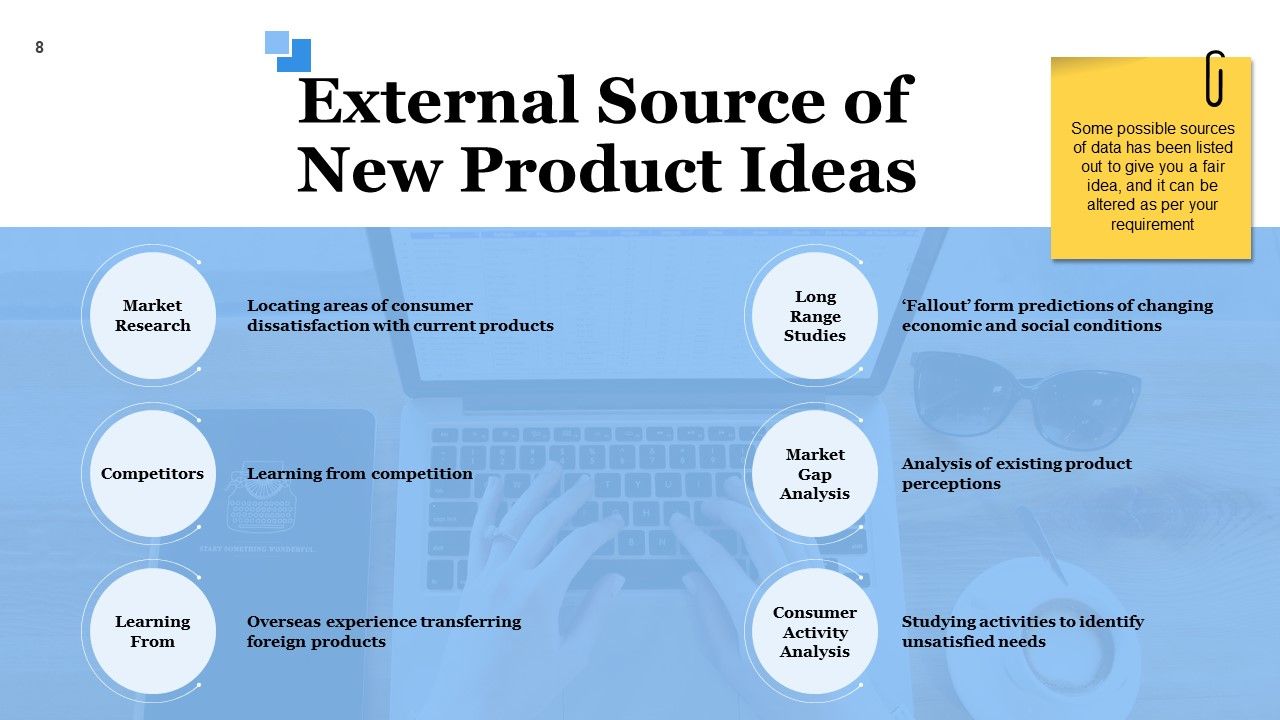
To invest time and resources in developing and launching a new product, you need the clarity of thought, making this the product of your choice. This next template will help you achieve half of this objective. You can discuss the new product ideas that you fetched from external sources. Such sources could be identification of areas of customer dissatisfaction, competitive analysis, overseas experiences, changing economic and social conditions etc. You can add to this list or alter these based on your analysis.
Template 4: Internal Sources of New product Ideas
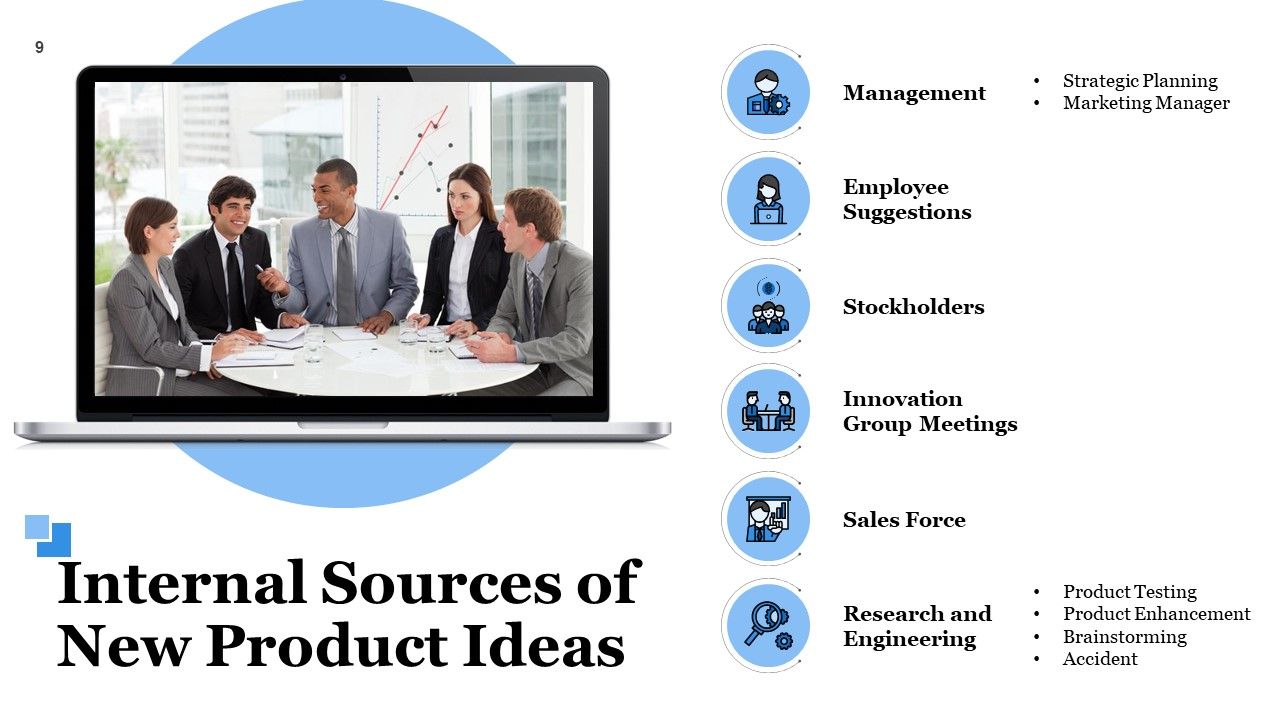
In this PPT Slide, you can cover the other portion of ideation and point out the internal sources. These suggestions for new products can be made by the management, employees, stockholders, or sales team. Ideas can also be generated from innovation group meetings, or research conducted by the company. Share gists of these sources with this pilot template as you begin to explain these in detail in the following slides.
Template 5: Product Life Cycle
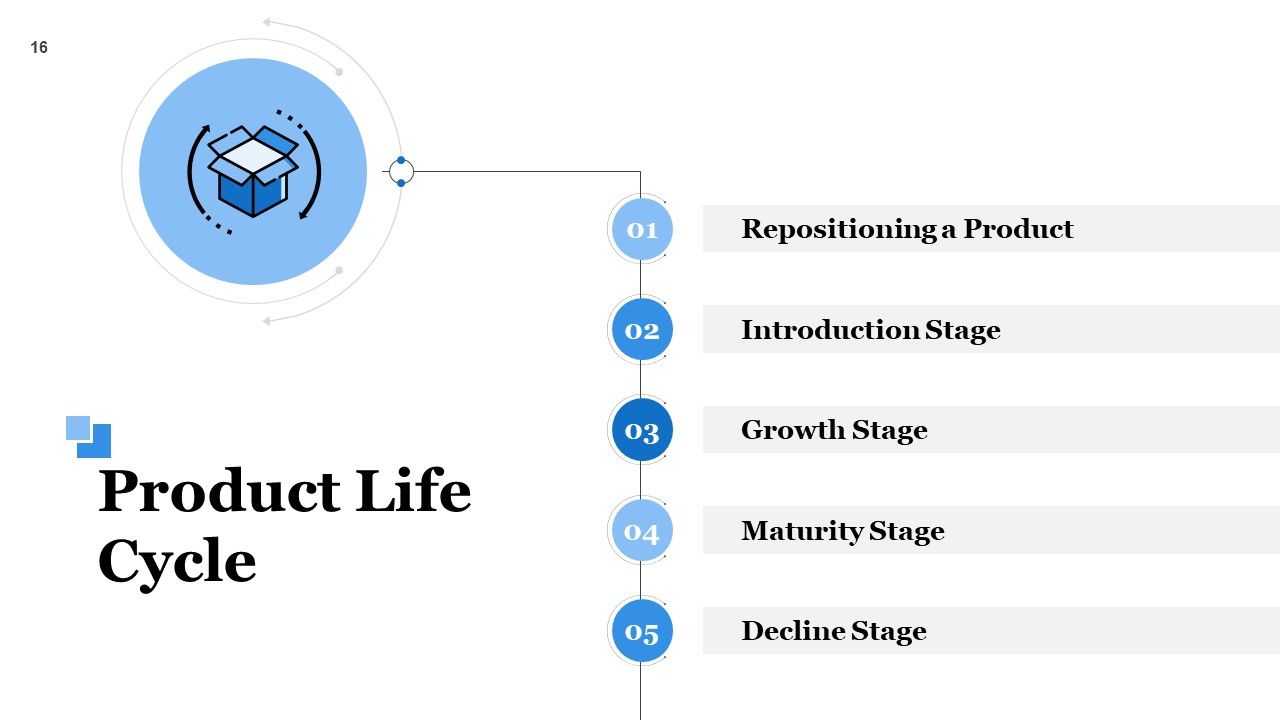
Generally, a product will have its finite life and the same is depicted in this complete deck presentation. With this PPT Template as its index, identify the five major steps of any product and co-relate it to the present product under development. These are: product repositioning, introduction stage, growth stage, maturity, and decline stage.
Template 6: BCG Matrix
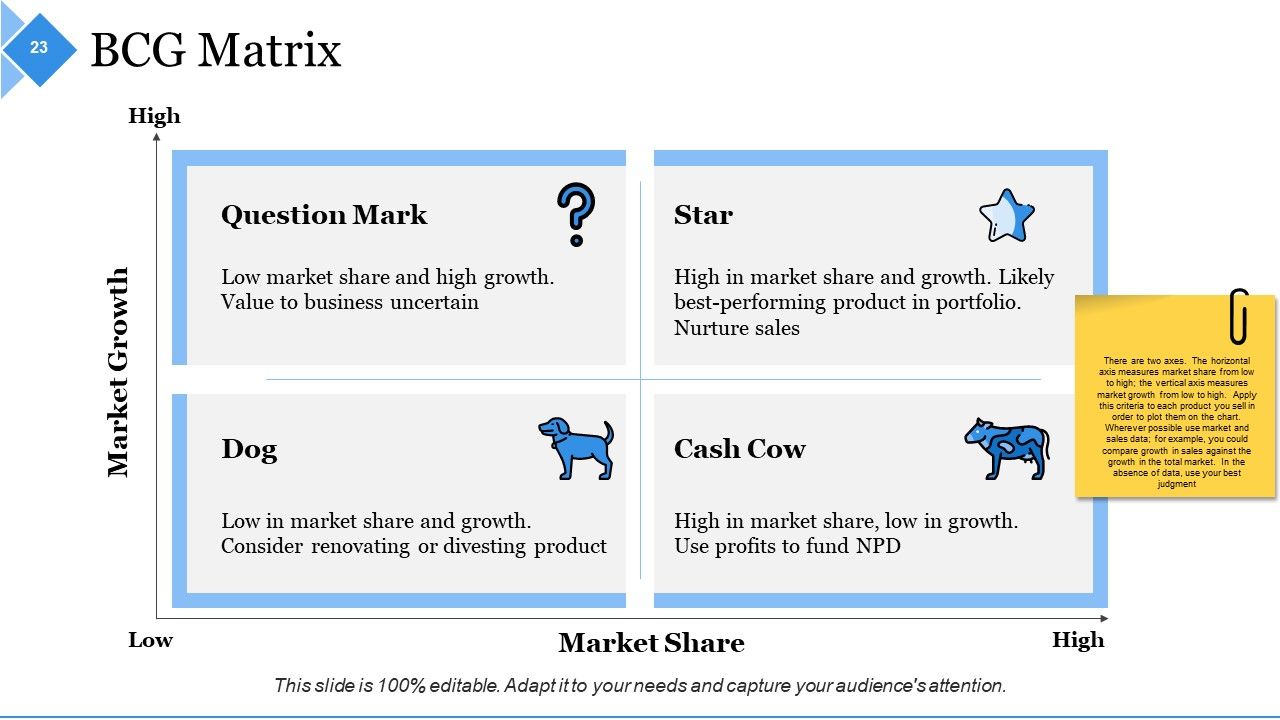
A BCG matrix analysis of your product will help you identify the best place to position your new product and compare its older version or other business products. Identify the status of your products whether they have a good market share or market growth. According to this analysis, you can ascertain if your product is going to be long lasting in the market and minting money or only draining wealth.
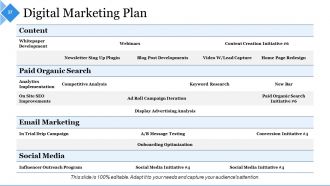
Template 7: Digital Marketing Plan
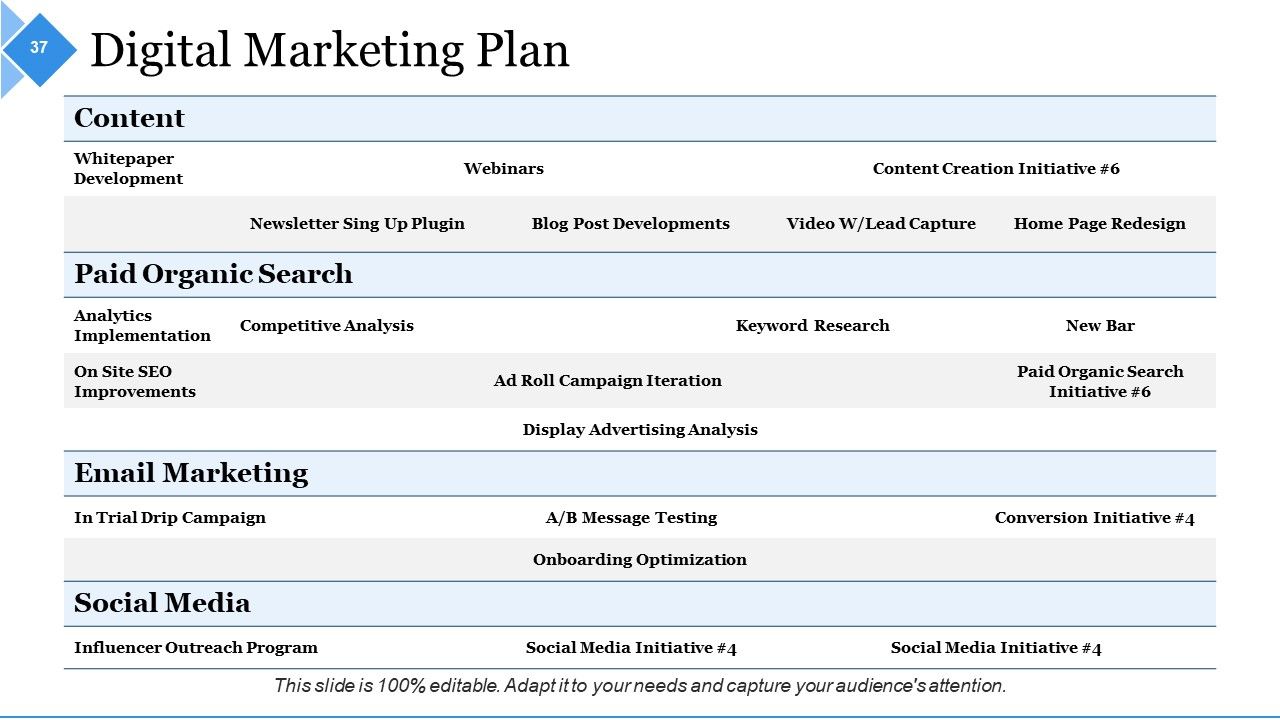
Once the ideation and development part of your new product has been covered, move on to the marketing plan. With this PPT Slide, create your ideal digital plan, marketing strategypitch and promote your new product. Discuss channels and mediums for marketing your content online. You can also specify the campaigns, and other marketing tactics to be deployed for reach maximization.
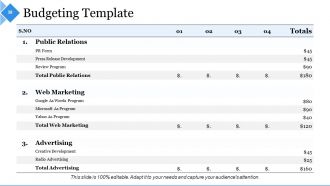
Template 8: Budgeting Template
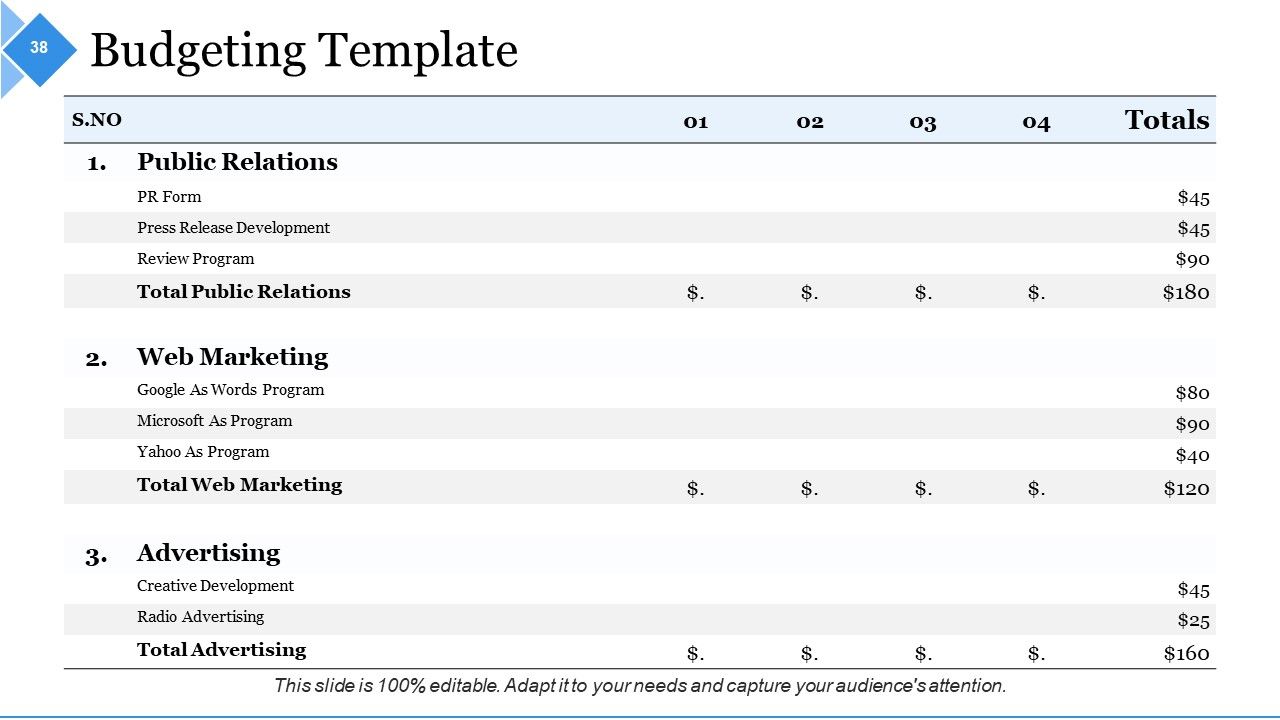
The next thing you need in designing and launching your new product is to create a budget. This presentation slide helps you plan your marketing budget that is to be utilized in Public Relations, web marketing, advertising. Demonstrate a responsible approach in distributing the assigned marketing budget among these and other channels in use using this PPT Layout.
Template 9: Production and Operational Cost Analysis
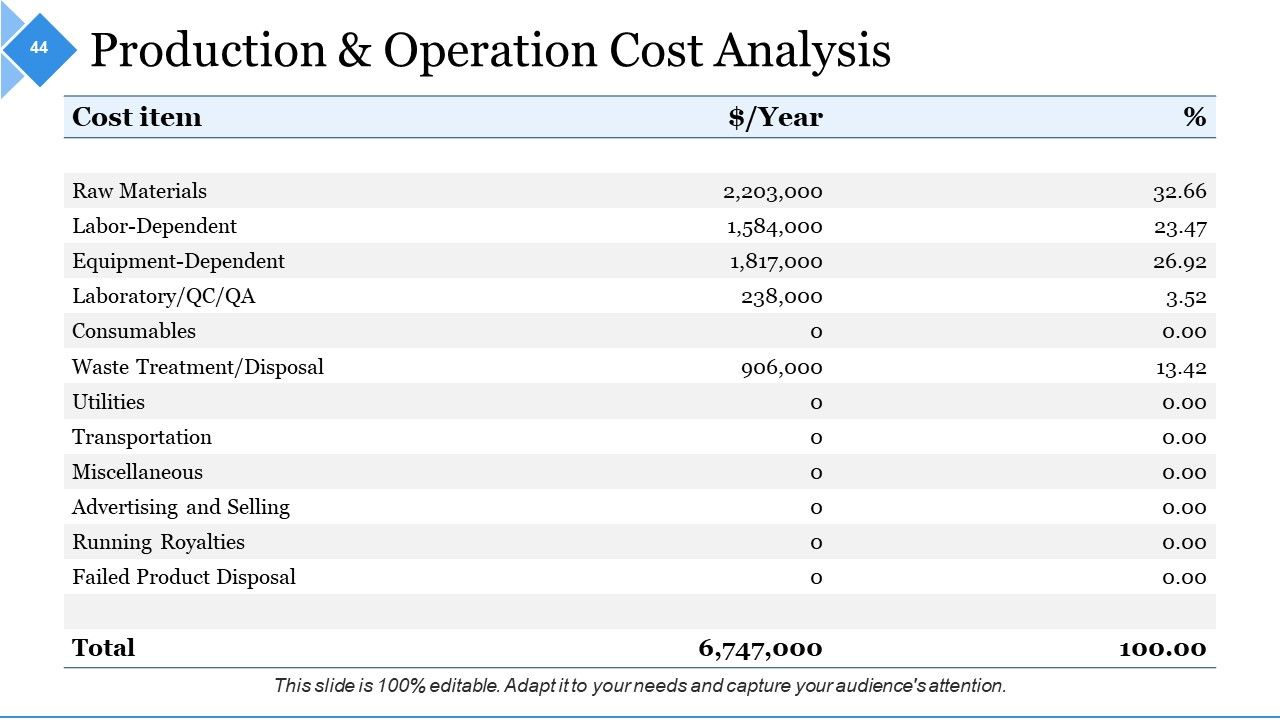
Maintain this sheet on product and operational costs so that everything is held accountable. Cost items of raw materials, labor, waste management, transportation, miscellaneous, etc, should be specified in amount per year. You can also specify their percentages compared to the overall budget assigned or cost incurred. Maintain this important cost analysis template in your product presentation.
Template 10: Marketing and Launch Cost Analysis
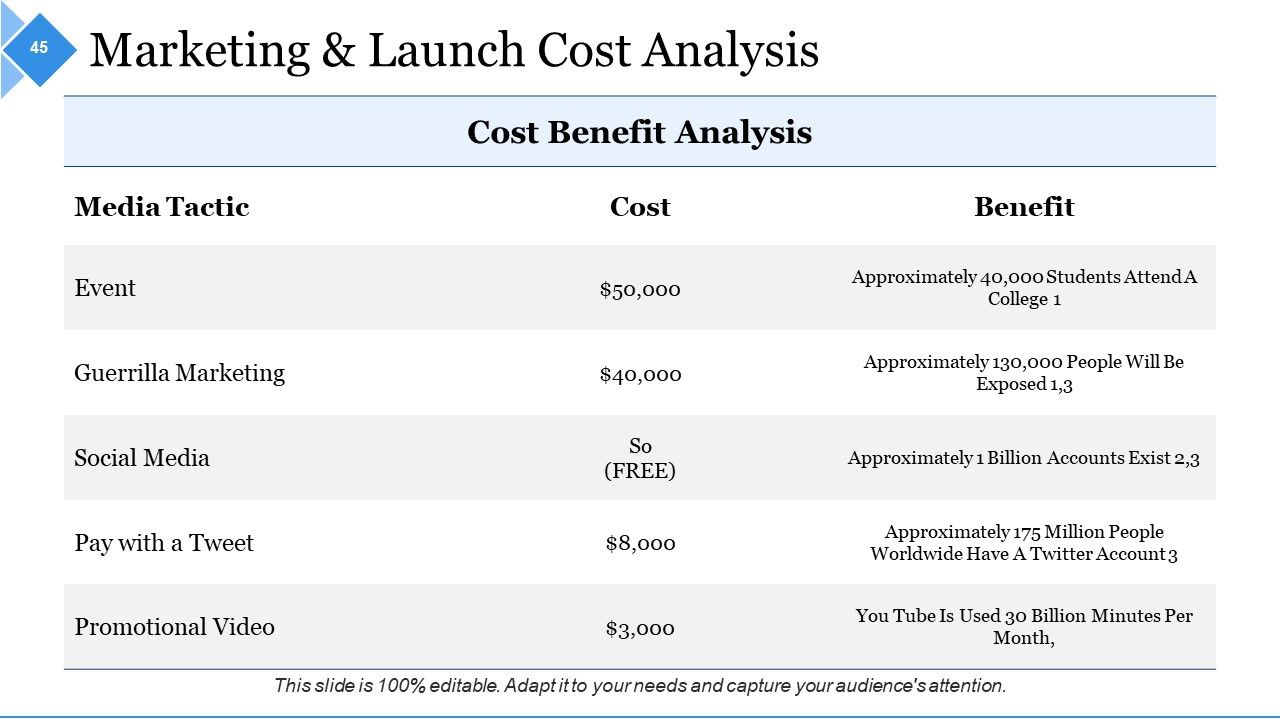
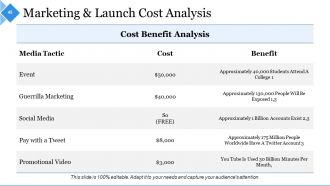
This PPT Preset helps portray your marketing and launch costs in continuation with the financial summary of your new product. Mention cost incurred in managing events, marketing efforts, social media, and promotional videos and specify benefits attained. Specify if any tactic was free and mention the accurate cost of others as shown to get a clear picture of your expenses.
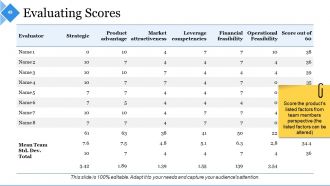
Template 11: Evaluating Scores
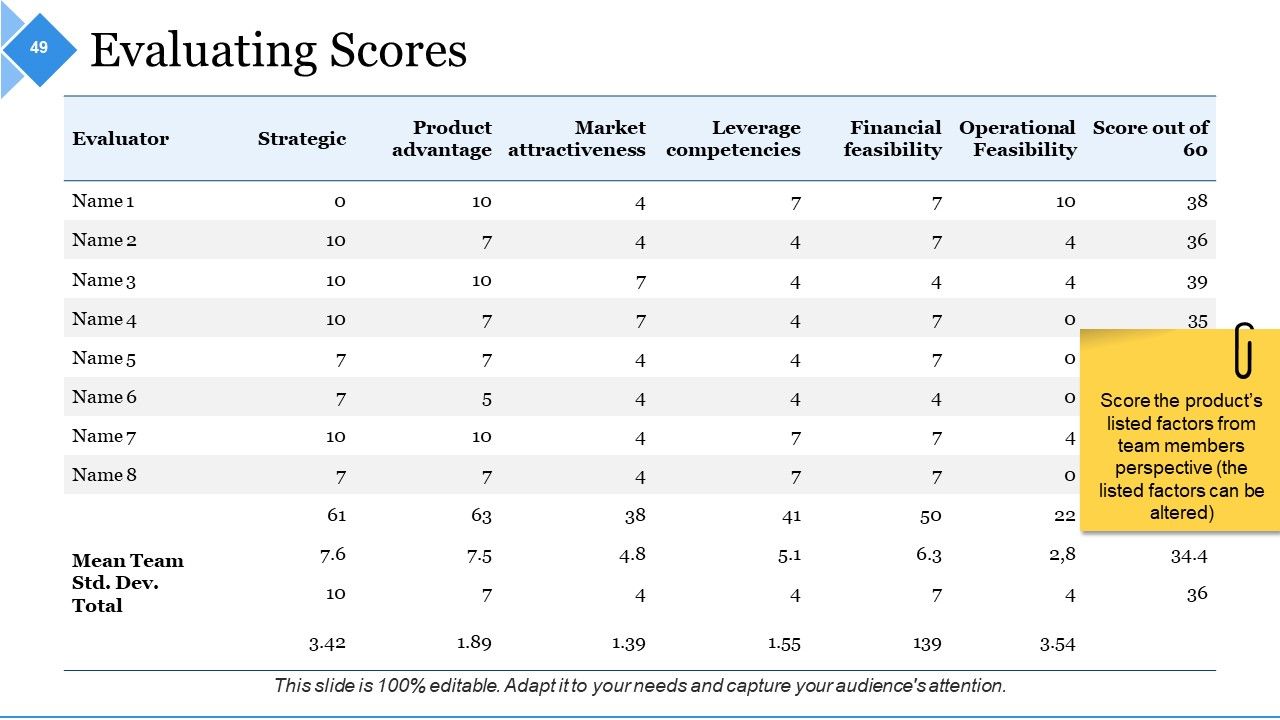
Once you have covered particulars related to the new product’s development and marketing, record the assessment from top evaluators and analysts. Tally and compare their ratings for features covered in the presentation to understand if the project has been feasible and then identify areas of improvement. Common features to compare should be strategies, product attractiveness, product advantage, operational feasibility, leverage competencies, etc.
The Key to A Futuristic Product
These were some of the top templates of your new product all-about presentation template. Grab the complete deck to plan a calculated strategy of product development, launch, and marketing. Build an attractive, long-term, and profitable product by planing well.
Example Presentation About New Product Powerpoint Presentation Slides with all 73 slides:
Encourage a bit of informal banter with our Example Presentation About New Product Powerpoint Presentation Slides. Indulge in a good humored exchange.
-
Example Presentation About New Product
-
Agenda Slide
-
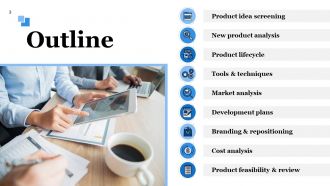
Outline
-
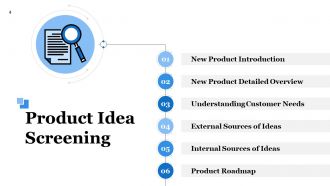
Product Idea Screening
-
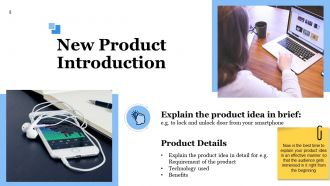
New Product Introduction
-
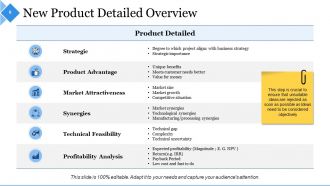
New Product Detailed Overview
-

Understanding Customer Needs
-
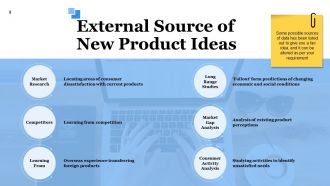
External Source of New Product Ideas
-
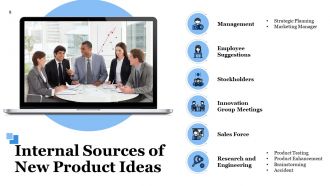
Internal Sources of New Product Ideas
-
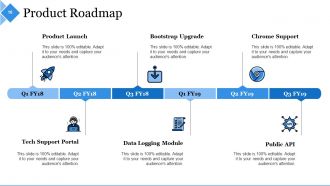
Product Roadmap
-
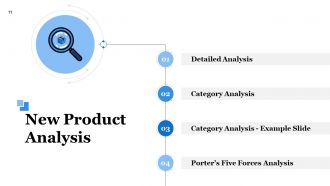
New Product Analysis
-
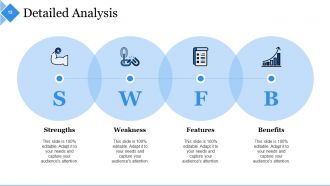
Detailed Analysis
-
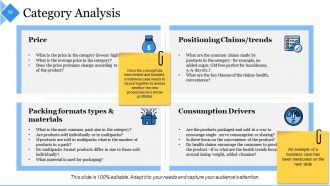
Category Analysis
-
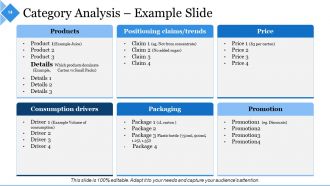
Category Analysis Example Slide
-
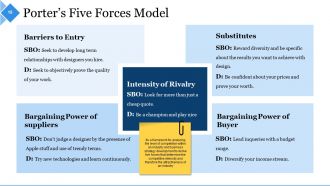
Porter s Five Forces Model
-
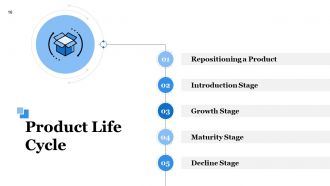
Product Life Cycle
-

Product Life Cycle Stages
-

Introduction Stage
-

Growth Stages
-
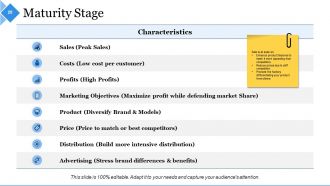
Maturity Stage
-
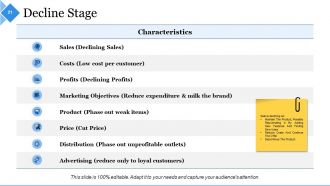
Decline Stage Characteristics
-
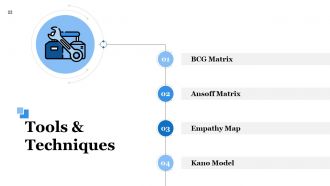
Tools Techniques
-
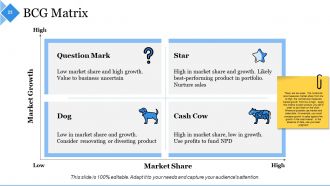
BCG Matrix
-
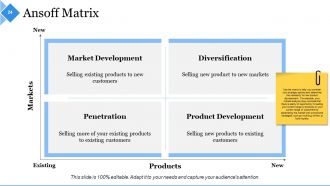
Ansoff Matrix
-

Empathy Map
-
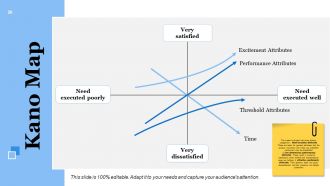
Kano Map
-
Market Analysis
-
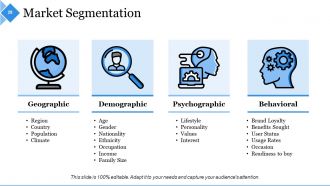
Market Segmentation
-
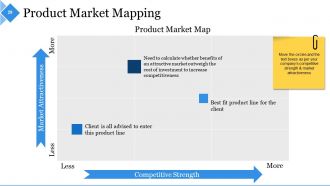
Product Market Mapping
-
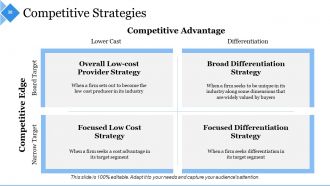
Competitive Strategies
-
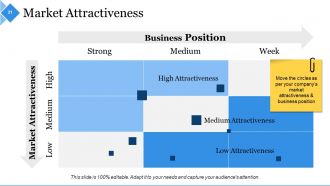
Market Attractiveness
-
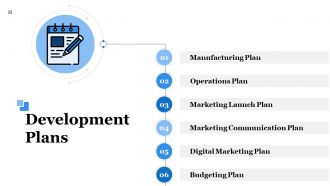
Development Plans
-
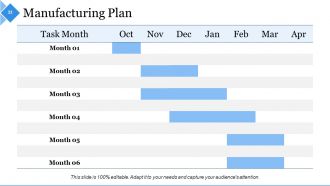
Manufacturing Plan
-
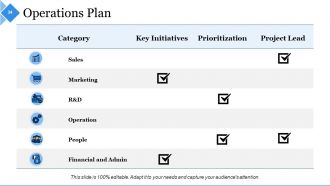
Operations Plan
-
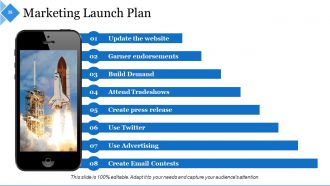
Marketing Launch Plan
-

Marketing Communication Plan
-
Digital Marketing Plan
-
Budgeting Template
-

Branding Repositioning
-
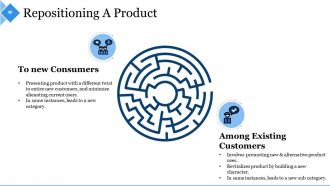
Repositioning A Product
-

Repositioning Strategy
-
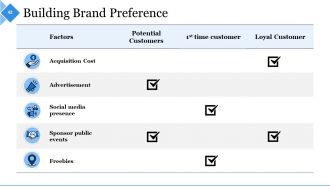
Building Brand Preference
-
Cost Analysis
-
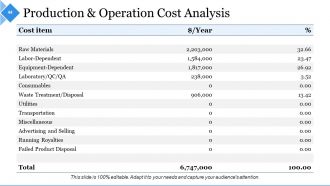
Production Operation Cost Analysis
-
Marketing Launch Cost Analysis
-
Business Financial Analysis
-
Product Feasibility Review
-
Feasibility Review
-
Evaluating Scores
-
Alpha Beta Testing Timelines
-
Product Quality Check
-
Launch Monitoring Dashboard
-
Coffee Break
-
Additional Slides
-

Our Mission
-

Our Team
-
About Us
-
Our Goal
-
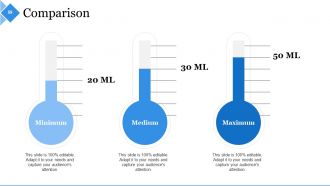
Comparison
-
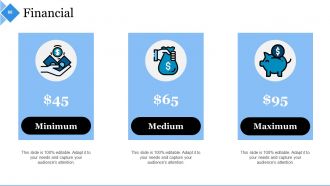
Financial
-
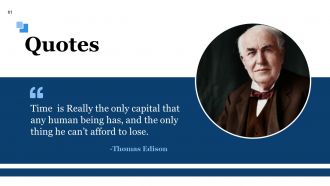
Quotes
-
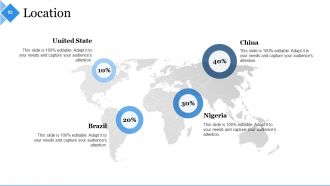
Location
-
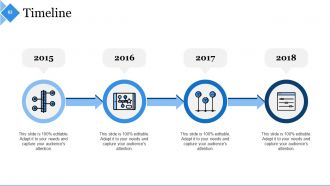
Timeline
-
Puzzle
-
Post it
-
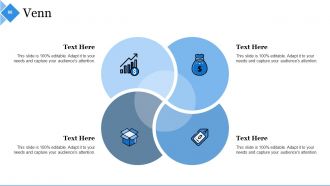
Venn
-
Target
-
Bulb or Idea
-
Magnifying Glass
-
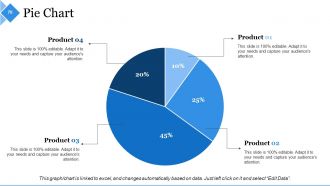
Pie Chart
-
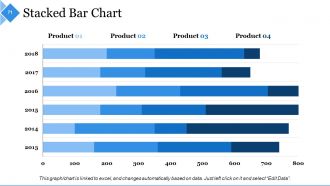
Stacked Bar Chart
-
Our Contact Details
-

Thank You
FAQs for Example Presentation About New Product
Honestly, focus on these five things: the problem you're solving, why your solution kicks ass, market opportunity, team credibility, and realistic financials. Lead with the pain point - make investors actually *feel* it. Then prove your product beats everything else out there. Market size is boring but necessary, so don't phone it in. Show why your team can actually pull this off. Oh, and please don't BS your numbers - investors smell that from miles away. Practice until you're having a conversation, not reciting bullet points. Most people sound robotic up there and it kills the whole vibe.
Dude, stories beat feature lists every single time. People zone out when you're listing specs - I swear I've watched entire rooms pull out their phones. But tell them about Sarah the busy mom who finally got her mornings back because of your app? Now they're listening. Your audience needs to picture themselves actually using this thing. Stories do that way better than bullet points ever will. Plus honestly, the "why" behind your product matters more than the "what" anyway. Next time, ditch that boring agenda slide. Start with a real customer's problem instead - you'll hook them from minute one.
Dude, definitely show the gadget in action rather than boring text slides. Clean design is key - nobody wants visual clutter when they're trying to focus on your product. Those stock photos of people fake-smiling at computers? Skip 'em entirely. Your branding should match the product's vibe, and honestly, you've got maybe 30 seconds before people zone out, so lead with your strongest benefits. Structure it like problem → your solution → why you're not just another startup with the same idea. Oh, and run it by someone first - you'll be surprised what doesn't make sense to fresh eyes.
Know your audience before anything else. Execs want ROI numbers right upfront - skip the fluff entirely. Tech teams? Go deep on features and specs, they eat that stuff up. Sales people are always thinking objections and competitive stuff. Honestly, I've bombed so many presentations using the same deck for different groups. Customer presentations need way more storytelling than internal ones do. Short sentences work better sometimes. Here's what actually helps: figure out what's driving them crazy at 2am, then position your thing as the fix for exactly that problem. Works every time.
Canva's my go-to for this stuff - super easy to use and they've got loads of product templates. You can customize them pretty fast too. Adobe Creative Suite gives you way more control if you need fancy features, but honestly? The learning curve is brutal. Figma works great if you're already using it since you can make interactive prototypes. Even PowerPoint isn't terrible anymore - they actually have decent templates now. Oh, and whatever you pick, just make sure it exports high-res images. You'll want your branding to look consistent across everything.
Dude, visuals are a game-changer for market research. Nobody wants to stare at endless spreadsheets - I learned that the hard way in my last presentation. Heat maps make your target segments pop, and trend lines actually show growth potential instead of just talking about it. Executives have zero patience for data dumps, but throw up one solid chart showing market opportunity? They get it instantly. Those "aha" moments are everything when you're pitching. Start simple - find your strongest data point and make it impossible to ignore. Trust me, it's way more convincing than rattling off numbers.
Honestly, customer feedback is like having cheat codes for presentations. Their actual words hit way different than generic marketing speak - trust me on this one. I've watched so many product pitches bomb because they sounded like they came from corporate headquarters instead of real life. Grab those customer quotes and sort them by whatever problems you're solving. When people hear their own struggles mentioned, they actually pay attention. Oh, and use their exact language too - don't polish it up. Raw feedback lands harder than sanitized testimonials every time.
Find what your product does that nobody else can - that's your anchor for everything. Instead of boring feature lists, show the actual benefits people get. Demo the problem-solving live if you can. Customer stories work great too, especially with real numbers. I've seen too many presentations that are basically "look at all these buttons!" when they should be "here's how this saves you 3 hours every week." Short version: make them think "holy shit, this fixes my exact headache" not just "cool tech." The whole thing should feel like you're solving their specific problem.
Try interactive demos and customer testimonials - those always work well. Live polls keep people awake too. I've seen some wild AR stuff where you can virtually test products, which honestly blows people's minds. Maybe create a mini documentary about your product's development? Animated infographics help break down confusing features. Oh, and don't skip sound design - background music or product sounds make a huge difference. Start small with what feels comfortable. You can always add more flashy stuff later once you get the hang of it.
Okay so first thing - don't get defensive right away. Actually listen to what they're really worried about and say something like "I hear you're concerned about..." Then hit them with specifics or data if you've got it. Honestly? Half the time people just want to feel heard. Don't know something? Just say so and give them a real date when you'll follow up. The whole trick is staying chill and treating their pushback like they're genuinely curious, not trying to tear you down. Oh and write their stuff down - you'll forget otherwise.
Oh man, the worst thing you can do is just list features instead of explaining what's actually in it for them. People don't care about specs - they want to know how it helps their life. Also, walls of text are presentation death. Seriously, I've watched entire rooms check out when slides look like novels. Another big mistake? Jumping straight to your solution before explaining why the problem matters. You can't assume everyone gets the context you're living in. Tell them a story first. Keep slides clean, save time for questions, and honestly - practice saying it out loud beforehand because what sounds good in your head doesn't always translate.
Just make a simple grid comparing your product to 3-4 main competitors. Show the features customers actually care about - not every single thing you can think of. Use checkmarks or green/red colors so people can scan it fast. Nobody's reading walls of text about competitor stuff, honestly. Be real about where others beat you (makes you look more credible anyway). If it's a touchy situation, just call them "Competitor A" or whatever. The whole point is someone should glance at it for like 20 seconds and immediately see why you're the better choice. Keep it visual and straightforward.
Dude, break up long presentations or people will totally check out. I made this mistake last quarter - did a 45-minute feature dump and watched everyone's souls leave their bodies lol. Throw in polls or quick demos every 10-15 minutes to wake them back up. Stories about actual customer problems work way better than just rattling off features. Also, watch their faces! If you're losing them, skip slides. Seriously, covering three things well beats cramming in ten things badly. Oh and mix up your energy - don't drone on at the same pace the whole time.
Your CTA needs to hit hard and fast. Skip weak words like "consider" - go with "Join," "Start," or "Get" instead. People respond to urgency, so throw in deadlines or limited spots. FOMO is real and it works. Be specific too. "Sign up by Friday for early access" beats "contact us sometime" every day of the week. Practice that closing line until it's smooth - you don't want to stumble after crushing everything else. Keep your contact info visible and spell out exactly what happens next. Trust me, clarity kills confusion and confusion kills conversions.
Yeah, templates definitely help you look more professional! They give you that consistent look without having to figure out fonts and colors from scratch. Trust me, I've sat through way too many presentations with terrible font choices - you don't want to be that person. The structure part is huge too since your slides will actually flow together instead of looking like a random mess. Just pick something that fits your vibe and audience, then tweak it so it doesn't scream "basic PowerPoint template." That way you can actually focus on what you're saying instead of design stuff.
-
Great powerpoint