

Example Presentation Of Product Powerpoint Presentation Slides





Try Before you Buy Download Free Sample Product
 Impress Your
 Audience
 100%
100% Editable
 Save Hours
 of Time


Explore our Example Presentation of Product PowerPoint Presentation Slides. Incorporate these PPT slides to evaluate new product ideas strategies and market trends. The new product introduction compete deck comprises of content ready templates such as product ideas screening, understanding customer needs, understanding customer needs, external and internal sources of new product ideas, product roadmap, category analysis, product lifecycle, tools and techniques, BCG matrix, empathy map kano model, market analysis, product market mapping, competitive strategies, market attractiveness, development and manufacturing plans, marketing launch plan, budgeting template, repositioning strategy, building brand preference, marketing and launch cost analysis, product feasibility review, product quality check, launch monitoring dashboard and more. All slides are easy to customize. Users can add or delete content if needed. Demonstrate new product development strategy with this product Introduction PowerPoint visuals. Download NPI Presentation to successfully introduce and market your latest product or service.
People who downloaded this PowerPoint presentation also viewed the following :
Content of this Powerpoint Presentation
All businesses, small or large, need a mind-blowing presentation to make their presence felt and create a buzz around their products or services. Often, businesses invest a lot of time, effort and resources into their products, but pay little attention (even forget) to prepare for the product presentation. Here’s how SlideTeam can help you!
Master the fundamentals of launching new products and services with SlideTeam’s best-in-class Introduction PPT Templates here.
If you want to communicate the start and the growth of your product to businesses and stakeholders, you should get our hands on our product presentation templates. These templates have attractive designs, colours, and backgrounds and are 100% customizable and editable. These product presentation templates have an easy-to-edit option to assist you in planning and drafting your presentation in a compelling and persuasive format.
Comprehensive knowledge of product introduction approaches is necessary to ensure success through a launch. Find best-in-class product introduction templates with a click here.
Let’s explore these slides!
Template 1: Product Idea Screening
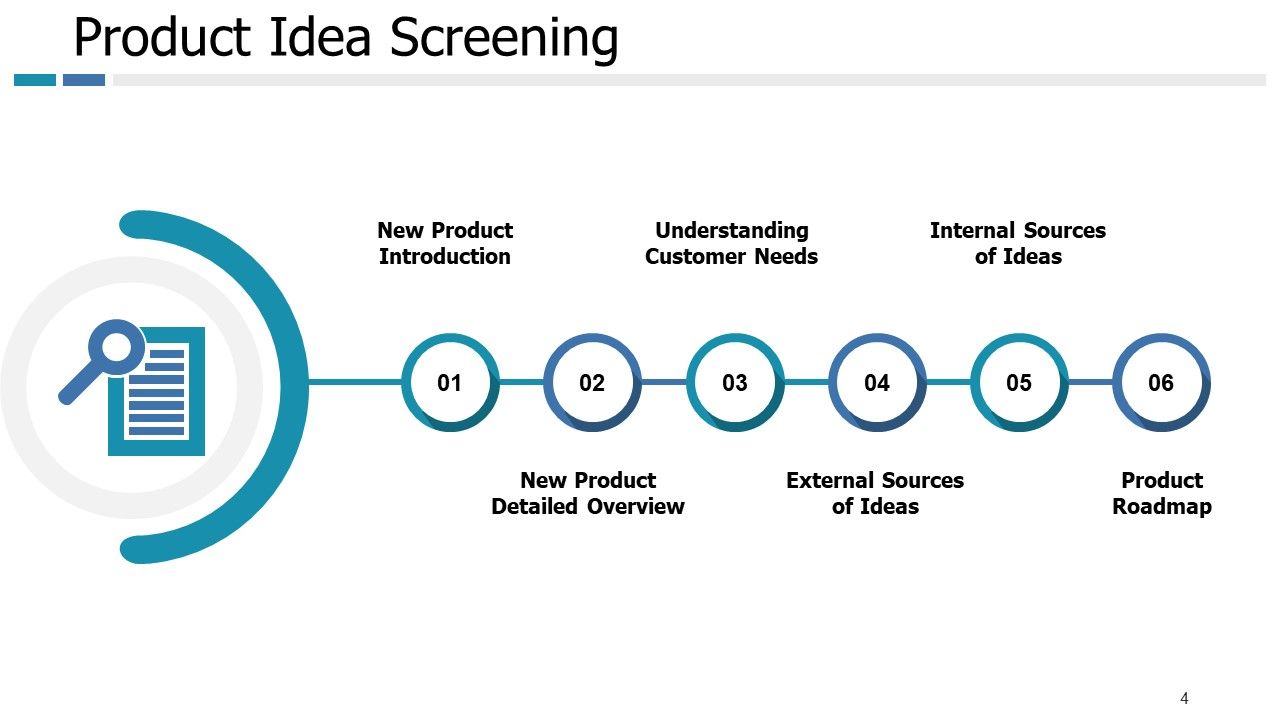
A product idea screening template is a structured template designed to elevate and prioritize the potential and power of your product. With this template, businesses can systematically assess the feasibility of ideas, viability, and potential success before committing resources to development. Start by introducing your new product and conducting a detailed product review while understanding what the customer needs. Jot down your internal sources of ideas and create a blueprint. Using a product concept screening template helps companies choose which ideas to invest in with excellent, in-depth knowledge, thus raising success rates and lowering instances of failure.
Template 2: New Product Detailed Review
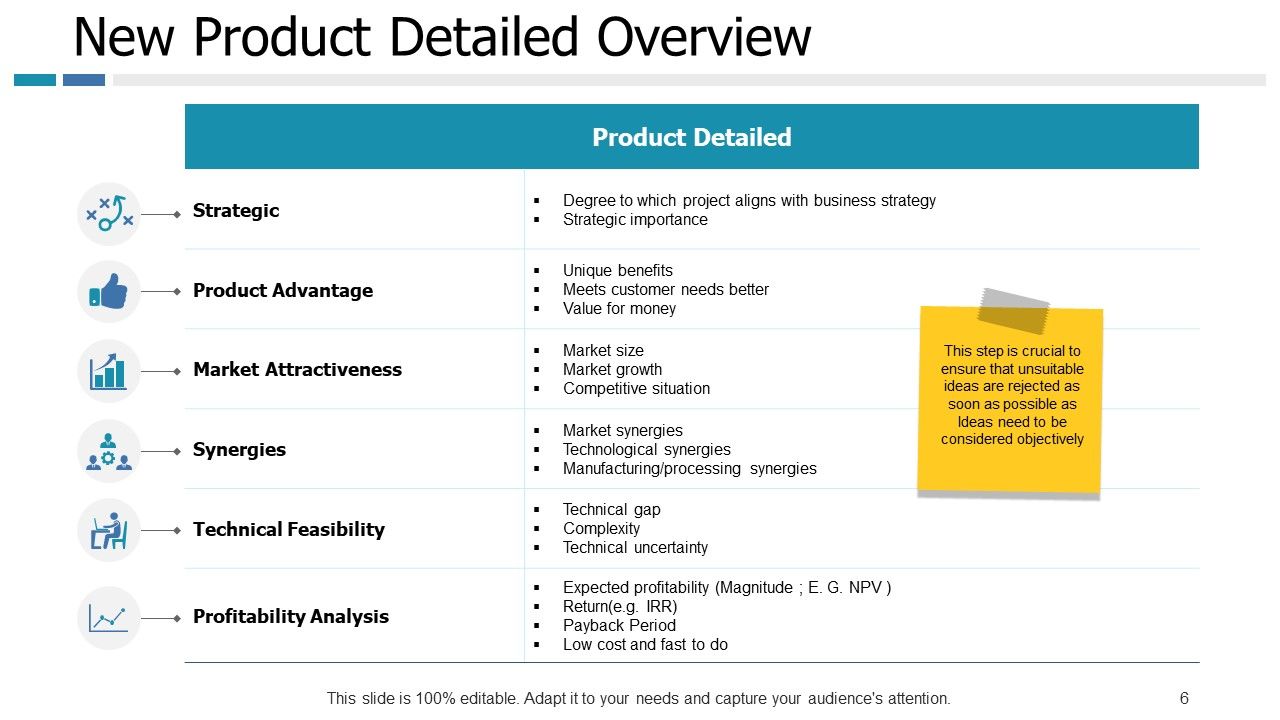
Thoroughly assess and evaluate your product. State a clear and systematic approach to analyse the product advantage, market attractiveness, and other technical feasibilities. Give a succinct overview of the product to emphasize distinctive or creative features that make it stand out from rivals. Analyse the product's performance and its intended purpose or primary function. Analyse the product's perceived benefits about its price to determine its value proposition. Take into account elements like perceived value for the money, cost-effectiveness, and how effectively the product satisfies customer demands and expectations. Check out this template to draft creative and compelling strategies to buckle up your product review game.
Template 3: External Sources of New Product Ideas
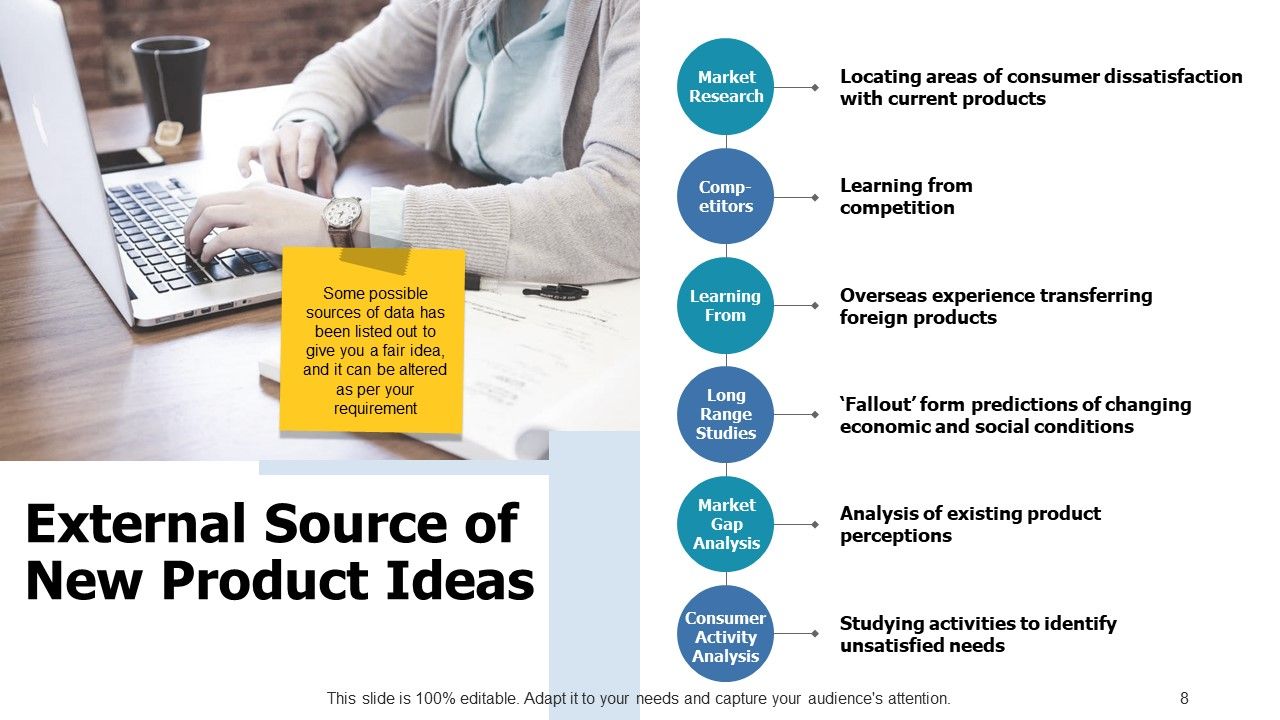
Determine and assess prospective outside-the-organization ideas for new products or innovations. This template on external sources of new product ideas assists companies in finding new ideas for product development by leveraging sources such as competitors, suppliers, customers, industry trends, and developing technology. Examine industry reports, market research, and trend assessments to find new market possibilities, customer preferences, and possible market gaps. Examine rival companies’ offerings, tactics, and client feedback to find areas in which your business may innovate and stand out. Be mindful of new technological developments and establish a system or platform for gathering and assessing outside product ideas. Diversify and uncover your untapped opportunities.
Template 4: Internal Sources of New Product Ideas
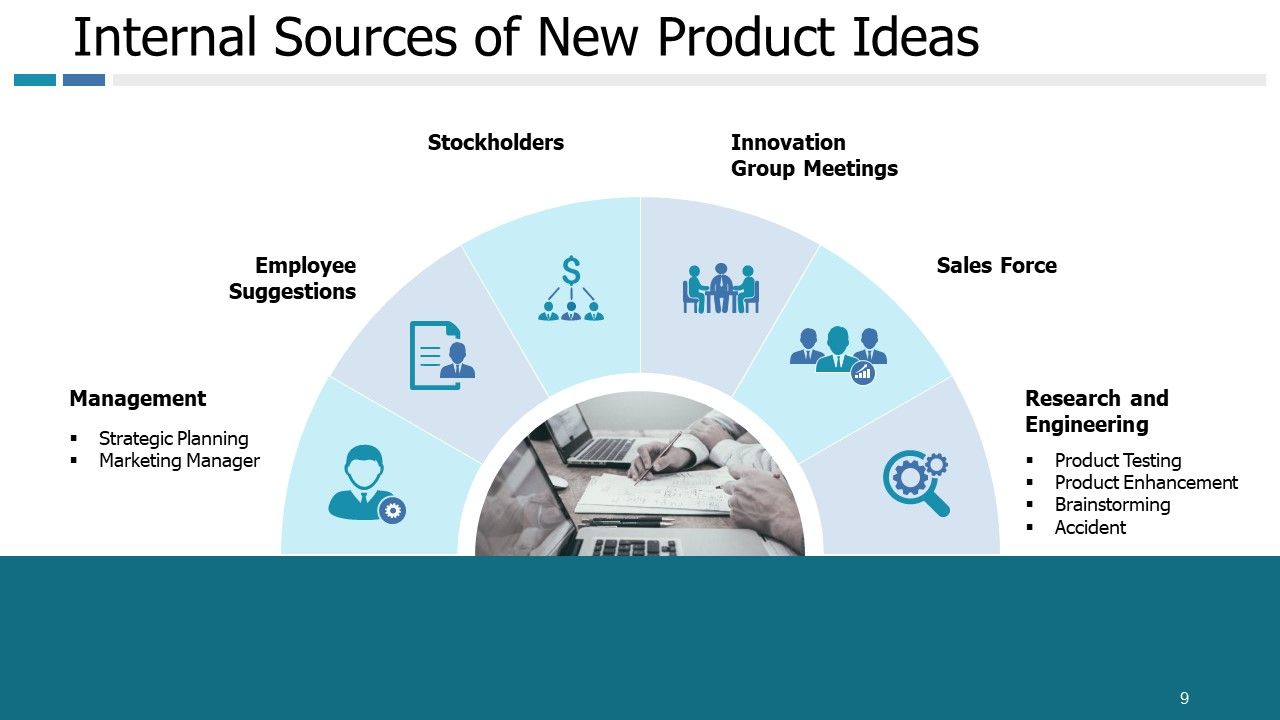
Generate and evaluate potential innovations that originate within your business. Encourage staff members to submit suggestions for new goods or ways to improve current ones using this template. Welcome ideas and viewpoints among cross-functional teams so they can use backgrounds and experiences to develop creative product ideas. Focus on strategic planning management, innovative group meetings, driving sales force tap into research and development (R&D) efforts, and innovation initiatives within the organization. By leveraging internal sources
of new product ideas, organizations can harness creativity and knowledge, and drive innovation.
Template 5: Category Analysis of Products
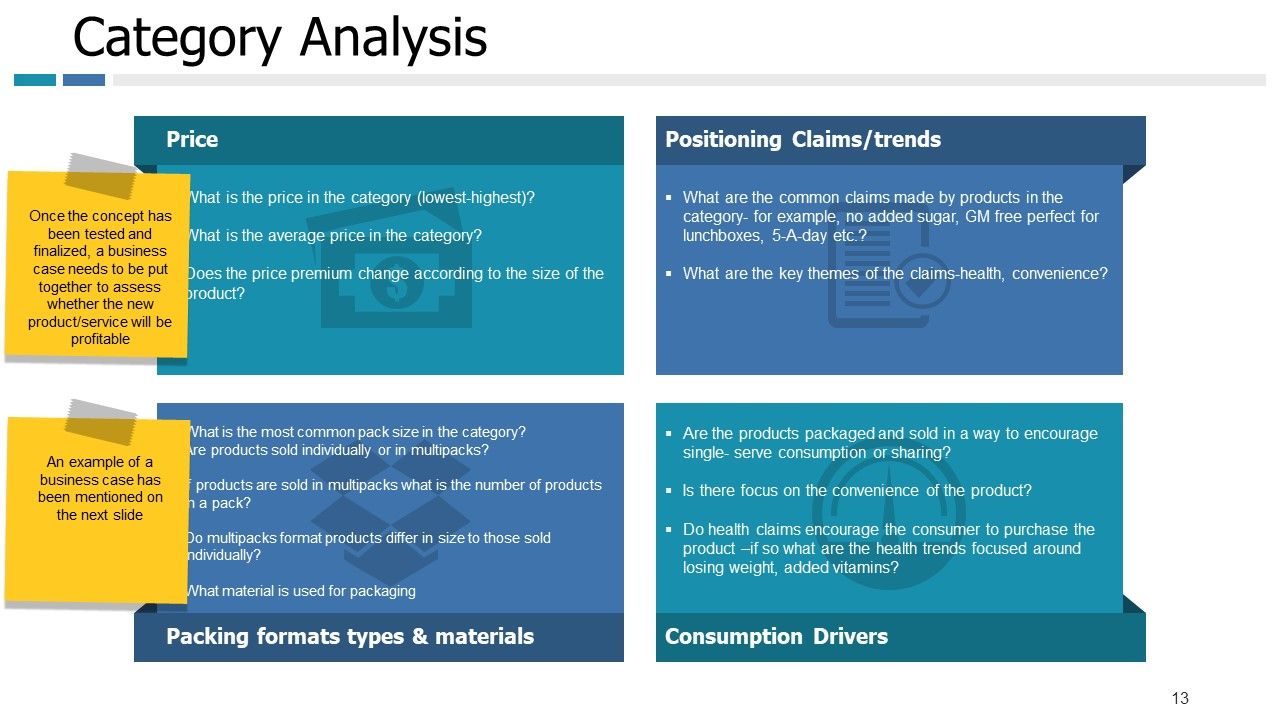
Arrange and categorize data into separate groups with this PPT Template. Use this slide for category analysis to maintain consistency in categorization across contexts, expedite procedures, and make navigation easier. This template makes it easier for businesses to categorize and understand concepts. Discuss price, positioning, consumption drivers, packing formats, and materials. This template helps you navigate, identify, and discover your customers' needs.
Template 6: Porter’s Five Forces model

Use Porter’s Five Forces Model to examine the competitive dynamics of an industry. This model offers an organized method for comprehending the competing forces at work and evaluating an industry's viability from a financial standpoint. Determine how fiercely the industry is competing and, simultaneously, the obstacles to entry for potential new rivals in the market must be considered. Be mindful of elements, such as brand loyalty, legal constraints, access to distribution channels, economies of scale, and capital requirements. Determine the industry suppliers' negotiating leverage. Assess the risk of alternative goods or services from companies outside the sector. Evaluate the possible effects of alternative products on industry profitability and market demand. Determine the strategic ramifications and suggestions derived from Porter's Five Forces analysis.
Template 7: BCG Matrix for Product Performance
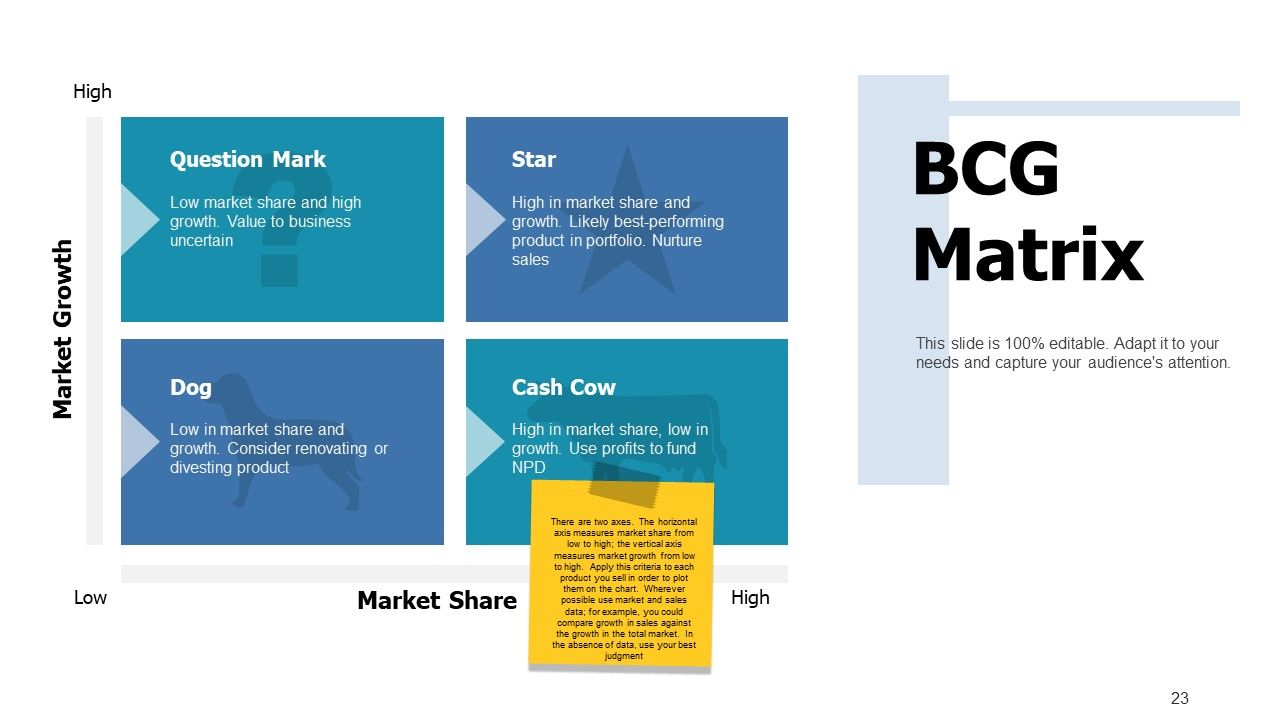
The BCG Matrix Template is a strategic planning tool that businesses can use to evaluate a company's portfolio. Businesses can also share a vivid representation of each product and its unit. Plot each product or business unit according to its relative market share and growth rate onto a matrix of four quadrants. Based on each product or business unit's location inside the BCG matrix, create an action plan outlining each specific strategy and initiative. Establish objectives, deadlines, roles, and resource distributions for the implementation. Reassess the portfolio and make necessary strategy adjustments to adapt to shifting market conditions and opportunities.
Template 8: Competitive Strategies
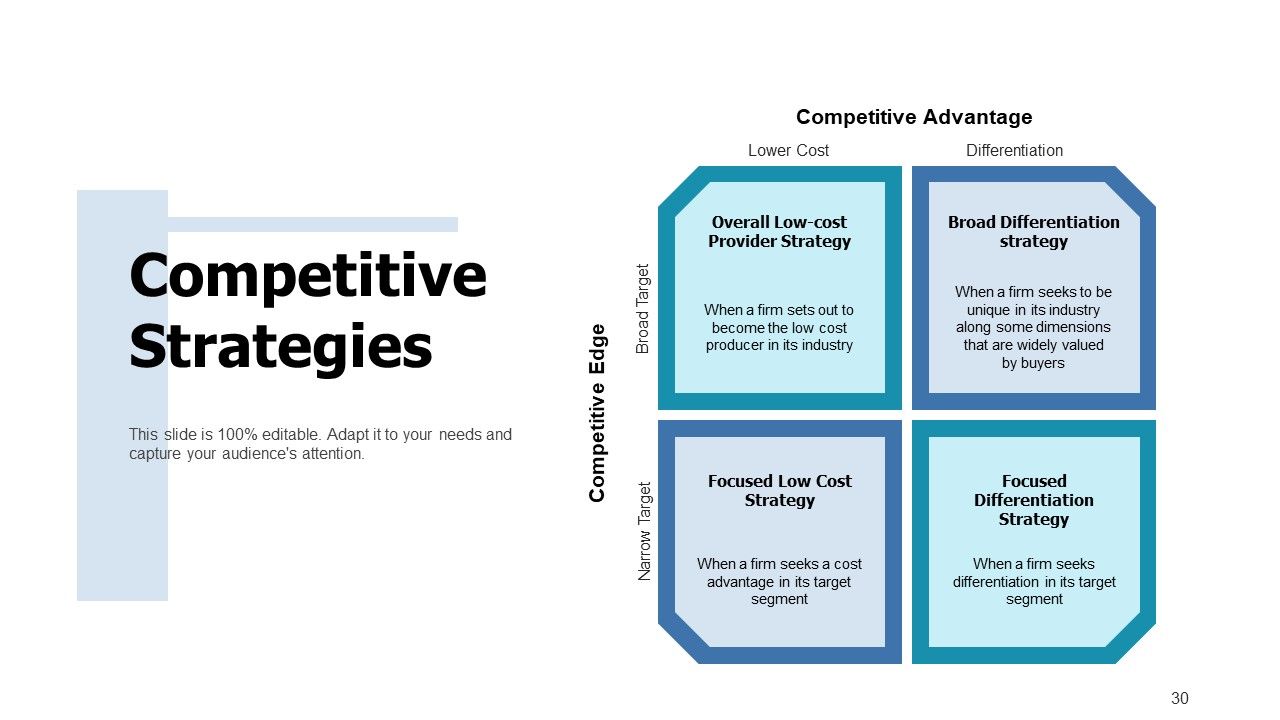
Use this PPT Template to analyse your competitive business environment and help your enterprise gain a suitable advantage. Analyse your marketing positioning while describing your business and its position in the market compared to its rivals. Establish your value proposition, differentiating tactics, and target market segments. Determine where your business might flourish and provide clients with exceptional value. Design a competitive edge while establishing a low-cost provider strategy, and focus on it to determine which strategy aligns best with your company's resources, capabilities, and market opportunities.
Template 9: Market Attractiveness
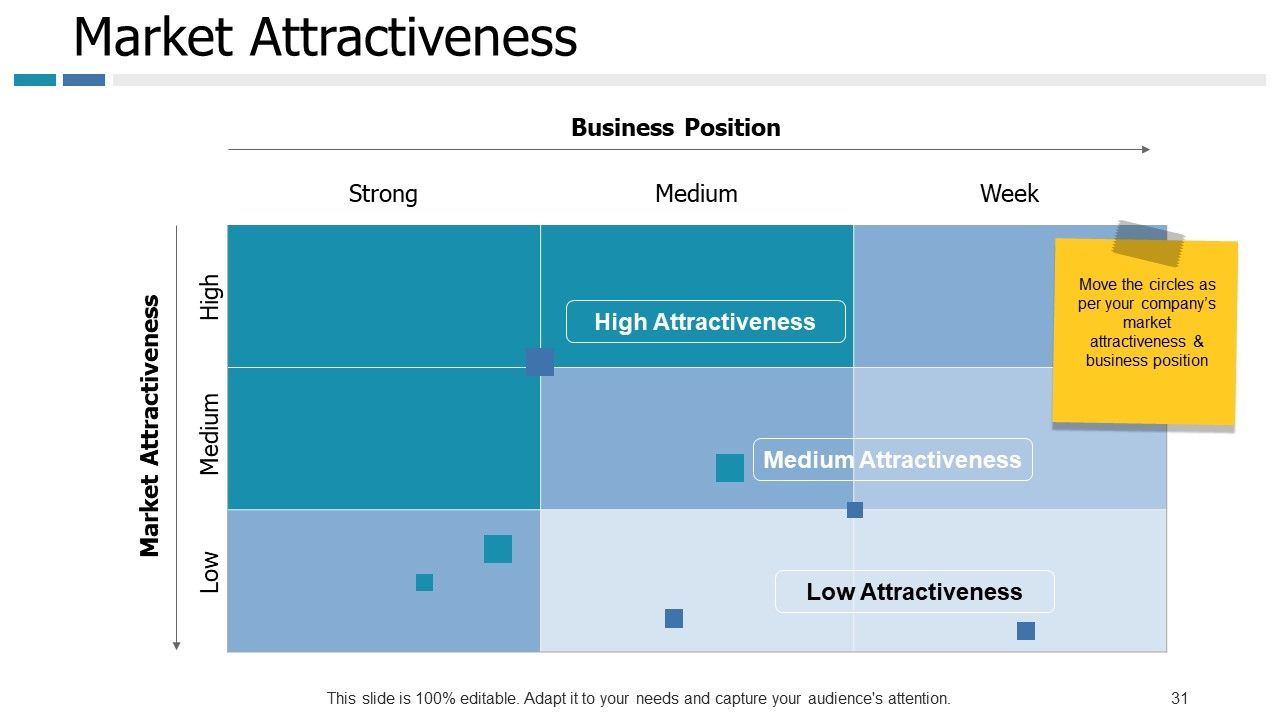
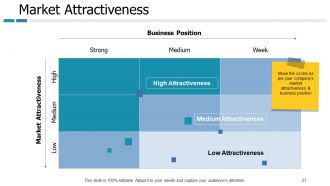
Use our market attractiveness template to analyse the market size using revenue, sales volume, or other pertinent data. Assess past growth rates and anticipated growth patterns to determine the market's potential for growth. Determine the significant market dynamics and trends, such as customer preferences, regulatory changes, and technology improvements. Determine areas that require strategic attention and investment and make choices regarding market entry, expansion, and diversification tactics.
Template 10: Digital Marketing Plan
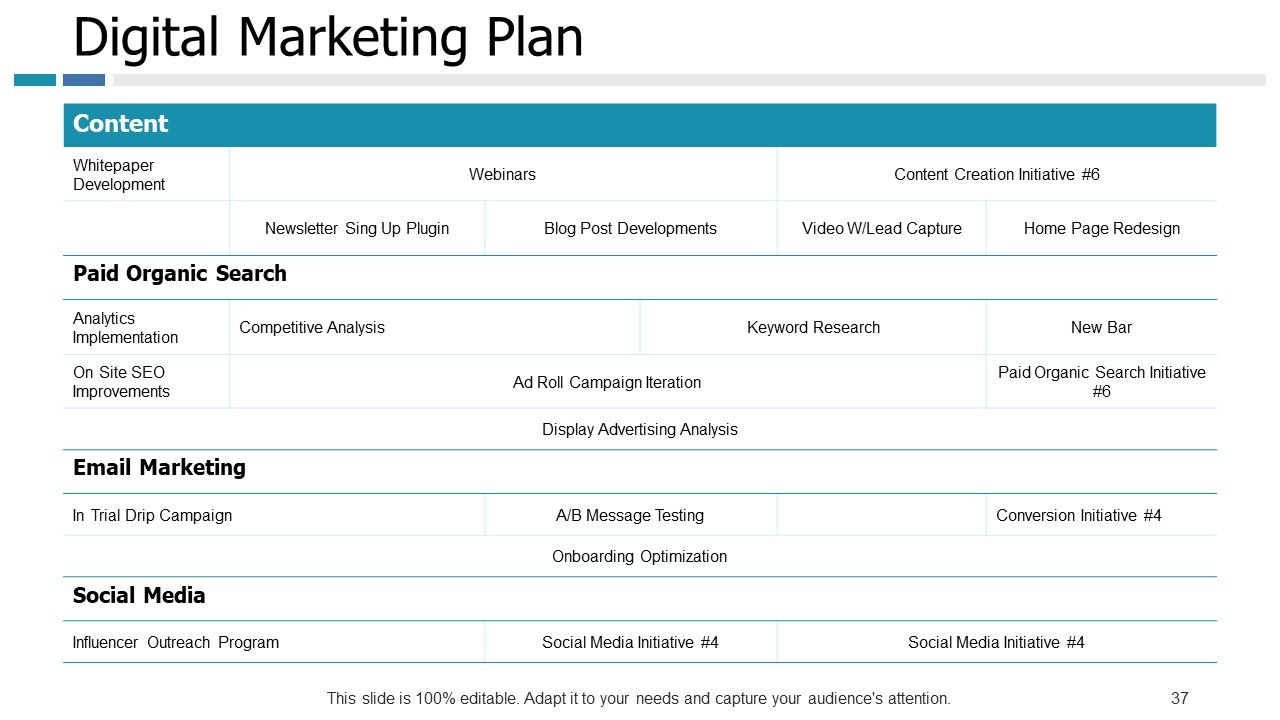
This PPT Template on digital marketing plan helps businesses draft and develop a comprehensive roadmap for leveraging digital channels to achieve marketing objectives, engage with target audiences, and drive business growth. Design your content strategy with this marketing plan. Determine which digital channels are the most relevant to the target market and the company's goals. Search engines, social networking sites, email marketing, smartphone apps, and other digital touchpoints are part of this.
Build Credibility and Trust through Product Launch Presentation
A well-defined, professional and masterful product presentation makes a good first impression on prospective clients and customers. Prepare yourself to present your positives and good about your product in the best possible way by emphasising salient characteristics, advantages, and value propositions by incorporating these product development PPT Templates. Create credibility and foster trust with stakeholders and the business community. By addressing common problems, showcasing competence, and offering precise and thorough product information, these presentations help firms inspire confidence and trust from potential clients.
PS Do you know that 95% of the new products fail? The answer to be in the 5% that succeed is a product rollout plan. Access these product rollout templates to ensure you always make the right impression.
Example Presentation Of Product Powerpoint Presentation Slides with all 66 slides:
Our Example Presentation Of Product Powerpoint Presentation Slides are like a fuselage. They will carry your thoughts aloft.
-
Example Presentation of Product
-
Agenda Slide
-
Outline
-
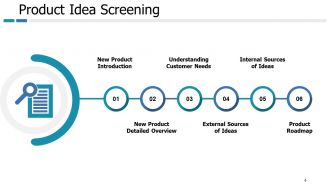
Product Idea Screening
-
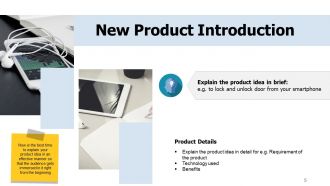
New Product Introduction
-
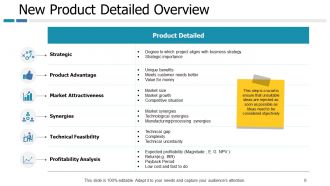
New Product Detailed Overview
-
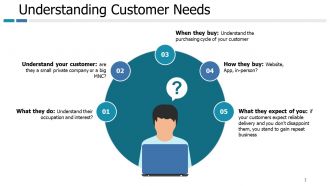
Understanding Customer Needs
-
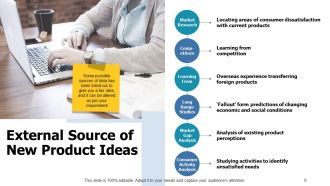
External Source of New Product Ideas
-
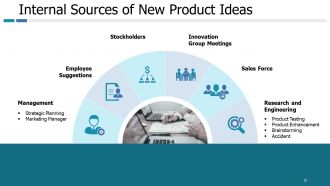
Internal Sources of New Product Ideas
-
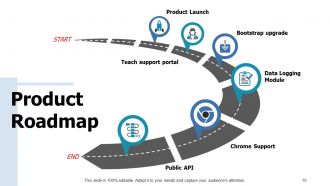
Product Roadmap
-
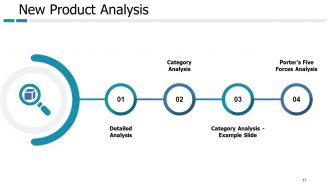
New Product Analysis
-
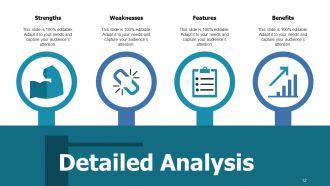
Of Product
-
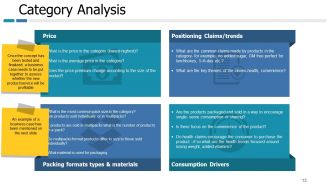
Category Analysis
-
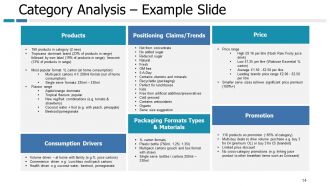
Category Analysis Example Slide
-
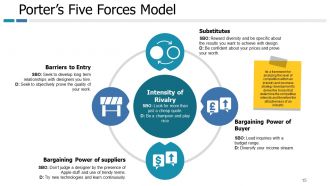
Porter s Five Forces Model
-
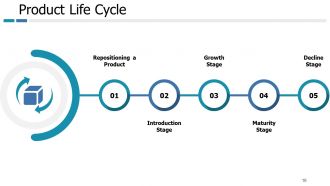
Product Life Cycle
-
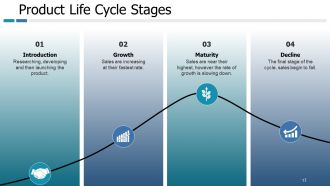
Product Life Cycle Stages
-
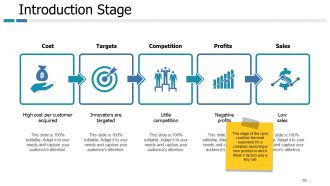
Introduction Stage
-
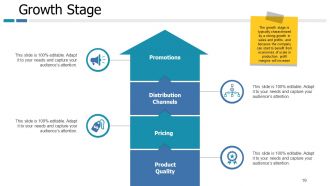
Growth Stage
-
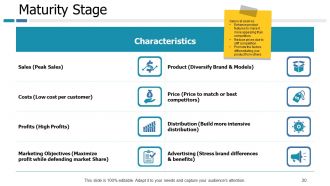
Maturity Stage
-
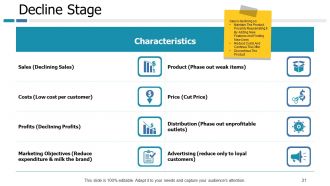
Decline Stage
-
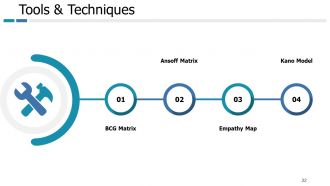
Tools Techniques
-
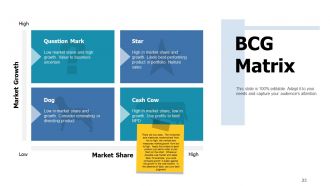
BCG Matrix
-
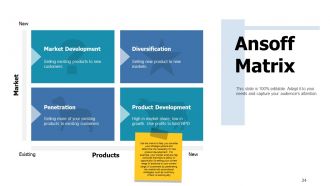
Ansoff Matrix
-
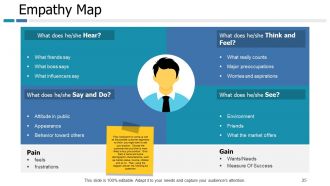
Empathy Map
-
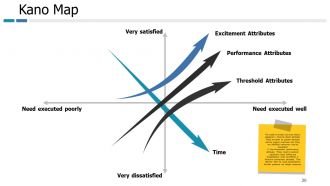
Kano Map
-
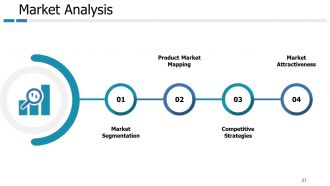
Market Analysis
-
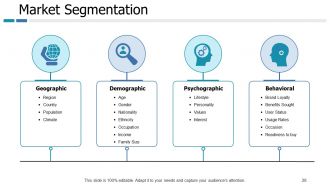
Market Segmentation
-
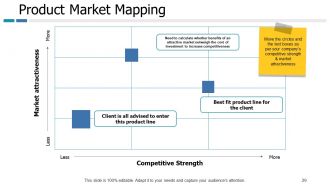
Product Market Mapping
-
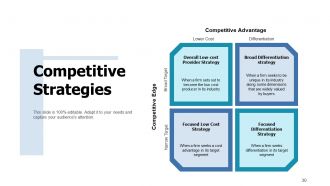
Competitive Strategies
-
Market Attractiveness
-
Development Plans
-
Manufacturing Plan
-
Operations Plan
-
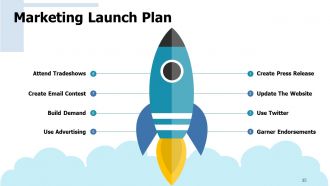
Marketing Launch Plan
-
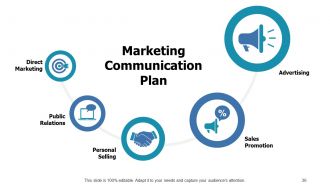
Marketing Communication Plan
-
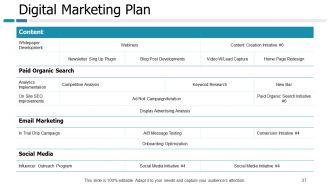
Digital Marketing Plan
-
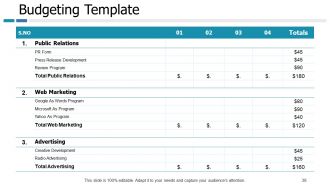
Budgeting Template
-
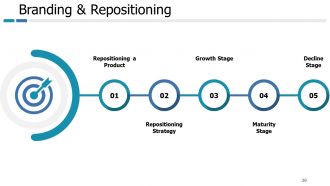
Branding Repositioning
-
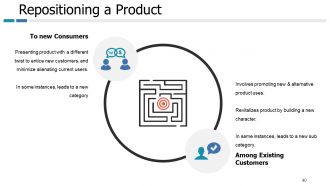
Repositioning a Product
-
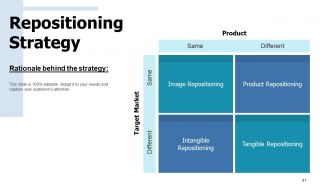
Repositioning Strategy
-
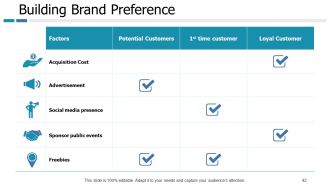
Building Brand Preference
-
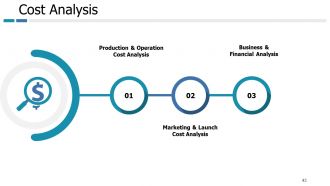
Cost Analysis
-
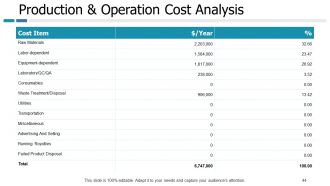
Production Operation Cost Analysis
-
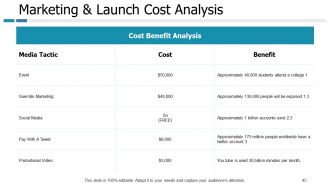
Marketing Launch Cost Analysis
-
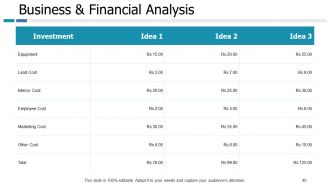
Business Financial Analysis
-
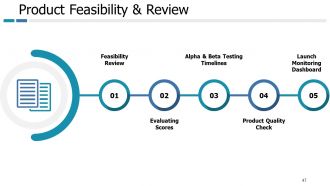
Product Feasibility Review
-
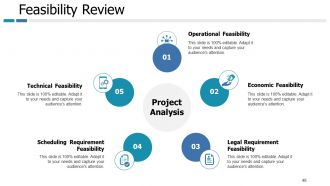
Feasibility Review
-
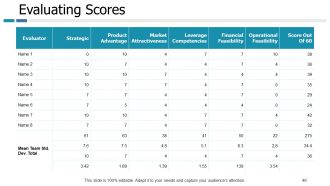
Evaluating Scores
-
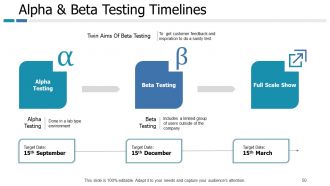
Alpha Beta Testing Timelines
-
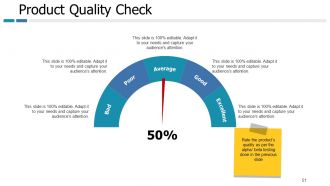
Product Quality Check
-
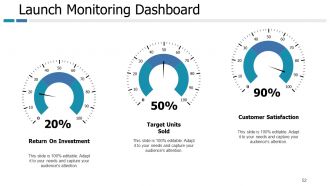
Launch Monitoring Dashboard
-

Coffee Break
-
Example Presentation of Product Icons Slide
-
Example Presentation of Product Icons Slide Contd
-
Additional Slides
-

Our Mission
-
Our Team
-

About us
-
Our Main Goal
-
Comparison
-
Our Main Target
-
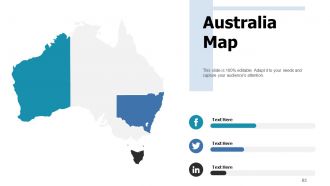
Australia Map
-
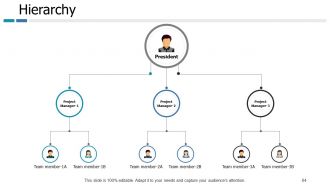
Hierarchy
-
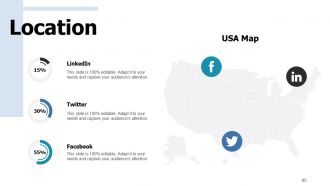
Location
-
Contact Us
FAQs for Example Presentation Of Product
Know your audience first - that's everything. Lead with the problem you're solving, not a feature dump. People need to feel the pain point before you show them the cure. Good visuals are non-negotiable because honestly, boring slides kill deals faster than bad pricing. Practice until it flows naturally - nobody wants to hear you read bullet points like a robot. Story beats statistics every time. Questions are where the magic happens, so save time for them. Always end with something concrete like "I'll email you the contract Monday." That specificity matters way more than you'd think.
Okay so here's what I've figured out - complex stuff becomes way more digestible when you break it into chunks. Clean layouts are your best friend. Use consistent colors and don't be afraid of white space (seriously, cramming everything together just stresses people out). Icons beat text walls every time since our brains are wired for visuals. I've sat through way too many demos where everyone's eyes just... died. Typography hierarchy is clutch - it naturally guides people through your points. Oh, try squinting at your next presentation. If you can still spot the main elements while squinting, you've nailed the visual flow.
Dude, forget listing features like a robot - nobody cares about that stuff. Tell a story instead! People connect when they hear how your product actually solved someone's problem. Like, paint a picture of a customer who was struggling with the exact same issue your audience faces. Then boom - your product swoops in and saves the day. Honestly, stories just make everything click better than technical explanations ever will. Structure it simple: problem, solution, happy ending. I always kick off presentations with a customer story now and the difference in engagement is night and day.
Honestly, you've got to figure out what each group actually gives a damn about first. Executives? They want ROI and big picture stuff - bore them with technical details and you're dead in the water. Tech people are the opposite - they want specs and nitty gritty implementation. End users just care if it'll make their job easier, period. I totally bombed a presentation to senior leadership once by diving into feature specs when they clearly just wanted to know the bottom line impact. Now I always research who's in the room beforehand. Quick tip: ask yourself what's actually keeping that specific audience up at night, then lead with that. Makes all the difference.
Don't dump features on people - talk benefits instead. Also way too much info kills presentations dead. Nobody cares about your 47 bullet points, trust me. Test your demo setup beforehand or you'll crash spectacularly in front of everyone (been there). Those cookie-cutter PowerPoint templates? Trash them. Know who you're presenting to and actually speak their language. Oh, and practice your timing - I can't tell you how many people rush through the good stuff because they spent forever on boring intro slides. Short version: less is more, benefits over features, and for the love of god test everything first.
Honestly, just stick to the metrics that actually matter to the business. Conversion rates, engagement, retention - that stuff directly shows impact. Revenue growth is obviously huge too. Customer satisfaction scores help, but don't go overboard with data. I've sat through way too many presentations where someone dumps like 15 different charts on us. Pick maybe 3-4 key numbers that tell a real story. The trick is being able to explain what each one means for the company and why anyone should care about it in the first place.
Multimedia can totally make or break your presentation. Videos are perfect for showing features in action - way better than just talking about them. For complex data, infographics help people actually get it instead of glazing over. Don't go overboard though! I've sat through so many presentations that were just random videos and graphics thrown together with zero point. Every piece needs a reason to be there. Also, definitely test your tech beforehand because it'll crash right when you need it most (Murphy's law, right?). The whole goal is making your product benefits super clear, so pick visuals that actually help people understand, not just pretty eye candy.
Grab them right away with something unexpected - weird stat, bold question, whatever makes them actually look up from their phones. Visuals over text always. Nobody reads bullet point novels, trust me. Instead of rattling off features, tell stories about actual customers doing cool stuff with your product. Mix in some interaction too - quick polls work, or just ask what they think about something. Oh, and practice those transitions between slides beforehand. Nothing kills momentum like awkwardly fumbling to your next point. You want it to feel like you're just having a chat, not delivering some corporate presentation.
Okay so here's what works for me - get someone to look at your slides beforehand, like a coworker or whoever. They'll spot the weird stuff you missed. Then during the actual thing, just watch people's faces. Are they lost? Bored? I literally pause and ask "making sense so far?" It feels awkward but saves your butt. Oh and the follow-up part is huge - text or email them within a day or two asking what hit and what didn't. Don't just ask "how was it" though, that's useless. Be specific about what you want to know.
Pick something that actually fits your brand vibe and don't go crazy with colors or fonts - I've watched so many pitches crash because someone went overboard with flashy animations. Beyond swapping out logos, actually customize the thing. Let your content shape the structure instead of forcing it into random template boxes. One main point per slide works best. Use decent product photos and definitely test how everything looks on whatever screen you'll be using. Oh and practice with your template first so you're not randomly clicking around during the actual presentation looking lost.
Okay so first - stop saying "contact us" because that's way too vague. Tell people exactly what you want them to do: "schedule your free consultation" or "download the guide now." Action words work better than weak stuff like "consider." Also, never end with "any questions?" - it just kills all your momentum. Create urgency instead! "First 10 people get a bonus" or "expires this Friday." Put your CTA right on screen with contact info so they can't miss it. Oh, and always remind them of the main benefit they'll get, then boom - tell them their next move immediately.
Honestly, just know your stuff inside and out - that's half the battle right there. I always practice in front of a mirror (sounds weird but it works). Focus on helping them instead of worrying about yourself looking stupid. Slow down when you talk - we all speed up when we're nervous, and it shows. Oh, and stand up straight! Makes a huge difference. Start with a question to get them talking instead of just staring at you. Even experienced people get butterflies without prep, so don't feel bad about rehearsing your main points until they're second nature.
Dude, cultural stuff makes a huge difference in presentations. Japanese customers want all the technical details with subtle messaging - no flashy BS. Americans? Totally opposite - they love bold claims and benefit-heavy copy. Europeans are somewhere in between but lean toward understated elegance (flashy graphics will backfire there, trust me). Even colors are tricky. Red's lucky in China but screams "danger" to Western audiences. You've gotta match their communication style too - some cultures hate direct messaging while others think beating around the bush is annoying. Just research your audience first, saves you tons of headaches later.
Dude, you absolutely need a prototype or demo. People zone out during slide decks - we've all been there. But show them something they can actually touch and click? Game changer. It proves your idea isn't just theoretical BS and helps you catch problems before they become expensive disasters. Decision-makers get it way faster when they can see it in action. Those "holy shit, this actually works" moments? You can't get that from PowerPoint. My take: demo first, then maybe throw in a few slides if you need to. Way more effective that route.
Honestly, I always look at two things - what happens during the presentation and what comes after. Watch your audience while you're talking. Are they scribbling notes or scrolling Instagram? Send out a quick survey the next day asking if everything made sense and what they're planning to do next. The real test though is the follow-up stuff over the next few weeks. Did people actually book those demo calls you mentioned? Any trial signups? Track your email responses too - that's where you'll see if anyone's genuinely interested. Set clear goals beforehand so you're not just guessing if it worked.
-
It's is a beautiful slide. Helpful for my upcoming projects
-
Its helpfull
-
Good ppt