

Product design and development powerpoint presentation slides




Try Before you Buy Download Free Sample Product
 Impress Your
 Audience
 100%
100% Editable
 Save Hours
 of Time


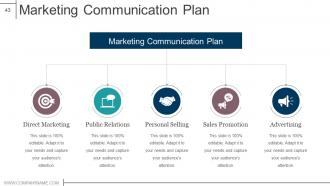
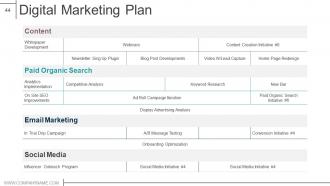
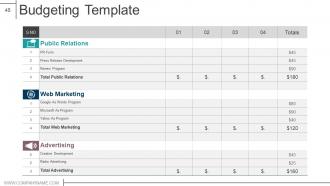
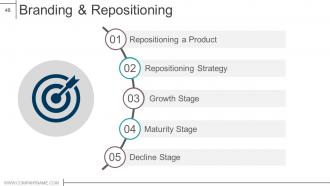
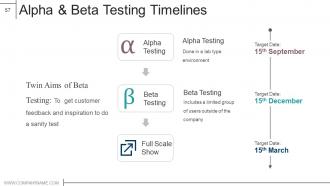
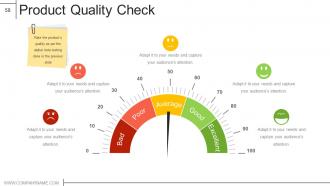
If you have thought of new product launch, our content-ready product design & development PowerPoint presentation is an apt choice to vent out your ideas and thoughts. This Product launch plan presentation slide includes multiple slides such as distribution mapping, competitive strategies, market attractiveness, development manufacturing, operations and business marketing plans, digital marketing communication plans, budgeting template, repositioning strategy, building brand preference, operations cost analysis, marketing and launch cost analysis, business and financial analysis, feasibility and review, evaluating scores, alpha & beta testing timelines, quality check and launch monitoring dashboard etc. You are just a few clicks away to put up these PPT templates into your presentation. The product management presentation designs can also be used for a couple of subjects such as market entry strategy, product promotion, launch plan, product market strategy, brand management and market penetration. Download our product design & development PPT graphics to make impressive presentation. Establish your authority with our Product Design And Development Powerpoint Presentation Slides. Display ability to control.
People who downloaded this PowerPoint presentation also viewed the following :
Video for Product design and development powerpoint presentation slides
Content of this Powerpoint Presentation
“At its most basic level, a product is a solution that’s sold to fulfill a need.” says Dave Franchino, President of the leading product design and innovation agency Delve.
Design and development are the life and blood of the creation of any product. The design of the product is about its aesthetics, functionality, and usability. Whatever the product may be, the process of design creation remains the same. One of the main elements of a product design is the development of the product prototype which aligns with the customer’s requirements and standard.
Product development, on the other hand, is a multi-stage process which includes creating, designing and launching new products in the market. It requires collaboration between teams, such as design, engineering, cost analysis, life cycle management, and more.
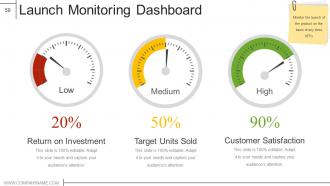
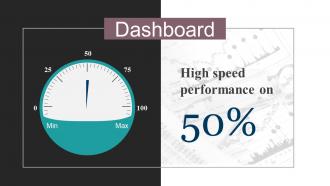
These PPT Templates provide a framework to analyze and monitor the smooth launch of a product and its post launch assessment. It highlights dashboards, roadmaps, tables, charts and other graphics which saves the valuable time of drafting a PPT from scratch. These slides are 100% editable and customizable, providing you with a much-needed headstart.
Let's explore a few of the slides from the bundle now!
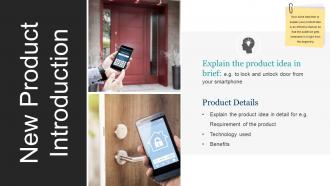
Template 1: New Product Introduction
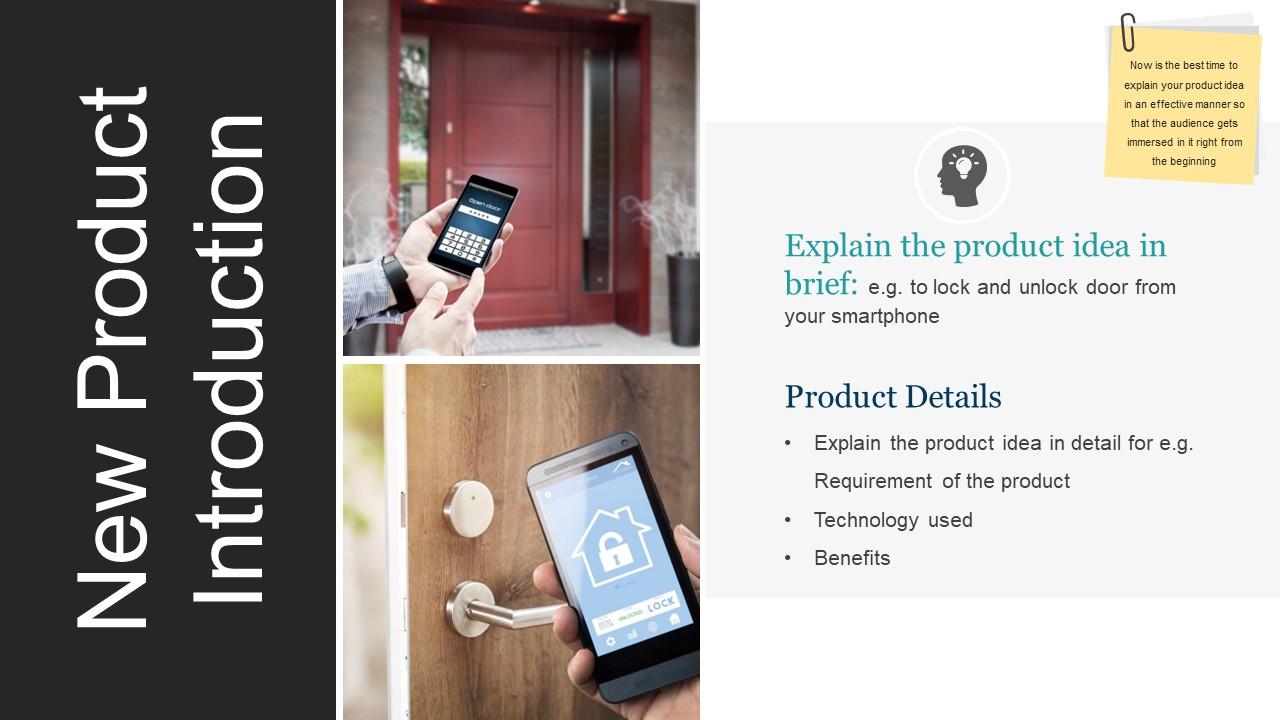
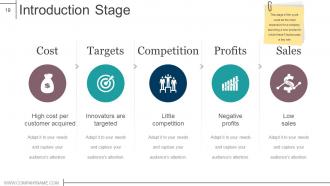
Introducing a new product in the market requires more than just launching it. For example, this PPT Slide showcases the launch for a device that locks and unlocks the door from your smartphone. An introduction must highlight the product idea and its brief along with product details.
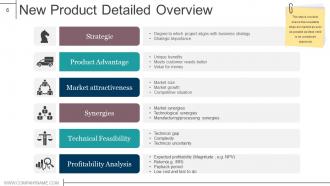
Template 2: New Product Detailed Overview
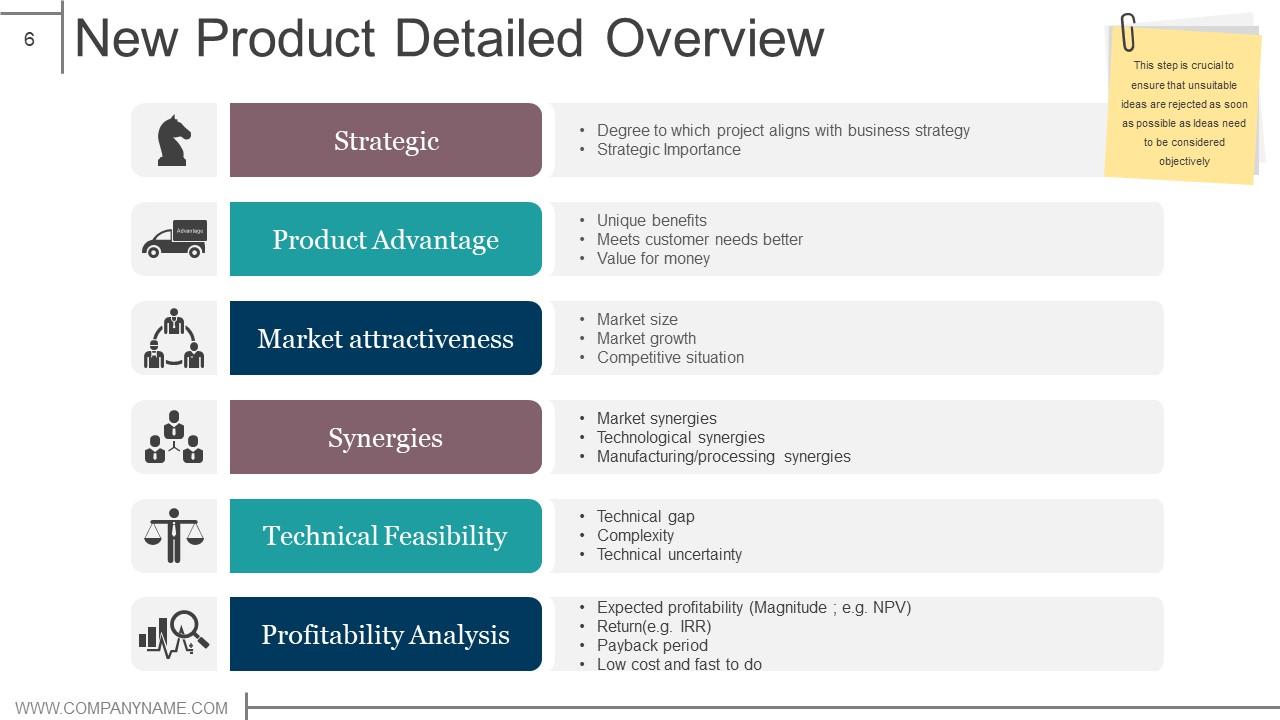
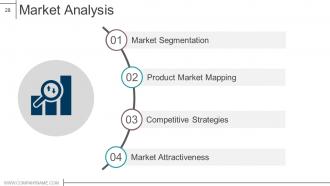
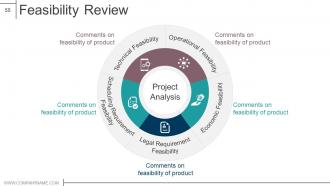
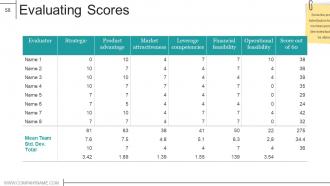
This PPT Template illustrates an overview of the new product. This is an important slide to inform potential investors or customers about aspects of the product. These details include strategies, product advantage, market attractiveness, synergies, technical feasibility and profitability analysis.
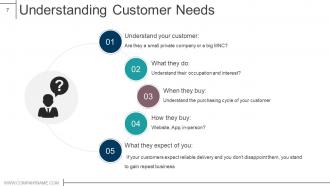
Template 3: Understanding Customer Needs
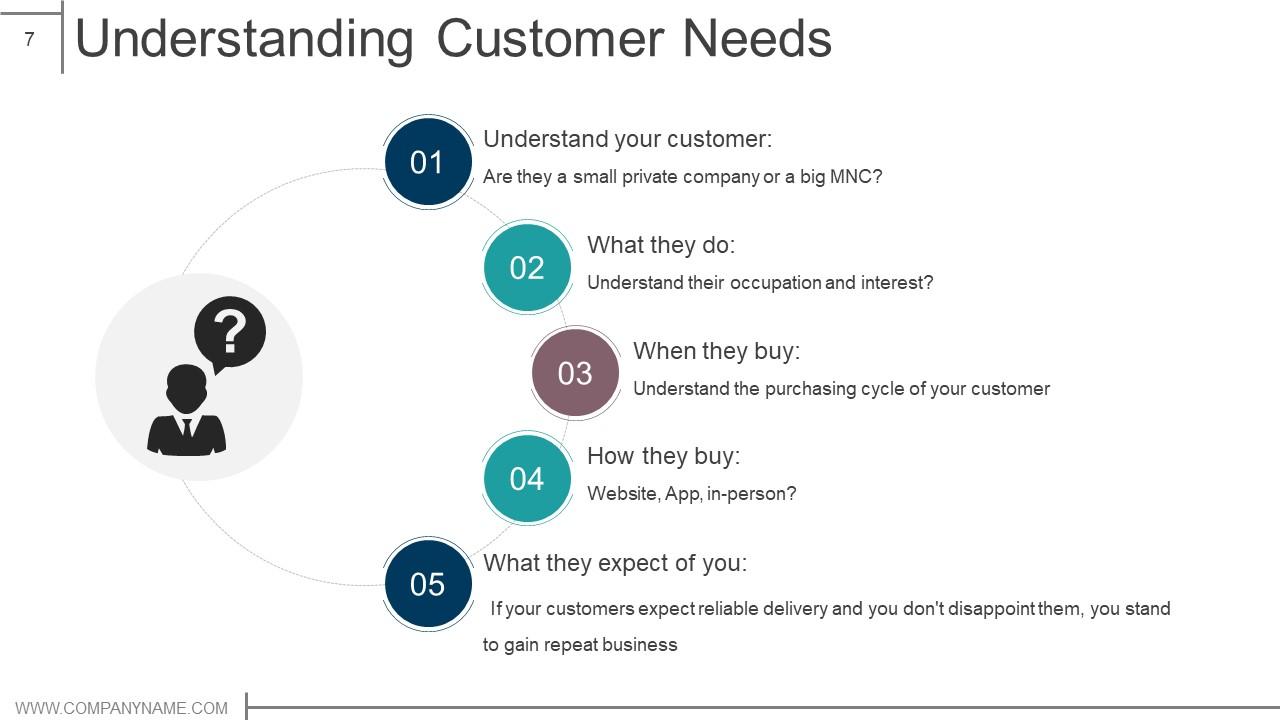
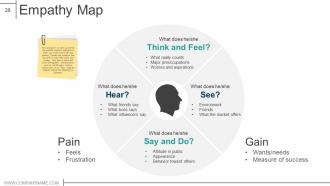
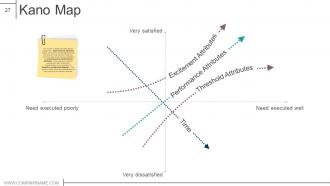
Every product development and design is based on the needs and requirements of the potential customers. This is based on understanding the customer, what they do, when they buy, how they buy and what they expect of you.
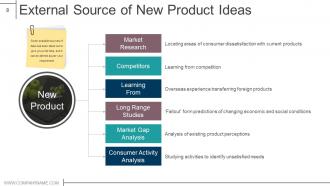
Template 4: External Source of New Product Ideas
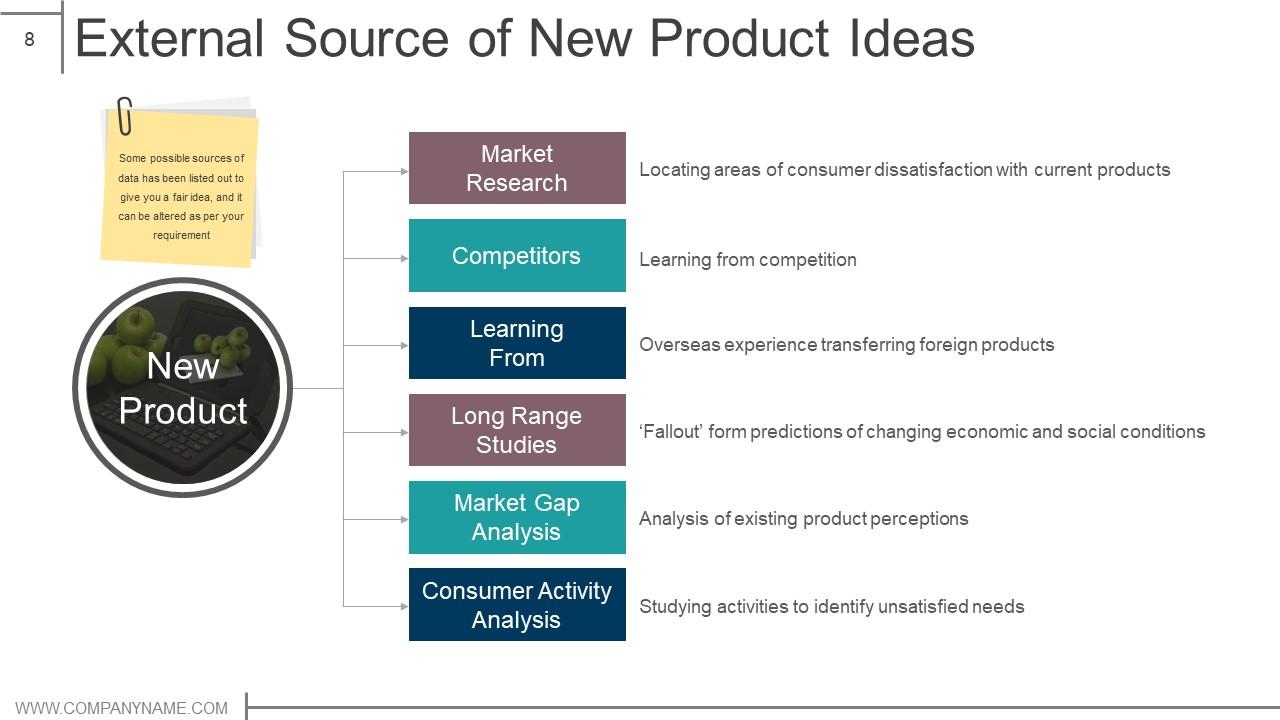
This template highlights the external source of new product ideas. This includes market research, competitors, learning, long range studies, market gap analysis and consumer activity analysis. These are some of the possible sources of data that could be the solid information to create a new product.
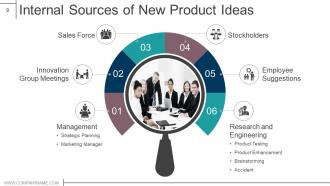
Template 5: Internal Sources of New Product Ideas
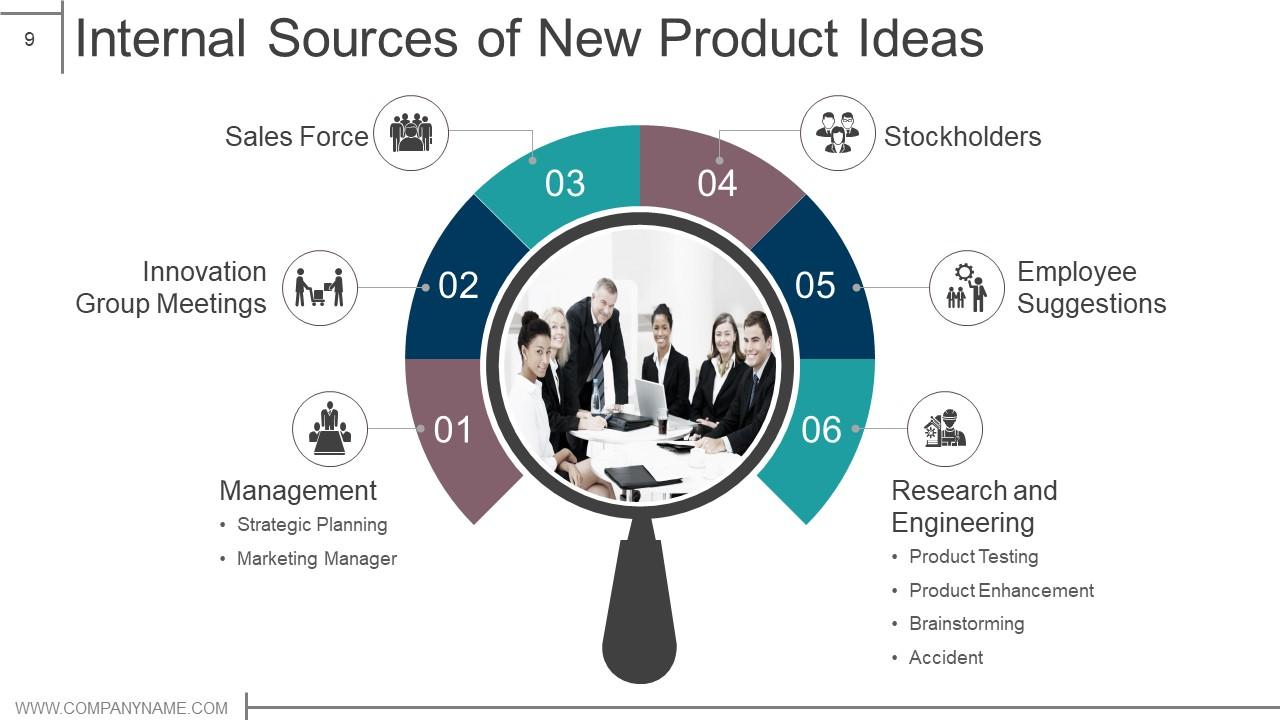
Apart from external sources, a few internal sources are also an important source of data. The internal sources may include management, innovation group meetings, sales force, stockholders, employee suggestions and research and engineering.
Template 6: Product Roadmap
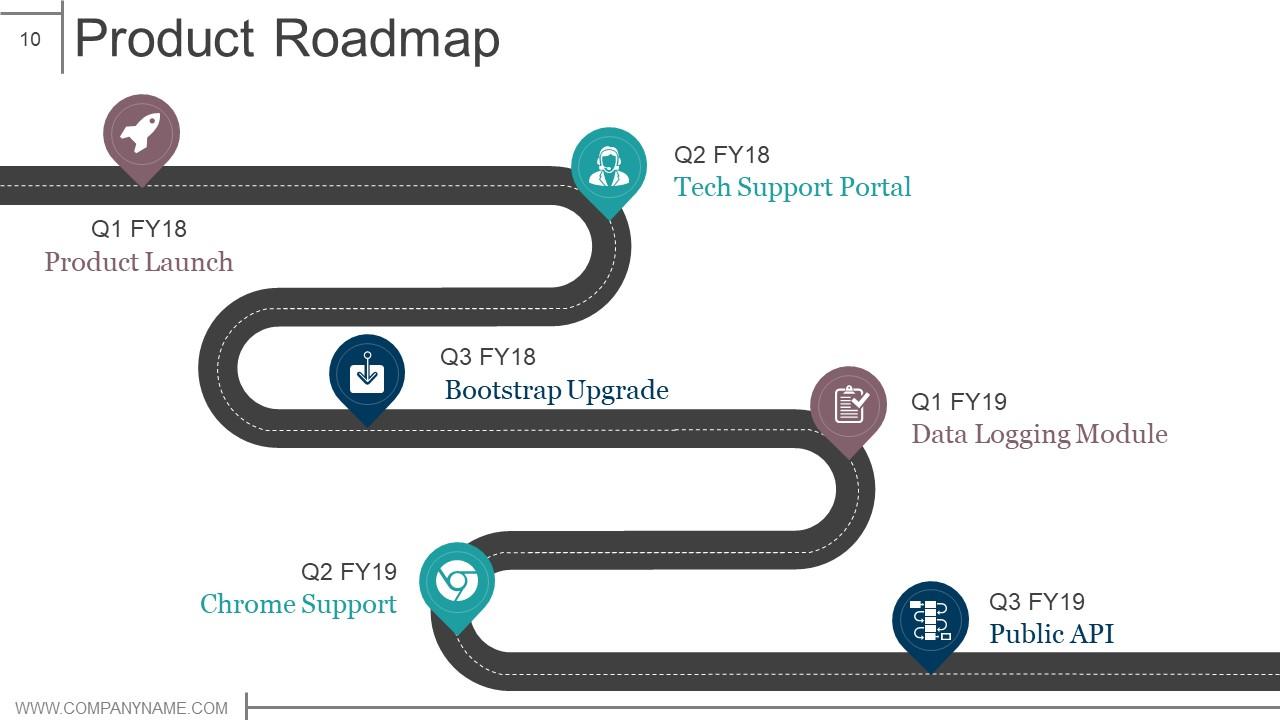
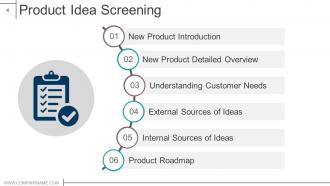
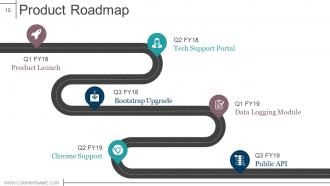
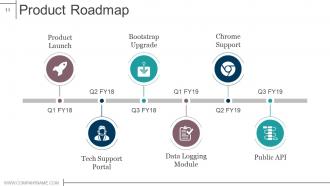
A roadmap guides the design and development of the product. This PPT Template showcases how to draw up a quarterly roadmap of a financial year. It starts from product launch in the first quarter, technical support portal the second, followed by my bootstrap upgrade, data logging module, chrome support and public API.
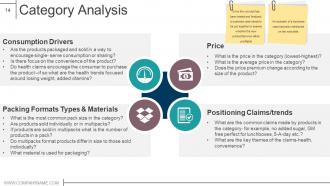
Template 7: Category Analysis
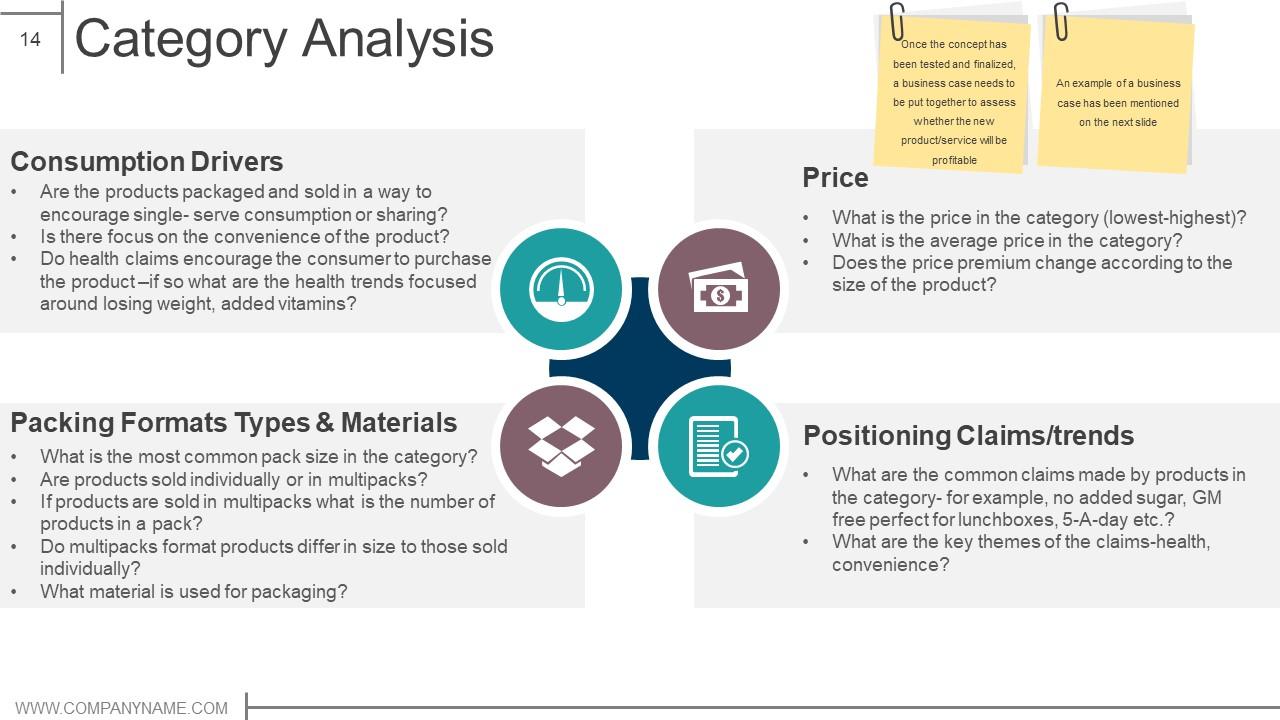
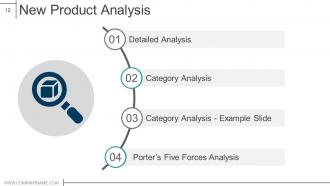
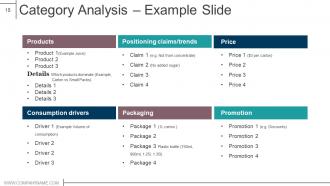
After the testing and final approval of the concept, a business case has to be put together to assess whether the new product will prove effective. This slide highlights category analysis with elements like consumption drivers, price, packing formats types and materials and polishing claims or trends. These elements are accompanied by their respective icons.
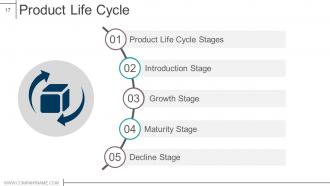
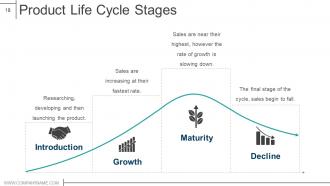
Template 8: Product Life Cycle Stages
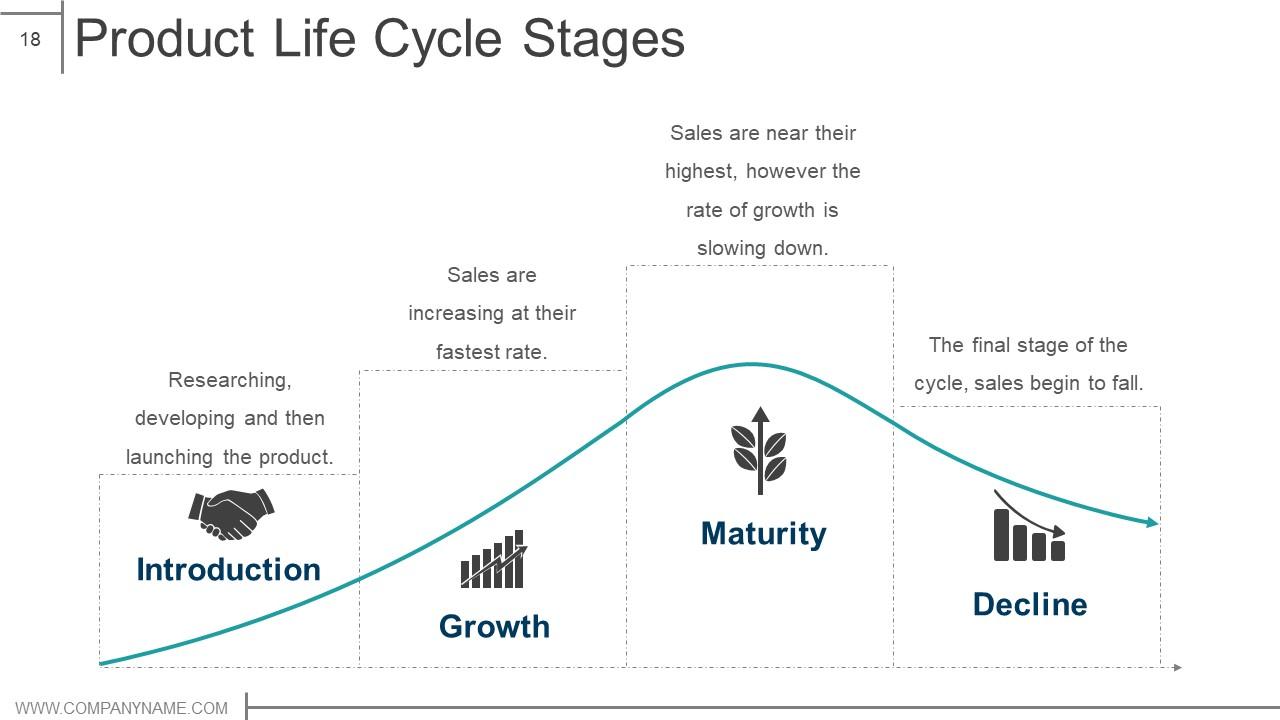
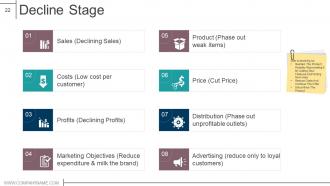
This PPT Template highlights the life cycle and stages of a product. It starts with an introduction, which includes researching, developing and launching the product. The next stage is growth which highlights sales and its growth rate, maturity rate and its decline, the final stage.
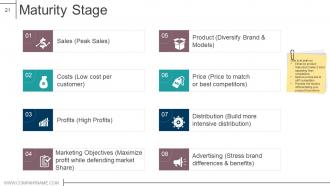
Template 9: Maturity Stage
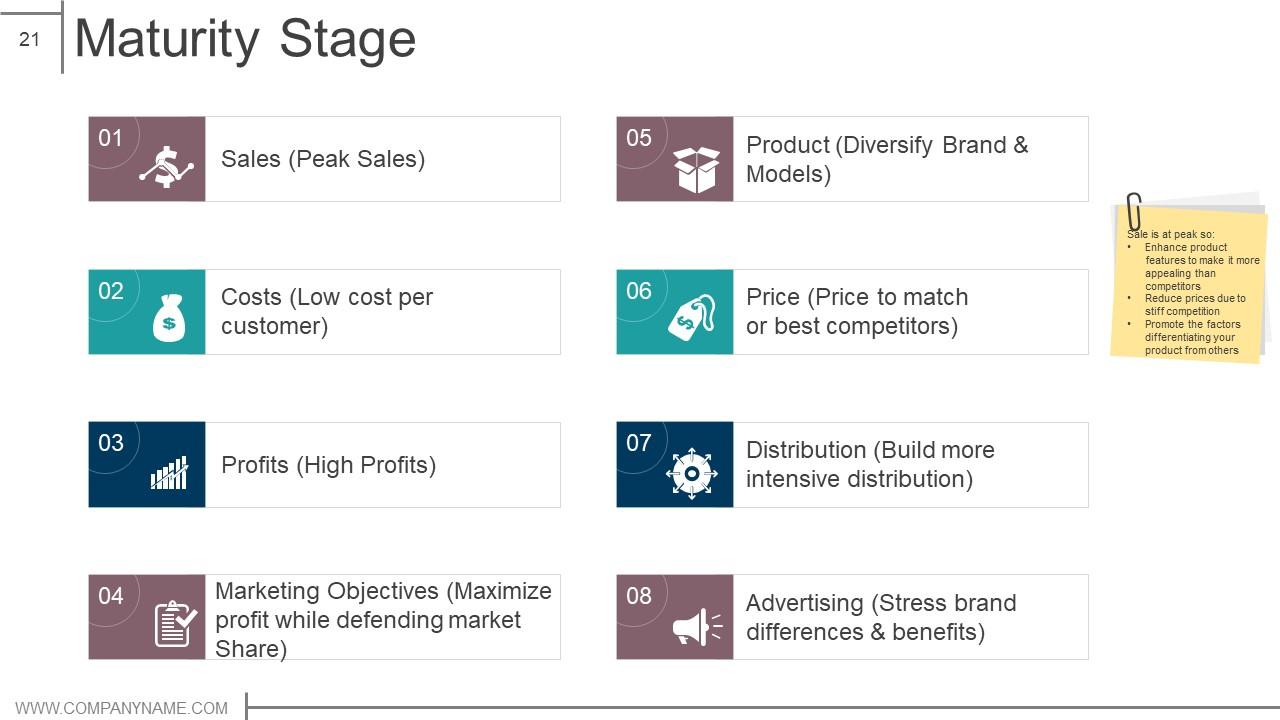
This PowerPoint Template illustrates the status of the product at the maturity stage. It highlights elements like sales which are at peak, costs which are low per customer, profits which are high, and marketing objectives which maximize profit while defending market share. This slide also highlights the product details, price, distribution and advertising.
Template 10: BCG Matrix
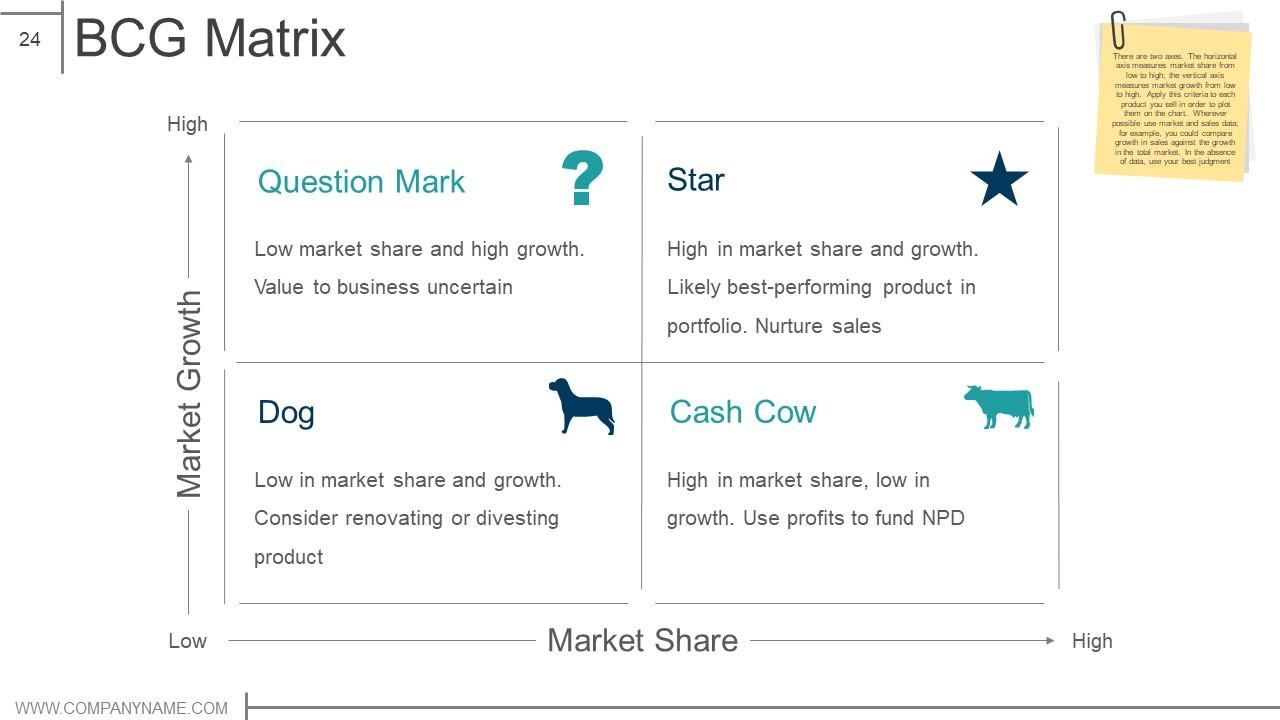
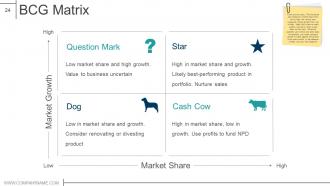
A BCG matrix assists companies in analyzing their product portfolio by classifying them into categories like cash cow, dog, star and question mark based on growth rate and market share. Each of the four quadrants represent profitability. Cash Cows represent low growth and high share; star represents high growth and high share; question mark highlights high growth and low share; and dog illustrates low share and low growth.
THE FIRST STEP IS CURRENT SCENARIO ANALYSIS
The design and development of any product or service starts by analyzing the current market trends, planning and developing it for the final launch. The designing and development of a product move together. Employing these templates provides you with a structure for monitoring and analyzing the product pre and post the launch.
Product design and development powerpoint presentation slides with all 79 slides:
Your intelligence will get them glued due to our Product Design And Development Powerpoint Presentation Slides. It will get their brains hooked.


FAQs for Product design and development
So you've got ideation first - brainstorming ideas and figuring out what users actually want. Then concept development where you map out specs and user flows (honestly the boring but necessary stuff). Prototyping is where it gets fun and chaotic - you're building different versions, testing them, getting feedback, tweaking things constantly. I swear this phase feels endless sometimes but it's worth it. After that comes testing and launch prep. Don't skimp on testing though, seriously. I know you want to just ship it already, but trust me - fixing stuff later is way more painful than doing it right now.
Get feedback super early - don't wait until you've built the whole thing. Quick 15-minute user calls are honestly gold. I've watched teams spend months on features that totally flopped because they never asked anyone if they actually wanted it (so painful to see). Mix it up with surveys, interviews, testing prototypes, whatever works. The trick that most people miss? Always circle back and tell users what happened with their feedback. Even if you didn't use their idea, let them know why. Your loudest users are usually the most helpful - they'll give you the real truth.
Honestly, prototyping is like having insurance for your product ideas. Test stuff out before you blow tons of cash on manufacturing - catch the weird issues early when they're still cheap to fix. Your stakeholders will actually get what you're building when they can hold something real instead of just hearing you talk about it. Start rough and basic, then add detail as you go. I learned this the hard way, but don't fall in love with your first version. The whole point is figuring out what sucks so you can make it better!
Figma's honestly your best starting point - it's free and handles most digital stuff you'll need. Sketch is solid too but only if you're on Mac. Adobe Creative Suite is still the gold standard for heavy visual work, though it gets pricey fast. For prototyping, stick with Figma or try InVision. Don't get caught up switching between tools constantly - just pick one and actually learn it well. That's way more valuable than knowing ten tools poorly. If you're doing physical products, Fusion 360 or SolidWorks for CAD work. Miro's great for team brainstorming sessions too. Start with Figma though, then expand once you know what you actually need.
Market trends basically dictate your entire design approach - they show you what features people actually care about and which direction things are headed. Take AI integration right now, everyone's obsessed with it. But here's the thing: you can't just copy what everyone else is doing. Use trend data to back up your design choices and figure out which features to prioritize. Honestly, the tricky part is following trends without being a total copycat. I'd set up some kind of regular monitoring system so you're not always playing catch-up, you know?
Start with solid research goals, then pick your method. Interviews work great for "why" questions, usability testing shows you how things actually work, surveys catch broader trends. Talking to 5-6 real users always beats wild guessing - just make sure they're actually your target audience, not random people you grabbed. I learned this the hard way once. Document everything and hunt for patterns instead of getting stuck on individual complaints. Oh, and get your whole team watching sessions if you can. Way more powerful than just emailing around a summary later.
Honestly, getting different teams to actually work together from the start is huge. Engineering catches design issues early, marketing spots user problems nobody thought of - that kind of thing. Those silos are such a pain and just create bottlenecks later. The best part? You avoid those expensive last-minute changes that always seem to happen. I've seen it work so well when teams do regular check-ins throughout projects, not just those awkward handoff meetings. Different perspectives really do make everything better - sounds cheesy but it's true. Start those conversations on day one and you'll save yourself so much headache.
Honestly, you need both the numbers stuff and the softer metrics. Sales revenue and market share are obvious starting points. Customer acquisition costs too. But also look at how people actually use your product - adoption rates, which features they ignore, retention over time. NPS and satisfaction surveys are gold, even though getting responses is like pulling teeth. Development costs and time-to-market matter internally. Here's the thing though - don't go crazy trying to track everything. Pick maybe 4-5 metrics that actually matter for your specific goals. And set up tracking from launch day, not months later when you realize you need the data.
Honestly, it's kinda wild how sustainability changes everything about design now. Materials, manufacturing, packaging, disposal - you gotta think about all of it upfront instead of scrambling later. Consumers actually care about this stuff (finally), plus regulations are getting stricter everywhere. I'd start with a quick lifecycle assessment during concepting - sounds boring but it'll show you where you're screwing up the environment most. Way easier to build these constraints into your initial requirements than trying to fix things afterward. Oh, and recyclable materials are pretty much non-negotiable at this point.
Honestly, scope creep will kill you every time. Teams get obsessed with their first brilliant idea and won't pivot even when users are telling them it sucks. Skipping user research is another huge mistake - I see this constantly. Communication breakdowns between stakeholders mess everything up too. Oh, and everyone always thinks they have more time and resources than they actually do. Testing gets rushed because of deadlines, which just creates bigger problems down the road. My take? Build in extra time from the start, test with real people nonstop, and be ruthless about cutting features that aren't working.
Oh totally, agile design is a game changer! Break everything into 1-2 week chunks instead of spending forever on wireframes. Create rough prototypes, test with real users, then iterate like crazy based on their feedback. Honestly, most designers I know are way too precious about their first drafts - just get something in front of people fast. Focus on your biggest assumptions first since those are usually what kill projects. The whole point is avoiding that nightmare scenario where you've built something nobody actually wants. It's messy but it works.
Look, you gotta dig into those regulatory requirements right when you start designing - seriously, don't put this off. I learned that the hard way once. Build compliance checks directly into your timeline and maybe grab a consultant if you're dealing with medical stuff or food products. The paperwork side is annoying but document everything anyway. Test against standards throughout the whole process, not just at the end. Regular team reviews help catch issues early. Trust me, handling this upfront beats scrambling later when you're trying to launch.
Oh man, this stuff is way trickier than people think! Colors alone will mess you up - white means purity here but death in parts of Asia, so your packaging could be totally wrong. Right-to-left languages flip your whole interface layout. Then you've got payment preferences that are completely different everywhere (seriously, some places still love cash while others are all mobile payments). Privacy expectations vary like crazy too. My advice? Don't assume anything translates well. Test in each market early and build your design system to be flexible from the start, or you'll be rebuilding everything later.
Think of brand identity as your product's vibe - the visual stuff that makes people instantly go "oh yeah, that's definitely them." Like how you can spot Apple products from across the room without even seeing their logo, right? Colors, fonts, the whole user experience should all feel cohesive. It builds trust when everything matches up and honestly helps you stand out when everyone's competing for attention. Don't just make it look nice though. Figure out what your brand actually stands for first, then design around those values. Way easier than trying to retrofit meaning into pretty visuals later.
Dude, the tech stuff happening right now is crazy good for product dev. AI speeds up prototyping like mad, VR lets you test with users without them even being there, and IoT gives you live feedback from actual products in the wild. Machine learning predicts what people want before they know it themselves. 3D printing means you can test physical stuff without dropping huge money on tooling - honestly saved my ass on a project last year. Everything's moved from that old step-by-step approach to this continuous loop where you're constantly tweaking based on real data. Just pick whatever fixes your biggest headache first.
-
Great product with effective design. Helped a lot in our corporate presentations. Easy to edit and stunning visuals.
-
Great designs, really helpful.