

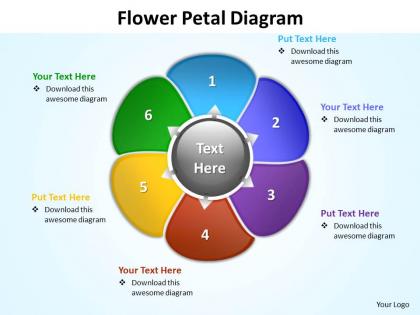
Flower petal diagram editable powerpoint slides templates




Try Before you Buy Download Free Sample Product
 Impress Your
 Audience
 100%
100% Editable
 Save Hours
 of Time


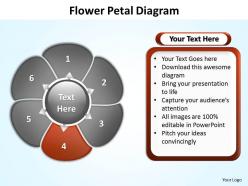
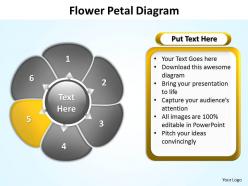
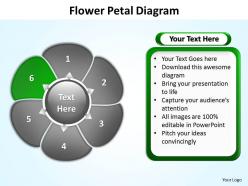
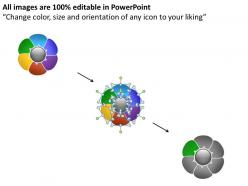
Our flower petal diagram editable powerpoint Slides templates exemplify unity in diversity. They provide many options to reach the same goal.
People who downloaded this PowerPoint presentation also viewed the following :
Flower petal diagram editable powerpoint slides templates with all 11 slides:
Remove any discord with our flower petal diagram editable powerpoint Slides templates. Create greater harmony amongst your team.

FAQs for Flower petal diagram editable
So basically you've got petals (the pretty colored parts), sepals (those green things at the bottom), stamens (the male bits with anthers and filaments), and the pistil (female part - stigma, style, ovary). Oh and the receptacle where it all connects. Honestly the pistil parts always confused me at first. Start labeling from outside and work inward - petals first, then sepals, then the reproductive stuff inside. Way less overwhelming that way. The sepals are what kept the bud safe before it bloomed, and petals attract bugs for pollination.
Flower petal diagrams are great for breaking down complicated business stuff - each petal becomes a different department or component. Perfect for showing how everything connects back to your main strategy. Honestly, I'm kind of obsessed with using these in quarterly reviews because they're so much better than those dull bullet point slides everyone hates. Make each petal clickable in digital presentations, which is pretty cool. The design naturally pulls focus to the center, so your key message really stands out. Oh, and don't forget you can match the colors to your brand. Try them for explaining multi-department projects or interconnected processes.
Marketing teams swear by flower petal diagrams - they're amazing for comparing campaigns or customer segments across multiple metrics at once. You can see reach, engagement, conversion rates, and ROI all in one visual. Healthcare and finance use them too, basically anywhere you need to compare 5-8 KPIs simultaneously. What I love about them is how quickly you can spot your star performers versus the duds. Way better than staring at endless spreadsheets. Definitely try one next time you're presenting to executives who want the big picture fast. They eat this stuff up.
So basically you put your main idea in the middle and branch out all the related stuff like flower petals. Makes it super clear which things matter most and how they connect to each other. I swear these diagrams are criminally underrated - way better than boring spreadsheets for showing complex relationships. You'll spot patterns instantly that would take forever to find otherwise. Plus stakeholders actually get it when you show them visually instead of drowning them in data. Honestly saved my butt in presentations more times than I can count. Give it a shot next time you're stuck explaining something messy.
Draw.io is probably your best bet - it's free and pretty straightforward to use. Lucidchart's another good one if you want something a bit more polished. Canva works great if you're going for something that looks nice rather than super technical. Visio's the fancy option but honestly, it might be overkill unless you're doing this professionally. Oh, and PowerPoint actually has some decent SmartArt stuff if you already have it. I'd mess around with Draw.io first since there's no cost. You can always switch later if it doesn't do what you need.
Yeah totally! Most design tools let you swap out colors, fonts, and even tweak the petal shapes. I did this for a client thing last month - way better than those generic templates honestly. Just use your brand colors for the petals and stick with your usual fonts for labels. The trick is keeping it readable while making it yours. Oh and don't go crazy with the customization or it'll look messy. Start with a basic template then gradually replace the default stuff with your brand elements. Works pretty well!
Keep your petal labels short and sweet - nobody wants to read a novel on a diagram. I always put the text outside with clean lines pointing in, and honestly? Make that font bigger than you think you need. Can't tell you how many times I've squinted at tiny labels that were basically worthless. Don't let them overlap either - looks messy. If you're doing this on a computer, stick to the same font size throughout so it doesn't look thrown together. Start with your main labels first, then squeeze in extra details if there's space left.
Flower petal diagrams are perfect when you've got multiple factors all connecting to one main idea. Unlike pie charts that just show percentages, or Venn diagrams focused on overlaps, these let you map out different aspects or causes around your central topic. Each petal represents something that influences the core issue. Honestly, I think they're way better than people realize for brainstorming sessions - though I guess that's just me being nerdy about diagrams lol. Pie charts work great for data, Venn diagrams show group relationships well, but flower petals? They're your go-to for analyzing complex problems with tons of contributing factors. You'll definitely find them useful.
Honestly, these work everywhere - I've used them from elementary all the way up to college. Perfect for brainstorming or when kids need to organize essay ideas. Science teachers are obsessed with them for ecosystems stuff, and English teachers do character analysis with them all the time. Visual learners especially love them because they can actually see how ideas connect. The setup's simple: main idea goes in the center, related stuff on each petal. Oh, and definitely start with something easy first so they get the hang of it - learned that one the hard way!
Honestly, the biggest pain is cramming too much text into each petal - nobody can read that from the back row. Been there, done that, looked like an idiot. Also figure out if people will actually get the flower thing or if you'll waste time explaining it. Sometimes these diagrams just look pretty but don't actually help your story make sense. That's the real trap. I'd sketch it out messy first - see if the connections between your points actually work before you make it all polished and perfect. Don't use it just because it's cute, you know?
Dude, colors totally mess with how people read those flower diagrams! Red and orange scream "pay attention to this" while blues/greens feel way more chill and stable. Purple still makes me think fancy/creative vibes - can't shake that royal association lol. Here's the weird part though: people unconsciously think colorful petals are more important than the boring ones, even when the data says otherwise. Your audience might completely miss the point if you're not careful. I'd honestly just show it to a couple friends first and see what jumps out at them before you finalize anything.
Honestly, these are pretty specialized - I mainly see them for skill assessments or when you're comparing one thing across like 5-8 different categories. Product reviews work well too, or employee evaluations where you're rating someone on communication, leadership, technical skills, etc. They're way less common than regular bar charts, which makes sense. The key thing is making sure your scales are similar, otherwise it looks super weird. I used one once for comparing apartments across rent, commute, nightlife - worked great since everything was rated 1-10. Perfect for that "spider web" effect when everything connects to one central topic.
Oh totally! Flower petal diagrams work great for project stuff. Put your main goal in the center, then each petal becomes a different workstream or stakeholder group. Teams I know have used them in planning meetings to map out all the crazy moving parts. Way better than staring at another spreadsheet, honestly. You could flip it for risk stuff too - main risk goes in the middle, contributing factors as petals. I actually think they're underrated for this kind of thing. Try sketching one at your next kickoff and see how it goes!
Oh this is actually pretty cool! Put your main problem or hero right in the center, then each petal becomes like a chapter of your story. I saw someone do this with a customer journey once - worked amazingly well. Each petal was a different touchpoint with real stories attached. What's nice is people can see the whole narrative at once while you walk them through it. Build up some tension as you go around the petals, maybe mix up the order (chronological vs thematic, whatever works). Then bring it all back to the center for your big resolution moment.
Oh dude, don't cram a ton of text into each petal - seriously, it'll look like a hot mess. Keep it to like 2-4 words max. Also? Size matters. If one concept is way more important, make that petal bigger. I cringe when I see people make them all identical sizes - it just looks off. Leave some breathing room around the center too, otherwise it gets cluttered fast. Start with your main concept at the top and go clockwise from there. Trust me on this one.
-
Excellent Designs.
-
Informative presentations that are easily editable.