

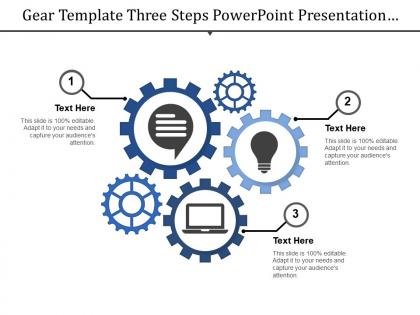
Gear template three steps powerpoint presentation examples




Try Before you Buy Download Free Sample Product
 Impress Your
 Audience
 100%
100% Editable
 Save Hours
 of Time


Get over the impasse with our Gear Template Three Steps Powerpoint Presentation Examples. Arrive at generally acceptable conclusions.
People who downloaded this PowerPoint presentation also viewed the following :
Gear template three steps powerpoint presentation examples with all 5 slides:
Folks act in collaboration with our Gear Template Three Steps Powerpoint Presentation Examples. They generate a binding force.
FAQs for Gear template three steps
Honestly, gear templates are perfect for this stuff. You can show how different parts of your business actually connect - like processes, team work, system integrations, whatever. Way better than those awful bullet-point slides that put everyone to sleep. The interlocking gears work great for cause-and-effect relationships or showing dependencies between departments. People get it immediately since we all know how gears work together. I'd start with your main process as the big center gear, then add the smaller ones around it. Also shows really well when you need to explain how changing one thing affects everything else.
Honestly, gear presentations are genius for project proposals. Different sized gears show which parts matter most, and when they actually rotate to reveal next steps? *Chef's kiss.* Your audience immediately sees how everything connects instead of zoning out over bullet points. I mean, who doesn't love watching things move? The whole "well-oiled machine" vibe makes stakeholders feel confident that you've got your act together. Plus you can use the interlocking motion to show cause-and-effect stuff that's normally hard to explain. Way better than those standard boring templates everyone uses.
Honestly, gear templates are perfect for this stuff. Each gear represents different data points, and when they mesh together, you instantly see how one thing affects another. Way better than staring at boring spreadsheets - I mean, who has time for that? The whole interlocking thing makes cause-and-effect relationships super obvious. Your audience gets it immediately instead of trying to decode some confusing chart. Perfect for showing how departments work together or how project phases connect. Sometimes the simple visual metaphor is exactly what people need to understand complex processes.
Tech and manufacturing companies obviously love gear templates - they fit the whole mechanical vibe perfectly. But honestly, I've seen marketing teams use them for campaign workflows and even consulting firms for their operational stuff. The gear thing works great when you're showing how different business parts connect and actually drive results together. Really, any industry dealing with processes or teamwork can make these work. Your best move is using them for process improvements, team collaboration presentations, or when you're breaking down systematic approaches to problems. Doesn't really matter what industry you're in - if you've got moving parts that need to work together, gears make sense.
Honestly, gear template colors make a huge difference for keeping people engaged. Navy and steel gray give off that serious engineering vibe - perfect for technical stuff. But throw in some orange or electric blue to highlight important points, especially during those endless project meetings where everyone's half asleep. Too many bright colors though? Your gears end up looking like Fisher-Price toys, which isn't the look you want. I learned this the hard way last year. Keep it to 2-3 colors tops, make sure there's good contrast so people can actually read your text, and definitely test everything on the real projector beforehand. Colors always look weird compared to your laptop screen.
Don't go crazy with too many gears - it just confuses people. Keep your text big enough that folks in the back can actually read it. I know spinning animations look cool, but honestly? They're more distracting than helpful. Stick with consistent colors and make sure there's good contrast so your text pops. Oh, and here's the thing - if your content isn't really about connected processes, the whole gear thing will feel forced. Your audience picks up on that stuff. Sometimes a simple flowchart works way better than trying to make everything fit the gear metaphor.
Honestly, rotating gears are perfect for showing actual mechanical motion - way more engaging than static slides. When you animate them turning in sequence, people instantly get how processes work. I'd stick with smooth transitions between slides too, keeps that whole machinery vibe going. Don't overdo it though - I've seen presentations where the animations were more distracting than the actual content (kind of defeats the point). Keep things subtle and purposeful. Sliding transitions work great since they feel mechanical. Your audience will actually stay focused instead of getting dizzy from flashy effects everywhere.
Okay so gears work really well as metaphors - start with individual ones for each team member, then show them connecting as everyone starts working together. The animation where they actually turn looks super smooth if you can pull it off. Size them differently to show hierarchy or which parts matter most. Here's what I'd do: throw in some broken/jammed gears for the problem sections, then have everything spinning perfectly when you get to the solution. Honestly, less is more at first - maybe 2-3 gears max, then add complexity as your story builds. It's way more effective than cramming everything in upfront.
Honestly, gear templates are perfect for keeping your company looking put-together. Same colors, same layout = instant brand recognition. You'll avoid those cringe moments where Bob's slides look like a totally different company. Short sentences work. The whole mechanical vibe is gold if you're in manufacturing or tech stuff. I mean, I've seen some companies where every department uses random templates and it's just... messy. My take? Pick one gear template and make everyone use it. Your presentations will actually look like they belong together, which clients notice more than you'd think.
Definitely go for vector graphics - they won't get all pixelated when you scale up. Multiple layouts are key too, like title slides, content ones, comparison charts. I'd skip anything that screams early 2000s vibes honestly, seen way too many of those! Colors should be easy to swap out for your brand. Smooth animations are nice but nothing too flashy that'll distract people. Check that you can actually edit all the text (some templates lock weird stuff). Oh, and see if it comes with matching icons or infographic bits. Download the preview first - saves you from buying something that's a pain to customize later.
Honestly, the gear thing is pretty solid since everyone understands teamwork. Swap out the colors for your brand palette and slap your logo on there. The individual gear labels? Perfect spot for your team's core values or department names. I'd ditch all that generic placeholder text and use real examples from your workplace - maybe even throw in some photos of actual team members if you're feeling it. Oh, and definitely update the language to match how you guys actually talk. Try customizing just one slide first to see if it clicks before you go crazy and redo everything.
Yeah totally! McKinsey and BCG use gear templates all the time in their case studies - really clean way to show how business processes connect. Microsoft and IBM do it too for product launches, especially when they're explaining how software pieces fit together. Oh and SlideShare is honestly your goldmine for this stuff. Search "process flow" or "system integration" and you'll find tons of examples. I've seen some pretty impressive ones at conferences where speakers actually knew what they were doing with the design.
Oh dude, fonts make or break gear presentations! You'll want sans-serif stuff like Bebas Neue or Roboto - they've got that clean, mechanical feel. Seriously avoid anything cutesy (looking at you, Comic Sans). Mix up your font weights too. Bold headers feel strong like actual metal parts, while lighter body text stays readable. I always pair a chunky display font for titles with something simpler for paragraphs. Creates that whole engineering vibe without looking amateur. Trust me, it makes a difference!
Honestly, less is more with gear visuals. I'd stick to maybe 2-3 gear elements per slide, tops. Use muted colors so they don't fight with your text. The whole point is supporting your message about processes or whatever - not making people go "ooh pretty spinning things." Quick test: are you explaining your concept through the gears, or just talking about the gears themselves? If it's the latter, you've lost them. Oh and definitely preview your slides first. I can't tell you how many times I've seen people get carried away with animations and completely derail their own presentation.
Honestly, people are really into gear templates! They make boring technical stuff way more interesting than just throwing bullet points at your audience. The spinning gears actually help explain complicated workflows and system stuff visually - which is huge. There's some feedback about animations being distracting if you go overboard (been there), but mostly it's positive. Perfect for process-heavy presentations where you need to keep people awake. Just don't get too animation-crazy and you'll be golden.
-
Graphics are very appealing to eyes.
-
Informative design.