

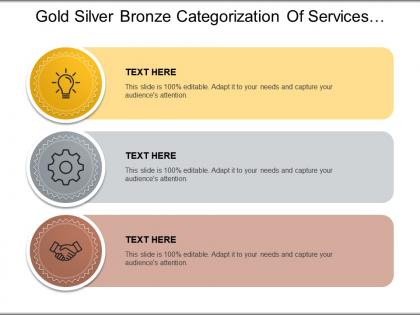
Gold silver bronze categorization of services with associated icon




Try Before you Buy Download Free Sample Product
 Impress Your
 Audience
 100%
100% Editable
 Save Hours
 of Time


Our Gold Silver Bronze Categorization Of Services With Associated Icon allow you to honestly assess your ideas. It enables effective introspection.
People who downloaded this PowerPoint presentation also viewed the following :
Gold silver bronze categorization of services with associated icon with all 5 slides:
Add to your prestige with our Gold Silver Bronze Categorization Of Services With Associated Icon. Work wonders for your professional standing.
FAQs for Gold silver bronze categorization of services
Service categorization icons enhance presentation clarity by creating instant visual recognition, reducing cognitive load, organizing complex information hierarchically, and establishing consistent design language throughout slides. These visual elements streamline audience comprehension by allowing viewers to quickly identify service types, navigate content flows more efficiently, and retain key messages longer, ultimately delivering more impactful presentations and professional credibility.
Well-designed icons improve audience engagement by simplifying complex information, creating visual anchors for key concepts, and enabling faster comprehension through universal symbols. These visual elements streamline cognitive processing, reduce text-heavy slides, and maintain audience attention, with many presenters finding that strategic icon usage enhances message retention and creates more dynamic, professional presentations.
When selecting icons for service categorization, consider visual clarity, universal recognition, brand consistency, scalability across devices, and intuitive symbolism that immediately communicates the service function. These criteria ensure icons effectively guide users through service offerings by maintaining aesthetic coherence, reducing cognitive load, and enhancing navigation efficiency, with many organizations finding that well-chosen icons significantly improve user engagement and service accessibility.
Blue and green schemes work best for service categorization icons, as they convey trust and reliability, while orange and purple effectively highlight premium or creative services. These color choices enhance user recognition and navigation by creating intuitive associations, with many financial institutions using blue for security services and healthcare organizations leveraging green for wellness categories, ultimately improving customer experience and engagement.
Service categorization icons vary significantly across industries, reflecting each sector's unique operational needs, customer expectations, and regulatory requirements. Healthcare uses medical symbols and patient care indicators, while banking employs security badges and transaction types, and retail focuses on product categories and shopping experiences, with many organizations finding that industry-specific iconography enhances user recognition and streamlines service delivery.
Common mistakes include using inconsistent icon styles, overcrowding slides with too many icons, choosing decorative icons that don't match content meaning, and selecting icons that are too small or complex to understand quickly. These design errors reduce presentation clarity and professionalism, with many presenters finding that maintaining visual consistency, strategic icon placement, and clear symbolic relevance ultimately enhances audience comprehension and engagement.
Icons simplify complex service offerings by providing instant visual recognition, reducing cognitive load, and creating intuitive navigation pathways that transcend language barriers. Through strategic categorization, organizations in healthcare, financial services, and retail enhance user experiences, accelerate decision-making processes, and streamline customer journeys, ultimately delivering faster service discovery and improved satisfaction rates.
Tools for creating customized service categorization icons include Adobe Illustrator, Canva, Figma, Sketch, and specialized icon libraries like Flaticon or Icons8. These platforms streamline design workflows by offering templates, vector editing capabilities, and collaborative features, with many organizations finding that consistent iconography enhances user navigation, reduces cognitive load, and ultimately delivers stronger brand recognition across digital touchpoints.
Cultural differences significantly influence icon interpretation through varying color meanings, symbolic associations, religious contexts, and visual literacy levels across different regions and demographics. While red signifies luck in Chinese culture but danger in Western contexts, and hand gestures carry different meanings globally, businesses increasingly adopt culturally adaptive design strategies, ultimately delivering more inclusive user experiences and broader market accessibility.
**INPUT**: What are the trends in icon design for service categorization in 2023? **OUTPUT**: Icon design trends for service categorization in 2023 emphasize minimalist line art, adaptive color systems, accessibility-focused contrasts, and scalable vector formats that work across platforms. These design approaches streamline user navigation by enhancing visual hierarchy, reducing cognitive load, and ensuring consistent brand experiences, with many organizations finding that simplified iconography ultimately delivers faster user recognition and improved digital engagement rates. [Word count: 60]
Consistency in icon design strengthens brand recognition by creating visual cohesion, establishing memorable design patterns, building user familiarity, and reinforcing brand identity across all touchpoints. Through standardized colors, shapes, and styling approaches, organizations develop distinctive visual languages that users instantly recognize, while consistent iconography enhances professional credibility and user trust, ultimately delivering stronger brand recall and competitive differentiation.
Effective testing methods include A/B comparisons with and without icons, comprehension speed measurements, user recall assessments, task completion accuracy tracking, and eye-tracking studies analyzing visual attention patterns. Through controlled experiments with target audiences, organizations can measure how icons enhance understanding, reduce cognitive load, and improve information retention, with many finding that well-designed service categorization icons significantly accelerate user decision-making and overall interface effectiveness.
Accessibility considerations include high contrast ratios, scalable vector formats, alternative text descriptions, colorblind-friendly palettes, and consistent visual hierarchies. These design principles streamline navigation by ensuring icons remain legible across devices, accommodate diverse user needs, and deliver inclusive experiences, with many organizations finding that accessible iconography ultimately enhances usability for all customers while meeting compliance standards.
Vector icons offer superior scalability, crisp resolution at any size, smaller file sizes, and easy customization through color and style modifications. These advantages prove especially valuable for service categorization across digital platforms, with many businesses finding that vector icons enhance user interface consistency, reduce loading times, and streamline brand management efforts.
Icons serve as visual anchors that reinforce narrative flow, creating emotional connections while simplifying complex concepts through universal symbols, metaphors, and visual consistency. They transform abstract storytelling elements into memorable touchpoints, with many presenters finding that strategic icon placement guides audience attention, accelerates comprehension, and ultimately delivers more engaging, cohesive presentations that resonate long after the session ends.
-
Nice and innovative design.
-
Colors used are bright and distinctive.