

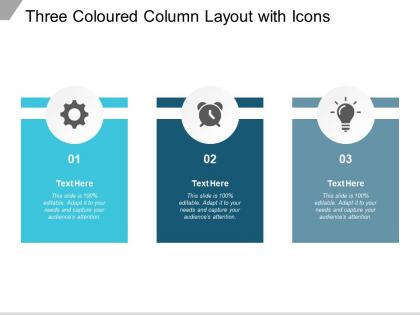
Three coloured column layout with icons





Try Before you Buy Download Free Sample Product
 Impress Your
 Audience
 100%
100% Editable
 Save Hours
 of Time


Build firm alliances with our Three Coloured Column Layout With Icons. Increase the extent of your influence.
People who downloaded this PowerPoint presentation also viewed the following :
Three coloured column layout with icons with all 5 slides:
Increase the extent of your influence with our Three Coloured Column Layout With Icons. Be able to build firm alliances.

FAQs for Three coloured column
For three columns, I'd put your main content in the middle with a neutral background - that's usually the safest bet. Side columns can handle your secondary stuff with supporting colors. Pick colors that actually work together and don't go crazy with contrast (learned that the hard way). White space between columns is clutch so it doesn't look all crammed together. Oh, and test on mobile early because three columns can turn into a nightmare on smaller screens. The key is not overdoing it - I've seen way too many layouts that look like a rainbow exploded.
Okay so three-colored columns are actually genius for this. Each color becomes like a category - maybe red for problems, green for solutions, blue for results. People's brains just automatically get it without you having to spell anything out. Way better than boring black text everywhere. I probably overuse this trick but whatever, it works. Your audience will follow along so much easier because the colors guide their eyes exactly where you want them looking. Just pick what each color means and don't switch it up halfway through - that'll confuse everyone.
Honestly, three-colored layouts are perfect for when you've got content that naturally falls into different priority levels. Dashboards are a great example - or pricing pages where you want primary info, secondary details, and then your CTAs. The colors help people instantly get what's important vs. what's just extra info. Reduces mental overload, which is huge. You see this everywhere in SaaS apps and admin interfaces. One thing though - don't just grab three random colors that look good together. Make sure there's actual contrast and the system makes logical sense to users.
Honestly, color psychology is huge for three-column layouts. Warm colors like red and orange pull attention to your main content - perfect for what you want users to see first. Cool blues and greens? Better for nav or secondary stuff. Your middle column already gets natural focus (people read left to right, obviously), so neutral colors work great there. But here's what'll mess you up: clashing colors everywhere. Users get overwhelmed and don't know where to look. I've seen layouts that looked like a rainbow threw up - total disaster. Test different combos and see what actually gets people clicking where you want them to.
Honestly, I'd go with Figma first - it's free and you can mess around with colors super easily. Adobe XD works too but Figma's just... better imo. Once you've got your design looking good, CSS Grid will handle the columns perfectly. Flexbox is solid too but Grid feels cleaner for this stuff. Oh, and definitely use your browser's dev tools to tweak colors in real time - saves so much back-and-forth. Canva's there if you need something really quick, but you'll outgrow it fast. Start with the mockup, then code it up once everything looks right.
Put your darkest/heaviest color right in the middle column - it anchors everything. Then use lighter colors on the sides to balance it out. Content matters too though, so don't dump everything in one spot or it'll look totally off. I always squint at my layouts (sounds weird but works!) to catch any wonky balance issues. Keep your column widths the same and try aligning stuff at similar heights when you can. Oh, and if something still feels heavy on one side, just dial down the color saturation or move some content around until it looks right.
Oh man, don't make all your colors fight each other - that's the worst thing you can do. Pick one main color, then a supporting one, and just one accent. I made this mistake last project and it looked like a rainbow exploded lol. Also watch out for similar intensities next to each other, kills readability completely. Your text needs good contrast with whatever background you're using. Test it on mobile too since columns stack weird sometimes. The 60-30-10 rule is a solid place to start!
Definitely go with your primary brand color for the main column - that's where people look first anyway. Then sprinkle your secondary colors in the side areas. The biggest mistake I see? Making all three columns scream for attention at once. Total visual chaos. Try using different shades or tints of your brand palette instead of going full saturation everywhere. Oh, and test it with real content, not just those generic placeholder blocks. I learned that one the hard way - looked amazing until we dropped in actual text and photos. Everything just... didn't work anymore.
For three-colored columns, typography is what ties everything together. Start with consistent fonts and spacing across all columns - same weights, same sizes. The real pain is making sure text shows up clearly on each background color. I probably obsess over contrast ratios more than I should, but readable text matters. Try using an accent color from one column as the text color in another - creates nice visual flow between them. Set up your text hierarchy first, then just tweak contrast when you apply it to each column. Don't overthink it beyond that.
Okay so here's the thing - three colors in columns actually works really well because it stops people's brains from getting overwhelmed. I usually do one color for main points, another for details, and the third for action items or whatever you want them to remember most. Way better than those death-by-bullet-point presentations we've all sat through! Your audience can mentally sort the info as you talk, which makes following along so much easier. The columns naturally chunk everything up too. Oh and assign each column a specific job - trust me, people notice the organization and it makes you look way more put-together than you probably feel.
Honestly, three-color layouts work for pretty much any industry if you pick the right colors. Finance loves blues and grays because they scream "trust us with your money." Healthcare goes for calming greens and whites. E-commerce gets aggressive with bright CTAs against neutral backgrounds – gotta push those conversions somehow. Creative fields can go wild since that's kinda their thing anyway. I'd start by checking out what your competitors are doing color-wise, then decide if you want to blend in or stand out. Really comes down to what your audience expects from your industry.
Column spacing can make or break your three-color layout, honestly. Too cramped and everything clashes. Too much space? Looks totally disconnected. I always start around 20-30px but then just mess with it until it feels right - very scientific, I know lol. Bold colors need more breathing room between them. Subtle ones can sit closer together without looking weird. The main thing is your eye should flow smoothly across all three sections. Just try different widths and literally step back from your screen to see what clicks.
Three columns on mobile? Nah, don't do it. Your text becomes microscopic and nobody wants to pinch-zoom constantly. Plus the horizontal scrolling is just annoying as hell. Even on desktop, three columns only work if you actually have three distinct types of content - otherwise it feels super forced. I learned this the hard way on a project last year. You'll also get weird spacing issues when one column runs shorter than the others. Honestly, just go with one column for mobile and maybe two for desktop. Way cleaner.
Don't just use color to tell your three columns apart - that's where most people mess up. Try borders, icons, or different font weights instead. There are free browser extensions that'll show you how colorblind users see your design, which is super helpful. Your text needs enough contrast too - shoot for that 4.5:1 ratio. I do this weird thing where I squint at my screen first before checking the official tools (probably looks ridiculous but it works). Print it in grayscale as a test. If someone can still figure out your layout, you're golden.
Honestly? Gradients look way more modern and give you that nice dimensional feel - makes even basic stuff look premium. But solid colors are cleaner for reading text over, plus they load faster since there's no gradient rendering to deal with. Really depends on your vibe though. I'm kinda biased toward gradients lately because they add visual depth without being too extra. Test both with your actual content and see what works better for readability. Sometimes the "boring" solid color ends up looking better anyway.
No Reviews