


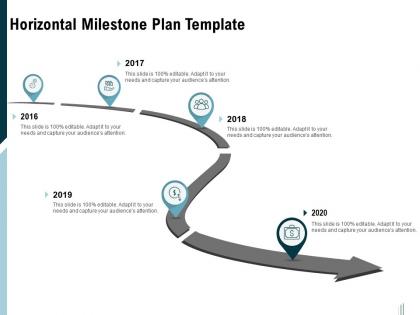
Horizontal milestone plan template ppt powerpoint presentation outline show




Try Before you Buy Download Free Sample Product
 Impress Your
 Audience
 100%
100% Editable
 Save Hours
 of Time


Our Horizontal Milestone Plan Template Ppt Powerpoint Presentation Outline Show are topically designed to provide an attractive backdrop to any subject. Use them to look like a presentation pro.
People who downloaded this PowerPoint presentation also viewed the following :
Horizontal milestone plan template ppt powerpoint presentation outline show with all 2 slides:
Use our Horizontal Milestone Plan Template Ppt Powerpoint Presentation Outline Show to effectively help you save your valuable time. They are readymade to fit into any presentation structure.
FAQs for Horizontal milestone plan template ppt powerpoint
So for your horizontal milestone plan, you'll need dates across the top and your main deliverables listed down the left side. Then just plot when each thing is due with markers or dots. I'd add who's responsible for what and maybe use colors to show if stuff's on track or behind - makes it way easier to scan quickly. The whole point is that left-to-right flow, honestly it's so much clearer than those boring vertical project lists. Oh and definitely include a legend so people know what your colors mean. Dependencies are helpful too if tasks rely on each other. Start simple and tweak as you go.
Dude, horizontal layouts are a game changer for tracking projects. You get this whole bird's-eye view where everything flows left to right chronologically - way more natural than scrolling through those endless vertical lists. Your brain just processes it better, you know? Spotting delays or weird gaps between phases becomes super obvious. When I'm presenting to stakeholders, they instantly get where we are vs where we should be. Actually, print one out for your next meeting - people respond way better to visual stuff than those dense reports nobody wants to read anyway.
Dude, horizontal milestone templates are clutch for tech, construction, and consulting. Perfect when you're dealing with multiple moving parts and need to show how everything connects. Manufacturing loves them too - basically anywhere timing matters. I've seen event planners swear by them (makes sense honestly). What's great is you can spot bottlenecks way before they screw you over. The visual layout just clicks. If you've got overlapping phases or departments that need to coordinate, try it on your next decent-sized project. You'll be surprised how much clearer everything becomes.
Honestly, horizontal layouts just work better for project timelines. Your brain naturally reads left to right, so milestones flow way more logically that way. I always cringe a bit when I see those vertical ones - who wants to tilt their head to read dates? Plus you get more room to actually write useful details instead of cramming text into tiny boxes. When everything's laid out horizontally, spotting problems becomes so much easier. You can literally trace your finger along and see where things might get messy or delayed. Trust me, try it once and you won't go back to vertical layouts.
Oh man, don't jam too many milestones in there - I've seen timelines that look like someone's grocery list and nobody can follow them. Also, skip the vague stuff like "Phase 1 Complete." What does that even mean? Be specific about what "done" actually looks like. Dependencies are huge too - if milestone B can't start until A is finished, your timeline needs to show that or you're screwed. Get your stakeholders involved early because they'll spot the gaps you missed (trust me on this one). Always add buffer time. Things take longer than you think they will.
Honestly, visuals are a game-changer for milestone plans. Color coding different phases or departments makes everything click instantly - like having a cheat sheet built right in. Throw in some icons for milestone types and progress bars to show where things stand. Bold text works great for those make-or-break deadlines. I always add subtle shading for dependencies too, though that might be overkill depending on your audience. The whole point? People should get the project status in 30 seconds max without you walking them through it.
Oh man, so many ways to tackle this! Microsoft Project and Smartsheet are solid if you need all the bells and whistles. But honestly? I end up using PowerPoint way more than I should for quick timelines - it's just so easy. Lucidchart makes everything look super clean if you've got time. Your team already using something like Miro or Monday? Just stick with that for now. Google Slides works too, though it feels a bit janky sometimes. Start simple with whatever you know, then get fancy later if you're doing these all the time.
Honestly, horizontal milestone plans are game-changers because they show how everyone's work actually fits together. Marketing can see exactly when product features drop. Sales knows the real launch dates. No more of those cringe "oh wait, wasn't that your thing?" moments in meetings. The timeline format makes it obvious where teams might crash into each other or hit roadblocks. I'd definitely review it weekly with the cross-functional crew - keeps everyone talking instead of working in silos. Plus it's way easier than digging through endless email chains to figure out who's doing what.
Break your big goals into specific stuff you can actually measure - like "hit 85% customer satisfaction by Q2" instead of something vague like "improve satisfaction." Each milestone should build toward your main goal, obviously. Make sure you've got the resources and team capacity to pull it off. Honestly, I've seen too many people set impossible deadlines and just burn everyone out. You want challenging but doable. Run everything through SMART criteria, then bounce it off your team to see if the timeline's realistic. They'll tell you pretty quick if you're being delusional about scope.
Honestly, stakeholder feedback is what makes or breaks your horizontal milestone plan. Different departments have totally different priorities and constraints you won't know about otherwise. I learned this the hard way on my last project - thought I had everything mapped out perfectly until marketing mentioned they needed an extra two weeks for their campaign review process. Get specific feedback about timing and dependencies through actual meetings, not just random emails people ignore. Short sessions work better than long ones. The input helps you spot bottlenecks before they become real problems and sequence things in a way that actually works for everyone involved.
So for agile stuff, chop those big milestones into 2-4 week sprints instead of those massive monthly check-ins. Way more manageable. Agile milestones can actually shift around based on what you learn in retrospectives - that's the whole point, right? Waterfall's different though. Those fixed milestones work fine since you're going A to B to C anyway. Oh, and agile focuses on actual working features at each checkpoint, while waterfall just marks when phases are done. Honestly, I'd color-code your templates differently so people don't get confused about which method you're using.
Color coding your milestones is basically a game-changer for quick status checks. I usually stick with simple colors - green for done, red for delayed, yellow for in progress, that sort of thing. Don't go overboard though, maybe 4-5 colors tops or it gets messy. Your team will instantly see where things stand without reading through tons of details. Honestly, I've seen people use like 12 different colors and it just confuses everyone. Make sure you've got a clear legend from the start so nobody's guessing what purple means three weeks later.
Honestly, I'd say at least monthly, but bi-weekly works better if things are moving quickly. Major scope changes or big delays? Update it right away - don't wait around. I learned that the hard way on a project last year. Usually I just tie mine to sprint planning since everyone's already talking timelines anyway. Short sentences work well for fast updates. Set up a calendar reminder and actually stick to it, because there's nothing worse than presenting an outdated milestone plan to stakeholders. Trust me, they'll notice immediately and it's awkward.
Honestly, check out Atlassian and Monday.com's sprint boards - they're amazing at showing workflows over time. Marketing timelines are pure gold too, especially how they map out content creation to approvals to launch. Construction schedules do this thing where they show parallel work that doesn't clash, which is genius. Also obsessed with color-coding by department or priority (maybe I'm weird about that). Screenshot anything that makes you instantly go "oh, I totally get this" and figure out why it works so well.
Definitely set up regular check-ins since you can't just tap someone on the shoulder anymore. Color-code everything by time zones - trust me, it helps way more than you'd think. Break those big milestones into weekly pieces so nobody's drowning, and build in extra time because remote calls always have technical hiccups. Add a blockers section too, otherwise people sit stuck for days without saying anything. Oh, and make sure there's async updates for status stuff so you're not constantly scheduling calls across different schedules. It's honestly night and day once you get the rhythm down.
No Reviews