

How Does Organization Impact Human Behavior Powerpoint Presentation Slides




Try Before you Buy Download Free Sample Product
 Impress Your
 Audience
 100%
100% Editable
 Save Hours
 of Time


Understanding and implementing organizational behavior, the study of how individuals interact within groups, is instrumental in optimizing business practices. Our How does organization impact human behavior template is a comprehensive resource aimed at improving various facets of organizational dynamics. This presentation focuses on enhancing productivity and performance, elevating employee satisfaction, and fostering motivation. It also aims to empower effective leadership, streamline decision-making processes, and facilitate cross-team collaboration. The PowerPoint deck covers an array of essential topics, including the scope of organizational behavior, the management and organizational behavior model, and tools for performance management. It also delves into initiatives in behavior-based safety and critical approaches in behavior system analysis. Additionally, our module emphasizes the managers pivotal role in organizational behavior management, explores learning theories and their significance, and addresses key factors like personality, motivation, and perception. Furthermore, the template delves into the relevance of formal and informal groups, decision-makings role in organizational behavior management, leadership, and conflict resolution. This resource is a must-have for anyone seeking to unlock the potential of organizational behavior in achieving business success. Access it now to harness its transformative insights and strategies.
People who downloaded this PowerPoint presentation also viewed the following :
Content of this Powerpoint Presentation
Slide 1: This slide introduces How does organization impact human behavior. State your company name and begin.
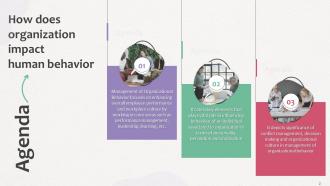
Slide 2: This slide states Agenda of the presentation.
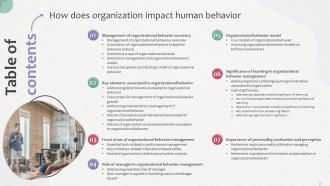
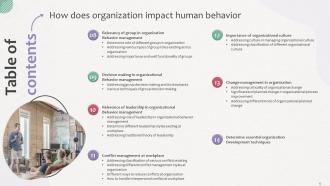
Slide 3: This slide shows Table of Content for the presentation.
Slide 4: This slide highlights title for topics that are to be covered next in the template.
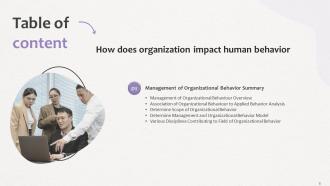
Slide 5: This slide presents Management of organizational behaviour overview.
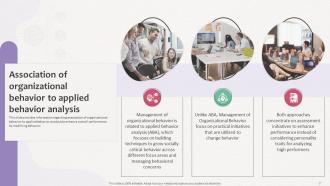
Slide 6: This slide displays Association of organizational behaviour to applied behaviour analysis.
Slide 7: This slide represents Determine scope of organizational behaviour.
Slide 8: This slide showcases Determine management and organizational behaviour model.
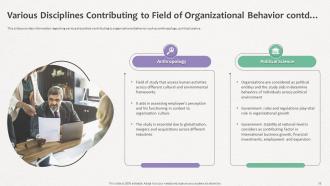
Slide 9: This slide shows Various disciplines contributing to field of organizational behaviour.
Slide 10: This is another slide continuing Various disciplines contributing to field of organizational behaviour.
Slide 11: This slide highlights title for topics that are to be covered next in the template.
Slide 12: This slide presents Addressing determinants associated to organizational behaviour.
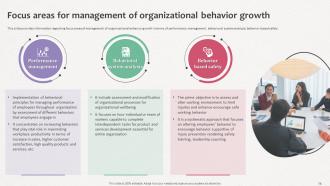
Slide 13: This slide displays Focus areas for management of organizational behaviour growth.
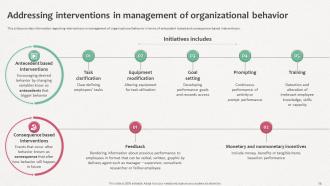
Slide 14: This slide represents Addressing interventions in management of organizational behaviour.
Slide 15: This slide showcases Nature of people as essential element associated to organizational behaviour.
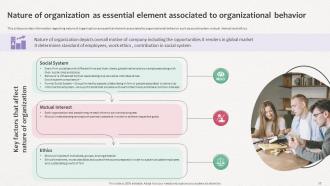
Slide 16: This slide shows Nature of organization as essential element associated to organizational behaviour.
Slide 17: This slide highlights title for topics that are to be covered next in the template.
Slide 18: This slide presents Essential tools utilized in performance management.
Slide 19: This is another slide continuing Essential tools utilized in performance management.
Slide 20: This slide displays Key initiatives utilized in behaviour based safety.
Slide 21: This slide represents Essential approaches in behavioural system analysis.
Slide 22: This is another slide continuing Essential approaches in behavioural system analysis.
Slide 23: This slide highlights title for topics that are to be covered next in the template.
Slide 24: This slide showcases Manager needs to ensure that everything should be under control in terms of budget, resource allocation, etc.
Slide 25: This slide shows How manager is capable in handling various challenges faced.
Slide 26: This slide highlights title for topics that are to be covered next in the template.
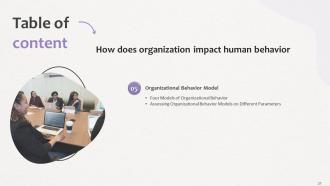
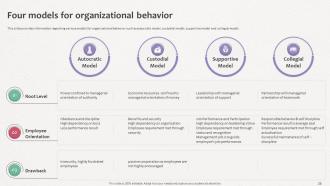
Slide 27: This slide presents Four models for organizational behaviour.
Slide 28: This slide displays Assessing organizational behaviour models on different parameters.
Slide 29: This slide highlights title for topics that are to be covered next in the template.
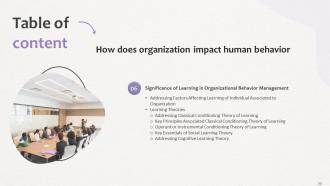
Slide 30: This slide represents Addressing factors affecting learning of individual associated to organization.
Slide 31: This slide showcases Addressing classical conditioning theory of learning.
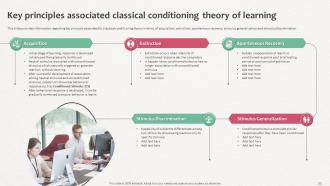
Slide 32: This slide shows Key principles associated classical conditioning theory of learning.
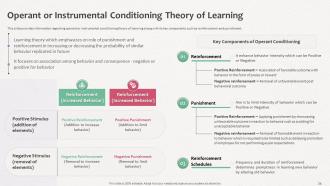
Slide 33: This slide presents Operant or instrumental conditioning theory of learning.
Slide 34: This slide displays Key essentials of social learning theory.
Slide 35: This slide represents Addressing cognitive learning theory.
Slide 36: This slide shows Table of Content for the presentation.
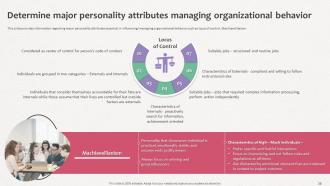
Slide 37: This slide presents Determine major personality attributes managing organizational behaviour.
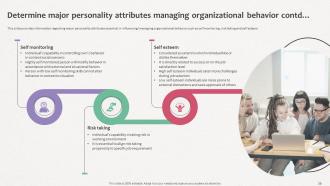
Slide 38: This is another slide continuing Determine major personality attributes managing organizational behaviour.
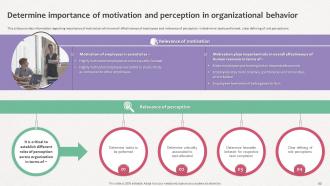
Slide 39: This slide displays Determine importance of motivation & perception in organizational behaviour.
Slide 40: This slide highlights title for topics that are to be covered next in the template.
Slide 41: This slide represents Determine role of different groups in organization.
Slide 42: This slide showcases Addressing various types of group roles existing across organization.
Slide 43: This slide shows Addressing importance and well functionality of groups.
Slide 44: This slide highlights title for topics that are to be covered next in the template.
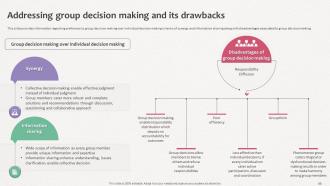
Slide 45: This slide presents Group Decision Making over Individual Decision Making.
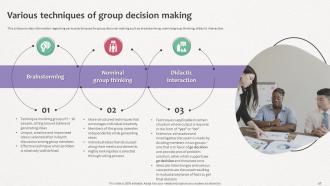
Slide 46: This slide displays Various techniques of group decision making.
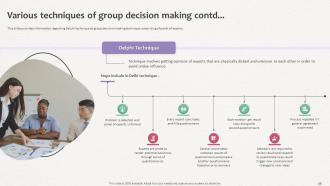
Slide 47: This is another slide continuing Various techniques of group decision making.
Slide 48: This slide highlights title for topics that are to be covered next in the template.
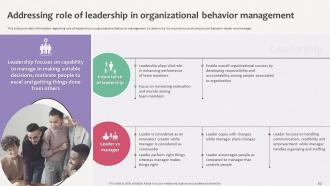
Slide 49: This slide represents Addressing role of leadership in organizational behaviour management.
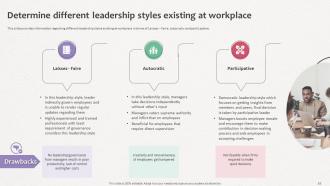
Slide 50: This slide showcases Determine different leadership styles existing at workplace.
Slide 51: This is another slide continuing Determine different leadership styles existing at workplace.
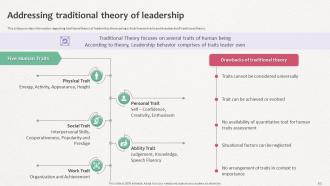
Slide 52: This slide shows Addressing traditional theory of leadership.
Slide 53: This slide highlights title for topics that are to be covered next in the template.
Slide 54: This slide presents Addressing classification of various conflicts existing.
Slide 55: This slide displays Addressing different conflict management styles at organization.
Slide 56: This slide represents Different ways to reduce conflicts at organization.
Slide 57: This slide showcases How to handle interpersonal conflict at workplace.
Slide 58: This slide highlights title for topics that are to be covered next in the template.
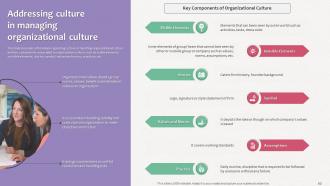
Slide 59: This slide shows Addressing culture in managing organizational culture.
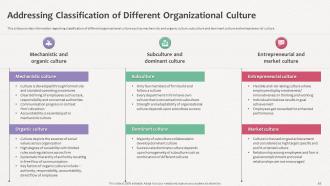
Slide 60: This slide presents Addressing classification of different organizational culture.
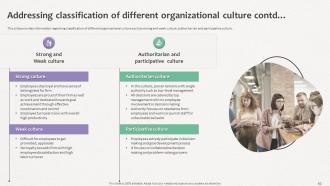
Slide 61: This slide displays Addressing classification of different organizational culture.
Slide 62: This slide highlights title for topics that are to be covered next in the template.
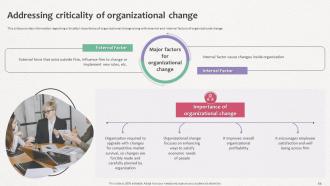
Slide 63: This slide represents Addressing criticality of organizational change.
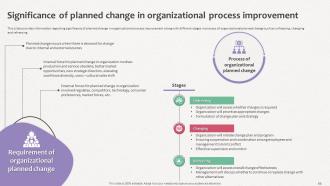
Slide 64: This slide showcases Significance of planned change in organizational process improvement.
Slide 65: This slide shows Addressing different kinds of organizational planned change.
Slide 66: This slide highlights title for topics that are to be covered next in the template.
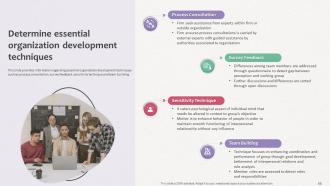
Slide 67: This slide presents Determine essential organization development techniques.
Slide 68: This slide contains all the icons used in this presentation.
Slide 69: This slide is titled as Additional Slides for moving forward.
Slide 70: This slide provides 30 60 90 Days Plan with text boxes.
Slide 71: This is About Us slide to show company specifications etc.
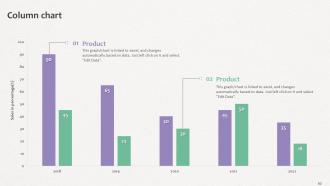
Slide 72: This slide presents Bar chart with two products comparison.
Slide 73: This slide depicts Area chart with two products comparison.
Slide 74: This slide shows Pie Chart with data in percentage.
Slide 75: This is a Comparison slide to state comparison between commodities, entities etc.
Slide 76: This slide shows Funnel with related icons and text.
Slide 77: This slide contains Puzzle with related icons and text.
Slide 78: This is a Timeline slide. Show data related to time intervals here.
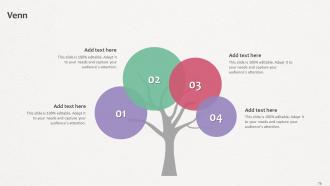
Slide 79: This slide depicts Venn diagram with text boxes.
Slide 80: This is a Thank You slide with address, contact numbers and email address.
How Does Organization Impact Human Behavior Powerpoint Presentation Slides with all 89 slides:
Use our How Does Organization Impact Human Behavior Powerpoint Presentation Slides to effectively help you save your valuable time. They are readymade to fit into any presentation structure.




































FAQs for How Does Organization Impact Human Behavior
Honestly, org charts make such a difference. Everyone knows who they report to and who's under them - no more confusion about the chain of command. New people love them during onboarding because they can actually see where they fit instead of wandering around lost for weeks. They're also great for spotting weird gaps or overlaps in your team structure. Decision-making gets way faster too since you know exactly who calls the shots on what. I mean, we probably should've made one ages ago but better late than never, right? Start basic with just direct reports and build it out as you grow.
Honestly, good organization is a total game-changer. No more "where did I put that file?" moments driving everyone crazy. Your team can actually focus on real work instead of digging around for stuff all day. There's something weirdly satisfying about smooth workflows too - like when everything just clicks. People feel less stressed and way more confident collaborating. I swear it makes such a difference in team morale. Pick one chaotic process this week and fix it up. The instant relief is pretty amazing, even from small changes.
Okay so first thing - make folders that actually make sense for how you work. Projects, admin crap, old stuff, whatever. Then be consistent with file names! I do dates like 2024-01-15 plus keywords so I can find things later. My desktop used to be a total disaster zone before I figured this out lol. Cloud storage is clutch for important docs. Delete duplicates when you see them. Honestly though? Pick whatever system feels right and just stick with it instead of redoing everything constantly. Oh and do like a quick 15-minute cleanup monthly.
Honestly, how you set up your company structure makes a huge difference in how things actually get done. I've worked in both flat and hierarchical setups - flat ones are way faster for making decisions and trying new stuff since you're not waiting for five approvals. Traditional hierarchies give you clear accountability though, even if everything moves like molasses sometimes. Look at where your team keeps hitting walls or doing the same work twice. That's usually your structure being weird. Match what you choose to what your industry actually needs, not just what sounds trendy.
Honestly, templates are lifesavers because they force you to organize your thoughts logically. Your audience can actually follow what you're saying instead of getting lost in some rambling mess. You get these ready-made frameworks for hierarchies and workflows - basically all that complex stuff becomes digestible chunks. The consistent visuals make you look way more professional too. What really works is using clear headings and bullet points that walk people through your logic step by step. I learned this the hard way after bombing a presentation once. Seriously, grab a template first next time you're explaining something complicated and you'll see the difference immediately.
Honestly, Asana or Monday.com are solid starting points - both have great visual tracking. Trello's pretty addictive if you're into the whole card thing (I got weirdly obsessed with organizing my boards for like a week). Jira's powerful but man, the learning curve is brutal. If your team's already deep in Microsoft stuff, Project makes sense since it plays nice with everything else. Here's the thing though - doesn't matter how fancy the tool is if nobody uses it. Pick something simple that won't make people groan. Test it out for a few weeks, see what sticks, then you can always add bells and whistles later.
Here's the thing - you've gotta walk the walk first. Be open about your decisions, own up when you mess up, explain why changes are happening. Set up real ways for people to speak up, not those fake "open door" things that nobody actually uses (ugh, those are the worst). Make collaboration part of the actual work instead of some side thing. Cross-team projects work way better than everyone staying in their lanes. Oh, and definitely celebrate when people do share info or work together well - that stuff needs recognition. Just pick one small thing to try this week and see what happens.
Your company's structure is basically what determines if you can pivot when shit hits the fan. Rigid hierarchies? You're screwed - like watching a cruise ship try to swerve around an iceberg. Cross-functional teams and flexible reporting work way better. You want people making decisions fast, not passing stuff up five levels of management. Build that adaptability now, before you need it. Map out how decisions actually flow through your company right now. I bet you'll find weird bottlenecks slowing everything down when markets change.
Honestly, start by actually tracking where stuff gets stuck - not where you *think* it does. Most slowdowns happen when work bounces between teams or when someone becomes the bottleneck person (you know the type). Instead of everything flowing through one checkpoint, try running things in parallel. Cross-train people so you're not screwed if key person goes on vacation. Oh, and set real deadlines for each step with clear communication. Pick one workflow this week and follow it from start to finish. Write down every delay - that's your fix-it list right there.
Honestly, you gotta start documenting stuff NOW before everything hits the fan. Pick one process this week - maybe how you onboard people or your approval workflow - and write it all down. Figure out who's in charge of what decisions because when chaos hits (spoiler: it will), people need to know who calls the shots. I know project management tools might seem excessive right now, but trust me on this one. Weekly team check-ins are a lifesaver too - they'll help you catch problems early. Oh, and don't forget feedback loops so you can spot what's broken and actually fix it fast.
Honestly, flowcharts and org charts are lifesavers for this stuff. People just can't follow when you're explaining all the reporting relationships out loud - their brains shut off after like 30 seconds. But show them a simple diagram? Suddenly they get how teams connect and who's responsible for what. I learned this the hard way during a presentation that bombed spectacularly. Start with the big picture view first. Then you can zoom into specific departments if they need more detail. Way easier than trying to describe everything verbally.
Honestly, most people mess up by making things way too complicated. Like, you'll create this perfect color-coded system and then never touch it again because who has time for that? Start stupidly simple instead - just pick one thing and actually use it for a month before changing anything. Oh, and don't try organizing your entire life in one weekend (learned that the hard way). Pick whatever's driving you most crazy right now - messy desk, chaotic files, whatever - and focus there first. Once that's actually working, then you can tackle other stuff.
Honestly, your structure has to match what you're preaching or people will call BS immediately. Want collaboration? Then don't build those annoying silos where teams can't even talk to each other. Same with transparency - create actual open channels instead of burying everything under layers of bureaucracy. I see this disconnect everywhere and it drives me nuts. Check your decision-making process and how info flows around. Here's the real test: could someone look at your org chart and guess your values without reading any of that mission statement fluff?
Honestly, start with getting your communication straight - figure out response times, meeting schedules, and what platform to use for what. Time zones suck but you gotta find those overlap hours where everyone's awake. Document literally everything since you can't just walk over and ask questions anymore. I'd focus more on what people actually deliver rather than watching their every move. Oh, and create some fake "casual" spaces because nobody randomly chats when working from home - trust me on this one. Your current tools are probably half useless anyway, so audit what's actually helping versus just adding noise.
Think of feedback loops as your team's way to course-correct before things go sideways. You're not waiting for stuff to break - instead, everyone's checking in regularly to see what's working and what sucks. It's way better than crossing your fingers and hoping for the best, honestly. When people know they can actually speak up about problems, issues get caught fast instead of festering. Start small - maybe weekly retrospectives or quick 15-minute daily huddles. Your team will naturally get more organized because problems surface quickly instead of building up into disasters.
-
The slides are remarkable with creative designs and interesting information. I am pleased to see how functional and adaptive the design is. Would highly recommend this purchase!
-
Designs have enough space to add content.