


IT Disaster Recovery Plan Powerpoint Presentation Slides




Try Before you Buy Download Free Sample Product
 Impress Your
 Audience
 100%
100% Editable
 Save Hours
 of Time


A disaster recovery plan DRP is a documented strategy or procedure intended to help companies perform recovery operations in the event of a disaster to safeguard corporate IT infrastructure and, more broadly, encourage recovery. Here is an efficiently designed template on IT Disaster Recovery Plan that will state the problems faced by companies due to the lack of a disaster recovery plan and the creation of an effective strategy. This presentation covers sections for the reasons for the IT downtime of the company, introduction, and need of the disaster recovery plan. In addition, this PPT contains the various types of steps for creating an effective disaster recovery plan and working on the project. Furthermore, the template includes the DR plans execution steps, such as risk mitigation, preparedness for disasters, response to disasters, and recovery from disasters, along with a testing plan for disaster recovery. Moreover, this PPT showcased information about the disaster recovery reference architecture, training program to activate the DR plan, RACI matric, and budget for the disaster recovery plan. Lastly, this deck comprises a 30 60 90 days plan for a disaster recovery plan, a roadmap, and a dashboard to monitor the backup of organizational resources. Get access now.
People who downloaded this PowerPoint presentation also viewed the following :
Content of this Powerpoint Presentation
Slide 1: This slide introduces IT Disaster Recovery Plan. State Your Company Name and begin.
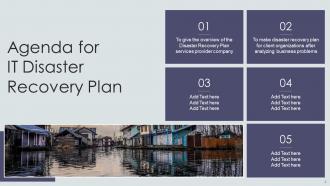
Slide 2: This slide states Agenda of the presentation.
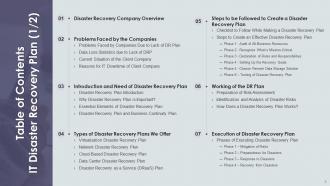
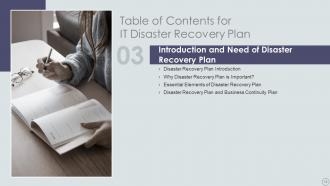
Slide 3: This slide presents Table of Content for the presentation.
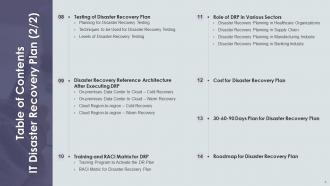
Slide 4: This is another slide continuing Table of Content for the presentation.
Slide 5: This slide highlights title for topics that are to be covered next in the template.
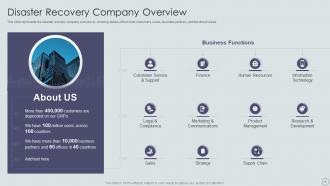
Slide 6: This slide represents the disaster recovery company overview.
Slide 7: This slide highlights title for topics that are to be covered next in the template.
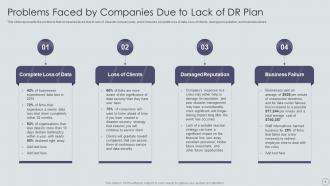
Slide 8: This slide presents Problems Faced by Companies Due to Lack of DR Plan.
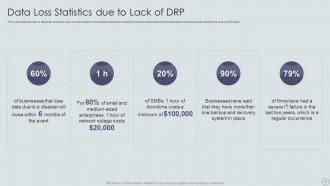
Slide 9: This slide shows Data Loss Statistics due to Lack of DRP.
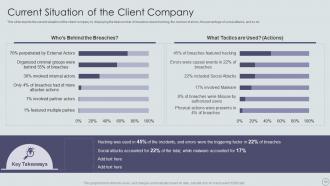
Slide 10: This slide depicts the current situation of the client company by displaying the total number of breaches.
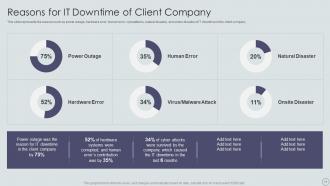
Slide 11: This slide shows Reasons for IT Downtime of Client Company.
Slide 12: This slide highlights title for topics that are to be covered next in the template.
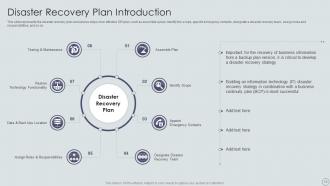
Slide 13: This slide presents disaster recovery plan and various steps of an effective DR plan.
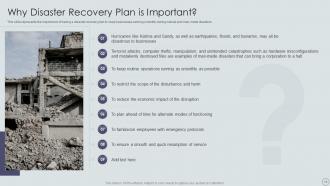
Slide 14: This slide represents the importance of having a disaster recovery plan to keep businesses running smoothly.
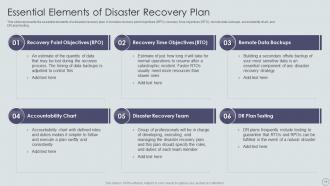
Slide 15: This slide displays Essential Elements of Disaster Recovery Plan.
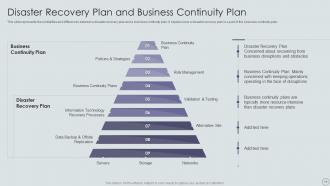
Slide 16: This slide shows Disaster Recovery Plan and Business Continuity Plan.
Slide 17: This slide highlights title for topics that are to be covered next in the template.
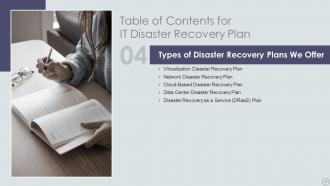
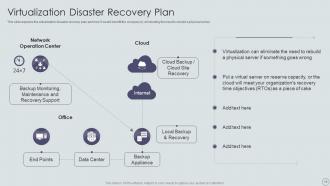
Slide 18: This slide presents Virtualization Disaster Recovery Plan.
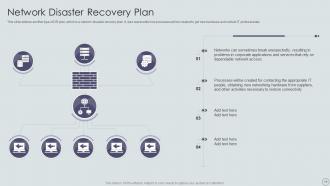
Slide 19: This slide defines another type of DR plan, which is a network disaster recovery plan.
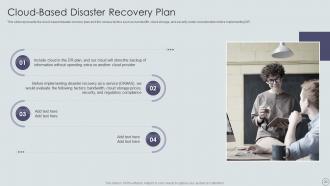
Slide 20: This slide displays Cloud-Based Disaster Recovery Plan.
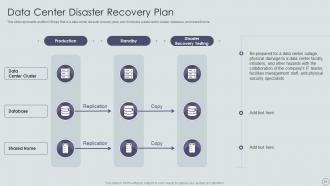
Slide 21: This slide represents another DR type that is a data center disaster recovery plan.
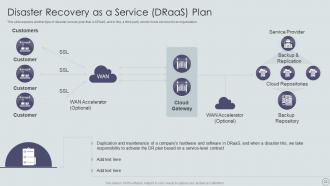
Slide 22: This slide shows Disaster Recovery as a Service (DRaaS) Plan.
Slide 23: This slide highlights title for topics that are to be covered next in the template.
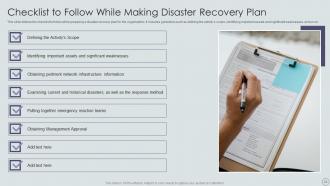
Slide 24: This slide shows Checklist to Follow While Making Disaster Recovery Plan.
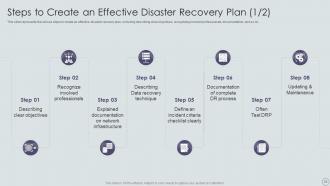
Slide 25: This slide displays Steps to Create an Effective Disaster Recovery Plan.
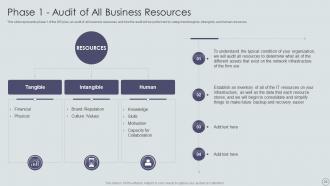
Slide 26: This slide represents phase 1 of the DR plan, an audit of all business resources.
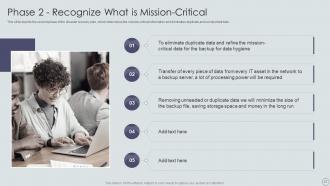
Slide 27: This slide depicts the second phase of the disaster recovery plan, which determines the mission-critical information.
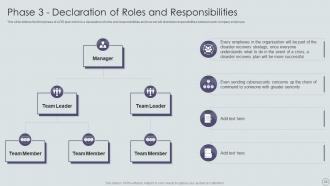
Slide 28: This slide presents the third phase of a DR plan which is a declaration of roles and responsibilities.
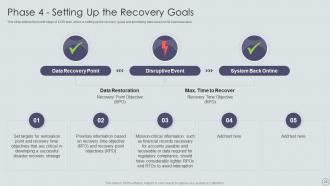
Slide 29: This slide defines the fourth stage of a DR plan, which is setting up the recovery goals and prioritizing data.
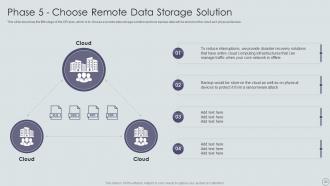
Slide 30: This slide describes the fifth stage of the DR plan, which is to choose a remote data storage solution.
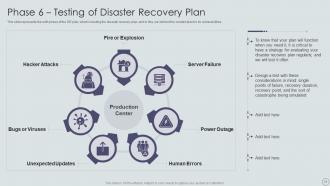
Slide 31: This slide represents the sixth phase of the DR plan, which is testing the disaster recovery plan.
Slide 32: This slide highlights title for topics that are to be covered next in the template.
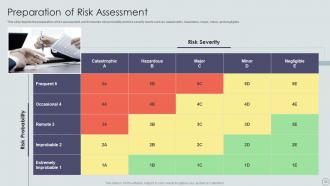
Slide 33: This slide depicts the preparation of risk assessment, and it includes risk probability and risk severity levels.
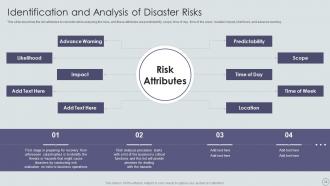
Slide 34: This slide describes the risk attributes to consider while analyzing the risks.
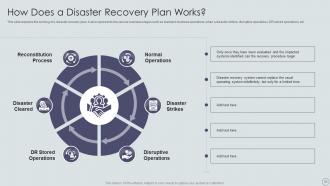
Slide 35: This slide explains the working of a disaster recovery plan.
Slide 36: This slide highlights title for topics that are to be covered next in the template.
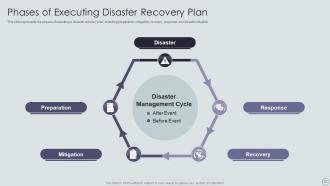
Slide 37: This slide shows Phases of Executing Disaster Recovery Plan.
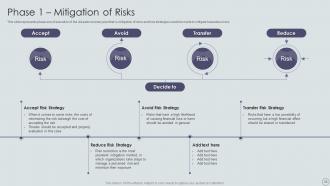
Slide 38: This slide represents phase one of execution of the disaster recovery plan.
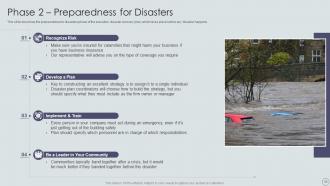
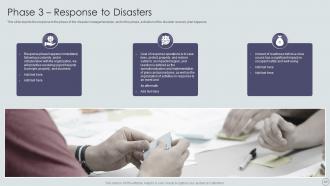
Slide 39: This slide describes the preparedness for disasters phase of the execution disaster recovery plan.
Slide 40: This slide depicts the response to the phase of the disaster management plan.
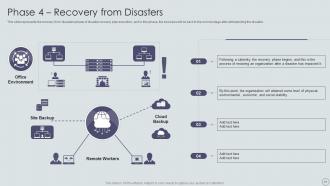
Slide 41: This slide represents the recovery from disasters phase of disaster recovery plan execution.
Slide 42: This slide highlights title for topics that are to be covered next in the template.
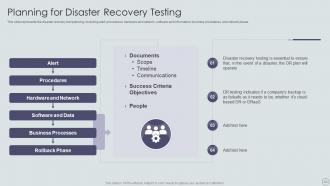
Slide 43: This slide represents the disaster recovery test planning, including alert, procedures, etc.
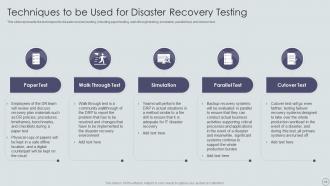
Slide 44: This slide shows Techniques to be Used for Disaster Recovery Testing.
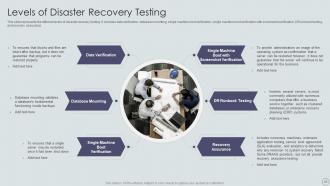
Slide 45: This slide represents the different levels of disaster recovery testing.
Slide 46: This slide highlights title for topics that are to be covered next in the template.
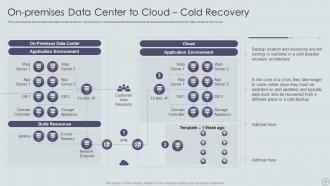
Slide 47: This slide shows On-premises Data Center to Cloud – Cold Recovery.
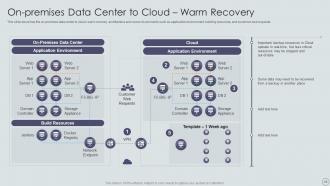
Slide 48: This slide presents on-premises data center to cloud- warm recovery architecture.
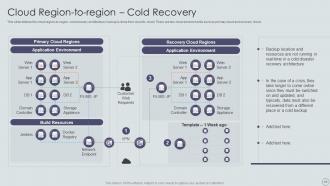
Slide 49: This slide defines the cloud region-to-region- cold recovery architecture.
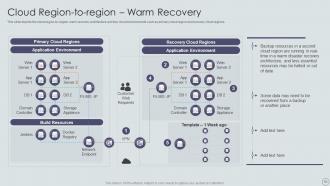
Slide 50: This slide depicts the cloud region-to-region- warm recovery architecture.
Slide 51: This slide highlights title for topics that are to be covered next in the template.
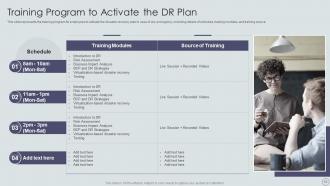
Slide 52: This slide represents the training program for employees to activate the disaster recovery plan.
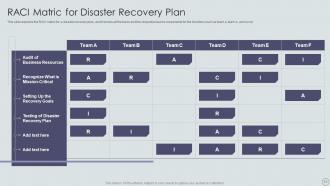
Slide 53: This slide explains the RACI matric for a disaster recovery plan.
Slide 54: This slide highlights title for topics that are to be covered next in the template.
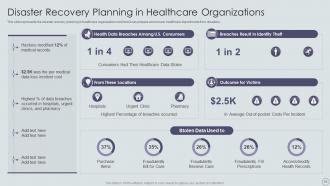
Slide 55: This slide displays Disaster Recovery Planning in Healthcare Organizations.
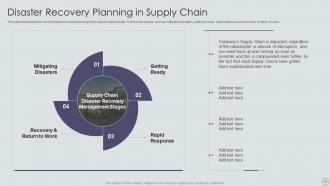
Slide 56: This slide represents the role of disaster recovery planning in the supply chain industry.
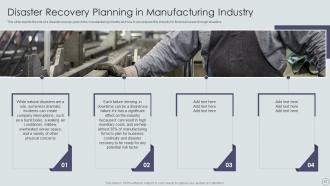
Slide 57: This slide shows Disaster Recovery Planning in Manufacturing Industry.
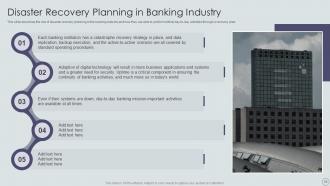
Slide 58: This slide presents Disaster Recovery Planning in Banking Industry.
Slide 59: This slide highlights title for topics that are to be covered next in the template.
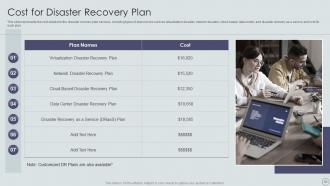
Slide 60: This slide represents the cost details for the disaster recovery plan services.
Slide 61: This slide highlights title for topics that are to be covered next in the template.
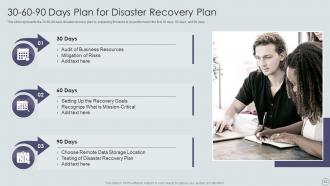
Slide 62: This slide shows 30-60-90 Days Plan for Disaster Recovery Plan.
Slide 63: This slide highlights title for topics that are to be covered next in the template.
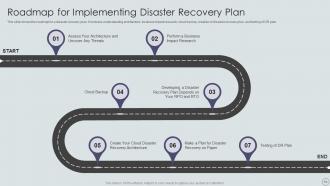
Slide 64: This slide shows Roadmap for Implementing Disaster Recovery Plan.
Slide 65: This slide showcases Icons for IT Disaster Recovery Plan.
Slide 66: This slide is titled as Additional Slides for moving forward.
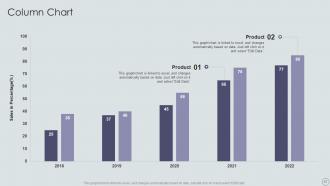
Slide 67: This slide displays Column chart with two products comparison.
Slide 68: This is a Comparison slide to state comparison between commodities, entities etc.
Slide 69: This is Our Team slide with names and designation.
Slide 70: This slide shows Post It Notes. Post your important notes here.
Slide 71: This slide depicts Venn diagram with text boxes.
Slide 72: This is a Timeline slide. Show data related to time intervals here.
Slide 73: This is Our Goal slide. State your firm's goals here.
Slide 74: This is an Idea Generation slide to state a new idea or highlight information, specifications etc.
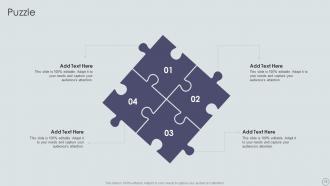
Slide 75: This slide contains Puzzle with related icons and text.
Slide 76: This is a Thank You slide with address, contact numbers and email address.
IT Disaster Recovery Plan Powerpoint Presentation Slides with all 81 slides:
Use our IT Disaster Recovery Plan Powerpoint Presentation Slides to effectively help you save your valuable time. They are readymade to fit into any presentation structure.









FAQs for IT Disaster Recovery Plan
Start with figuring out what could actually break - that's your risk assessment. Then write down exactly how to fix everything, step by step. Backup strategies are obvious but people mess them up constantly. Communication plans matter too - who calls who when everything's on fire? Testing is huge though. I can't tell you how many companies think their plan is bulletproof until disaster strikes and nothing works. Be realistic about your recovery times based on what you can actually afford. Document your most critical stuff first, then build outward from there.
Twice a year minimum, but quarterly is way better if you can swing it. Don't fall into the trap of running identical tests though - mix up your disaster scenarios each time. Honestly, I've seen too many companies just test the same basic failover and call it good. Smaller, focused tests work better than those massive semi-annual things that try to cover everything. Pick one system next time instead of going crazy with the whole infrastructure. Oh, and actually schedule your next test now before you forget - we both know how that goes. Different components each round keeps you sharp.
Look, backups are literally everything for disaster recovery. No backups = you're screwed when things go sideways. Regular backups in multiple spots (cloud, offsite storage, whatever) let you rebuild fast when disaster hits. Your backup timing should match how much data loss you can handle - some businesses can lose a day, others can't lose an hour. Here's the thing though: test those backups constantly. I've seen so many people discover their backups were trash right when they needed them most. Pretty much the worst timing ever.
First, figure out what would completely screw you over if it went down - your main revenue apps, customer data, that kind of stuff. Calculate how much money you'd lose per hour for each system (this part's honestly pretty eye-opening). Talk to your department heads too since they know what's actually critical vs. what just seems important. Rank everything from "fix this immediately or we're toast" to "eh, we can wait a few days." The systems that cost you the most downtime money get priority. Once you've got your list, run through some fake scenarios to test if your priorities actually make sense.
Honestly, start with a decent backup solution - Veeam or Commvault work great for both local and cloud stuff. AWS or Azure are basically必须有 for offsite recovery these days. VMware or Hyper-V will save your ass when you need to spin up recovery environments fast. Oh, and get some network monitoring going so you catch problems before they explode. Ansible is clutch for automation during actual disasters - trust me on that one. Before buying anything new though, audit what you've got. You probably already have more DR capability than you think hiding in your current setup.
So cloud stuff is perfect for disaster recovery because you get instant scaling and can spread your data across different regions without breaking the bank. Traditional setups? Forget about it - way too expensive for that kind of coverage. You're only paying for what you actually need during emergencies, and backup systems come online in minutes instead of waiting around forever. The providers handle all the boring maintenance stuff too, which is honestly a relief. I'd start by figuring out which systems you absolutely can't lose, then look at what backup options fit your timeline and budget.
Honestly, most companies overthink this stuff and make plans way too complicated. Don't let IT handle everything alone - you need people from every department involved or you're screwed. Testing is huge though. I can't tell you how many places assume their plan works without ever running drills. Do quarterly tabletop exercises, annual full tests. That's where you'll find what actually breaks. Also, watch your recovery time estimates - teams always lowball those. Oh and here's something dumb I see constantly: storing your disaster recovery docs on systems that'll be down during the actual disaster. Classic rookie mistake. Dependencies between systems trip people up too.
So basically, your industry regs set your minimum recovery standards. Healthcare has HIPAA breathing down your neck for data protection during outages. Banking and finance? Way worse - they want recovery in hours, not days. Pretty brutal honestly. You can't just hope everything works when auditors show up though. Document your RTOs, RPOs, and keep testing records to prove compliance. Oh and here's what I'd do first - figure out exactly which regs hit your industry, then build your DR plan around those specific rules instead of generic advice you'll find online.
Honestly, you've gotta get people actually practicing this stuff, not just skimming some manual once a year. Run drills every few months so everyone knows their role when chaos hits - people's brains just shut down otherwise. Those little reference cards work great, keep 'em simple though. Update your contact lists constantly because Sarah from IT probably switched departments already and has a new number. Make it feel normal, not like some disaster movie scenario. Oh, and maybe grab your team next week to go over who does what during outages? Repetition's really the only thing that sticks.
First, figure out what downtime actually costs you - lost sales, angry customers, staff sitting around doing nothing. Most people guess way too low on this until they're screwed. Then look at what you're spending on backups, cloud stuff, all that prevention. Compare those numbers. Don't forget about potential fines or how pissed customers get - that stuff lingers forever. I'd honestly run these calculations every few months since your business keeps changing. Oh, and document everything so you're not starting from scratch next time.
Track RTO first - that's how long it takes to get back online. RPO matters too, which is basically how much data loss you can live with. Test your actual recovery times against those targets regularly. Most companies think their plan rocks until shit hits the fan, then everything crumbles. Monitor how fast your team responds during drills and whether communication actually works. Success rates from testing are huge - if you're failing tests, you'll definitely fail when it's real. Set up dashboards beforehand so you're not hunting for metrics during an actual disaster.
Dude, vendor management can totally make or break your disaster recovery plan. Know exactly what each vendor will actually do when things go sideways - response times, their backup plans, all of it. So many companies just assume their cloud provider will magically handle everything during a crisis. Big mistake. Document those SLAs, line up backup vendors for your critical stuff, and keep those communication channels open. Oh, and test everything beforehand - like, actually test it. You don't want to find out your vendor's useless when you're already drowning.
Definitely set up backup systems that can kick in right away - hot or warm sites work best. Automate the failover stuff so you're not panicking and doing everything manually when things go sideways. Cloud backups are clutch since you can access them from literally anywhere. Oh, and test your recovery plan regularly! I've seen too many companies think they're covered only to find out their backup system is totally broken during an actual emergency. Document the whole process, run drills with your team every few months. Sounds boring but it'll save your ass later.
So DR is just the tech side of things - getting servers and systems back up. Business continuity is way broader though. It covers your people, where they'll work, how departments talk to each other, all that stuff. DR fits inside the bigger continuity plan. Here's what I learned the hard way: don't just focus on your IT recovery times. You've got to sync up with other teams about what they need too. Like, what's the point of having your systems online in 2 hours if accounting can't even get to the office? The whole thing has to work together.
So disaster recovery is totally shifting to cloud-first setups now. You can literally spin up whole systems in minutes instead of waiting days - it's wild. AI's getting scary good at catching failures before they actually happen, which honestly blows my mind. Automation handles the entire recovery without you babysitting it. Docker and containers make moving apps between environments super smooth. Oh, and edge computing keeps stuff running locally even when your main data center craps out. Pick one or two that match what you've got - don't go crazy trying everything.
-
Slideteam offers pocket-friendly products. As a college student this is a really necessary thing to look at while paying for something.
-
Really like the color and design of the presentation.