


Crisis Management And Business Continuity Planning Deck Powerpoint Presentation Slides




Try Before you Buy Download Free Sample Product
 Impress Your
 Audience
 100%
100% Editable
 Save Hours
 of Time


Our Crisis Management And Business Continuity Planning Deck Powerpoint Presentation Slides are topically designed to provide an attractive backdrop to any subject. Use them to look like a presentation pro.
People who downloaded this PowerPoint presentation also viewed the following :
Content of this Powerpoint Presentation
Slide 1: This slide introduces Crisis Management and Business Continuity Planning Deck. State Your Company Name and begin.
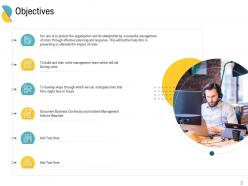
Slide 2: This slide shows Objectives with related imagery.
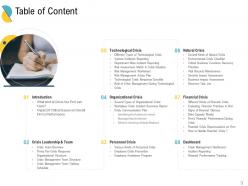
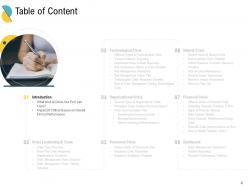
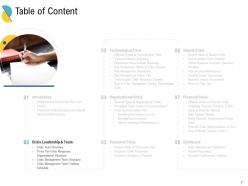
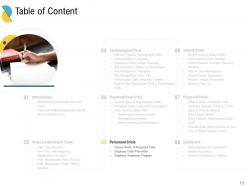
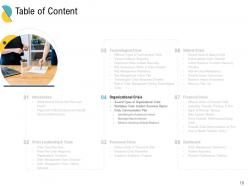
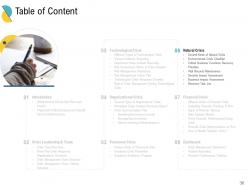
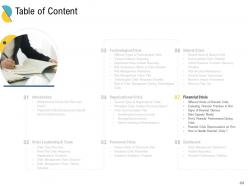
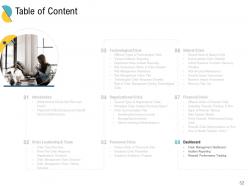
Slide 3: This slide presents Table of Content describing- Introduction, Crisis Leadership & Team, Organizational Crisis, etc.
Slide 4: This slide displays Table of Content highlighting Introduction.
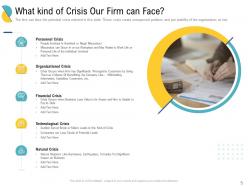
Slide 5: This slide represents What kind of Crisis Our Firm can Face?
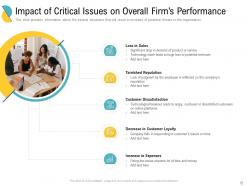
Slide 6: This slide showcases Significant drop in demand of product or service.
Slide 7: This slide shows Table of Content highlighting Crisis Leadership & Team.
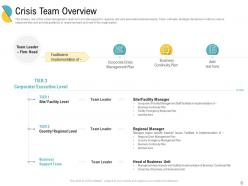
Slide 8: This slide presents Crisis Team Overview in order to reduce response time and provide guidance to response team and rest of the organization.
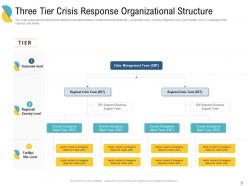
Slide 9: This slide displays Three Tier Crisis Response Organizational Structure
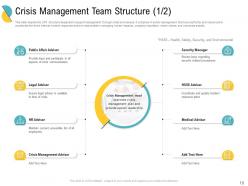
Slide 10: This slide represents the CMT structure designed to support management through crisis level issues. It comprise of senior management that have authority and resources to accelerate the firm’s internal incident response and are responsible in managing human impacts, company reputation, share values, and corporate assets.
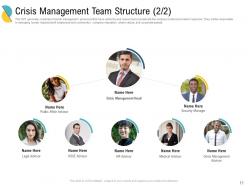
Slide 11: This slide showcases Crisis Management Advisor with name and designation.
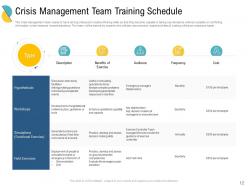
Slide 12: This slide shows Crisis Management Team Training Schedule.
Slide 13: This slide presents Table of Content highlighting Organizational Crisis.
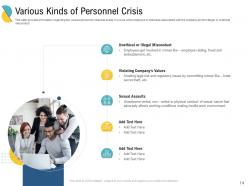
Slide 14: This slide displays information regarding the various personnel crisis that exists.
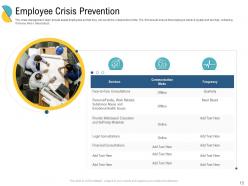
Slide 15: This slide represents Employee Crisis Prevention.
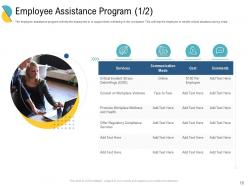
Slide 16: This slide showcases Employee Assistance Program.
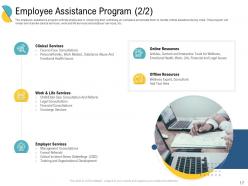
Slide 17: This is another slide continuing Employee Assistance Program.
Slide 18: This slide shows Table of Content highlighting Technological Crisis.
Slide 19: This slide presents Several Types of Organizational Crisis.
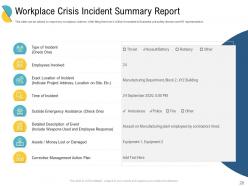
Slide 20: This slide displays Workplace Crisis Incident Summary Report.
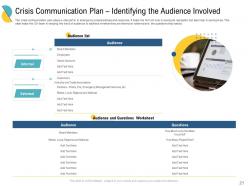
Slide 21: This slide represents Crisis Communication Plan – Identifying the Audience Involved.
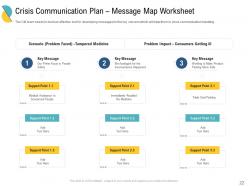
Slide 22: This slide showcases Crisis Communication Plan – Message Map Worksheet.
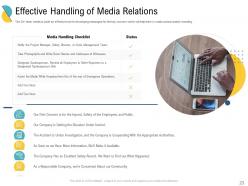
Slide 23: This slide shows Effective Handling of Media Relations.
Slide 24: This slide presents Table of Content highlighting Personnel Crisis.
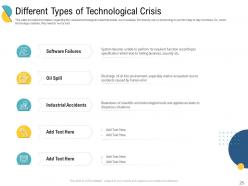
Slide 25: This slide displays Different Types of Technological Crisis.
Slide 26: This slide represents Various Incidents Reporting.
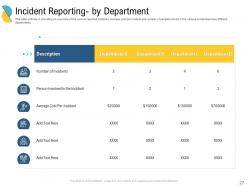
Slide 27: This slide showcases Incident Reporting- by Department.
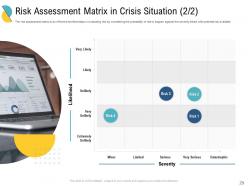
Slide 28: This slide shows Risk Assessment Matrix in Crisis Situation.
Slide 29: This is another slide showing Risk Assessment Matrix in Crisis Situation.
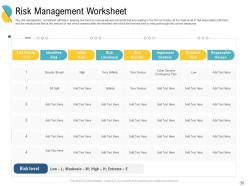
Slide 30: This slide presents Risk Management Worksheet.
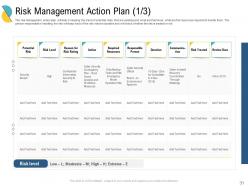
Slide 31: This slide displays Risk Management Action Plan.
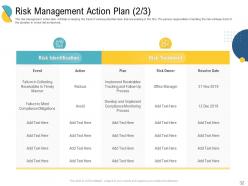
Slide 32: This is another slide showing Risk Management Action Plan.
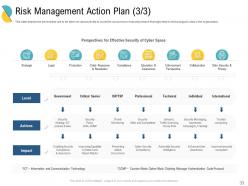
Slide 33: This slide represents Risk Management Action Plan describing- Skills and Competence, Traffic Scanning, Enabling Security Compliance & Assurance, etc.
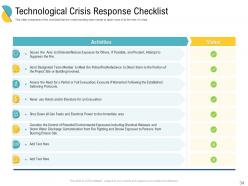
Slide 34: This slide showcases Technological Crisis Response Checklist.
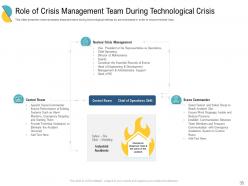
Slide 35: This slide shows Role of Crisis Management Team During Technological Crisis.
Slide 36: This slide presents Table of Content highlighting Financial Crisis.
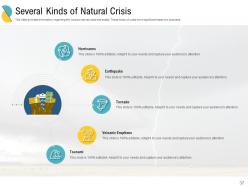
Slide 37: This slide displays Several Kinds of Natural Crisis.
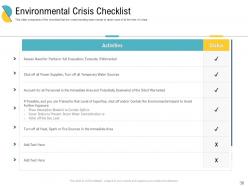
Slide 38: This slide represents Environmental Crisis Checklist.
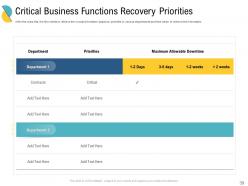
Slide 39: This slide showcases Critical Business Functions Recovery Priorities.
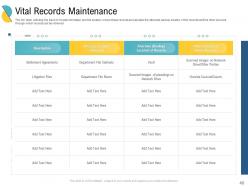
Slide 40: This slide shows Vital Records Maintenance.
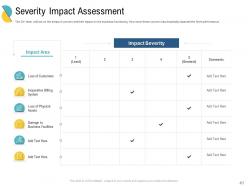
Slide 41: This slide presents Severity Impact Assessment with text boxes.
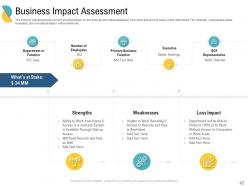
Slide 42: This slide displays Business Impact Assessment.
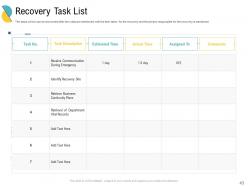
Slide 43: This slide represents Recovery Task List mentioned with the time taken for the recovery and the person responsible for the recovery.
Slide 44: This slide showcases Table of Content highlighting Recovery Task List.
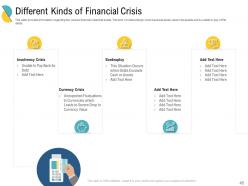
Slide 45: This slide shows information regarding the various financial crisis that exists.
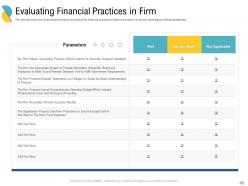
Slide 46: This slide presents Evaluating Financial Practices in Firm.
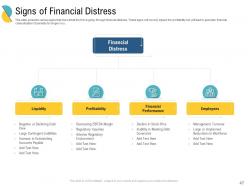
Slide 47: This slide displays various signs that shows that the firm is going through financial distress.
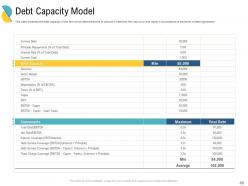
Slide 48: This slide represents the debt capacity of the firm which determines the to amount of debt the firm can incur and repay in accordance to the terms of debt agreement.
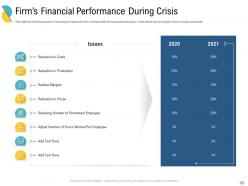
Slide 49: This slide showcases Firm’s Financial Performance During Crisis.
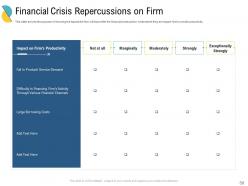
Slide 50: This slide shows Financial Crisis Repercussions on Firm.
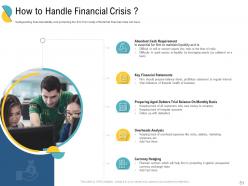
Slide 51: This slide presents How to Handle Financial Crisis ?
Slide 52: This slide displays Table of Content highlighting Natural Crisis.
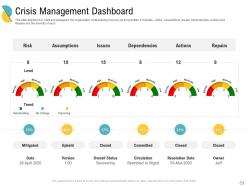
Slide 53: This slide represents how crisis are managed in the organization while keeping recovery as the priorities.
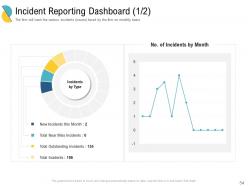
Slide 54: This slide showcases Incident Reporting Dashboard.
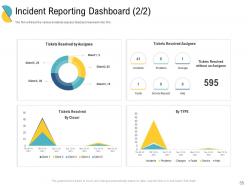
Slide 55: This slide shows incidents (issues) faced and resolved in the firm.
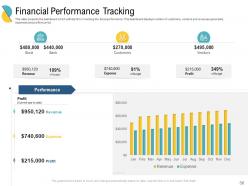
Slide 56: This slide presents the dashboard which will help firm in tracking the fiscal performance. This dashboard displays number of customers, vendors and revenues generated, expenses and profit incurred.
Slide 57: This slide displays Financial Performance Tracking.
Slide 58: This slide showcases Icons for Crisis Management and Business Continuity Planning Deck.
Slide 59: This slide is titled as Additional Slides for moving forward.
Slide 60: This is About Us to show company specifications etc.
Slide 61: This is Our Mission slide with related imagery and text.
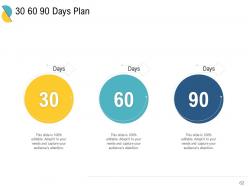
Slide 62: This slide shows 30 60 90 Days Plan with text boxes.
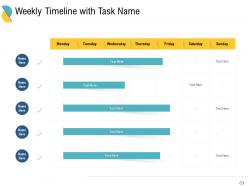
Slide 63: This slide displays Weekly Timeline with Task Name.
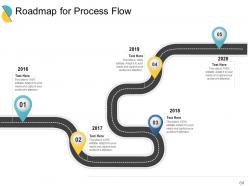
Slide 64: This slide showcases Roadmap for Process Flow.
Slide 65: This is a Thank You slide with address, contact numbers and email address.
Crisis Management And Business Continuity Planning Deck Powerpoint Presentation Slides with all 65 slides:
Use our Crisis Management And Business Continuity Planning Deck Powerpoint Presentation Slides to effectively help you save your valuable time. They are readymade to fit into any presentation structure.







FAQs for Crisis Management And Business Continuity Planning Deck
Okay so first things first - get a crisis team together with everyone knowing their role. Pre-write templates for stuff like press releases because honestly, nobody thinks clearly at 2am when everything's on fire. Communication protocols are massive since news travels at light speed now. You'll also want risk assessment procedures and a business continuity plan so your operations don't totally tank. I'd start by figuring out what disasters are most likely to hit you, then work backwards from there. Test this stuff regularly too - crises change and your plan should evolve with them.
Honestly, you've gotta become obsessed with watching for warning signs. Set up alerts for social media mentions and customer complaints - that stuff spreads fast. I'd create a list of everything that could go wrong (supply chain issues, bad PR, new regulations) and check it quarterly. Get your team together regularly to play "what if" games - sounds cheesy but it works. The real trick is having people who'll actually tell you when they hear something's up. Track the same metrics every time so you can spot patterns. Oh, and don't ignore employee feedback - they usually know first.
Honestly, communication can totally save you or destroy you in a crisis. Going silent is the worst thing you can do - people start making up their own stories and those are usually way worse than reality. Be upfront about what happened, tell them what you're doing to fix it, and give them a timeline for when you'll update again. Speed matters here. Oh and have a plan ready beforehand because when everything's falling apart, you won't think straight. The whole point is getting your version out there before someone else controls the story for you.
Honestly, just use that impact vs urgency thing - plot each crisis by how badly it'll hurt your business and how fast you need to move. Revenue hits, safety stuff, reputation damage - that's your high impact zone. When both impact AND urgency are screaming at you, drop everything else. Trust me, I used to panic over every little thing until I figured this out. Medium stuff can sit for a few hours or even days. Low impact goes on your normal to-do pile. The key is deciding your criteria now, not when you're stressed and everything feels urgent.
Oh man, the worst thing companies do is just freeze up and say nothing - or try to pretend it's not that bad. Big mistake. You'll also see like five different executives all giving different statements, which obviously makes everything look chaotic. Pick ONE person to talk, seriously. Don't over-apologize for minor stuff, but definitely own up when you actually screwed up. The response has to match what actually happened, you know? Oh and have some basic templates ready beforehand because when crisis hits, everyone's brain goes blank anyway.
Honestly, social media is your best friend during a crisis. Jump on there fast with updates before people start making stuff up - rumors spread like wildfire online. I'd hit Twitter for quick announcements and LinkedIn for the more professional crowd. Set up alerts for your company name so you'll catch conversations early. Don't wait around hoping things blow over because silence just makes people more suspicious. When you do respond, lead with "we understand this is concerning" or whatever fits, then give them the facts. Also maybe avoid Instagram unless your crisis is somehow photogenic? But yeah, being ahead of the chatter is everything.
Start with tabletop exercises - way less stressful than the real thing but teams still walk through crisis scenarios. Role-playing helps too. Have people rotate being spokesperson, incident commander, whatever. Regular drills are obvious but they work. Honestly, external trainers who've handled actual crises are worth the money since they have street cred your internal folks don't. Communication training is huge - you might know what to do but explaining it clearly when everything's falling apart? That's different. Oh, and quarterly refreshers keep everyone sharp.
So basically you'll want to track the obvious stuff first - how fast you responded, what the media was saying, whether customers/employees stuck around after. Financial impact matters too, obviously. But honestly the soft metrics are just as crucial - did your team feel confident handling it? Was communication actually clear or a total mess? The best thing though is sitting down with everyone afterwards and just asking straight up: what sucked, what worked, what would you do differently? I'd make a simple scorecard covering all this and review it after each crisis. You'll start seeing patterns pretty quickly.
Dude, you absolutely need a crisis team set up beforehand. When shit hits the fan, there's no time to figure out who's doing what or scramble for phone numbers. Your team should already know their roles and have practiced responses ready to go. It's like... imagine trying to learn CPR while someone's having a heart attack, you know? Quick response time is everything - it stops small problems from turning into massive PR nightmares. Plus you'll have consistent messaging across all your channels instead of everyone saying different things. Honestly, most companies wait until it's too late. Don't be one of them.
Look, reputation recovery takes forever and you can't rush it. Start by owning what happened completely - no excuses or weird corporate speak. Then actually fix whatever broke in the first place, because people aren't stupid. They'll be watching everything you do for months. Small consistent moves work way better than some big flashy apology tour. Oh, and map out who matters most - employees, customers, whatever - then talk to each group differently. The hardest part? You have to deliver on literally every promise you make going forward.
Get your legal team involved from day one - seriously, don't wait. Document everything and save all communications since you'll probably need them later if lawsuits pop up. Employment stuff gets messy fast, especially with layoffs (which honestly seems inevitable these days). Privacy laws are a pain but you can't ignore them if you're dealing with personal data. Oh, and check all your contracts with vendors and customers - crisis situations love to create breach issues you didn't see coming. I know it sounds paranoid, but lawyers spot problems way before operations people do.
Oh man, culture changes everything about crisis management. Japan? You can't just blast out direct updates - they need subtle messaging that doesn't embarrass anyone. Meanwhile Americans want you to spill all the details immediately. Power dynamics are weird too. Some places expect the CEO to make every call, others get pissed if you don't involve everyone in decisions. I watched this tech company absolutely bomb in Germany because they rushed their usual Silicon Valley approach. Take time to figure out who your stakeholders are first. Then adjust your whole communication style and timeline - some cultures would rather take longer to keep relationships intact.
Start with basic communication stuff - mass notification systems and social media monitoring. Your crisis team needs Slack or Teams too. Those AI sentiment analysis tools sound impressive but they're honestly overpriced unless you're massive. Cloud document sharing is clutch so people can grab crisis plans from anywhere. Don't forget automated backups. Even group texting works great for smaller teams. Oh, and test everything beforehand! Nothing worse than scrambling to figure out broken tools during an actual crisis.
So scenario planning is basically doing "what if" drills for your business before stuff actually goes wrong. Pick like 3-4 realistic disasters that could hit your industry - supply chain mess, cyberattack, market crash, whatever. Then work backwards from each one. What would you need? How would you communicate? Who makes the calls? Honestly, it's way easier to think clearly about this stuff when you're not in panic mode. My old boss used to say it's like those fire drills we hated in school, except now they actually matter. The whole point is spotting your weak spots ahead of time and having some kind of playbook ready.
Dude, watch for when communication goes to hell - that's your biggest red flag. Mixed messages from different team members? Leadership freezing up and can't decide anything? Yeah, that's bad news. I've seen places just completely shut down which obviously makes things way worse. Also look out for departments throwing each other under the bus and no clear chain of command. Oh, and when they're just reacting to stuff instead of actually thinking ahead. If you're seeing this mess, someone needs to step up as crisis lead ASAP and get communication sorted before it all falls apart.
-
Appreciate the research and its presentable format.
-
Design layout is very impressive.
-
Very unique, user-friendly presentation interface.
-
Wonderful templates design to use in business meetings.
-
Easy to edit slides with easy to understand instructions.
-
Really like the color and design of the presentation.
-
Amazing product with appealing content and design.
-
Appreciate the research and its presentable format.
-
Best Representation of topics, really appreciable.
-
Informative design.
-
Page:
- You're currently reading page 1
- Page 2
-
