


It solutions ppt sample presentations




Try Before you Buy Download Free Sample Product
 Impress Your
 Audience
 100%
100% Editable
 Save Hours
 of Time


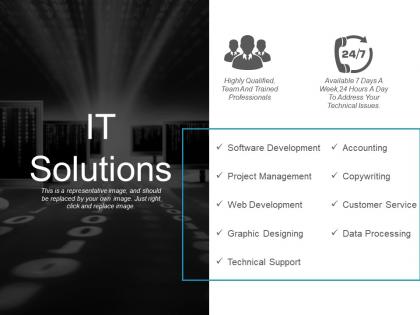
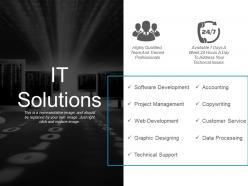
There are vast variety of information technology solution providers available in the market catering to the range of customers. This IT solutions PPT sample presentations states the availability and scope of services along with the category of clients it caters to. The IT solution provider PowerPoint template is one such slide design which can either be used solely as needed and or as an insert in your certain pre-designed PowerPoint deck. IT solution provider companies also use such presentations to tap new prospects in the market. Being a technical consultant, you can very well understand how and why this information technology assistance PPT slide graphic is used by multiple people either for their professional statements or for their educational projects. This technology solution PPT presentation graphic is rich with professional layout and is aesthetically designed. So all you have to do is quickly click on the PPT link provided below and save the presentation for your use. Get an effusive response from your audience. Boost your ego with our It Solutions Ppt Sample Presentations.
People who downloaded this PowerPoint presentation also viewed the following :
It solutions ppt sample presentations with all 5 slides:
Immediately give the guidance desired with our It Solutions Ppt Sample Presentations. Be able to deliver instant advice.


FAQs for It solutions
Dude, start with QuickBooks or similar cloud accounting software - saves so much time. Project management wise, Asana or Monday are solid choices. Most businesses are still stuck using spreadsheets for everything when they could automate like half their daily BS. Get a decent CRM too so you're not hunting through old emails for customer info. Oh, and cloud backup is huge - learned that one the hard way lol. Don't go crazy trying to fix everything though. Pick whatever's driving you most insane right now and tackle just that first.
Honestly, cloud computing is a game changer for team stuff. Your people can grab files and apps from literally anywhere instead of doing that annoying email-the-document-around thing. Real-time collaboration actually works - everyone can edit simultaneously without those awful version control disasters. Remote workers get the same access as office people, which is huge. Video calls work from any device too. I'd probably start with Google Workspace or Microsoft 365 since they're pretty straightforward. You'll notice the difference right away.
Think of cybersecurity like locking your house - you need firewalls, encryption, and access controls protecting your data. Hackers love grabbing customer info and financial records from businesses that skip this stuff. Data breaches cost a fortune too, which honestly keeps me up at night sometimes. You'll want employee training plus regular system updates as part of your defense strategy. My advice? Start with a security audit to find your weak spots first. Don't leave your digital front door hanging open.
Honestly, it comes down to what they can actually spend and how fast they need to move. Startups want cheap stuff that works and won't totally break when they scale up - so you're pushing Google Workspace instead of some massive Exchange setup. Enterprise clients? They've got compliance nightmares and legacy systems to deal with, plus budgets that don't make you wince when you see the price tags. I learned this the hard way trying to sell enterprise solutions to a 10-person startup once. Match what you're recommending to their real situation, not what they think they need.
Honestly, open-source is usually the way to go if you want real control over your tech stack. You can tweak the code however you need it, which is huge. No vendor lock-in either - I've seen companies get absolutely screwed by that. The cost savings are pretty sweet too since you're not paying crazy licensing fees. Community support is incredible most of the time. Someone's definitely hit your exact problem before and posted about it. Security's often stronger because you've got tons of developers constantly poking at the code. Just don't jump in unless your team can handle the technical side, or you'll need outside help when things break.
Track the obvious stuff first - cost savings, less downtime, operational expenses vs what you spent. The tricky part? Soft benefits like productivity gains and customer satisfaction scores. Security improvements that prevent breaches down the road too. Set up a basic dashboard to check quarterly (nothing fancy). Don't expect magic overnight though - IT ROI usually takes 12-18 months to really materialize. I learned this the hard way at my last job. Consistent tracking beats trying to measure everything perfectly from day one.
Honestly, AI/ML is everywhere now and actually useful (not just buzzword stuff anymore). Edge computing's getting big too - basically processing data closer to where it happens so everything runs faster. Cloud-native architectures are pretty standard at this point. Serverless is making deployments way less painful, which is nice. Quantum's still super early but interesting to follow. My take? Jump into some AI tools with whatever you're already doing and learn containers if you haven't. Those'll definitely be worth it down the road. Start small though - don't go crazy trying to do everything at once.
So basically, IT stuff turns anywhere into your office. Cloud storage handles files, Zoom/Teams does video calls, and project management apps track deadlines. Slack's great for random team chat - honestly way less awkward than office small talk sometimes. Time tracking software helps when you're spread across different time zones, which is super helpful. Some teams actually get more done remotely than they did crammed in conference rooms! The trick is finding tools that match how your people actually work instead of just downloading whatever everyone else uses.
Honestly, automated IT stuff is a game changer - it handles all the boring repetitive crap so you can focus on actual interesting problems. No more human errors like forgetting backups or missing security updates because the system just does the same thing every time. Plus it works around the clock, which is clutch for monitoring. I mean, who wants to check server logs at 3am anyway? The consistency alone makes it worth it - no Monday morning mistakes or post-lunch sluggishness affecting anything. Just start with whatever task annoys you most. Trust me, once you automate one thing you'll want to automate everything.
Honestly, focus on three big things when picking an IT vendor. Check their technical skills match what you actually need. Look at their track record - have they worked with companies like yours? Support is huge too because stuff will break, trust me. Don't just go with the cheapest option (learned this the hard way). Get references you can actually call, not just testimonials on their website. Their pricing structure needs to be crystal clear upfront - these companies love sneaky fees. Test how responsive they are during sales since that's probably the best you'll get from them. Everything in writing, obviously.
Look for tools that actually interact with your customers - CRM systems, chatbots, mobile apps that make things smoother. Customer portals are gold because people can track orders or get help anytime. Analytics will show you patterns in how customers behave, so you can catch problems early. Don't just pick shiny new tech because it looks cool though. Map out your customer journey first and find the biggest headaches they're dealing with. Then grab IT solutions that fix those specific issues. That's honestly where you'll see the biggest impact on satisfaction.
Oh man, compatibility stuff will drive you crazy - old systems and new software rarely get along. Moving all that data without screwing something up is brutal too. Plus people absolutely hate learning new things, which honestly I get but still makes everything harder. You'll probably deal with unexpected downtime and costs going over budget. Security gets weird during transitions too. Definitely try a small test run first and train people before you flip the switch. Oh and have a backup plan because things go sideways more often than you'd think.
So IT tools basically do all the boring compliance stuff automatically - monitoring systems, encrypting data, spitting out those audit reports. You get real-time alerts when weird stuff happens, plus proper access controls that actually work. Honestly, doing GDPR manually is like... why would you torture yourself? The backup automation alone is worth it. These systems track every single person who touches your data and when - total lifesaver during audits. Figure out which regulations hit your business first, then find tools built for those specific rules. Trust me, it's so much easier than spreadsheets.
Dude, AI is seriously changing everything in IT right now. Predictive maintenance, automated troubleshooting, resource allocation that actually gets smarter over time - it's all happening. What blows my mind is how fast incident response has gotten. Help desks are fixing problems before people even complain about them. Security catches threats instantly instead of finding out weeks later when you're screwed. I mean, I still don't trust it 100% but the monitoring tools are pretty solid. You should mess around with some of the automation stuff if you haven't already.
Look, good IT solutions just get out of your way so you can actually innovate. When your team doesn't have to wait three weeks for some approval or fight with clunky systems, they can focus on the fun stuff. Cloud platforms are cheap for testing ideas, and AI handles all the tedious tasks nobody wants to do anyway. Plus analytics help you catch opportunities before your competitors do. Honestly, the trick is finding tools that make your people feel empowered instead of drowning them in unnecessary complexity. Simple beats fancy every time.
-
Informative design.
-
Enough space for editing and adding your own content.