


Kaizen pdca cycle powerpoint presentation slides





Try Before you Buy Download Free Sample Product
 Impress Your
 Audience
 100%
100% Editable
 Save Hours
 of Time


Need inspirational example of great PPT about kaizen philosophy of continuous improvement? With our readymade kaizen pdca cycle PPT model you can easily get through this problem. Our PowerPoint show supports professionals to underline what does kaizen mean or what are kaizen events so as to help employees to better comprehend this scientific method. Morover, an effective visual communication made with our deck supports to develop a critical thinking approach and competitive factor among employees. Furthermore, you can use our presentation deck to demonstrate your pre set objectives, evaluate ongoing development processes as well as implement pdca quality improvements in your company. Going a step further, we have included exclusive slide templates like kaizen 5S framework – good housekeeping, kaizen vs. innovation, reasons of unproductivity and many more. Crux here is that if you are looking to kick start a perfect PowerPoint presentation about your plan do check action, then you certainly need to download our PPT sample file. Our Kaizen Pdca Cycle Complete Powerpoint Deck With Slides help deal with hassles. They ensure complications get cleared.
People who downloaded this PowerPoint presentation also viewed the following :
Content of this Powerpoint Presentation
Slide 1: This slide introduces Kaizen PDCA Cycle. State Your Company Name and get started.
Slide 2: This is an Agenda slide. State your agendas here.
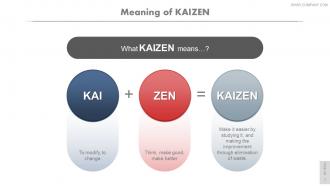
Slide 3: This slide presents Meaning of Kaizen with its definition.
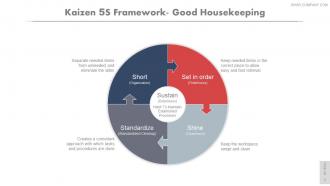
Slide 4: This slide shows Kaizen 5S Framework- Good Housekeeping with the following points- Short (Organization): Separate needed items from unneeded and eliminate the latter. Set in order (Orderliness): Keep needed items in the correct place to allow easy and fast retrieval. Shine (Cleanliness): Keep the workspace swept and clean. Standardize (Standardized Cleanup): Creates a consistent approach with which tasks and procedures are done. Sustain(Orderliness): Habit To Maintain Established Processes.
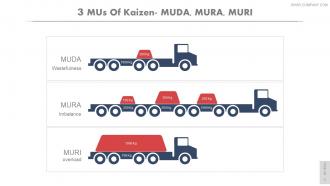
Slide 5: This slide presents 3 MUs Of Kaizen- MUDA, MURA, MURI as Wastefulness, Imbalance, Overload.
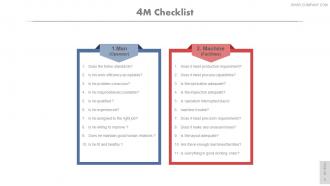
Slide 6: This slide shows 4M Checklist divdided into- 1.Man (Operator) Does the follow standards? Is his work efficiency acceptable? Is he problem-conscious? Is he responsible/accountable? Is he qualified ? Is he experienced? Is he assigned to the right job? Is he willing to improve ? Does he maintain good human relations ? Is he fit and healthy ? 2. Machine (Facilities): Does it meet production requirement? Does it meet process capabilities? Is the lubrication adequate? Is the inspection adequate? Is operation interrupted due to machine trouble? Dose it meet precision requirements? Does it make any unusual noises? Is the layout adequate? Are there enough machines/facilities? Is everything in good working order?
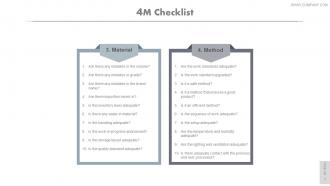
Slide 7: This slide shows 4M Checklist divdided into- 3. Material: Are there any mistakes in the volume? Are there any mistakes in grade? Are there any mistakes in the brand name? Are there impurities mixed in? Is the inventory level adequate? Is there any waste in material? Is the handling adequate? Is the work-in-progress abandoned? Is the storage layout adequate? Is the quality standard adequate? 4. Method: Are the work standards adequate? Is the work standard upgraded? Is it a safe method? Is it a method that ensures a good product? Is it an efficient method? Is the sequence of work adequate? Is the setup adequate? Are the temperature and humidity adequate? Are the lighting and ventilation adequate? Is there adequate contact with the previous and next processes?
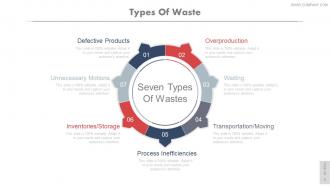
Slide 8: This slide showcases Types Of Waste Overproduction, Waiting, Transportation/Moving, Process Inefficiencies, Inventories/Storage, Unnecessary Motions, Defective Products.
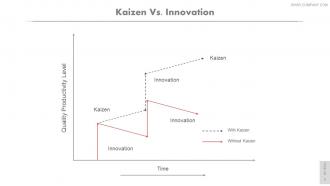
Slide 9: This is a Kaizen Vs. Innovation graph form slide.
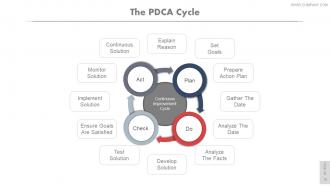
Slide 10: This slide showcases The PDCA Cycle subheaded as Continuous Improvement Cycle divided into- Explain Reason, Set Goals, Prepare Action Plan, Gather The Date, Analyze The Date, Analyze The Facts, Develop Solution, Test Solution, Ensure Goals Are Satisfied, Implement Solution, Monitor Solution, Continuous Solution, Act, Check, Do, Plan.
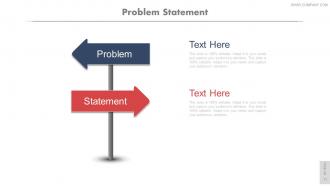
Slide 11: This slide showcases Problem Statement stating- Statement and Problem.
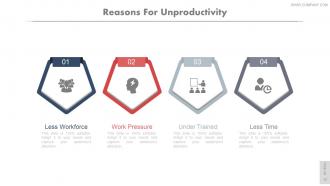
Slide 12: This slide showcases Reasons For Unproductivity such as- Less Workforce, Work Pressure, Under Trained, Less Time.
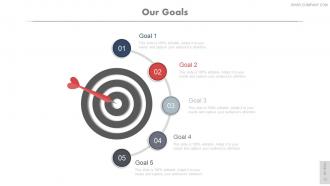
Slide 13: This is Our Goal slide. State your goals here.
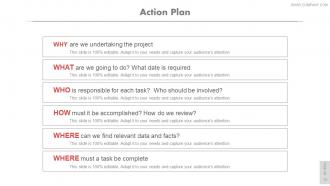
Slide 14: This slide showcases an Action Plan with- WHY are we undertaking the project. WHAT are we going to do? What date is required. WHO is responsible for each task? Who should be involved? HOW must it be accomplished? How do we review? WHERE can we find relevant data and facts? WHERE must a task be complete
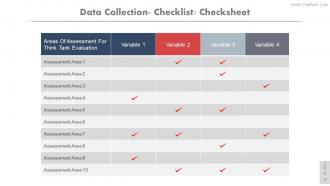
Slide 15: This slide presents Data Collection- Checklist/ Checksheet.
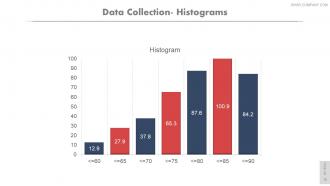
Slide 16: This slide presents Data Collection- Histograms.
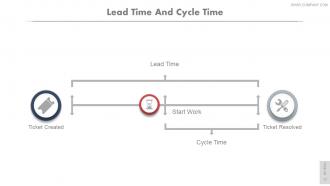
Slide 17: This slide showcases Lead Time And Cycle Time showing- Ticket Created, Ticket Resolved, Cycle Time, Lead Time, Start Work.
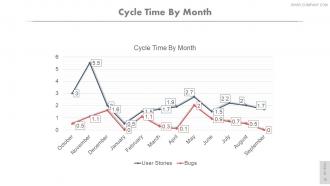
Slide 18: This slide showcases Cycle Time By Month in graph form.
Slide 19: This is a Data Collection- Scatter Diagram.
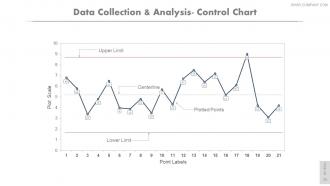
Slide 20: This slide presents Data Collection & Analysis- Control Chart displaying- Centerline, Upper Limit, Plotted Points, Lower Limit.
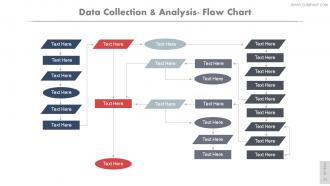
Slide 21: This slide shows Data Collection & Analysis- Flow Chart.
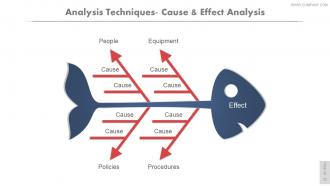
Slide 22: This slide presents Analysis Techniques- Cause & Effect Analysis People, Equipment, Policies, Procedures, Cause.
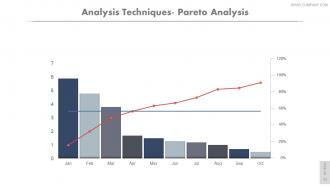
Slide 23: This is an Analysis Techniques- Pareto Analysis slide.
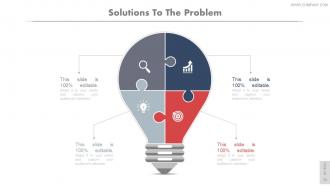
Slide 24: This slide shows Solutions to Problems provided.
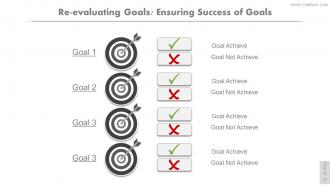
Slide 25: This slide showcases Re-evaluating ensuring success of goals.
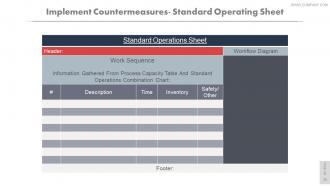
Slide 26: This is an Implement Countermeasures- Standard Operating Sheet slide.
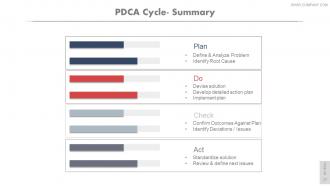
Slide 27: This is a PDCA Cycle- Summary slide with Plan, Do, Check and Act. Plan: Define & Analyze Problem, Identify Root Cause. Do: Devise solution, Develop detailed action plan, Implement plan. Check: Confirm Outcomes Against Plan, Identify Deviations / Issues. Act: Standardize solution, Review & define next issues.
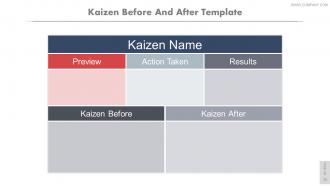
Slide 28: This is a Kaizen Before And After Template slide.
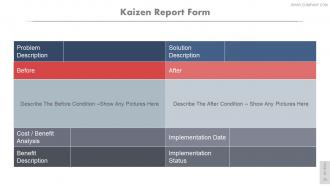
Slide 29: This is a Kaizen Report Form slide.
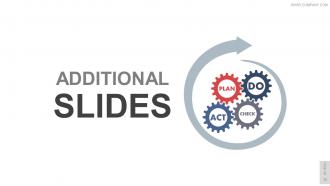
Slide 30: This slide is titled Additional slides. You can change the slide content as per need.
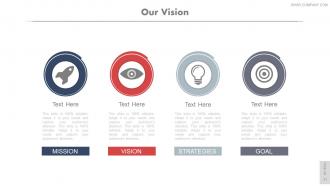
Slide 31: This is Our Mission slide displaying Vision, Mission, Strategies, and Goals. . State them here.
Slide 32: This is Our Team slide with name, designation and image box to go with.
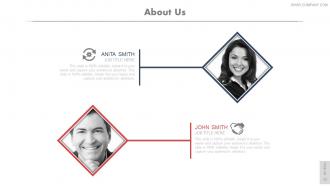
Slide 33: This is an About Us slide. State company/team specifications here.
Slide 34: This is Our Goal slide. State your goals here.
Slide 35: This is a Comparison slide for males and females. State comparison, specifications etc. here.
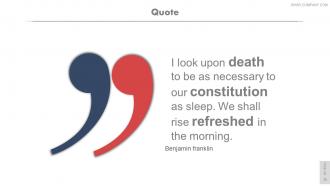
Slide 36: This is a Quotes slide to show something you want to convey.
Slide 37: This is a Financial score slide to state financial aspects etc.
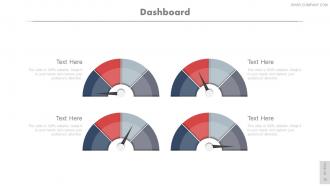
Slide 38: This is a Dashboard slide to state Low, medium and High aspects, kpis, metrics etc.
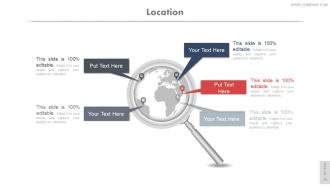
Slide 39: This is a Location slide of a globe image. Mark specific locations for company growth, market etc. here.
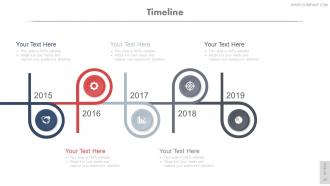
Slide 40: This slide showcases a Timeline to show milestones, important highlights etc.
Slide 41: This is a Post It slide to show important information, events etc. Pin your information here.
Slide 42: This is a Newspaper image slide to show information, specifications, events etc.
Slide 43: This is a Puzzle image slide. State information, specifications etc. here.
Slide 44: This is a Target image slide. State your targets here.
Slide 45: This is a Venn diagram slide to show information, specifications etc.
Slide 46: This is a Mind Map image slide to show segmentation, information, specifications etc.
Slide 47: This is a Matrix slide to show segmentation, information, specifications etc.
Slide 48: This is a Lego image slide. State information, specifications etc. here.
Slide 49: This slide shows Silhouettes with text boxes. State people related information, specifications etc. here.
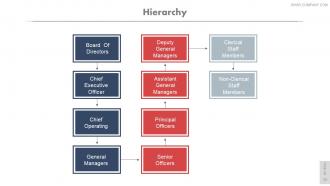
Slide 50: This is a Hierarchy slide. State team/department, organization information, specifications etc. here.
Slide 51: This is a Bulb & Idea image slide to show ideas, innovative information etc.
Slide 52: This is a Magnifying Glass image slide to show information, specifications etc.
Slide 53: This is a Bar Graph slide to show information, specifications etc.
Slide 54: This slide shows a Funnel image. State information, data specifications here like- Marketing Campaigns, Awareness, Interest Evaluation, Commitment, Referral, Repeat.
Slide 55: This is a Thank You slide with Address# street number, city, state, Contact Numbers, Email Address.
Kaizen pdca cycle powerpoint presentation slides with all 55 slides:
Drive demand with our Kaizen Pdca Cycle Complete Powerpoint Deck With Slides. Get everyone asking for more.






FAQs for Kaizen pdca cycle
So PDCA breaks down into four steps: Plan (spot problems, set goals), Do (try small changes), Check (see if it worked), and Act (keep what's good, ditch what isn't). The magic happens because you keep cycling through these - honestly gets kinda addictive once you find your groove. Small tweaks beat massive changes every time since there's less risk and you build momentum. That Check phase though? Super critical. You're constantly testing if your changes actually did anything. Pick some annoying process at work and just run it through PDCA this week - you'll see what I mean.
Just work PDCA into meetings you're already having - don't make it this whole separate thing. Each week, teams pick one tiny thing to improve, try it out, then talk about what happened next meeting. Your frontline people should run this since they actually see the problems daily. Oh, and train supervisors to ask "what did we learn?" instead of immediately jumping to "what screwed up?" when stuff doesn't work. Here's the thing though - you've got to celebrate the failures just as much as the wins. Sounds backwards, but both teach you something valuable about moving forward.
Look, your team being bought in is everything for PDCA. Honestly, I've watched so many improvement projects crash and burn because management just dictated changes from above. Frontline people know what's broken - they deal with the headaches daily. When they're part of identifying issues and building solutions, you get better ideas AND they'll actually stick to the changes. It's weird but true: people resist stuff that's forced on them but embrace what they help create. My advice? Start by asking your workers what pisses them off most about their job.
Remote PDCA is totally doable but requires some tweaking. For planning, Miro or Figma work great for brainstorming sessions. Track your Do and Check phases with shared dashboards - Notion or Monday.com are solid choices. The real challenge? Keeping everyone engaged when you can't just walk over to someone's desk. I swear virtual huddles help way more than you'd think for those Act phase discussions. Slack or Teams handle async updates well across time zones. Honestly, shorter cycles work better remotely - keeps the momentum from dying out completely.
Honestly, just pick metrics that matter for whatever you're trying to fix - defect rates, how long stuff takes, employee satisfaction, cost savings. Get your baseline numbers first though, or you'll have nothing to compare against. Most companies go overboard with complicated dashboards when simple tracking works way better. Track how fast your teams are actually finishing PDCA cycles too, and whether they're bothering with the "Act" step (spoiler: half don't). Review everything monthly with your team. Give it 3-6 months before you decide if it's working.
Honestly, the biggest pain is always people resisting change - they're so used to doing things the same way forever. Leadership not being fully on board makes it way worse too. My advice? Start with a small pilot project somewhere that'll show results fast. Get the bosses actually involved, not just nodding along in meetings. People need to understand why you're changing things in the first place, otherwise they'll just go through the motions. Training helps a ton since most folks have never even heard of PDCA. Pick one department and let success spread from there - works way better than trying to change everything at once.
Yeah, totally! PDCA works really well in healthcare and schools - maybe even better than factories sometimes. Hospitals use it for cutting down wait times or fixing medication errors. Schools try it when they're tweaking curriculum or helping struggling students. The whole Plan-Do-Check-Act thing just makes sense for any process you want to improve, you know? You're basically making educated guesses, testing small tweaks, seeing what happens, then doing more of what actually worked. Pick one tiny process and just try it once - you'll get it immediately. Way more straightforward than people make it sound.
Honestly, PDCA is a game-changer for teams that get stuck overthinking everything. Plan what might work, Do a small test, Check if it actually worked, then Act on what you learned. Simple but it works because everyone knows where you are in the process. No more jumping straight to huge changes without testing first - been there, done that, total disaster. The whole point is failing fast and cheap instead of betting everything on one idea. Each cycle teaches you something new, so you're always improving rather than just guessing. Try starting your next team meeting with a quick 15-minute PDCA planning session and see what happens.
Depends on your budget really. Trello or Asana work fine for basic PDCA - just set up boards for each phase and move stuff through. KaiNexus is solid if you want something more specialized, though it's pricier. Honestly? I've seen teams kill it with just Google Sheets and some smart formatting. Way cheaper than fancy software. For the "Check" phase data stuff, Tableau's pretty sweet if you can swing it. Power BI's decent too. My advice - start with whatever you've already got access to, then upgrade later when you know what you actually need.
You gotta walk the walk first - actually plan stuff, test small changes, check what happens, then adjust. Your team will copy what you do. Don't freak out when experiments fail (I've seen so many leaders mess this up). Celebrate the learning part, not just wins. Set up regular check-ins where people share what they're testing. Give them maybe 10% of their week for this - sounds small but it's huge. Oh, and give one team some time and resources to pilot this whole thing first. Once they get momentum, others will want in. Make failing safe and people will actually try new things.
So Toyota's obviously the big one everyone talks about - they literally created this whole approach and used PDCA to slash defects by around 90%. Amazon does it nonstop in their warehouses, constantly tweaking how workers pick items and pack stuff. There's this hospital, Virginia Mason, that went from having patients wait hours to just minutes by making tiny process adjustments. Even small companies like Fastcap (they make hardware) saw massive improvements. Honestly, the biggest thing is just starting small though - grab one annoying process your team deals with and experiment there first.
PDCA feedback loops are basically like having a continuous improvement machine running in your company. Data from each cycle flows right into planning the next one, so you're always building on wins and dropping what flopped. Teams get hooked on it once they find their groove - honestly, it becomes second nature. Problems stop feeling like disasters and start looking more like "okay, what can we figure out here?" Your whole organization gets better at adapting because everyone's constantly thinking "what'd we learn this time?" Oh, and definitely start small with just one process. Track what feedback you're actually using instead of just collecting it.
Track both process and outcome stuff - you'll need baseline numbers first, then set your targets. While you're implementing, watch things like training completion rates. The Check phase is honestly where teams either high-five or freak out! Compare what actually happened vs what you expected - cycle times, defect rates, customer satisfaction. Don't forget the Act phase metrics around whether people actually stick to the new standards. Oh, and seriously - pick maybe 3-5 metrics max or you'll drown in spreadsheets. I learned that the hard way. Start simple, you can always add more later.
So basically, treat each sprint or project phase like its own little PDCA cycle. Plan what you want to achieve and how you'll measure it. Do the work. Check if you actually hit your targets. Then act on what you learned for the next round. I've been doing this for months now and honestly? Game changer. You catch problems way earlier instead of discovering everything's broken at the end. Start with just one two-week sprint - document what worked and what totally didn't. Then tweak your approach for the next one. Way less stressful than the old "pray and hope" method.
So basically, traditional PDCA takes forever - you're planning for weeks, then executing for months before checking results. Agile flips that around with super short cycles, like days or weeks max. Way less upfront planning, but you're constantly adjusting based on what's actually happening. It felt pretty messy when I first tried it, not gonna lie. But here's the thing - you catch mistakes early instead of realizing you've been going the wrong direction for three months. Short bursts work better than I expected. If you're coming from traditional methods, just start small and you'll get the hang of it.
-
Appreciate the research and its presentable format.
-
Helpful product design for delivering presentation.