

Leave Tracker Powerpoint PPT Template Bundles





Try Before you Buy Download Free Sample Product
 Impress Your
 Audience
 100%
100% Editable
 Save Hours
 of Time


Our Leave Tracker Powerpoint PPT Template Bundles are topically designed to provide an attractive backdrop to any subject. Use them to look like a presentation pro.
People who downloaded this PowerPoint presentation also viewed the following :
Leave Tracker Powerpoint PPT Template Bundles with all 17 slides:
Use our Leave Tracker Powerpoint PPT Template Bundles to effectively help you save your valuable time. They are readymade to fit into any presentation structure.







FAQs for Leave Tracker Powerpoint
So for leave trackers, you definitely want auto-calculations for accruals and balances - saves you from doing math constantly. Get approval workflows that send requests to the right people automatically. Calendar integration is huge too because then everyone can see who's out without asking around. Track different leave types separately (PTO, sick days, whatever). Oh and make sure it does reports for payroll stuff. The good ones will bug people about pending requests and low balances which honestly is pretty helpful. Start with those basics, then you can add other features if your team actually needs them.
Honestly, leave trackers are game-changers for avoiding time-off drama. Your employees can check their balances instantly and submit requests without the back-and-forth emails (seriously, who has time for that?). Managers get a clear view of who's out when, so they can catch staffing issues early. No more playing favorites or making decisions based on whoever asks loudest. The whole thing just builds trust - people actually know where they stand. When planning vacation becomes hassle-free, your team comes back way more refreshed. I'd start with automating approvals first, then build from there.
Yeah, you can track basically any leave type with a decent template. Sick days, vacation, personal time, maternity leave, bereavement - all that stuff. Some companies even do sabbaticals and volunteer days (honestly jealous of those places). The trick is setting up different columns for each type so you don't lose track of balances. I'd start with whatever leave you use most - vacation and sick probably - then add the random ones like jury duty later. Way easier than trying to build everything at once and getting overwhelmed with categories you'll barely touch.
So each industry kinda does their own thing with leave systems based on what they need. Healthcare has to deal with crazy shift patterns and on-call stuff. Manufacturing focuses on keeping production lines covered plus union rules. Tech companies love their unlimited PTO thing with approval processes. Retail is honestly the worst - imagine managing all those holiday blackouts and seasonal chaos! Schools sync everything with academic calendars and sabbaticals. I'd just look for a platform that has templates for your industry or lets you customize fields for whatever weird leave types you deal with.
Oh man, don't rush the rollout without getting managers on board first - that's death. Also, people get seduced by fancy systems with a million features when basic ones work fine. I've literally watched teams ditch good software because it was too complicated. Your data migration will be a mess if you don't clean up the old stuff first. Train people properly or they'll just ignore it. Start with one department, fix your existing leave records, and actually show them how it's not just more work. Otherwise you're screwed.
Dude, automation just takes all that tedious leave tracking BS off your plate. Your system handles the balance calculations automatically, sends out reminders, and routes approvals without you touching anything. Real-time updates, proper workflows - the whole nine yards. Honestly, if you're still drowning in spreadsheets, this will save your sanity. Plus you get way better compliance since everything follows the same rules and tracks properly. I'd start with whatever's eating up most of your time - probably those balance calculations and getting approvals to the right people. Total game-changer, seriously.
Check how often people take leave by department first - that's where the weird patterns usually show up. Seasonal stuff matters too, plus how long different types of leave actually last. Monday sick days are basically a meme at this point, but seriously watch for those spikes around deadlines. Balance utilization tells you if people are actually using their time off (spoiler: they're probably not). Approval times can get stupid slow if your process sucks. Oh, and denial rates - high numbers there usually mean someone's being unreasonable. Start tracking these and you'll spot the problem areas pretty quick.
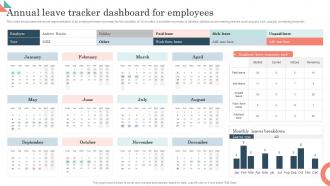
Honestly, color coding changed everything for me. Instead of staring at spreadsheet rows forever, I can instantly see who's already blown through their PTO (looking at you, Sarah from accounting). Progress bars show balances super quickly, and charts actually make sense of patterns over time. Color-coded calendars are clutch for spotting coverage gaps right away. No more doing math in your head every time you need to check someone's days left. Charts help with the bigger picture stuff too - like which teams are consistently short-staffed. Just start simple with colors on whatever you're using now.
Look, compliance isn't optional if you want to avoid getting sued. Your leave tracker needs to handle FMLA calculations, sick day accruals, all that legal stuff automatically. Spreadsheets are basically useless here - learned that the hard way at my last job when HR panicked during an audit. The system should flag when employees hit legal limits and spit out reports for compliance checks. Honestly, half these trackers are garbage at actually following state laws though. Start by figuring out what rules apply to you first, then find something that won't leave you scrambling when auditors show up.
Honestly, leave trackers are pretty clutch. You can see who's out when and actually plan around it instead of finding out last minute that half your team is gone. I used to hate those "wait, where's everyone?" moments - kills momentum every time. The trick is spotting resource gaps early so you can move deadlines or shuffle work around. Maybe bring in temp help if needed. Just make sure people actually use the thing though. I'd probably link leave requests to tracker updates so it becomes automatic. Otherwise it'll just sit there empty and you're back to square one.
Dude, mobile leave trackers are seriously clutch for remote teams. You can submit requests from your phone while grabbing coffee instead of waiting to get back to your computer. Approvals happen way faster since managers aren't chained to their desks either. The scheduling headaches basically disappear - no more "wait, where's Sarah?" moments because her request got lost in someone's inbox. I've seen teams where half the confusion comes from people not knowing who's actually working that day. Check if your current system works on mobile first. If it's still stuck in 2015, definitely bug your boss about upgrading.
Your employees are basically free consultants - they use the tracker every day and catch stuff you'd totally miss. Focus groups or quick surveys will show you where people get stuck, like needing half-day requests or too many approval clicks. I swear, some companies fix one annoying workflow and suddenly everyone loves the system. The key is asking early and often. Don't just guess what sounds smart - build what people actually need. Even a simple feedback form beats assumptions every time.
You'll definitely need multi-factor authentication and role-based access - like, HR sees everything but managers only see their team's stuff. Encrypt all the data whether it's stored or moving around. SSL certificates are a must (seriously, some companies still don't bother with this basic protection). Set up audit trails to track who looked at what and when. Regular encrypted backups are key too. Oh, and create data retention policies so you're not hoarding leave records from 2015 forever. Basically treat it like any sensitive HR system. Audit everything yearly minimum.
Oh man, this is such a pain point! European employees expect like 25+ vacation days while Americans might get 10-15 if they're lucky. Then you throw in religious holidays that are completely different everywhere - it's honestly a mess. Sick leave policies? Some places are super formal about it, others are chill with mental health days. I'd say get a system that handles multiple policies at once and lets you customize workflows by region. Definitely set up those regional templates right away though, or you'll be scrambling later trying to fix everything.
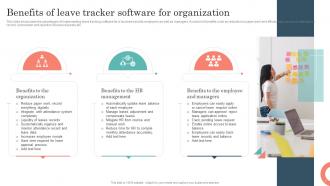
Honestly, leave trackers are pretty great for keeping people around. Your team feels way more respected when they can actually see their PTO balance and request days off without some crazy approval process. Nobody wants those "oh crap, I'm about to lose vacation days" moments at year-end. Managers benefit too - like when you notice Sarah hasn't taken time off in months and is probably heading for burnout. That visibility thing works both ways and builds real trust. Just make sure your system sends those gentle "hey, you've got unused PTO" nudges instead of letting days pile up invisibly until it's too late.
-
Really like the color and design of the presentation.
-
Excellent Designs.