

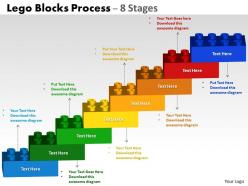
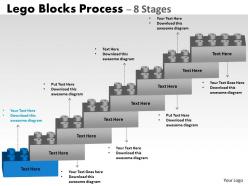
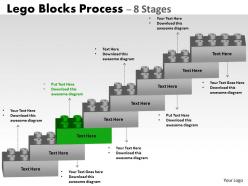
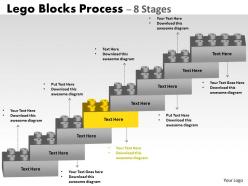
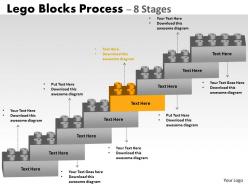
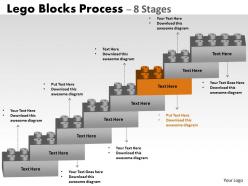
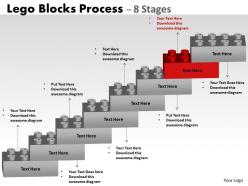
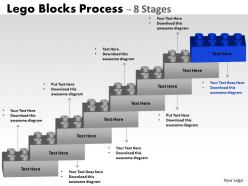
Lego blocks flowchart process diagram 8 stages





Try Before you Buy Download Free Sample Product
 Impress Your
Audience
 100%
Editable
 Save Hours
of Time


Your thoughts will glow brightly forever. Our Lego Blocks Flowchart Process Diagram 8 Stages will throw light on them.
People who downloaded this PowerPoint presentation also viewed the following :
Lego blocks flowchart process diagram 8 stages with all 13 slides:
Improve efficiency and deliver greater productivity with our well designed Lego Blocks Flowchart Process Diagram 8 Stages. They will surely help you make optimum use of your resources to impress your audience.




FAQs for Lego blocks flowchart process
So you've got your usual flowchart stuff - start/end blocks, process steps, decision diamonds, connectors. But picture everything looking like actual Lego bricks. The colors totally grab people's attention, and honestly? Nobody falls asleep during these presentations like they do with regular boring diagrams. Each "brick" connects to show how the whole process builds up - pretty clever metaphor when you think about it. You can even color-code departments or different process types. I used one last month and people were way more engaged than usual. Worth trying for sure.
Dude, you should totally try mapping out workflows with actual Legos - sounds weird but it's genius. Use different colors for each step type: red bricks for decisions, blue for actions, yellow for waiting periods or whatever. The whole team can literally grab pieces and move stuff around during meetings, which beats staring at a whiteboard. I got way too into this last month, honestly. Physical building makes bottlenecks super obvious compared to regular flowcharts. Start with your messiest process first - you'll be shocked how fast the problems jump out at you when they're sitting there in plastic brick form.
So basically use different colored bricks for each department or decision type - red for urgent stuff, blue for financial approvals, green for go-aheads. Stack them up for processes that happen in order, or branch them out to show different workflow paths. The hands-on part gets people so much more involved than another boring PowerPoint (thank god). Drop some minifigures at key decision points as your stakeholders. Oh, and build little "parking lots" with gray bricks for tasks that inevitably get stuck or delayed. Seriously, try mapping your next project this way - you'll catch bottlenecks you totally missed on paper.
Pick bright colors that pop - reds, blues, yellows from the classic Lego palette work great. They're nostalgic and way more fun than boring corporate colors (seriously, who wants to look at gray flowcharts?). Stick to 3-4 colors max so you don't overwhelm people. Be consistent with your coding - maybe red for decisions, blue for processes. This helps people follow along without getting lost. The contrasting colors grab attention and make the whole thing easier to read. Plus there's something about those Lego colors that just puts people in a "learning mode" mindset, you know?
Dude, you should totally try Lego flowcharts for your next process meeting. Way more engaging than staring at boring boxes on a screen. People actually get excited about moving the blocks around to test different scenarios - who knew planning could be fun? The 3D thing really helps non-technical folks visualize what's happening. Plus you can rebuild stuff super quick without redrawing everything from scratch. I've been using basic bricks for process reviews and honestly? The discussions get so much more collaborative. Your team will thank you.
Oh this is such a cool idea! Basically you have kids build flowcharts with actual Lego bricks instead of drawing them. Way more engaging than boring diagrams on paper. Different colored bricks can represent different steps, and bigger pieces for major decisions vs smaller ones for minor stuff. Students can physically move pieces around when they mess up their logic - which happens constantly, let's be real. Visual learners especially love this approach. Start simple with something like "morning routine" flowcharts, then work up to harder concepts like scientific methods. My cousin's teacher did this and even the kids who normally zone out were totally into it.
Try Stud.io first - it's free and has all the official Lego pieces you'd want. LDraw works too but it's more complicated to learn honestly. I've also seen people just use Lucidchart or Draw.io with colored rectangles for different brick types. Not as pretty but way faster if you're in a hurry. There's also LEGO Digital Designer floating around online even though they killed it off. Kinda annoying they discontinued it tbh. But yeah, definitely start with Stud.io and just play around with something simple first to get the hang of it.
Dude, you should totally try building your flowchart with actual Lego bricks instead of software. The clicking and snapping makes you slow down and really think about each step - way more than just dragging boxes around a screen. It's weirdly relaxing too, like adult fidget toys or something. When people walk by your desk they actually stop and want to help, which never happens with digital stuff. Oh and here's the cool part - you can't go crazy with complexity like you do on computers, so you end up with cleaner processes. Seriously, grab some bricks and test it out next time.
Dude, Legos are genius for sprint planning! Different colored bricks work perfectly for user stories, tasks, whatever. When requirements change (because they always do), just move stuff around instead of redoing digital boards. Your team actually gets hands-on during retrospectives rather than zoning out at another screen. Mid-sprint priority shifts? Just rebuild it. Way more engaging than Jira - trust me on this one. I started doing it after getting sick of the same old planning meetings. Try it for backlog grooming and watch how much more your team participates.
Oh man, symbols are a total lifesaver for Lego flowcharts! Those tiny blocks can barely fit any text anyway. Use arrows for direction, gears for processes, maybe warning triangles for decisions - whatever makes sense. It creates this visual language that's super quick to read. Anyone can follow it without squinting at microscopic words. Honestly, I think consistency is key though - pick an icon style and stick with it. Makes the whole thing look way more polished. Your brain processes the visual cues so much faster than trying to decode text.
Dude, you've gotta try Lego flowcharts! People actually get excited about brainstorming when they can build stuff with their hands. Different colored bricks work perfectly for separate ideas or decision paths. The quiet folks who never speak up? They'll suddenly jump in because it doesn't feel like a typical meeting anymore. Something about moving physical pieces just clicks differently than staring at a boring whiteboard. When you need to change direction, just rebuild that section - super easy. Oh, and start simple with basic bricks so people aren't overwhelmed. Let them build first, then connect everything together.
Healthcare teams love these for mapping patient care stuff. Tech companies use them for user journeys too. Manufacturing gets really into it for quality control - there's something about moving actual pieces around that just works better than staring at a screen all day. I've seen way more people actually jump in and contribute instead of sitting there looking bored. Oh, and software dev teams are obsessed with them for planning sprints. The trick is starting simple - don't go crazy with your first attempt. Let people mess around with the blocks and you'll be surprised how much they get into it.
Oh totally! Start with some kind of problem or challenge at the top of your flowchart. Then each step becomes like a mini plot point leading to the solution. I do this with boring work processes all the time - honestly makes meetings way less painful lol. Try creating a relatable character who'd actually use your process. Add little story bits right in your decision diamonds and boxes. Short sentences work great. The trick is making it feel like you're following someone through solving an actual problem, not just random shapes connected by arrows. Way more engaging that way!
Don't overcomplicate it or cram too much in - people zone out quick. Make sure your text is big enough to read from across the room. Skip the tiny detail pieces that look amazing up close but turn into blobs on camera. I get it, Lego is inherently adorable, but don't let the cuteness factor override your actual message. Test it out on someone first! What seems perfectly logical to you might confuse everyone else. Keep each step straightforward and the flow should work itself out.
Yeah, just use your phone camera during video calls to show your physical builds! Digital tools work great too - Lucidchart has Lego-style icons you can use. Mail small sets to your team beforehand so everyone builds together (kind of expensive but honestly pretty fun). Take photos of your flowcharts and throw them into slides with annotations. Miro's got these brick templates on their whiteboard thing. Teams get surprisingly creative with this stuff. The whole point is keeping that hands-on feel even when you're all working from home.
-
Best way of representation of the topic.
-
Enough space for editing and adding your own content.