


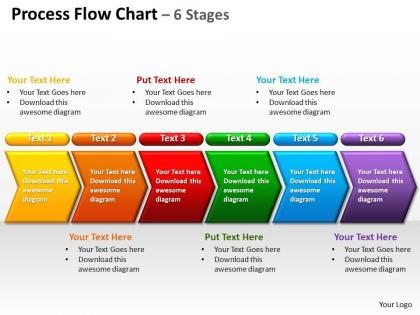
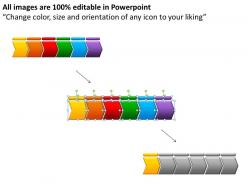
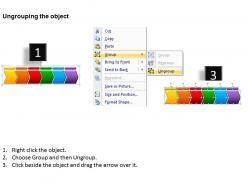
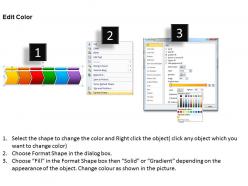
Process flow chart 6 stages powerpoint diagrams presentation slides graphics 0912




Try Before you Buy Download Free Sample Product
 Impress Your
 Audience
 100%
100% Editable
 Save Hours
 of Time


Concentrate your thoughts on the road ahead. Our process flow chart 6 stages powerpoint diagrams presentation slides graphics 0912 will Keep you on track.
People who downloaded this PowerPoint presentation also viewed the following :
Process flow chart 6 stages powerpoint diagrams presentation slides graphics 0912 with all 10 slides:
Unique process flow chart 6 stages powerpoint diagrams presentation slides graphics 0912 for every need. Compelling design aimed at your presentation goals.
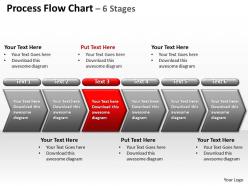
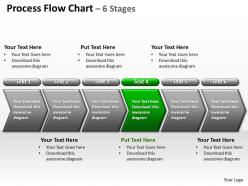
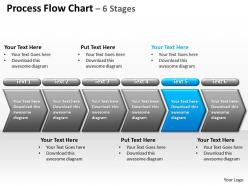
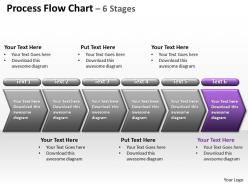
FAQs for Process flow chart 6 stages powerpoint diagrams presentation
So you'll want those standard flowchart pieces - start/end ovals, decision diamonds, process boxes. The arrows should connect everything logically, top to bottom or left to right. Be super specific with your descriptions though. Like, "review stuff" tells me absolutely nothing! Each step needs to be clear enough that someone random could follow it. Don't forget the error paths either - that's where most flowcharts fall apart. Oh, and definitely walk through it with a real example afterward. I can't tell you how many times I've caught weird gaps that way. Keep symbols consistent throughout so it doesn't look messy.
Honestly, flowcharts are game-changers for teams. You know those awkward moments where someone goes "wait, who's supposed to do what?" They basically disappear when everyone's looking at the same visual map. New people get up to speed way faster too - instead of explaining everything twice, you just show them the chart. When something breaks or needs fixing, the whole team can actually help because they understand how things connect. I'd pick whatever process drives everyone crazy right now and start there. Once people see how much clearer things get, they'll want to map out everything else.
Honestly, I'd just go with Draw.io first - it's free and has all the flowchart stuff you need. Lucidchart's pretty solid too if you want something a bit more polished. Visio works if your company already pays for it, but man, it feels so outdated now. Miro's cool for team stuff where everyone's collaborating. Actually, don't overthink it - even PowerPoint works for basic charts if that's what you've got. I always end up learning the fancy features later anyway. Draw.io's probably your best bet to start.
Definitely go with the basic symbols everyone knows - ovals for start/end, rectangles for processes, diamonds for decisions. There's tons of other symbols but honestly most people get confused by anything fancy. Oh and parallelograms for inputs/outputs. If your flowchart gets crazy and lines are crossing everywhere, throw in some circles as connectors. Just be consistent with whatever you pick - don't randomly switch symbols halfway through or people will be lost. Trust me, simple beats complicated every time when you want folks to actually follow your logic.
Oh man, the worst thing you can do is overcomplicate it with every tiny detail. Nobody wants to follow a maze, you know? Stick to the main steps that actually move things forward. And please don't skip those diamond decision points - I see people do this all the time and it drives me nuts. Be super specific about who's doing what too, none of that vague "process the request" garbage. Here's what really works though: grab someone who's never seen your flowchart before and watch them try to follow it. If they're squinting and going "wait, what?" then you've got work to do. Keep it simple.
Okay so process flow charts are like your best friend for catching quality problems early. Mark the spots where things usually go wrong, then stick checkpoints right there. Half the mess-ups I see happen because everyone's doing their own thing - flow charts fix that by standardizing everything. When something breaks, they're perfect for tracking backwards to find the root cause. Also map out your inspection points and approval steps directly in the workflow. Honestly, just sketch the whole process first before you build anything. Makes spotting where quality checks should go way easier.
So basically, high-level charts are like the bird's eye view - just your main steps and big decisions, maybe 5-10 boxes tops. Perfect for showing your boss or getting everyone on the same page initially. Detailed ones break down literally everything that happens, all the tiny steps and sub-processes. I always start with the high-level version first because honestly, if you jump straight into the weeds, people's eyes glaze over. Once that's solid, then you can create the detailed versions for whoever's actually doing the work day-to-day.
Just throw a little text box on your flowchart with the date and what you changed - way easier than separate docs. Save old versions like "Process_v2.1" so you can go back if needed. Honestly, the hardest part is remembering to actually do it every time. I learned this the hard way when I had zero clue what past-me was thinking with some random update from months ago. Keep notes about WHY you changed stuff too, not just what. Trust me, future you will thank you when someone asks about that weird step you added.
So you're asking about process flow charts? Think of them as taking a snapshot of your current mess before cleaning it up. Map out everything that's happening now - all the stupid handoffs, bottlenecks, and those "we've always done it this way" steps that make zero sense. Once it's all laid out visually, inefficiencies jump right out at you. Plus stakeholders actually get it when they can see the chaos on paper. Honestly, half the battle is just getting people to realize how convoluted things really are. Design your dream process after you've documented the nightmare you're currently living.
Honestly, flow charts are such a lifesaver for training new people. You can show them the whole process visually instead of drowning them in text - way easier to follow. New hires pick things up so much quicker when they can actually see who does what and where things get passed along. They'll reference the charts on their own too, so you won't get peppered with questions all day. I always start with the processes that trip people up most - usually the ones everyone deals with daily anyway. Oh, and you can spot exactly where someone's getting confused during training sessions.
Break it down into smaller chunks first - way less overwhelming that way. Start with the big picture, then dive into details for each section. Honestly, most flowchart confusion happens because people go nuts with random shapes instead of sticking to standard symbols. Group similar steps together and ditch decision points that don't actually matter. Color-coding by department is clutch too. You might need different versions depending on who's looking at it - your boss probably wants the overview while your team needs all the nitty-gritty details.
Quarterly works for most teams, but it really depends on how much your stuff changes. Fast-paced environment? Maybe check monthly. I've watched so many teams cling to charts that are basically fiction at that point - nobody follows them anymore. Update when you switch tools, add steps, or kill bottlenecks. Also when people keep going rogue from what's documented (that's usually a dead giveaway). Just throw a recurring reminder on your calendar like you would for any other boring maintenance thing. Trust me, you'll be grateful when you're training someone new and actually have current info to work with.
Give everyone the big picture first before getting into the weeds. Use a pointer to guide them through it, but don't just read the slides - that's so annoying. Explain why each step matters and where things usually get stuck. Ask questions at key decision points to keep people engaged. Oh, and definitely print handouts for complex stuff so they can scribble notes. Test your tech beforehand though - learned that one the hard way when my screen froze right during the most important part. Nothing worse than awkward technical difficulties killing your flow.
Start with interviews - talk to people who actually do the work daily since they know where things get messy. Workshops with sticky notes are honestly kind of cheesy but they work great for mapping stuff out together. Get everyone in a room to walk through the process and you'll spot problems fast. Don't wait until the end to show people what you've got - circulate drafts early and ask for feedback constantly. Oh, and kick things off with a quick meeting to figure out who needs to be involved when. That saves you from accidentally leaving out someone important later.
Oh definitely use color-coding! I usually do like blue for regular processes, red for quality stuff, green for approvals. Makes everything so much clearer when you're looking at it later. Your team will actually thank you for this one. Don't go crazy with colors though - maybe stick to 3 or 4 max? I learned that the hard way lol. When you're showing it to your boss or training people, they can follow the flow without squinting at a million identical boxes. Honestly saves so much confusion during meetings.
-
Colors used are bright and distinctive.
-
Use of icon with content is very relateable, informative and appealing.