

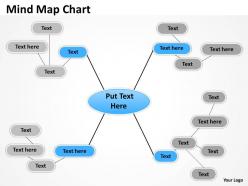
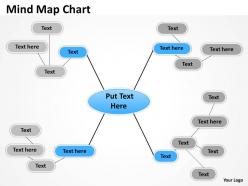
Mind map flow chart





Try Before you Buy Download Free Sample Product
 Impress Your
 Audience
 100%
100% Editable
 Save Hours
 of Time


Charge your batteries with our Mind Map flow chart. Your thoughts will go on and on.
People who downloaded this PowerPoint presentation also viewed the following :
Mind map flow chart with all 6 slides:
For pitch perfect presentations select one of our thousands of Mind Map flow chart options. Perfect for any presentation need.
FAQs for Mind
Dude, mind maps are seriously a game changer for presentations! Your audience can actually see how everything connects instead of staring at boring bullet points. I personally think people zone out way less when there's a visual flow to follow. Plus it helps you stay on track - like, you won't forget where you were going with an idea. Questions get better too since everyone sees the big picture. Oh and here's what works: sketch the mind map first, then worry about making slides. Way easier than doing it backwards.
Mind mapping is honestly a game changer for brainstorming. Instead of boring bullet points, you put your main idea in the middle and branch out from there. Way more like how we actually think, right? The visual thing really works - you start seeing connections between ideas that you'd totally miss in a regular list. Plus everyone stays way more engaged when they can watch the whole thing grow. Oh, and definitely use different colors for themes or people. I learned that one the hard way after staring at a mess of black text for an hour. You'll get so many more ideas flowing once people see the big picture.
MindMeister's probably your best bet - super easy to use and great if you're collaborating with people. XMind is solid too. I've used Lucidchart before and it's pretty nice, especially if you're already in their ecosystem. Honestly though, sometimes I just end up using PowerPoint for quick stuff lol. Draw.io works if you want something free and no-frills. The thing is, whichever one you'll actually stick with is gonna be the right choice. I'd mess around with the free versions first - no point paying for something you won't use.
Your brain works through connections, not boring lists, so mind maps actually match how you think. Drawing those branches between ideas creates multiple routes to remember stuff later - way better than just reading through notes once. I swear it works because you're actively doing something instead of zoning out. It's basically like making a GPS for your thoughts, if that makes sense. After your next meeting, try sketching one out instead of regular notes. You'll probably be shocked at how much more sticks.
Okay so basically traditional notes are just linear - you write from top to bottom, bullet points, whatever. Mind mapping is totally different though. You start with your main topic in the center and branch out like a tree. Way more visual! You can actually see how ideas connect to each other instead of just writing down what someone says in order. Plus you get to use colors and little drawings which honestly makes it less boring. My brain retains stuff better when I can see the relationships spatially. If you're more of a visual person or need to brainstorm ideas, definitely give mind mapping a shot next time!
Honestly, mind maps are a game changer for projects. Put your main goal in the center, then branch out with phases, tasks, deadlines - all that stuff. Way less overwhelming than those crazy Gantt charts (I hate those things). You'll spot connections between workstreams that you'd totally miss in regular linear plans. Perfect for brainstorming risks or mapping out stakeholders too. I use them in those messy review meetings when everyone's throwing ideas around. Next time you're starting a project, just grab a whiteboard first. Map out the big pieces before you dive into all the detailed planning docs.
Dude, colors are a game-changer for mind maps! Your brain literally processes colorful stuff faster than boring black text. I usually go red for anything urgent, blue for random ideas I might use later - works pretty well. Different colors help you group topics and spot patterns way quicker. Though honestly, don't go crazy with like 10 different colors your first time. Stick to maybe 3 or 4 colors max, otherwise it'll just look messy and defeat the purpose. The whole point is making it easier to scan and remember everything later.
Honestly, mind maps are a game changer for presentations. Put your main topic dead center, then branch out to your 3-4 big sections. Each branch becomes part of your deck - the sub-branches are your actual talking points. Way better than those boring linear outlines that feel like homework. You can actually see how everything connects instead of just having a random list. Plus you'll never lose your place since you just follow the branches. I got obsessed with this method after my last disaster presentation where I totally blanked. Sketch one out next time - your whole story becomes so much clearer.
Honestly, the biggest trap is cramming way too much text on each branch - keep it short and snappy. Also, don't make it boring as hell! Colors and little drawings actually help you remember stuff better (plus they're not painful to look at later). Most people make all their lines the same thickness too, which is weird - thicker lines for main ideas, thinner for details. Oh, and I know this sounds backwards, but messy mind maps that capture everything beat perfect-looking ones that miss half your thoughts. Just start simple and don't overthink it.
So mind mapping is actually pretty cool for team stuff - way better than those boring brainstorming meetings where the same three people dominate everything. Everyone can throw ideas onto a shared digital map at once, which means your quieter teammates finally get a voice. The whole visual thing really helps too because you start seeing connections between ideas that would totally get buried in a regular doc or meeting. Oh, and you can split up different sections between people and watch progress happen live. Honestly, just try it for your next project kickoff - I was skeptical at first but it's surprisingly good at getting everyone on the same page.
Colors are seriously your best friend here - start with them right away since they literally wake up different parts of your brain. Random word association sounds ridiculous but trust me, throw in totally unrelated words and watch what happens. Don't filter anything at first, just brain-dump everything onto the map. Even the dumb stuff, honestly. Set 10-minute timers so you don't spiral into overthinking mode. Here's what really changed things for me though: physically rotate your paper or flip your screen around. Seeing it from weird angles sparks completely different connections. Next time, pick three random colors and just start there.
Okay so basically your brain loves visual stuff way more than boring text blocks. When I add colors to mine, different topics just pop out - like boom, there's my work section in blue, personal stuff in green. Icons are clutch too because they stick in your head better. Short sentences work. But then you get these longer flowing connections between ideas that you can literally see spread across the page instead of hunting through paragraphs. Honestly? Mind maps feel like cheating sometimes - everything clicks so much faster. Just throw 2-3 colors on your next one and you'll get what I mean. Way better than those linear notes I used to torture myself with.
Dude, mind maps are seriously clutch for studying. Your brain naturally thinks in connections, not straight lines, so why force it? Put your main topic in the middle, then branch out with subtopics and details. Drawing those links between ideas actually helps you understand stuff deeper instead of just cramming facts. I used to hate them tbh, thought they looked messy. But when you're sitting in that exam, you can literally follow the visual paths you created. Way easier than flipping through pages of boring linear notes that all blur together.
So basically you put your main topic in the middle, then draw branches out to your big subtopics. Each of those gets smaller branches for details and examples - it builds naturally. Way better than those annoying outlines with all the numbers and letters honestly. Your brain just gets it faster when stuff is spread out visually instead of crammed in a list. I always start with maybe 3 main branches, then add more as I'm working through everything. It's like your thoughts can actually breathe, you know? The connections between ideas become super obvious.
Put your main topic dead center, then branch out with different colored lines for each big idea. Don't write full sentences - just single words or short phrases (I always mess this up and want to ramble). Group related stuff close together and keep your font sizes consistent so it actually makes sense. White space is your friend here - cramped mind maps look terrible and defeat the whole purpose. Simple drawings or little icons help things stick in your brain way better than just text. If one section gets too messy, just redraw that part.
-
Thanks for all your great templates they have saved me lots of time and accelerate my presentations. Great product, keep them up!
-
The Designed Graphic are very professional and classic.