


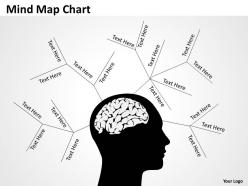
Mind map drawing chart





Try Before you Buy Download Free Sample Product
 Impress Your
 Audience
 100%
100% Editable
 Save Hours
 of Time


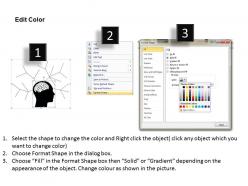
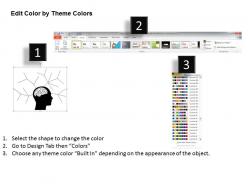
You have a clear understanding of the situation. Demonstrate your mastery with our Mind Map drawing Chart.
People who downloaded this PowerPoint presentation also viewed the following :
Mind map drawing chart with all 6 slides:
Fill in the blanks with our Mind Map drawing Chart. Solve the puzzle with your clever ideas.
FAQs for Mind
Honestly, mind maps are a game changer for presentations. Instead of boring bullet points, you're showing how ideas actually connect to each other. People can follow your thinking so much better. I used to hate those text-heavy slides too - they're just painful to sit through. When you map things out visually, even complicated stuff becomes way easier to understand. Your audience stays engaged and asks way better questions afterward. Seriously, try swapping out your next agenda slide for a simple mind map. The difference is pretty obvious once you see it in action.
Your brain doesn't think in straight lines, so why should your notes? Mind mapping works because it copies how you actually make connections - everything branches out from the main idea instead of being stuck in boring lists. The visual thing really helps too. Different colors for each branch (trust me on this) make patterns jump out at you. I always end up having those random lightbulb moments where two totally unrelated thoughts suddenly click together. It's way more fun than staring at bullet points, and your creative side actually gets to participate instead of just sitting there.
Honestly, mind maps work because your brain loves making connections way more than memorizing boring lists. You're basically creating multiple routes to the same info when you draw those visual links between ideas. The colors and spatial stuff? Way stickier in your memory than plain text - I swear by this. Drawing it out also gets your hands involved, which helps retention too (something about motor memory). Next time you're prepping a presentation, try mapping it out first. You'll barely glance at your notes during the actual thing.
Colors are your best friend - give each main branch its own color scheme so everything stays organized. Keep text super short, like single words or tiny phrases instead of full sentences. Honestly, I'm obsessed with adding little icons and doodles because they actually help you remember stuff way better than just words. Your branches should curve naturally outward from the center (straight lines look weird). Oh, and mix up your line thickness - fat ones for main ideas, skinny ones for the details. Just start with your topic in the middle and spiral out from there.
Honestly, digital mind mapping is a game changer for brainstorming sessions. You can drag ideas around instantly instead of erasing and redrawing everything. Multiple people jump in from wherever they are - way better than crowding around a whiteboard trying to read someone's chicken scratch handwriting. The maps look so much cleaner too, and you can throw in images or links. I've been using Miro lately but MindMeister works great too. Best part? You can actually search your old maps later instead of losing those brilliant ideas on crumpled paper somewhere.
Oh man, color-coding is a total game changer for mind maps! Your brain basically treats it like a filing system - you can jump straight to what you need without reading everything. Blue works great for main topics, green for action items, red for urgent/problem stuff. The memory thing is real too, something about how we process visuals vs text differently. Just don't go crazy with too many colors or it'll look like a rainbow threw up on your page lol. Stick to maybe 3-4 max and you're golden.
So mind mapping is perfect for this! Put your main project goal smack in the middle, then draw 4-6 branches for your biggest areas. Keep breaking those down until you hit actual tasks you can tackle. What I love about it is you can see how everything connects - dependencies jump out at you way better than with boring lists. Plus it beats staring at a wall of bullet points that makes your brain shut down. Each branch becomes its own workstream basically. The visual hierarchy thing really works, trust me on this one.
Ugh, don't make it super cluttered right off the bat - that's the worst mistake. I used to try cramming everything in from the start and it looked like a hot mess. Keep your keywords short instead of writing novels on each branch. Colors and little doodles actually help way more than you'd think! Also resist the urge to perfect your first section forever (guilty as charged lol). Just throw your main idea in the middle and let it branch out naturally. Skip the full sentences - defeats the whole point of visual thinking anyway.
So mind maps are actually pretty great for team stuff. Everyone can see the whole picture instead of getting lost in boring docs. Real-time editing is clutch - people just start building off each other's ideas naturally. Honestly, I've noticed different team members always end up focusing on different branches, which makes dividing up work super organic. Way more engaging than another meeting with bullet points (ugh). The visual thing really helps too because you can actually see how everything connects. You should definitely try it for your next brainstorming session - just use one of those shared digital ones.
Honestly, mind maps are game-changers for brainstorming or when you're juggling a project with tons of moving pieces. Traditional notes feel so limiting when ideas are all over the place! They're perfect for subjects where everything connects - like history or business stuff. I actually started using them in science classes because linear notes made zero sense for complex topics. Next time you're drowning in regular notes, try mapping it out instead. You'll catch connections you totally missed before. Plus they're way more fun to look at later... weird how that matters but it does.
When feedback comes in, I usually just add new branches with different colored pens - makes it super easy to see what's new vs. original ideas. Digital tools are honestly way better for this though, you can layer comments without making everything look messy. Sticky notes work great on paper maps too. The trick is thinking of feedback as ways to expand your ideas, not fix them. Look at which suggestions actually match what you're trying to accomplish first. Then either add them to existing branches or create totally new paths. Sometimes feedback takes you in directions you never considered, which is pretty cool.
Mind mapping is honestly a game changer for complex topics. Have your students dump everything they know about a subject first, then build out branches for subtopics and connections. Way better than boring traditional notes! I use it for lesson planning too - main concepts become branches and it's so much clearer. Students love doing collaborative maps for group work. Oh, and here's a tip that actually works: start with something fun like mapping a Marvel movie plot or whatever they're into, then switch to the academic stuff. They'll be way more into it and you'll see those "aha" moments happen.
Honestly, I'd go with MindMeister - the PowerPoint integration is actually pretty decent and you can export straight to Google Slides too. Been using it for client stuff recently and turning branches into slides happens almost automatically, which is super handy when you're rushing to get a presentation together. XMind's solid if you're already using Microsoft everything. Oh, and Lucidchart works well too, though it's more like a diagramming tool that just happens to do mind maps really well. The transition from brainstorming to actual slides is way smoother than I expected with most of these tools.
So every industry just adapts mind mapping to fit what they actually do. Healthcare uses them for diagnosis flowcharts and treatment plans. Marketing teams love brainstorming campaigns with them. Tech people get weirdly into the visual stuff - they'll map out software architecture or user journeys. Teachers use them for lesson plans too. Each field ends up creating their own shortcuts and color systems that make sense for their work. Honestly, the easiest way to start is just googling "[your industry] mind map examples" and seeing what's already out there.
Honestly, the biggest thing is keeping your text short - just keywords, not whole sentences. I always mess up the font size though, so make yours readable! Colors help tons for organizing different topics. Icons work better than words when you can swing it. Don't cram everything together either - give your branches room to breathe. Here's what really matters: take a step back every few minutes and ask yourself if this actually makes sense to someone else. Like, would your friend get it immediately? That's the test right there.
-
Use of icon with content is very relateable, informative and appealing.
-
Understandable and informative presentation.