


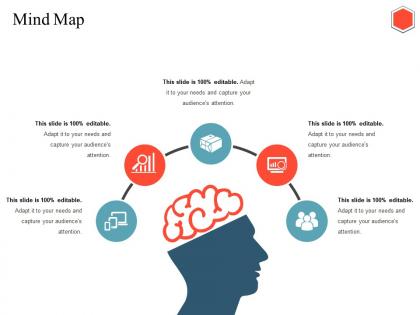
Mind Map Ppt Infographics
You must be logged in to download this presentation.




Try Before you Buy Download Free Sample Product
 Impress Your
 Audience
 100%
100% Editable
 Save Hours
 of Time


Discredit artificial attempts with our Mind Map Ppt Infographics. Expose any hollow effort.
People who downloaded this PowerPoint presentation also viewed the following :
Mind Map Ppt Infographics with all 5 slides:
Our Mind Map Ppt Infographics add to the creation of goodwill. It helps ensure ethical dealings.
FAQs for Mind
Oh dude, mind maps are seriously a game changer for brainstorming sessions. Your brain doesn't think in bullet points anyway, right? So why force it? Start with one central idea and just branch out everywhere - it's wild how many more connections you'll make compared to boring old lists. The whole team can actually see how everything links together, which is when those lightbulb moments usually hit. I swear it helps you catch stuff you'd totally miss otherwise. Next time just draw a bubble in the middle and let people go nuts adding branches. Way more fun than staring at a blank document, trust me.
Honestly, mind maps are amazing because they work with how your brain actually thinks - through connections, not just straight lines of text. You're basically building multiple memory pathways when you draw those visual branches linking ideas together. The colors and spatial stuff help things stick way better than boring traditional notes (I learned this the hard way in college). What's cool is you can see both the big picture AND details at once, which really helps comprehension. Both sides of your brain get involved too. Just try making one next time you study - you'll definitely notice the difference!
Put your main goal smack in the middle, then branch out with different colored lines for each major phase. Don't write full sentences - just keywords and short phrases work way better. Honestly, adding little icons or sketches makes a huge difference because your brain remembers pictures easier than walls of text. From there, create smaller branches for specific tasks, deadlines, who's doing what. I'd suggest sketching it by hand first before going digital - there's something about physically drawing the connections that clicks differently. Make everything flow clockwise and keep the spacing consistent so you can actually scan it quickly later.
Honestly, digital mind mapping changed how my team works together. Everyone can jump in and edit the same map at once - way better than emailing files back and forth like we used to. You'll see updates happening live, which is pretty cool actually. Most tools let you drop tasks right onto branches and leave comments for quick discussions. The best part? No more version control nightmares since everything's cloud-based. Last week we did our project kickoff this way and had five people brainstorming simultaneously. Felt chaotic at first but worked surprisingly well.
Colors basically make your brain work faster when scanning mind maps. I assign different colors to themes or priority levels - like red for urgent stuff, blue for long-term goals. Works like magic honestly. Your eyes just zip right to what you need instead of hunting through everything. Don't go overboard though (learned this the hard way) - stick to maybe 3-4 colors tops. More than that and it looks like a kid went nuts with markers. The whole point is quick visual sorting, not creating art.
Look, most people think mind maps have to be these gorgeous, Pinterest-worthy masterpieces. Total BS. Mine look like a 5-year-old went crazy with colored pens half the time. Don't get trapped thinking there's some rulebook about colors or branch styles either. The real trap? Making them too much like regular notes with tons of detail. That defeats the whole point. Keep it visual and focus on how ideas connect, not cramming every fact in there. I learned this the hard way after making ridiculously overcomplicated ones that stressed me out more than helped.
Oh definitely! Colors and symbols work great for visual people - like, go wild with highlighters and doodles. If you're more of an audio person, try reading your mind map out loud or even recording little voice memos for each branch (sounds weird but actually helps). For hands-on learners, sticky notes are your friend - you can physically move stuff around until it makes sense. I'd say just mess around with different approaches on some random topic first. Don't overthink it though. Once you find what works, you'll know pretty quick.
Honestly, visuals are a game-changer for mind maps. Your brain just processes images way faster than text - they're basically memory shortcuts. I tried making text-only ones before and they were painfully boring to look at (and forget about actually remembering anything from them). Colors and simple icons keep people's attention when you're presenting too. Complex stuff becomes so much easier to understand at a quick glance. Just throw some basic colors on your main branches or add little icons here and there. You'll see the difference immediately - it's like night and day compared to boring black text everywhere.
Dude, mind maps are seriously a game changer for studying and presentations. Put your main topic in the middle, then branch out with all the key stuff - themes, details, whatever. I swear I failed way too many tests before figuring this out lol. When you're cramming for exams, you can glance at the whole thing and instantly see what you're blanking on. For presentations, it keeps your thoughts organized so you won't forget crucial points mid-speech. Start with paper first though - something about actually drawing it makes everything stick better in your brain.
Honestly, simple is everything with mind maps in presentations. I made this mistake once - threw up this massive, detailed map and literally watched people check out. Now I break them into chunks or just show how a few key ideas connect. Three branches max per slide, otherwise it's visual chaos. Text needs to be huge too - way bigger than you think. What really works is exporting each branch as separate images so you can reveal them one by one instead of dumping everything at once. Makes the whole thing way more engaging and easier to follow.
Dude, mind maps are seriously underrated for work decisions. Instead of those brain-melting bullet lists, you get everything visual - pros, cons, risks, who gets affected, backup plans. All branching out from your main question. What's cool is you'll spot connections you'd totally miss in a regular list. Plus when you're presenting to the team, everyone's literally looking at the same picture so there's way less confusion. I started doing quick 10-minute maps before any big choice and honestly? Game changer. Your brain just processes it better when it's spread out like that.
Dude, mind mapping is a game changer for creativity at work. Your brain starts making these random connections that you'd never get from regular brainstorming lists. It's like spreading ideas across this visual web where one thought triggers something completely different - that's where the magic happens. I've seen teams come up with way more creative solutions when they map stuff out together. Plus it helps different types of thinkers actually contribute instead of staying quiet. Honestly, visual people especially love it. Next time you're stuck on a project, try mapping instead of bullet points. You'll get those "holy crap, why didn't I think of that" moments way more often.
Honestly, just let them map stuff they already know super well - their hobbies, what they did last weekend, whatever. That way they're not trying to learn new info AND figure out the mapping thing at the same time. Show them colors and symbols work way better than writing out full sentences. The messier it looks initially, the better! I'd have them work together so they can steal ideas from each other's styles. Give them some basic templates to start, then pull those away once they get it. The whole trick is making it feel less like schoolwork and more like doodling, you know?
Honestly, they're both solid but work totally differently. Regular notes go line by line, which is great for lectures but kinda sucks when you're trying to connect stuff later. Mind maps branch out from one main idea - way better for seeing how things relate to each other. I actually love them for brainstorming sessions. The catch? They get chaotic super fast if you don't stay organized. My advice: use mind maps when you're being creative or need to see the big picture. Stick with traditional notes when there's a clear sequence you can't mess with.
Honestly, mind mapping is a game changer for goals because it makes everything feel less scary. Put your big goal in the middle, then branch out with the actual steps, deadlines, what you'll need - all that stuff. Something about seeing it all spread out like that just clicks, you know? Short sentences mixed with longer ones help you spot how different goals connect. I always end up finding things I missed when I just keep lists in my head. Oh and you can scribble changes as you go. Maybe try mapping out one goal this week? Just the first three steps to start.
-
Awesome presentation, really professional and easy to edit.
-
Easily Editable.