

Six staged linear process flow chart for business process powerpoint template slide





Try Before you Buy Download Free Sample Product
 Impress Your
 Audience
 100%
100% Editable
 Save Hours
 of Time


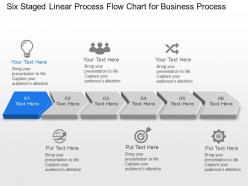
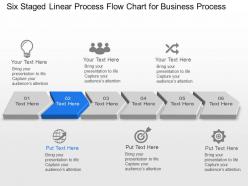
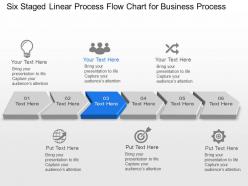
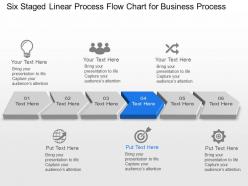
Process flowchart or system flowcharts require lot of time and efforts which becomes crucial to deliver when you are a professional working in a firm. Therefore we are here to ease out your efforts with our six staged linear process flow chart for business process PowerPoint template slide. You can depict the relation between major parts of the system with the help of our linear process business flowchart slide background. These system flowcharts of business are generally put to use in chemical or engineering industries where the need to depict interconnection between various steps is very essential. So talk about the overall flow of the activities with the assistance of our beautifully etched business process PPT PowerPoint presentation diagram. Decipher some fruitful information related to data and work flow, with ease of presentation and ease of understanding. Make use of the provided six staged linear process flow chart for business process PowerPoint template slide to mention every detail to the audience in the language they understand the best. Even this close to your deadline you have time to make your presentation look great. Modern Six Staged Linear Process Flow Chart For Business Process Powerpoint Template Slide are available 24/7 to spice up your projects.
People who downloaded this PowerPoint presentation also viewed the following :
Six staged linear process flow chart for business process powerpoint template slide with all 4 slides:
Battle your demons with our Six Staged Linear Process Flow Chart For Business Process Powerpoint Template Slide. They enable you to conquer your fears.
FAQs for Six staged linear process flow chart for business process
Start with your basic shapes - rectangles for processes, diamonds for decisions, plus clear start/end points. Arrows should show the flow direction obviously. If different departments are involved, add swimlanes because honestly, it prevents so many headaches down the road. Label everything clearly and note what documents or data go in/out of each step. For those decision diamonds, spell out the actual criteria - like "budget > $500?" instead of just "approval needed." The goal is making it foolproof so people aren't constantly bugging you with questions about what happens next.
Honestly, flow charts are total lifesavers for avoiding those endless meetings where everyone's arguing about "how we actually do this thing." They give your whole team the same visual roadmap instead of everyone making stuff up in their heads. When you're training someone new, you can literally point and say "okay, step 3 is where Bob usually screws up" instead of explaining everything from scratch. Plus they're great for catching where processes break down - like when Sarah in accounting insists she never gets those forms but the chart shows they should go to her inbox. Way better than relying on people's fuzzy memories.
Honestly, I'd check what your company already has first - most places have Visio sitting around that nobody uses. Lucidchart's pretty solid too, especially for the collaboration stuff. If you're on a budget, draw.io is free and doesn't look cheap at all. Miro's cool if your team's into the whole whiteboarding thing, though those sessions can get messy fast lol. Even Canva has flowchart templates now which is kinda random but whatever works. Start simple and see what sticks.
Start by mapping out your whole process first. Then hunt for decision points, handoffs between teams, and spots that could bottleneck everything. Quality checks and approval stages? Those are usually critical too. Honestly, I've found that asking stakeholders "what keeps you up at night" is way more helpful than you'd think. Focus on steps where delays mess up your timeline or where fixing mistakes gets expensive. Oh, and don't forget customer-facing stuff - that can make or break satisfaction. Basically look for anywhere things go sideways if someone screws up.
So high-level flowcharts are basically the big picture stuff - major steps and key decisions. Perfect for when your boss wants to understand the process without getting lost in weeds. Detailed ones? They're the opposite. Every tiny action, who does what, timing, sub-processes... honestly gets messy fast with all those boxes everywhere. I'd say start high-level first when you're mapping something new or presenting to people. You can always drill down into the detailed version later for training docs and that kind of thing.
Okay so basically you draw out every single step in your process, right? Then you can actually see where things get jammed up. I always look for spots where everything funnels through one person or department - that's usually your problem right there. Time each step first though, otherwise you're just guessing. Short steps followed by really long ones? Red flag. It's honestly like spotting where traffic backs up on your commute. Once you've got it all mapped out visually, the slow points jump out at you. Way easier than trying to figure it out in your head.
Here's what I've seen go wrong most often: people make their flowcharts stupidly complicated right off the bat. Skip the validation with real users and you're screwed. Don't write vague stuff like "process data" - say exactly what happens. Decision points and exception handling are crucial because, honestly, when does anything actually work the first time? You also need to show who does what at each step. I always forget this part myself. Make it simple enough for someone totally new to follow, but detailed enough to actually help. Walk through it with the people doing the real work - they'll catch things you missed.
Honestly, flow charts are a game changer for training newbies. You're basically giving them a visual map instead of some boring 50-page manual nobody reads anyway. They can see the whole process laid out - who does what, when decisions happen, all that stuff. Way less confusing than trying to explain everything verbally. Once they get it, they won't bug you every five minutes asking what comes next. Oh, and definitely make them practice with real examples that first week using the chart. Trust me, it actually works.
Honestly, flowcharts work great in basically any methodology you're using. Agile teams can map out user stories or sprint workflows with them. Waterfall projects? Perfect for showing those sequential phases and dependencies. I've seen Kanban teams use them for process improvement during retrospectives - makes everything way clearer. Risk management is another solid use case for tracking escalation paths. Resource planning too, especially for approval workflows. Keep them simple though, and actually update them when your process changes (we all forget this part). I'd start with whatever critical process is creating the biggest headache right now.
Honestly, just stick with the basics everyone knows - rectangles for processes, diamonds for decisions, ovals for start/end. Don't get fancy with weird shapes. Write everything in plain English, none of that corporate jargon that makes people's eyes glaze over. Always throw in a legend even if you think it's obvious (trust me on this one). Make sure it flows logically, usually top to bottom works best. Leave tons of white space or it'll look like a hot mess. Oh, and here's the key part - show it to someone who wasn't involved in creating it first. They'll spot the confusing bits you totally missed.
Dude, color coding is a game changer for flowcharts. I usually go with blue for customer stuff, red for approvals, green for anything automated - you get the idea. Makes everything so much easier to scan quickly instead of staring at a bunch of identical boxes. Don't go crazy though, like 3-4 colors tops or it gets messy. I learned that the hard way on a project last year. Focus on your main process categories first and you'll be golden.
Don't just blast it out to everyone - be strategic about who reviews your flowchart. Pick the people who actually do this work every day. They'll catch stuff you missed. Ask pointed questions like "Does step 3 really happen before step 2?" or "What decisions are we missing?" Give them about a week, then do a quick 30-minute meeting to go through everything together. Trust me, you'll find conflicting opinions and it's better to hash that out early. Write down what you changed and why. Someone will definitely question it later and you'll be glad you documented it.
Set up quarterly reviews - that timing usually works pretty well. Make sure someone specific owns each flowchart, otherwise updates just get forgotten. Here's the thing that'll save you headaches later: update charts right when processes change, don't let stuff pile up. Date everything and keep notes about what changed so you can actually track it. The people doing the actual work should be part of your reviews too - they'll catch things you totally missed. Oh, and set calendar reminders even when nothing's changed, because honestly you'll forget otherwise.
Honestly, flow charts are a lifesaver for compliance stuff. You map out your processes visually, so when auditors show up, you can just point to the chart instead of scrambling to explain everything. They're also great for catching problems before they bite you. I remember this one team that had their process maps ready during an audit - saved them like 3 hours of back-and-forth questions. My advice? Start with your biggest compliance headaches first. When audit season hits (and it always does), you'll be so glad you did the work upfront.
So there's actually a bunch of useful stuff you can track from those flow charts. Cycle time is big - that's your total process duration. Then you've got throughput, which is just how much volume you're pushing through per hour or whatever. Bottlenecks are probably the most annoying to find but super worth it - they're those sluggish steps screwing up everything downstream. Don't forget wait times between steps either, that's where tons of waste usually hides. Also track your handoff points and any rework loops. Honestly, just time each step first to get your baseline, then you'll know what actually needs fixing.
-
Best Representation of topics, really appreciable.
-
Easily Understandable slides.