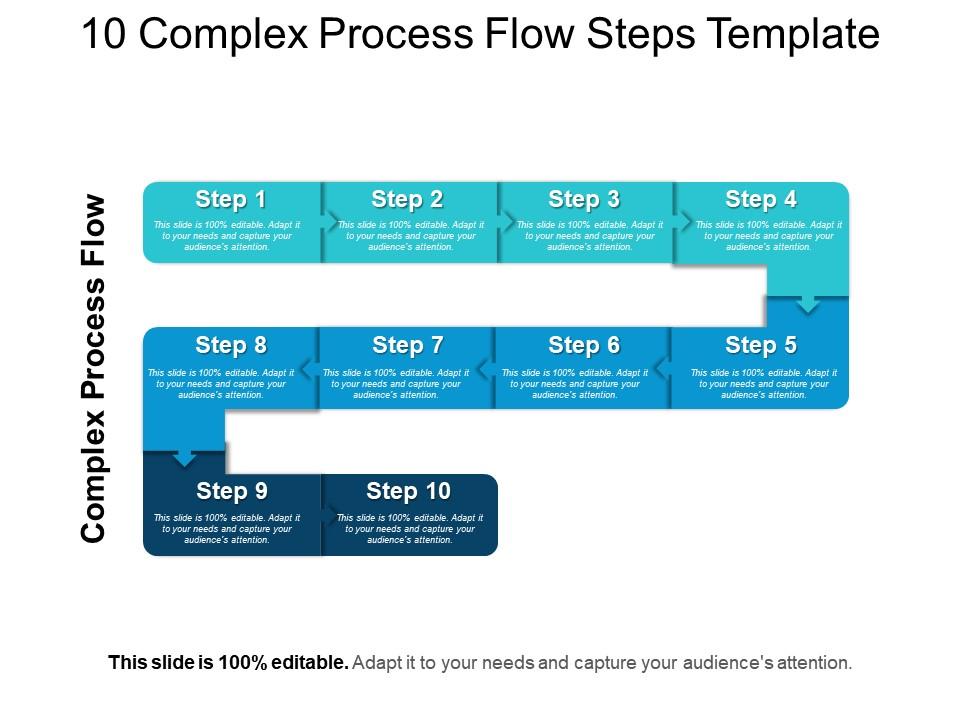
10 complex process flow steps template powerpoint slide clipart

Rating:
90%
10 complex process flow steps template powerpoint slide clipart
Slide 1 of 5
Favourites Favourites

Try Before you Buy Download Free Sample Product

Audience Impress Your
Audience
Editable 100%
Editable
Time Save Hours
of Time
The Biggest Sale is ending soon in
0
0
:
0
0
:
0
0
Rating:
90%
Presenting 10 Complex Process Flow Steps Template PowerPoint Slide Clipart. You can easily download this template to access its full version. This template allows you to resize it and make changes in the fonts, colors, images, icons as per your needs. The process flow clipart slide is compatible with Google Slides and other formats such as PDF, JPG, and PNG. The slide designs are available in both sizes - Standard (4:3) and Widescreen (16:9).

FAQs for 10 complex process flow steps template

A process flow template should include clear start/end points, defined decision nodes, standardized symbols, sequential step numbering, and responsible party assignments. These elements streamline workflow visualization by eliminating ambiguity, reducing training time, and enabling consistent process documentation across departments, with many organizations finding that well-structured templates enhance operational efficiency and accelerate onboarding.

Process flow templates facilitate better communication by providing standardized visual frameworks that clearly map workflows, responsibilities, and decision points across team functions. These templates enable teams to align on procedures, identify bottlenecks more efficiently, and streamline handoffs between departments, with many organizations finding that visual process documentation reduces miscommunication and accelerates project delivery.

Manufacturing, healthcare, financial services, logistics, and software development benefit significantly from process flow templates, as these industries rely heavily on standardized procedures, compliance requirements, and operational efficiency. These templates streamline complex workflows, reduce errors, and ensure consistency across teams, with many organizations finding that visual process mapping accelerates training and enhances quality control.

Visual elements enhance process flow templates by improving comprehension, reducing cognitive load, and enabling faster decision-making through clear icons, color coding, and directional arrows. These design components streamline complex workflows for teams across manufacturing, healthcare, and financial services, with many organizations finding that well-designed visual templates reduce training time and increase operational efficiency.

Common mistakes include using inconsistent symbols, creating overly complex diagrams with unnecessary steps, failing to define clear start and end points, and neglecting stakeholder input during development. These errors often result in confusion, inefficient workflows, and poor user adoption, with many organizations finding that simplicity, standardized notation, and collaborative design ultimately deliver better process clarity and operational efficiency.

Process flow templates can be customized by modifying workflow steps, decision points, roles and responsibilities, approval hierarchies, and integration touchpoints to match organizational structure. Companies across manufacturing, healthcare, and financial services enhance these templates by incorporating industry-specific compliance requirements, automated notifications, and performance metrics, ultimately delivering streamlined operations and improved accountability.

Process flow templates support project management by providing structured frameworks for task sequencing, milestone tracking, resource allocation, and timeline management. These templates enhance project visibility through clear workflow visualization, streamline team coordination across departments, and enable consistent documentation practices, with many organizations finding that standardized process flows reduce project delays and improve stakeholder communication.

Looking at this question about software tools for designing process flow templates, I need to provide a comprehensive list in the first sentence, then expand with business applications and outcomes in the second sentence. **Word count target: 50-60 words** **Pattern: Technology List + Business Application** Recommended software tools for designing process flow templates include Microsoft Visio, Lucidchart, Draw.io, Creately, and SmartDraw. These platforms streamline workflow documentation by offering drag-and-drop functionality, collaboration features, and integration capabilities, with many organizations finding that standardized templates enhance operational efficiency and accelerate process improvement initiatives across departments. **Word count: 54 words** ✓

**INPUT**: How can you ensure that your process flow template is user-friendly? **OUTPUT**: You can ensure user-friendly process flow templates by using clear visual hierarchy, intuitive symbols, logical sequencing, minimal text descriptions, and consistent formatting throughout. These design principles streamline comprehension and navigation, with many organizations finding that well-structured templates reduce training time, minimize errors, and enhance team collaboration across departments.

Colors and shapes serve as visual coding systems in process flow templates, with colors indicating priority levels, status categories, and departmental ownership, while shapes like rectangles for processes, diamonds for decisions, and circles for start/end points create universal understanding. These visual elements streamline comprehension across organizations by reducing interpretation time, minimizing training requirements, and enabling teams to quickly identify bottlenecks, ultimately delivering enhanced operational efficiency and faster process optimization.

Process flow templates should be updated quarterly for routine reviews, annually for comprehensive assessments, or immediately when significant operational changes, technology implementations, or regulatory requirements occur. Regular updates ensure templates reflect current workflows, maintain accuracy for training purposes, and support continuous improvement initiatives, with many organizations finding that proactive template maintenance enhances operational efficiency and reduces process-related errors.

Successful process flow templates include customer onboarding workflows in banking, patient care pathways in hospitals, manufacturing assembly lines, software development lifecycles, and supply chain management systems. These templates streamline operations by standardizing procedures, reducing errors, and improving efficiency, with many organizations finding that well-designed process flows enhance productivity while delivering faster customer service and significant cost reductions.

Stakeholder feedback can be incorporated through collaborative design sessions, iterative review cycles, user testing phases, and structured input collection methods. Many organizations streamline this by conducting cross-functional workshops, implementing feedback loops at each design stage, and using digital collaboration tools, ultimately ensuring templates meet actual operational needs while enhancing user adoption and process efficiency.

High-level process flow templates provide broad organizational overviews with major phases and key decision points, while detailed templates include specific tasks, sub-processes, timelines, and granular steps. Organizations typically use high-level flows for executive presentations and strategic planning, with detailed versions enabling operational teams to execute daily workflows, ultimately delivering both strategic clarity and tactical precision across different organizational levels.

Process flow templates accelerate employee onboarding by providing visual step-by-step guides, standardized procedures, interactive learning modules, and clear role responsibilities within organizational workflows. These templates enable trainers to deliver consistent instruction across departments, reduce learning curves significantly, and ensure new hires understand complex processes quickly, with many organizations finding that structured visual training improves retention rates and operational efficiency.

Ratings and Reviews

90% of 100
Review Form
Write a review
Most Relevant Reviews
  1. 100%

    by Desmond Garza

    Presentation Design is very nice, good work with the content as well.
  2. 80%

    by Kyle Anderson

    Excellent work done on template design and graphics.

2 Item(s)

per page: