


List of clients with logo and description ppt sample file




Try Before you Buy Download Free Sample Product
 Impress Your
 Audience
 100%
100% Editable
 Save Hours
 of Time


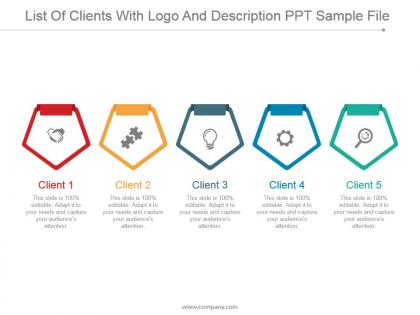
Accomplish with the best and leave no void with our, list of clients with logo and description PPT sample file. Exchange valuable information through business events and predict outcomes. We have shown a five-stage process to show your client profile. This PPT deck can be used as an introduction slide for new opportunities. We have included relatable icons here to demonstrate the process better. Personalize the design by following a few steps and include your company logo. Give a lift to your debate with our, list of clients with logo and description PPT sample file. They entrust you with higher security to hold the vision, initiating, clarity of the values to the public. Create stunning presentations with our exclusive and premium List Of Clients With Logo And Description Ppt Sample File. They have been professionally conceived to showcase your specific concepts to favourably impress your colleagues.
People who downloaded this PowerPoint presentation also viewed the following :
List of clients with logo and description ppt sample file with all 5 slides:
Intimate the agenda with our List Of Clients With Logo And Description Ppt Sample File. Give folks an insight into the aspects to be discussed.
FAQs for List of clients with logo and description
Honestly, just focus on three things: relevance, results, and storytelling. Pick work that actually matches what they do - I've seen people bomb by showing random "cool" projects that had nothing to do with the client's needs. Always include numbers and concrete outcomes because that's what they actually care about. Walk them through your process too and explain why you made certain decisions. Oh and please keep it short! Like maybe 10-15 slides max? I sat through a 45-slide presentation once and wanted to die. Customize each deck for the specific client - it's extra work but makes a huge difference.
Honestly, turning your portfolio into actual stories changes everything. People don't want to read boring project lists - they want to see the journey. Show the messy problem first, then walk them through how you fixed it. Before/after shots work great, or even just a simple timeline of your process. Way better than paragraph after paragraph of text (which nobody reads anyway). The whole point is getting potential clients to picture you solving *their* problems. Oh, and definitely start with your best case study - that one project where you totally nailed it. Map out that story first.
Pick metrics that actually show value - revenue bumps, money saved, better efficiency, whatever fits their goals. ROI is key, but add timeframes too ("40% growth in 6 months" hits different). Percentages are cool but real numbers work better when you can share them. Oh, and don't sleep on the softer stuff - testimonials and retention rates really sell it. I've seen too many case studies that just dump every stat they have. Stick to 3-4 solid metrics instead. People zone out when you overwhelm them with data.
Honestly, you've gotta dig into what keeps each industry up at night and show them you get it. Tech companies? Hit them with your digital transformation wins and data projects. Healthcare is all about compliance and patient results - they're obsessed with that stuff. Manufacturing wants to see how you've cut costs and streamlined operations. I learned this the hard way, but don't just slap a new logo on the same deck. Build 3-4 different portfolio versions tailored to each sector. Yeah, it's more work upfront, but you'll always have the right examples ready. Makes such a difference when they see projects that actually mirror their world.
Okay so design is huge - clients judge your portfolio before they even read anything. Clean layouts are key, plus consistent fonts and make sure your best stuff catches their eye first. It's honestly like dressing for a job interview, you know? Messy design = they'll think your work is messy too, even if it's not. Keep lots of white space, stick to maybe 2-3 colors tops. Oh and make sure it loads fast on phones since everyone's scrolling on mobile these days. Just grab a simple template and tweak it from there.
Honestly? Every 3-6 months is the sweet spot. If you're cranking out projects constantly or your style's evolving fast, go quarterly. Twice a year works fine otherwise. Here's the thing though - old work that doesn't represent you anymore actually makes you look worse than having fewer pieces. I learned that the hard way lol. Always swap out weaker stuff when you finish something better. Set a phone reminder or you'll totally forget. Your portfolio needs to show what you can do NOW and attract the work you actually want.
Ugh, don't just throw everything in there - only your absolute best work. Quality beats quantity always. Too many people cram in similar projects and it gets boring fast. Actually explain what you did and why! So many portfolios are just pretty screenshots with zero context, which is honestly useless. Keep that thing updated too - saw someone's "recent work" from like 2018 the other day and yikes. Each project should tell the story of what problem you tackled and how you solved it. Your portfolio needs to show how you think, not just that you can make things look nice.
Dude, testimonials and case studies are game-changers for your portfolio. They show you actually get results, not just make things look nice. Case studies let you walk people through how you work and what you achieved - clients eat that stuff up because it proves you're worth the money. Testimonials give that warm fuzzy feeling from happy clients. Both help new prospects picture working with you instead of worrying you'll mess up their project. Oh, and grab these right after you finish a project while they're still pumped about it. Always ask for specific numbers or outcomes you can brag about later.
InDesign's your best bet if you want to look legit - most designers swear by it for client stuff. Canva's gotten way better lately though, perfect if you're not super design-savvy. Figma's free and handles everything well. I've literally seen gorgeous portfolios made in PowerPoint (I know, I know), but maybe don't lead with that for paying clients lol. Whatever you pick, clean layouts matter way more than crazy features. Oh, and Figma works for both print and web if you need that flexibility. Just go with what feels natural to you.
Look, you don't want clients thinking you're a one-trick pony. Mix up your portfolio with different industries and project types - it shows you can roll with whatever they throw at you. When someone sees you've handled both small startups and bigger companies, they'll trust you with their weird project too. Plus it keeps things interesting for you, honestly. Different contexts let you flex different creative muscles. Just make sure you're not throwing in mediocre work for the sake of variety. Quality still beats everything else.
Strip out anything that could identify the client - names, company details, locations, revenue numbers, all of it. What I do is mix elements from different projects into one example. Actually makes the story better since you can pull the most interesting bits. Focus on your process and what happened rather than who it was for. Always ask permission first, even for the scrubbed versions. Oh, and write these clean examples right after you finish a project - you'll forget the good details otherwise. Trust me on that one.
Honestly, just call people out by name for what they actually did on each project. Like "Sarah's user research totally changed our direction here" with before/after shots. Short quotes from teammates about their process work great too. Credits at the end are solid - think movie credits but way less boring. The messy behind-the-scenes stuff hits different than polished final products anyway. Don't just say "our team" - be specific about contributions. Oh, and start documenting this stuff as you go on your next project so you don't forget who did what later.
Conversion rates are what you really need to watch - like how many people actually hire you after seeing your work. Track engagement too, stuff like how long they're spending on your pages and which case studies they download. Honestly, the questions prospects ask afterward are super revealing about what's hitting. I'd also keep tabs on referrals since good portfolios get passed around. But here's the thing - just ask your new clients straight up what sold them during those first calls. Maybe I'm old school, but I throw all this feedback in a spreadsheet each month. Patterns start jumping out pretty quick.
Dude, portfolios are totally changing right now. Clients don't want you presenting at them anymore - they want to click around and explore your work themselves. Interactive case studies are huge. Also video testimonials and process recordings are basically required now (which is kinda annoying but whatever). Static PDFs? Dead. Real-time collab tools where clients can drop comments right on your designs during presentations are everywhere too. The whole vibe needs to feel like you're having a conversation, not giving some boring lecture. Try adding one interactive thing to your next presentation and watch how different people respond.
Honestly, interactive stuff is a game-changer for portfolios. Instead of clients just mindlessly scrolling, they're actually clicking around and exploring. Before/after sliders are solid, or those hover effects where details pop up. Videos they can pause and play themselves work great too. You know what's weird? It's like giving someone a book vs. letting them browse a bookstore - way more engaging when they control the experience. Try filterable categories or expandable sections. Even something simple works. My advice? Don't go overboard initially. Pick one interactive thing per project and see how it feels first.
-
Use of different colors is good. It's simple and attractive.
-
Easy to edit slides with easy to understand instructions.