

Project Completion Report Powerpoint Ppt Template Bundles




Try Before you Buy Download Free Sample Product
 Impress Your
 Audience
 100%
100% Editable
 Save Hours
 of Time


Our Project Completion Report Powerpoint Ppt Template Bundles are topically designed to provide an attractive backdrop to any subject. Use them to look like a presentation pro.
People who downloaded this PowerPoint presentation also viewed the following :
Project Completion Report Powerpoint Ppt Template Bundles with all 17 slides:
Use our Project Completion Report Powerpoint Ppt Template Bundles to effectively help you save your valuable time. They are readymade to fit into any presentation structure.
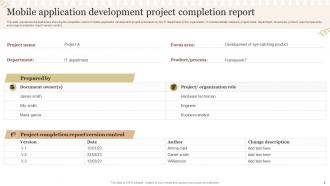
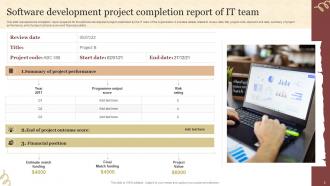






FAQs for Project Completion Report Powerpoint
So for your completion report, you'll want an executive summary, objectives vs what actually happened, timeline/budget breakdown, and deliverables you finished. The lessons learned part is honestly the best section - don't half-ass it because that's where the real insights live. Also throw in risk management results and team performance stuff. Document failures too, not just wins. Oh, and get stakeholder feedback if you can. I'd grab a basic template online and tweak it for your specific project. Way easier than starting from scratch.
Honestly, completion reports are total lifesavers for keeping everyone on the same page. You know how projects end and suddenly people are asking a million random questions? This fixes that. One document covers everything - what worked, what didn't, budget stuff, timeline drama, lessons learned. I always tell my team to use the same template format so nothing gets missed (different stakeholders care about totally different things). Trust me, you'll save yourself hours of follow-up emails. Plus it's way better than people trying to remember what happened three months later!
Tell the story with solid before/after comparisons and actual numbers - that's what people want to see. Don't sugarcoat the gaps between what you promised versus delivered. Just be straight about it. Charts and visuals absolutely crush walls of text every time. I learned that the hard way on my last project report that nobody read. Structure it so they can quickly spot the wins, get why things fell short, and see business impact. Tie everything back to your original goals so they can judge if you succeeded. Oh, and definitely include a lessons learned section - honestly that stuff's pure gold for next time.
Put a "Lessons Learned" section right after you wrap up the project outcomes. Break it down into chunks - process stuff, resources, communication breakdowns. That way it's not just one giant wall of text. Be honest about what sucked, not just the wins. I learned this the hard way lol. Capture the small tactical things (tools that failed) plus the bigger picture stuff like how you handled stakeholders. Trust me, six months from now when you're doing something similar, you'll actually have real examples to reference instead of trying to remember what went sideways.
Trust me, you'll want visuals in that report. Charts and graphs make budget stuff way easier to digest than paragraphs of numbers. Executives can scan them in like 2 seconds and actually get what happened. A good before/after infographic hits so much harder than boring bullet points - I learned this the hard way on my last project. Plus when you're digging through this thing months later trying to remember what went wrong (or right), you'll be grateful for the visual summary. Definitely include 2-3 key charts that tell the whole story at a glance.
So here's what I'd do - split your budget section into three parts: what you planned vs what actually happened, big differences, and why stuff went sideways. Like if you blew your contractor budget but saved a ton on software, spell that out. Numbers are great but explain the story behind them too. Include both percentages and actual dollar amounts since some people get one better than the other. Oh and definitely add what you learned about estimating costs - honestly that's probably the most useful part for next time. Makes the whole report feel less like just paperwork, you know?
Okay so for your completion report, hit these four main things: budget variance (planned vs actual), whether you hit your timeline, what percentage of scope actually got done, and stakeholder satisfaction scores. Quality stuff matters too - like how many defects or how much rework you had to do. Here's the thing though - most people totally ignore the satisfaction part, but that's literally what makes leadership think "yeah, this was actually successful." The hard numbers are obvious to track, but don't forget the human side of things. Oh and start collecting this data during the project, not scrambling at the end!
So I'd create a risk management section comparing what you predicted vs what actually went down. Three columns work well - original assessment, reality check, and how your backup plans performed. Fair warning though, this exercise is pretty humbling because you'll spot all the blindspots! That's actually the whole point. Document those curveball risks nobody saw coming and dig into why your team missed them. It's gold for planning future projects. Don't forget to highlight which responses totally nailed it so you can steal those tactics again later.
Honestly, there's so much you can do instead of boring Word docs! Dashboards are perfect for showing KPIs quickly. Slide decks work well if your stakeholders are visual people. I've actually seen teams do short video walkthroughs - sounds weird but it really works. Infographics are solid for high-level stuff, or you could even build a simple website if the project was super complex. Oh, and matching the format to how your audience actually wants to consume info makes a huge difference. Way more important than people think.
I'd throw in a "Team Insights" section to your report template. Quick Google form works great - people are way more honest when it's anonymous. Ask the usual stuff: what worked, what sucked, what they'd do differently. Brief one-on-ones work too if your team's small. Don't just dump all their comments in there though - pull out the main themes and maybe sprinkle in some good quotes. Oh, and actually ask while the project's still fresh in everyone's mind! Nothing worse than trying to remember what went wrong three weeks later.
Definitely add that timeline comparison - it's super helpful for seeing where things went sideways. You can call out which phases dragged on forever and what caused the mess, but also flex on the stuff you finished early (those wins feel amazing). The data's clutch for planning future projects since you'll have real examples instead of just guessing. Oh and make sure to include planned vs actual dates with quick explanations for the big differences. Trust me, future you will be grateful when you're estimating the next project and actually have something concrete to reference.
Okay so basically - tie your conclusions back to whatever you said you'd accomplish at the start. Did you actually hit those goals or nah? Don't just say "things went great" because that tells nobody anything useful. Use real data from your project to back up what you're saying. For recommendations, honestly this is where most people mess up and get way too wishy-washy. Focus on stuff that stakeholders can actually do something about. I always structure it like "here's what we figured out" then "here's what should happen next." Oh and make sure you say WHO should handle each recommendation - otherwise it just sits there forever. You're basically setting up the next person so they don't have to start from scratch.
Start with your PMO - they've probably got templates sitting around already. PMI and PRINCE2 have decent frameworks you can steal from too. Honestly, there's almost too much stuff online these days. Smartsheet, Monday.com, or just Google around for examples. What I'd actually do is grab some old reports from similar projects at your company first. See what format people are used to there, you know? Then maybe find 2-3 templates online and mix the best parts together. Way easier than starting from scratch, and you'll probably end up with something that actually fits your situation.
Honestly? Make your template super modular so you can just plug in what you need. Use broad categories like "Objectives" and "Key Outcomes" instead of super specific stuff. I tried cramming a software project into our construction template once - what a mess lol. Include optional sections for budget stuff, feedback, tech specs, whatever. Different teams need different things. Label everything clearly so people know what to skip. The whole point is flexibility, right? You don't want everyone fighting the same rigid format when their projects are totally different.
Don't be vague about what happened - you need real examples and numbers, not just "things went fine." Write down lessons while they're still fresh in your head, trust me on this one. Skip the novel-length version though, people want key takeaways not every boring detail. Be honest about failures but don't trash your teammates (nobody wins with that mess). What really matters? Focus on what you'd actually do different next time. That's the gold for your next project.
-
Making a presentation has never been this easy for me. Thank you SlideTeam for offering a splendid template library.
-
It's always a delight to see new templates from you! I am extremely pleased with the fact that they are easy to modify and fit any presentation layout in seconds!