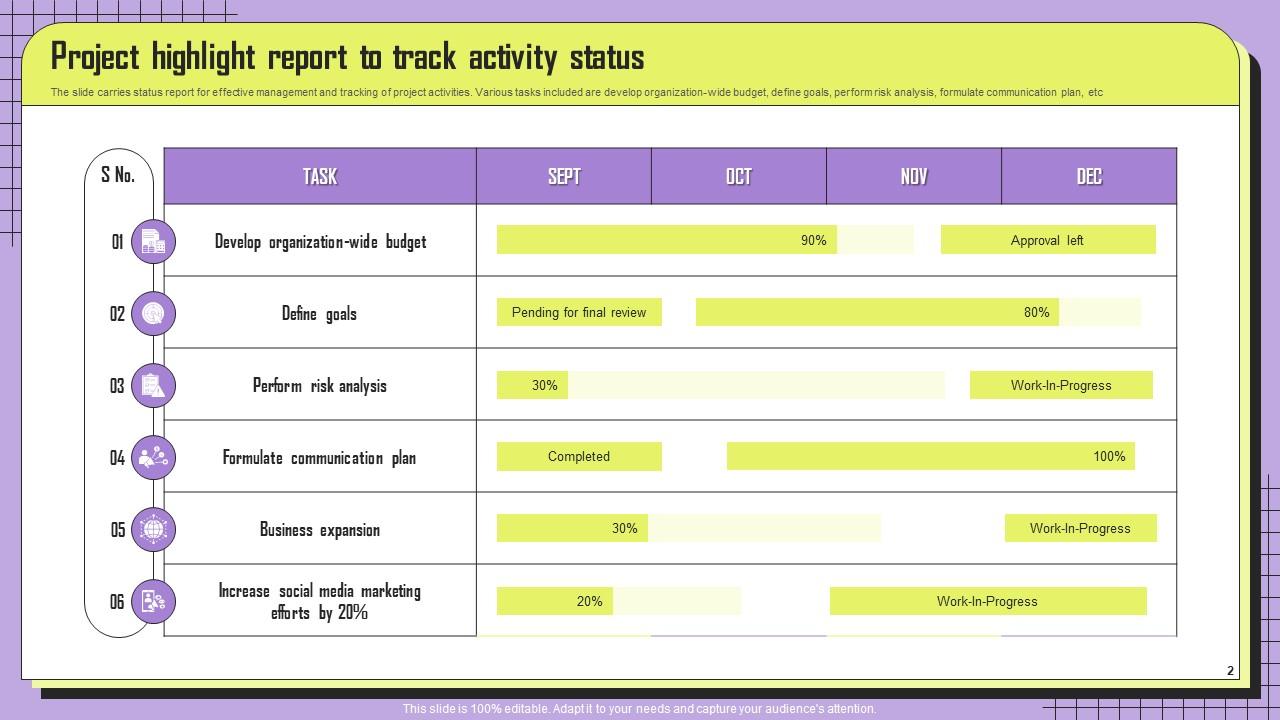
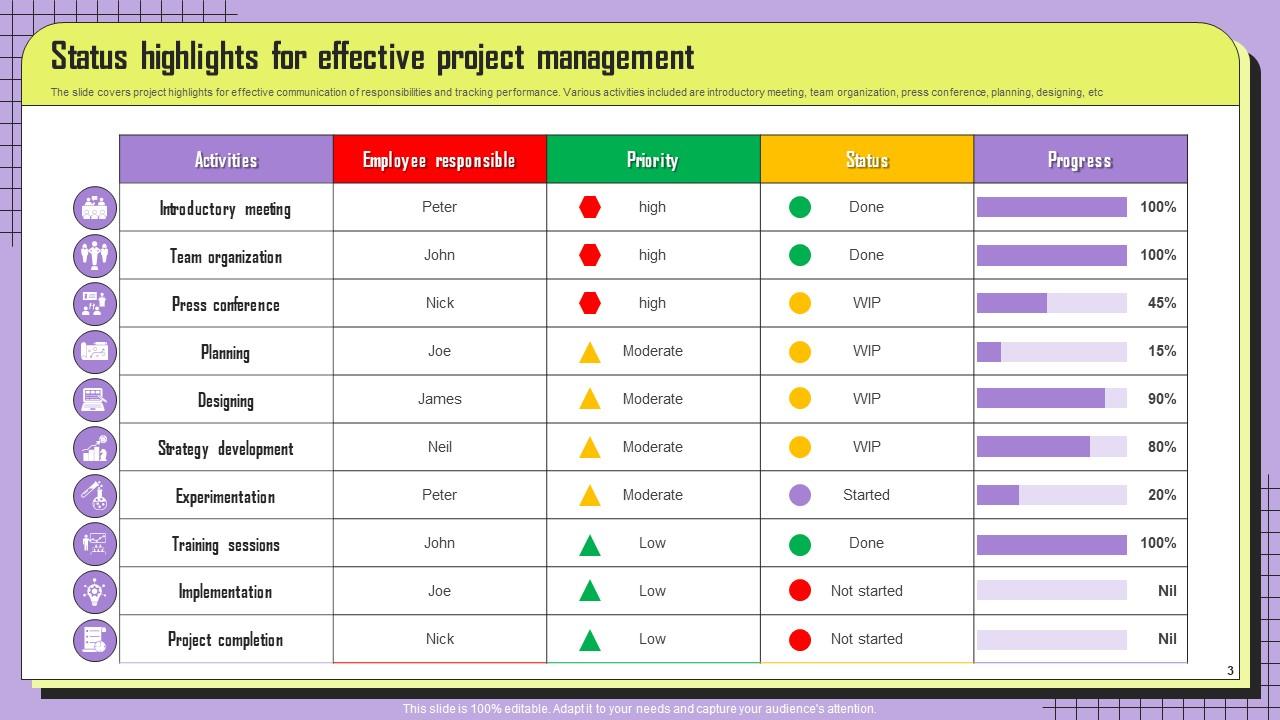
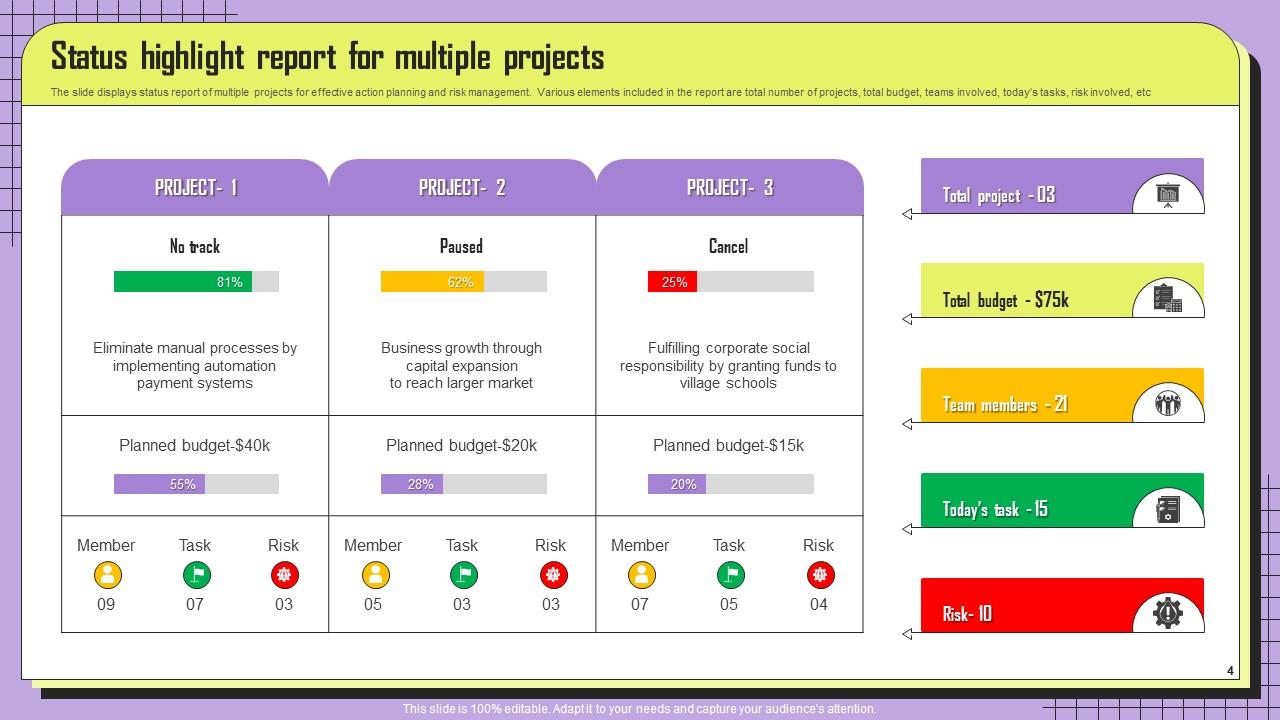
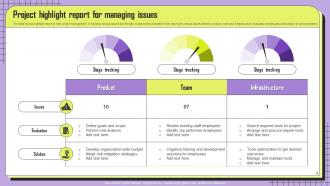
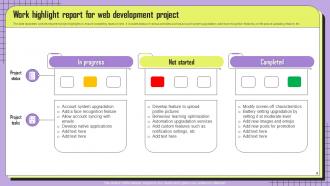
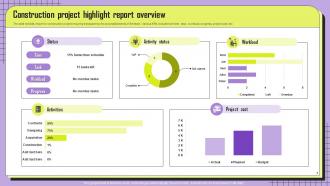
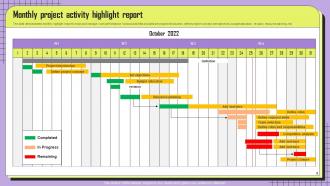
Project Highlights Report Powerpoint Ppt Template Bundles
Try Before you Buy Download Free Sample Product
Audience
Editable
of Time
Our Project Highlights Report Powerpoint Ppt Template Bundles are topically designed to provide an attractive backdrop to any subject. Use them to look like a presentation pro.
People who downloaded this PowerPoint presentation also viewed the following :
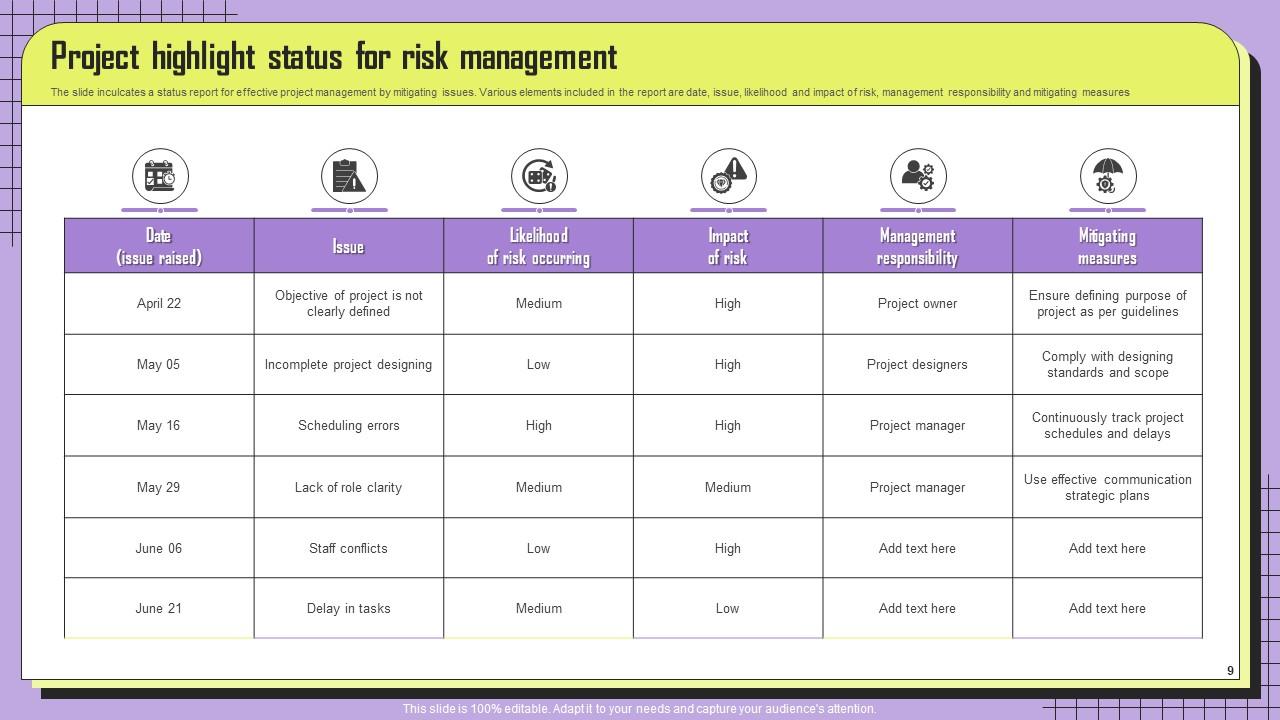
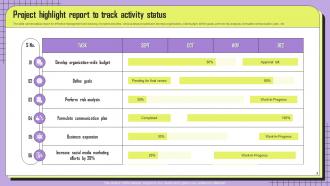
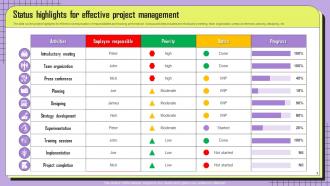
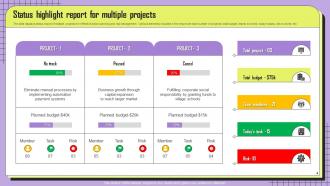
Project Highlights Report Powerpoint Ppt Template Bundles with all 17 slides:
Use our Project Highlights Report Powerpoint Ppt Template Bundles to effectively help you save your valuable time. They are readymade to fit into any presentation structure.
FAQs for Project Highlights Report Powerpoint
Here's what I'd include: project status overview, big wins since your last update, and actual numbers for your key metrics. Upcoming deadlines are crucial too. Any roadblocks or risks should get their own section—don't bury that stuff. I always add a team spotlight because honestly, people eat that recognition up. Next steps need to be crystal clear so everyone knows what's happening. Keep it snappy but specific. Oh, and definitely start with a template then tweak it based on what your bosses actually give a damn about tracking. Makes life so much easier.
Honestly, visuals are a total lifesaver for those reports. They turn boring spreadsheet data into something people actually want to look at - nobody's reading through endless bullet points anymore. Charts and graphs tell the story way better than paragraphs ever could. Before/after shots or timeline stuff works really well too. Oh and don't go overboard with them though. Pick maybe 2-3 really solid visuals that back up your main points. I've seen reports that just throw in every chart possible and it gets messy fast. Keep it clean and focused.
Honestly, just nail the big three first - timeline progress, budget burn, and whether you're actually hitting your deliverables. Everything else is bonus. I'd throw in some risk stuff too, like blockers or if your team's stretched thin. Stakeholder satisfaction is clutch but most people ignore it until someone's already pissed off. Quality metrics if you're building something. Maybe team velocity for sprints. But seriously, cap it at like 5-7 metrics or people zone out. Pick whatever actually matters for your project, not just the stuff that looks impressive on slides.
So most teams do weekly or bi-weekly updates - depends on how crazy your project timeline is. Fast-moving stuff with big deadlines? Definitely weekly. For longer projects, bi-weekly works fine. Monthly is honestly just too long - I tried that once and everyone forgot what we were even working on between reports lol. You don't want to spam people but you also can't let them lose the thread completely. I'd probably start with weekly and see how your team reacts. If they're like "this is too much" then dial it back to every other week.
Ugh, the worst thing people do is dump way too much detail in there. Nobody wants to read a novel! Focus on your actual wins, not boring task lists. Don't make every project sound identical either - I've seen so many reports where everything blends together. You need to show what actually mattered and moved things forward. Oh, and stop burying your best stuff at the bottom! Start with your biggest successes. Add numbers whenever you can. Honestly, most people get this completely backwards and wonder why nobody remembers their work.
Honestly, I just tailor the same report for different people. Executives want the big picture stuff - budget impact, outcomes, strategic whatever. Super high-level. Technical folks need all the nitty-gritty details about processes and implementation headaches (they actually read that stuff, weirdly). Clients only care about their deliverables and what's in it for them. What I do is write one master version, then pull sections for each group. Saves me so much time instead of starting from scratch each time. The trick is figuring out what each person actually does with your report, then just give them that info in whatever format they like.
Honestly, just go with PowerPoint or Google Slides. Most people expect that format anyway for project highlights, plus they handle charts and graphics way better than Word. Canva looks pretty but feels like overkill unless you're trying to impress someone specific? I mean, Word's fine if it's mostly text, but then you're stuck when you need to add visuals. Slides gives you enough flexibility to make something decent-looking without needing actual design skills. Trust me, I've tried the fancy route before and it's not worth the extra time.
Look, whoever's writing that report can't read minds - they need you to actually tell them what's happening. Fire off some bullet points about milestones you hit, problems you solved, or risks coming up. Don't just sit there quietly in meetings or ignore shared docs. Honestly, I've seen too many teams complain about crappy reports when they never bothered sharing their wins OR failures. The report writer needs both - what went well and what sucked. Just speak up regularly instead of waiting until the last minute. Makes everyone's life easier.
Honestly, white space is your best friend here - don't cram everything together. Use headers and bullet points so they can scan quickly. I'd stick to maybe 2 colors max and keep charts super simple. The data should basically tell the story without explanation. Oh, and definitely lead with your biggest wins right at the top. That's literally all executives want to see first. Keep the whole thing to 1-2 pages because anything longer and they'll zone out. Trust me on that one. Short sentences work better than long paragraphs too.
Bullet points are your friend here - keep each one to a single clear sentence. Start with your biggest wins first, then work down. I always tell people to imagine explaining it to someone who knows nothing about your project - cuts through the BS real quick. Numbers beat vague words like "improved significantly" every time. If you're using 2-3 lines for one point, you're overthinking it. Here's a weird trick that actually works: read it out loud. Run out of breath? Your sentences are way too long.
So here's the thing - narrative is what turns your boring data dump into something people actually give a shit about. Like, you can't just throw charts at stakeholders and expect them to figure it out themselves. They need you to connect the dots and explain why these numbers matter for what they're trying to accomplish. It's kinda like being a translator between your team's technical stuff and what the bosses care about. You're showing progress, calling out wins, explaining any problems that came up. Without that story, your report is just fancy graphs that'll get forgotten in five minutes.
Don't fill your lessons learned with the usual "communication is key" garbage - that helps nobody. Split it into "What we learned" and "How we'll apply it next time." Two or three real insights that actually caught your team off guard work way better than a laundry list. I always see these turn into complaint sessions, which is pointless. Each lesson needs a concrete recommendation or process change you're actually going to use. Otherwise you're just documenting stuff instead of creating something that'll help your next project.
Honestly, just think about what would stress your boss out most - that stuff goes first. Critical blockers, budget problems, anything that could derail the project. Leadership doesn't really care about the small wins (sorry). After the scary stuff, add your team updates and any decisions you need from people. I learned this the hard way - used to bury important issues halfway down and wonder why nobody responded. Nice-to-know updates go last because, let's be real, half the time people stop reading anyway. Cut anything that's just interesting to you but won't matter to them.
Definitely dig through feedback from your old reports - it's like having a cheat sheet for the next one. Notice what people actually asked about or commented on. Did they keep requesting budget info that wasn't there? Add financial breakdowns. Were they zoning out during text-heavy sections? More visuals and bullets work wonders. I always pay attention to which parts got the most questions or compliments too. Sometimes what we think matters isn't what they actually care about, you know? Keep a quick feedback log so you're not reinventing the wheel every time.
Google and other tech companies focus their sprint templates on feature launches and user engagement numbers. Construction is all about milestone percentages and safety stats - makes sense given how regulated they are. Healthcare templates get super detailed with patient outcomes and compliance stuff (honestly kind of overwhelming with all the regulatory boxes they have to check). Manufacturing centers around production goals, quality metrics, and cost savings. You'll want templates that actually match your industry's main KPIs and what your stakeholders care about. I'd grab 2-3 examples from similar companies and tweak their format for your project timeline.
-
SlideTeam is the best in the business. Their templates are engaging and customizable. You can rely on them.
-
I am not the best at presentations but using SlideTeam’s PPT template made it easier for me. Thank you SlideTeam!