

Project Status Summary Powerpoint Ppt Template Bundles





Try Before you Buy Download Free Sample Product
 Impress Your
Audience
 100%
Editable
 Save Hours
of Time


Our Project Status Summary Powerpoint Ppt Template Bundles are topically designed to provide an attractive backdrop to any subject. Use them to look like a presentation pro.
People who downloaded this PowerPoint presentation also viewed the following :
Project Status Summary Powerpoint Ppt Template Bundles with all 20 slides:
Use our Project Status Summary Powerpoint Ppt Template Bundles to effectively help you save your valuable time. They are readymade to fit into any presentation structure.
-

Project Status Summary
-

Digital marketing project status summary
-

Project status report with issue summary
-

Project status summary gantt chart with milestones
-
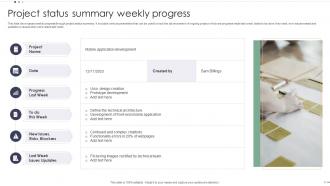
Project status summary weekly progress
-

Comparative assessment of project status summary software
-

Project components risk status summary
-

Project status summary dashboard with time and resource allocation
-

Project portfolio issue status summary
-

Project status summary checklist with priority status
-

Project status summary showcasing multiple projects
-

Project status summary icon with business milestone
-

Project status summary icon with magnifying glass
-

Project status summary timeline icon
-

Project Status Summary
-

-

-

-

-

FAQs for Project Status Summary Powerpoint
Focus on the big four: timeline, budget, scope, and any roadblocks. Quick wins are gold too - stakeholders eat that stuff up. Your audience totally matters though. Executives just want high-level numbers while your team needs all the details. Charts and progress bars are your friend here. Oh, and always include next steps with actual names and dates - otherwise nothing gets done. Make it scannable since nobody reads everything anyway. The whole point is people should immediately know if you're winning or not.
Honestly, those project summaries are like goldmines for catching problems early. You'll spot the same issues popping up - delays, people stretched too thin, projects getting bloated. I swear it's almost psychic how you start recognizing the warning signs before everything goes sideways. Track what fixes actually work too, not just the ones that sound smart in meetings. My old boss used to say weekly reviews were overkill, but man was he wrong. Patterns become super obvious when you're looking at this stuff regularly instead of scrambling during crisis mode.
Honestly, less is more with these things. Clean layout, same fonts and colors throughout - saves you time too. Charts and progress bars are your best friend instead of paragraphs nobody wants to read. The green/yellow/red thing is kinda basic but it works because people don't have to think about it. Put your big deadlines and metrics where they can't be missed. Group similar projects together so it actually makes sense. Oh, and don't stuff everything onto one slide - I learned that the hard way. Test it on your laptop screen first since that's probably how most people will see it anyway.
At minimum, do weekly updates - though crazy busy projects might need twice a week. The thing is, once stakeholders get used to your schedule, they'll notice when you skip. Missing updates makes people think you're drowning or something went sideways. Regular check-ins also help you spot problems before they blow up. I've watched projects completely derail because someone got lazy with updates and missed obvious warning signs. Honestly, just pick whatever day works and don't budge from it.
Honestly, stakeholder feedback is like your project's reality check. Their input shows what's actually happening versus what you think is happening. Drop their comments into your risk sections and next steps - these people deal with your project's mess every day, so they know stuff you don't. I always use their feedback to double-check my progress numbers and catch things I missed. Oh, and definitely mention who gave you what feedback. Makes them feel heard and they'll keep being honest with you next time. Trust me on this one.
Think about what each person actually needs to know. Execs want the big picture stuff - budget, major milestones, anything that might blow up. They really don't care about your sprint blockers (learned this the hard way). Your team needs the nitty-gritty details though. What's due when, dependencies, technical headaches, next sprint priorities. I always ask myself "what decision does this person have to make?" Then just give them that info and skip the rest. It's way more effective than dumping everything on everyone.
Honestly depends what your team's already using. Asana and Trello are solid for basic status tracking - Monday.com too if you want something fancier. Smartsheet's my go-to for actual reports since the templates don't suck. Microsoft Project works but it's kinda overkill unless you're doing complex stuff. If you're already in Slack or Teams daily, just start there for quick updates. Google Workspace is decent for shared docs too. My advice? Don't overthink it - pick whatever everyone will actually use consistently, then maybe add a proper PM tool later if things get messy.
So color coding is basically your lifesaver here - think traffic lights. Green means everything's cruising along fine, yellow is when stuff starts getting sketchy, and red is full panic mode. Executives eat this up because they can scan it in like two seconds without reading paragraphs of details. Here's the thing though - you gotta be brutal about bumping projects from green to yellow when things go sideways. Don't let team leads sweet-talk you into keeping something green when it's clearly not. Set your rules upfront and actually stick to them, otherwise the whole system falls apart.
Don't be vague - that's the killer mistake. Skip stuff like "things are going well" and give them actual numbers, dates, real deliverables. I learned this the hard way, but never bury bad news at the end thinking they won't notice. They will. Use bullet points so people can scan quickly instead of writing novels. Here's the thing - focus on what's actually changed since last time and what decisions you need from them. Save the tiny details for meetings where people can ask questions. Just be straight with them and tell them what actions need to happen next.
Dude, you gotta flip this whole thing. Share your own screwups first - shows everyone that problems are just part of the deal, not some career-ending disaster. In your regular check-ins, ask "what's going wrong?" instead of just celebrating wins. I swear, leaders who only want sunshine reports just drive everything underground where it festers. Oh, and always include a "challenges" section in status updates. Makes it normal to talk about the messy stuff. Your team will copy whatever vibe you set, so be the transparent one first.
Really depends on who you're talking to. Executives love bullet points - they can scan milestones and risks super fast. But when you need to explain messy stuff (like why everything's behind schedule again), narrative works way better. Dashboards are solid for showing progress over time. Honestly, I'd go with bullets for the main points, then add paragraphs where things get complicated. Pro tip: just ask your stakeholders what they actually prefer reading. Half the time they'll surprise you - some love charts, others won't even look at them.
Honestly, status summaries work because nobody wants to look bad in front of the team. When everyone's progress is right there on display, people step up their game. I always use them to call out the wins too - celebrating whoever's hitting their deadlines keeps morale up. Plus you catch problems early instead of someone drowning in silence for weeks. The trick is actually talking about these updates in meetings, not just firing off emails that get ignored. Oh, and be consistent with them! Make it something that sparks real discussion about moving things forward.
Honestly, comparative analysis is a game-changer because it shows you patterns you'd totally miss otherwise. Like, are delays happening every sprint? Is your team actually getting faster? Some task types might consistently blow past estimates - super helpful to know. Stakeholders eat this stuff up too, even when you're running late they can see you're making progress. Oh and it makes asking for more time or people way easier since you've got actual data instead of just saying "trust me, we need this." It's basically project hindsight that's actually useful for once.
Honestly, just piggyback on meetings you're already doing. For Agile, toss a quick status recap into your sprint reviews - way better than creating yet another meeting. Waterfall teams can do the same with phase gates and milestone check-ins. Match your timing to whatever cadence you're using: weekly/bi-weekly for sprints, monthly for longer phases. Always hit the big three - blockers, progress on goals, what's next. I'd start small though, maybe just 5 minutes of recap time. It's weird how much clarity you get from forcing people to actually summarize where things stand.
Honestly? Hit them with the bad news first - what's blocked, what's behind schedule, any timeline issues. People hate getting blindsided, especially when deadlines are tight. Then cover what's actually finished and what might need their input or approval. If you need more resources or the scope is creeping (ugh, always happens), mention that next since it affects delivery dates. Save the good stuff for last unless it's directly helping you hit your goals. The whole point is someone should be able to scan it quickly and know whether you're screwed or not, plus what they need to do about it.
-
The PPTs are extremely simple to modify. Thank you for providing the slides that are ready to be used. They assist me in saving a lot of time.
-
Thank you SlideTeam for such an excellent service.