


Restaurant management table booking ppt powerpoint presentation slides outline





Try Before you Buy Download Free Sample Product
 Impress Your
 Audience
 100%
100% Editable
 Save Hours
 of Time


Our Restaurant Management Table Booking Ppt Powerpoint Presentation Slides Outline are topically designed to provide an attractive backdrop to any subject. Use them to look like a presentation pro.
People who downloaded this PowerPoint presentation also viewed the following :
Content of this Powerpoint Presentation
Description:
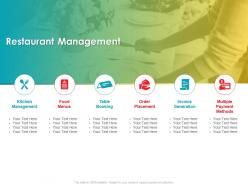
The image shows a PowerPoint slide titled "Restaurant Management" with a colorful background and images of culinary activities. The slide is segmented into six sections, each with an icon and title related to different aspects of restaurant management: Kitchen Management, Food Menus, Table Booking, Order Placement, Invoice Generation, and Multiple Payment Methods. Each section includes placeholder text, "Your Text Here," indicating that the content is customizable for specific details.
Use Cases:
1. Hospitality:
Use: Training on restaurant operations
Presenter: Hospitality management trainers
Audience: New restaurant staff and managers
2. Software Development:
Use: Demonstrating restaurant management software features
Presenter: Sales teams
Audience: Restaurant owners and operators
3. Business Education:
Use: Teaching restaurant management courses
Presenter: Business school educators
Audience: Students specializing in hospitality management
4. Franchise Operations:
Use: Standardizing operations across units
Presenter: Franchise brand executives
Audience: Franchisees and operational managers
5. Culinary Schools:
Use: Integrating management skills in culinary education
Presenter: Culinary instructors
Audience: Culinary students aspiring to be chefs or restaurateurs
6. Event Planning:
Use: Coordinating food service for events
Presenter: Event coordinators
Audience: Event planners and catering teams
7. Food Service Consultancy:
Use: Advising on restaurant efficiency improvements
Presenter: Consulting experts
Audience: Restaurant management and investors
Restaurant management table booking ppt powerpoint presentation slides outline with all 2 slides:
Use our Restaurant Management Table Booking Ppt Powerpoint Presentation Slides Outline to effectively help you save your valuable time. They are readymade to fit into any presentation structure.

FAQs for Restaurant management table booking ppt powerpoint
First thing - figure out your peak hours, that's everything. Look at your table turnover times and typical party sizes. No-shows are honestly the worst part of this whole thing. Don't book every single table though, you need room for walk-ins. Train your staff well since they'll deal with it daily. Holidays and special events will mess with your normal flow, so plan for that. Maybe charge deposits for big groups? I'd start basic with simple time slots first. Once everyone's comfortable, then you can get fancy with it.
Honestly, the right tech makes a huge difference for bookings. Your customers get real-time availability and instant confirmations, plus they can book whenever they want - no more playing phone tag. Mobile-friendly sites are a must these days. Automated reminders save you tons of headaches, and people love being able to change their own reservations online. The table management stuff is actually pretty sweet - customers can see the floor plan and pick their spot. Just don't make it complicated though. If booking takes more than 2-3 clicks, you'll lose people fast. Also integrate with review sites and loyalty programs if you can swing it.
Track your table turnover and no-show rates first - that's the bread and butter stuff. Average party size matters too. Revenue per seat hour is honestly where the magic happens though, shows if you're actually making money off your space. Booking lead times and cancellation rates are worth watching. Don't forget customer satisfaction scores specifically for the reservation process, not just food quality. I got way too into analyzing this stuff when I helped my buddy with his place last year! Set up a weekly dashboard and you'll start seeing patterns that'll help you tweak seating and policies.
Go modular with your tables - way easier to combine or split them up. Start with mostly 2-4 seaters as your foundation. Bigger parties? Just push tables together. But you can't exactly split a 6-top when two people walk in, obviously. Don't cram everything together either (your servers will literally curse your name). Those window spots are prime real estate, so keep them flexible for different group sizes. Oh, and make sure your booking system isn't lying about capacity - factor in actual walking space. You'll be saying yes to way more reservations without the nightly puzzle game.
Dude, if people can't find your restaurant online, you're basically invisible. Most folks are searching on their phones first - that's just how it works now. Your Google listing and Instagram game directly affect who ends up on your booking page. Keep everything updated (seriously, outdated hours are the worst), and definitely bug your happy customers for reviews. Those really help you show up higher in searches. Oh, and make sure your website doesn't suck for mobile. Short version: better online presence = more reservations coming through your system.
Dude, confirmation calls 24-48 hours ahead will be your best friend here - seriously cuts no-shows by like 30-40%. Get credit card info when they book and charge a small cancellation fee, maybe $10-15 per person. I used to think that was too aggressive but honestly? People respect it more than you'd expect. Reminder emails help too. Oh, and make your cancellation policy super clear from the start - none of that fine print nonsense. The follow-up consistency is what really matters though. Try the confirmation calls first and you'll probably be shocked at how much better your show rates get.
Honestly, skip the boring slideshow stuff and just let them mess around with the system. Have everyone practice making reservations, changing them, canceling - the whole deal. Walk-ins and special requests too. Here's what most places totally screw up though: they don't practice the disasters. What happens when you're overbooked? System goes down? Do some role-playing so nobody panics mid-shift. I'd give each person a little cheat sheet for their first week. Pick someone who's good with tech to be the question person. Oh, and test everyone out when it's dead - never during rush.
Dude, personalized booking is honestly a game-changer for getting people back. Like when you remember someone's anniversary or that they always want the corner booth - it's such a small thing but makes them feel special. Reminds me of my old neighborhood spot where they'd see me coming and already know my order. Restaurants doing this stuff see repeat visits jump 20-30%, which is pretty solid. Just start basic - throw their preferences into your booking system. Dietary stuff, favorite tables, whatever. You'll be shocked how happy people get when you actually remember them instead of treating them like random customers.
Ugh, overbooking and no-shows will drive you insane - it's like playing Tetris with angry customers waiting in your lobby. Late parties mess everything up too. Your 8pm reservations suddenly become 9pm when people linger forever over dessert. Walk-ins are the worst because they completely wreck your timing. Honestly, the phone ringing nonstop for new bookings while you're already drowning doesn't help. Buffer time is your friend - build it into every slot. Keep a solid waitlist going so you can fill gaps when people inevitably flake.
Honestly, just ask your customers what's bugging them about booking. Quick surveys work great - hit them up right after they make a reservation. Ask about the booking process, wait times, all that stuff. Check social media and reviews too since people love complaining there (but it's actually super helpful). Look for patterns in what they're saying. If everyone's griping about your website being confusing or phone waits being forever, there's your answer. Then actually fix it - maybe simplify that reservation form or add more phone staff during busy times. Follow up later to see if people are happier.
Oh man, double bookings are the worst! Okay, first thing - don't panic. Check if you can squeeze both parties in by moving some tables around or adjusting their times. Sometimes it actually works out. If not, be super honest about screwing up (no weird excuses) and offer something good - free drinks, discount on their next meal, whatever. I swear being upfront about mistakes builds more trust than pretending everything's perfect. Also, keep a list of decent nearby restaurants handy for emergencies. You'll get through this!
Honestly, posting good food pics and responding to comments actually gets people through your door. When folks see your dishes looking amazing and real customers leaving happy reviews, they'll want to try it too. I'd say aim for 3-4 posts weekly - mix in some behind-the-scenes stuff with customer photos. Don't forget to actually engage back when people comment though, that's huge for building trust. Always throw in "book now" or whatever with your link. It's basically the cheapest marketing you'll ever do, and way more effective than those expensive ads nobody clicks on anyway.
Honestly, three big things to nail down: data protection, accessibility, and your cancellation stuff. Privacy laws are super strict about how you handle customer info - emails, phone numbers, all that. ADA compliance for your booking system isn't optional either, trust me on that one. But the real headache-saver? Spell out your cancellation and no-show policies upfront. People get weird about deposits and charges later if it's not crystal clear from the start. Definitely worth having a restaurant lawyer look over your terms - I learned that the hard way with my cousin's place.
Dude, mobile payments are honestly a game-changer for table bookings. Your no-shows drop by like 60-70% when people pay upfront - turns out they actually show up when money's involved, who knew? Staff stops wasting time chasing payment confirmations too. Customers love it because they book everything in one shot instead of that annoying "call us back with your card" dance that makes half of them bail. Oh, and your host can actually focus on, you know, hosting instead of being a payment processor. Start with your busy nights first - that's where you'll see the biggest difference.
Honestly, the coolest stuff happening right now is AI demand forecasting and dynamic pricing - think Uber surge pricing but for restaurants. Waitlist automation is huge too, automatically texting people when tables free up. Smart seating systems figure out optimal table arrangements based on party size and how long people usually stay. Some restaurants are doing "experience booking" where you're not just reserving a table but specific chef interactions or tasting menus. Oh, and the integration with delivery apps is pretty slick - managing dine-in and takeout demand from one dashboard. Before you buy anything though, definitely check what your current POS system can already do.
-
Great designs, really helpful.
-
Content of slide is easy to understand and edit.