


Restaurant management system powerpoint presentation slides




Try Before you Buy Download Free Sample Product
 Impress Your
 Audience
 100%
100% Editable
 Save Hours
 of Time


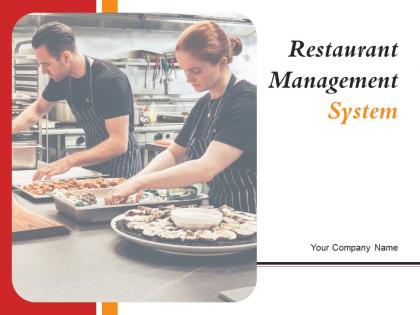
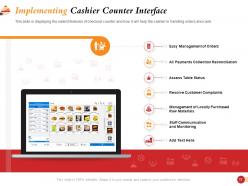
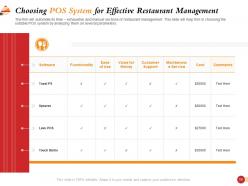
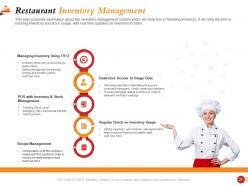
Restaurant Management System PowerPoint Presentation Slides offers restaurateurs a comprehensive layout to showcase the restaurant management fundamentals with visual brilliance. Using the hospitality management PPT theme, you can consolidate current challenges, and competitive analysis to demonstrate where you are lagging. Illustrate the potential solutions like enhancing communication between the kitchen, waiters, and cashier with the help of restaurant management PowerPoint slideshow. F&B management PPT template assists you in presenting management system solutions like centralized bank office, online ordering, and takeaway counter. It is easy to elucidate the point of sale interface and choosing a POS system through food and beverage management PowerPoint presentation. Take advantage of the compact design of the food industry management PPT slideshow to represent the restaurant inventory management plan to monitor stock usage. Also, address personnel management, including how to retain talented staff with the help of this hotel management system PowerPoint theme. Download this restaurant management system PPT presentation to highlight core areas like safety management, marketing management, and financial analysis.
People who downloaded this PowerPoint presentation also viewed the following :
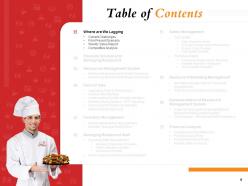
Content of this Powerpoint Presentation
Today’s consumers are health and budget conscious, but they will still opt for eating out every once in a while. Whether they are too tired to prepare their daily meals on their own, or they develop fast-food cravings every once in a while, restaurants and eateries will always beacon food lovers wherever they are.
Once inside a restaurant or an eatery, how customers are treated with respect to food, ambience, and hospitality makes or breaks the deal. It also determines whether they will think about buying food from you the next time. This is why a restaurant management system has a meticulous responsibility to carry out. To convert a fickle, first-time customer into a loyal, daily fan of your food will require a precise yet all-encompassing business strategy of designing an excellent food and overall service.
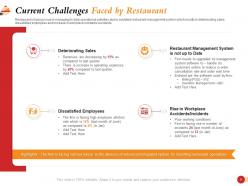
With such intense competition in the food business, you need to ensure you check all boxes of offering unique, delectable, cost-effective, and hygienic food service as a restaurant service provider. For this, a restaurant management system playbook is essential to focus your energy on perfecting your business with special attention to customer service. Evaluate present-day business challenges, identify competitors, analyze market trends, and pay attention to feedback received using this ready to use, 100% editable PPT Presentation. Download now.
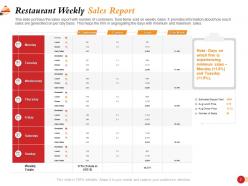
Template 1: Restaurant Weekly Sales Report

Kick off your restaurant management system presentation with this weekly sales report PPT Template. Take a snapshot of breakfast, lunch, and dinner sales customer-wise and food consumption wise. Highlight the best week days for business sales and the average meal price, and to ensure you harness this information for maximum profits.
Template 2: Possible Solutions for Managing Restaurant
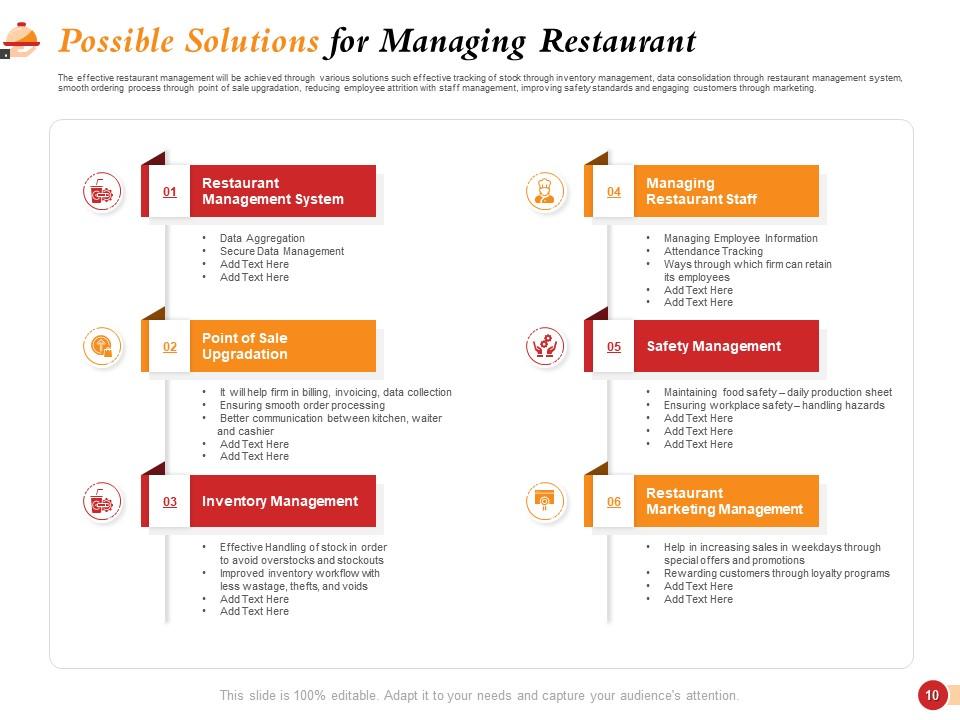
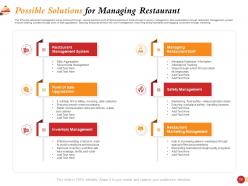
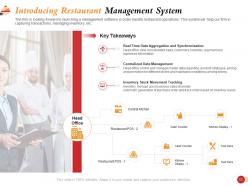
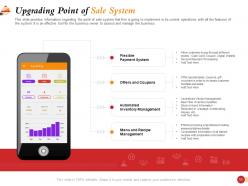
Use this presentation slide to explore possible solutions for managing your restaurant business. Focus on securing data of customers, upgrading point of sales, meticulous inventory management, among the physical aspects of your business. Use this slide to understand how to focus on interactive aspects such as managing staff, ensuring safety, and finally extending a warm ambience over social marketing channels. This PPT Design will help you focus on these aspects.
Template 3: Point of Sale Interface
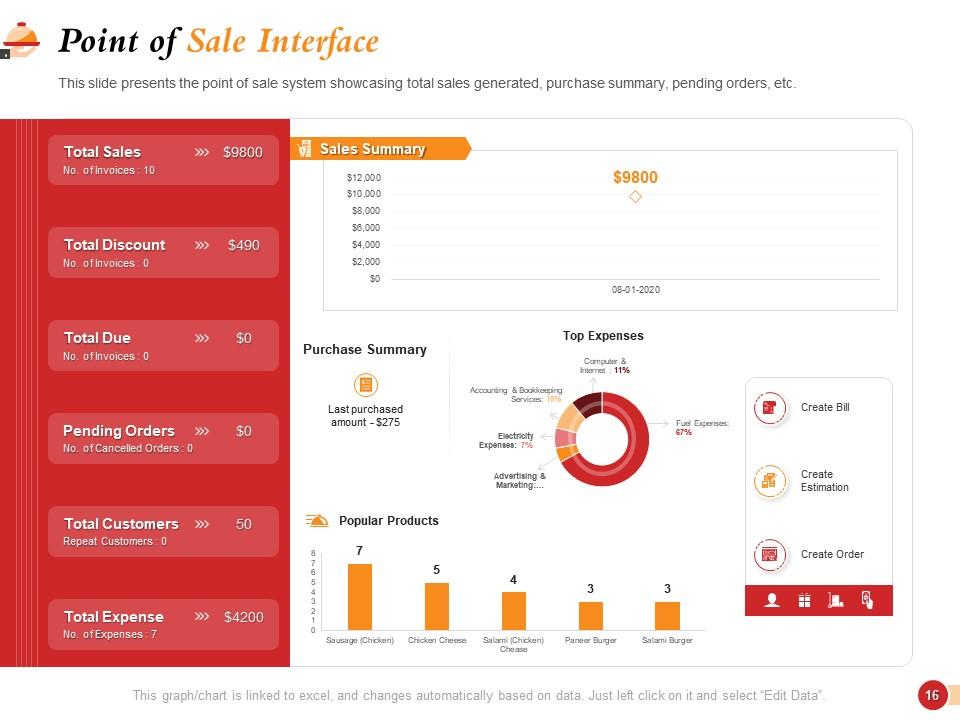
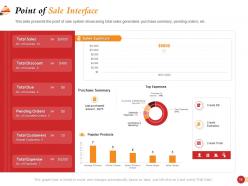
Collect and present data from your Point of Sale Interface in this PPT Slide. Record data of total sales, total discounts, total due, total customers, and pending orders. You can slo demonstrate profitability metrics using pie charts and bar graphs to segregate tips, expenses and popular products. Edit this Excel-linked, fully editable PPT Design to evaluate your Point of Sale Interface better.
Template 4: Kitchen Display System
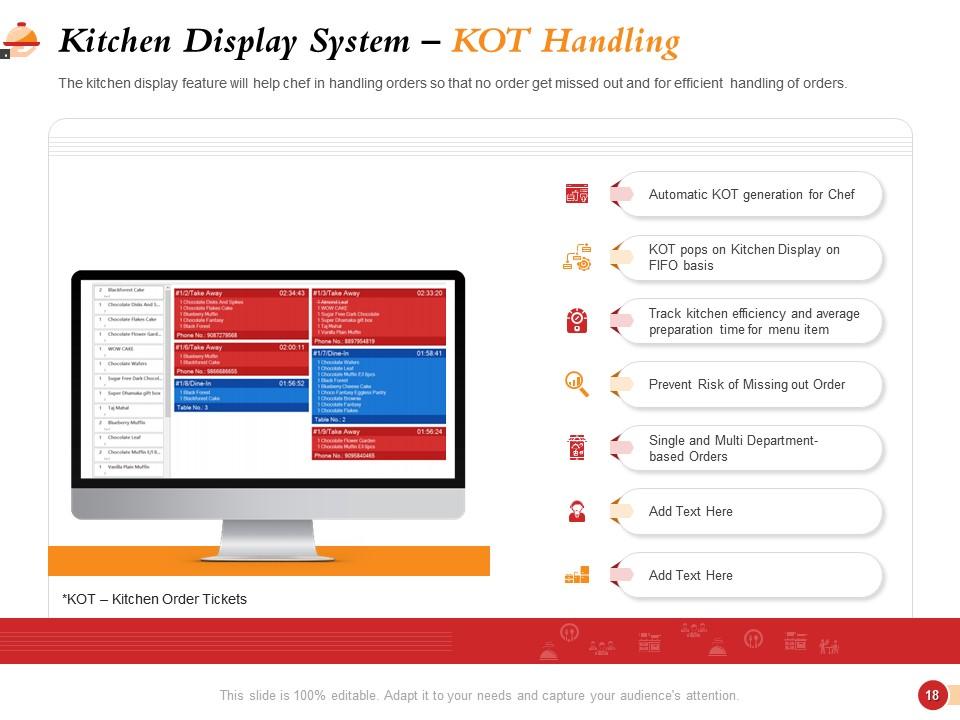
Coordinate the transfer of food requests collected from customers to the kitchen by designing a quick algorithm for Kitchen Display System with this presentation layout. Define the algorithm of request collection to its fulfillment and repeat it, till all orders are completed with this PPT Diagram. Kitchen Order Tickets (KOTs) must be checkmarked with the fulfillment of special requests. If you can pull this off and take care of this aspect, your restaurant management will soon be a rage and customers will be willing to eat out of hand.
Template 5: Inventory Management System
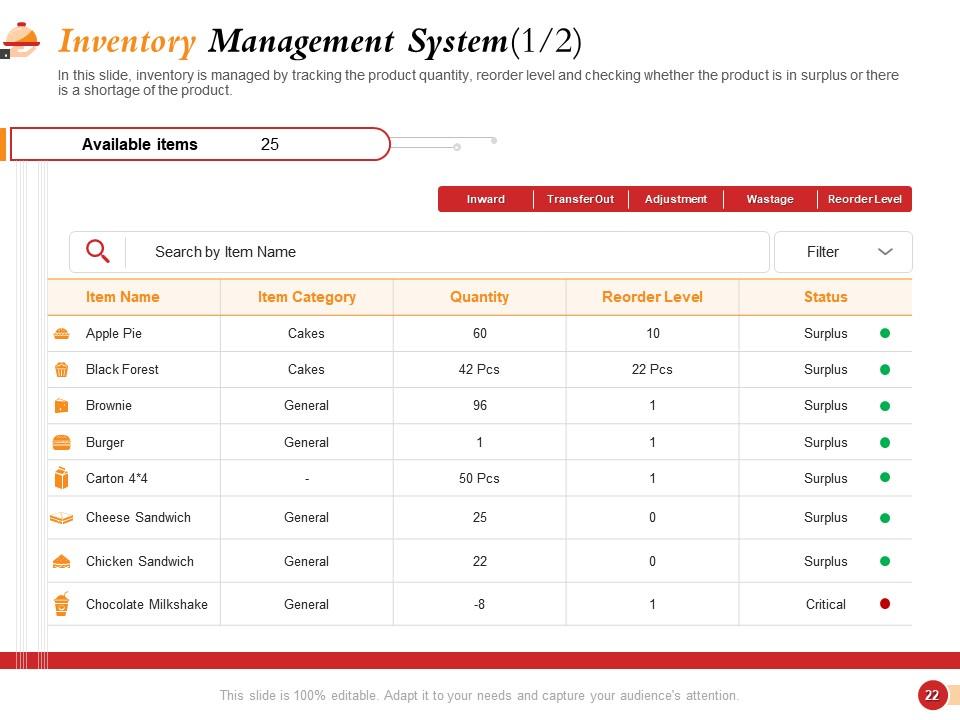
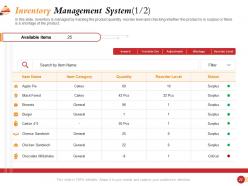
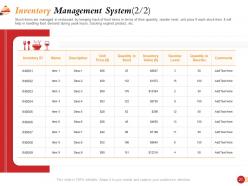
Maintain this inventory management chart to record items useful for your restaurant and to track their availability in stock. List required items by name and category while specifying the quantity required. Next, mention the reorder level followed by this item’s status in the inventory such as surplus, critical, or not needed. Use icons and color indicators for better visualization as shown.
Template 6: Operational Checklist
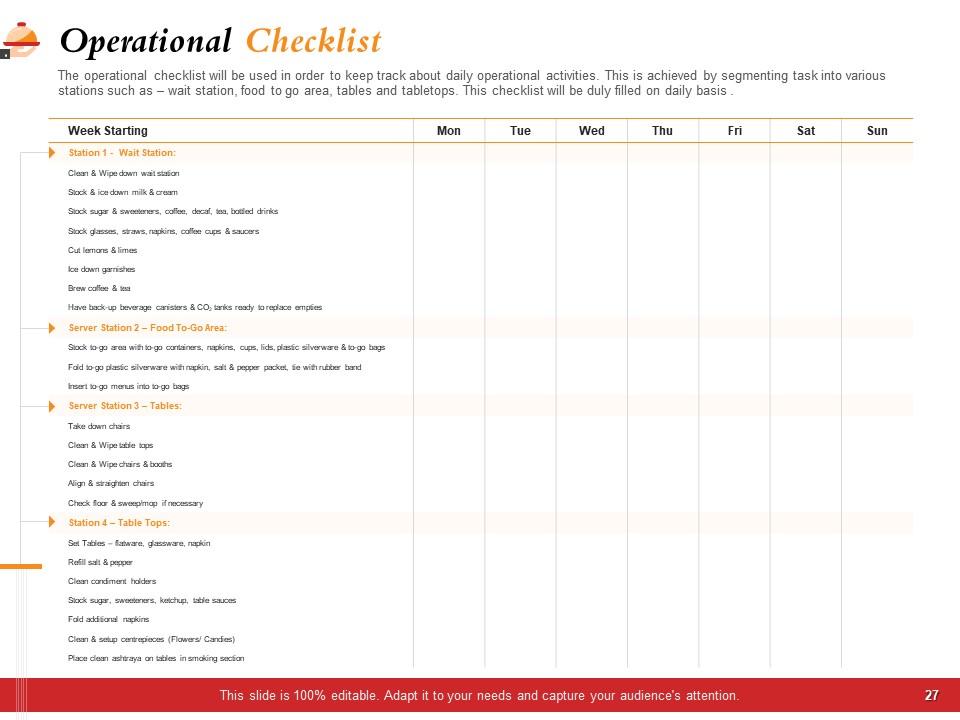
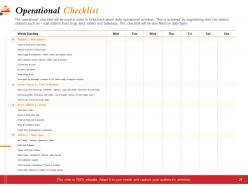
To maintain the efficiency and smooth operation of your restaurant, you can lay down the standard procedure for operating your restaurant and share it with the staff. The steps indicated in this PPT Template focus on a coordinated, seamless, hygienic, and efficient conduction of day-to-day activities. Tasks related to daily work and cleaning, fetching groceries, and sharing reports should also be included while preparing the working manual.
Template 7: Food Borne Illness Incidence Reporting
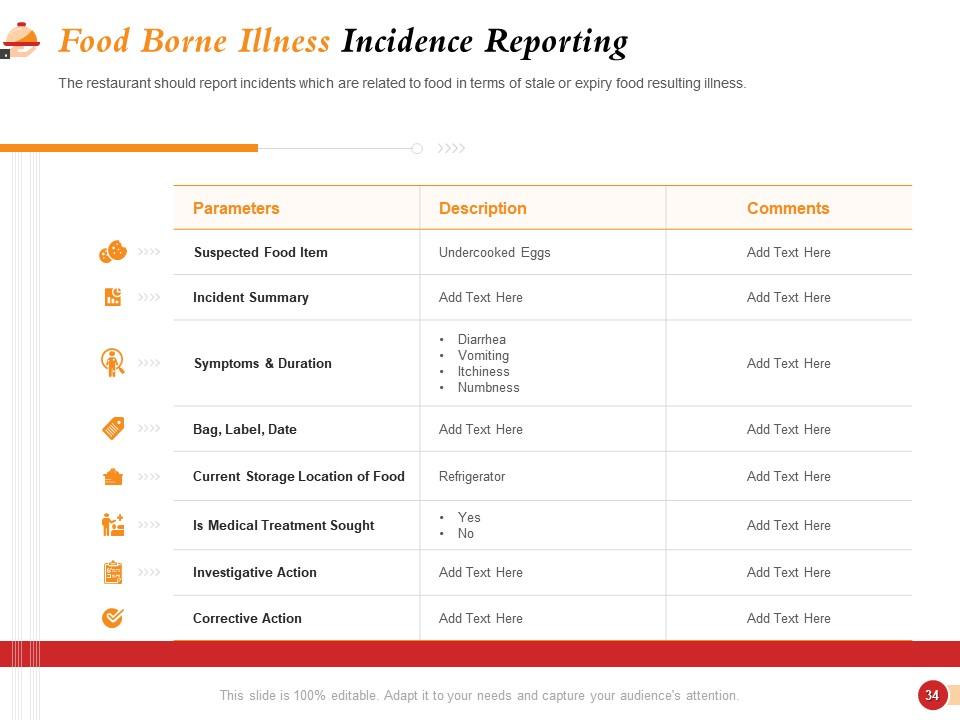
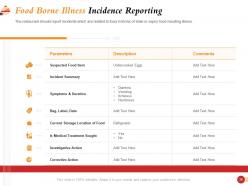
Your restaurant is only as good as the hygiene it maintains, any disease incidence and you could be out of business. Use this PPT Preset to keep track of previous food-borne illnesses reported in the past. Prepare short case studies of the causes of those illnesses, with their short description, and additional comments to help prevent these. You can even mention the investigative and corrective actions taken then to curb the spread.
Template 8: Possible Hazards in Restaurant
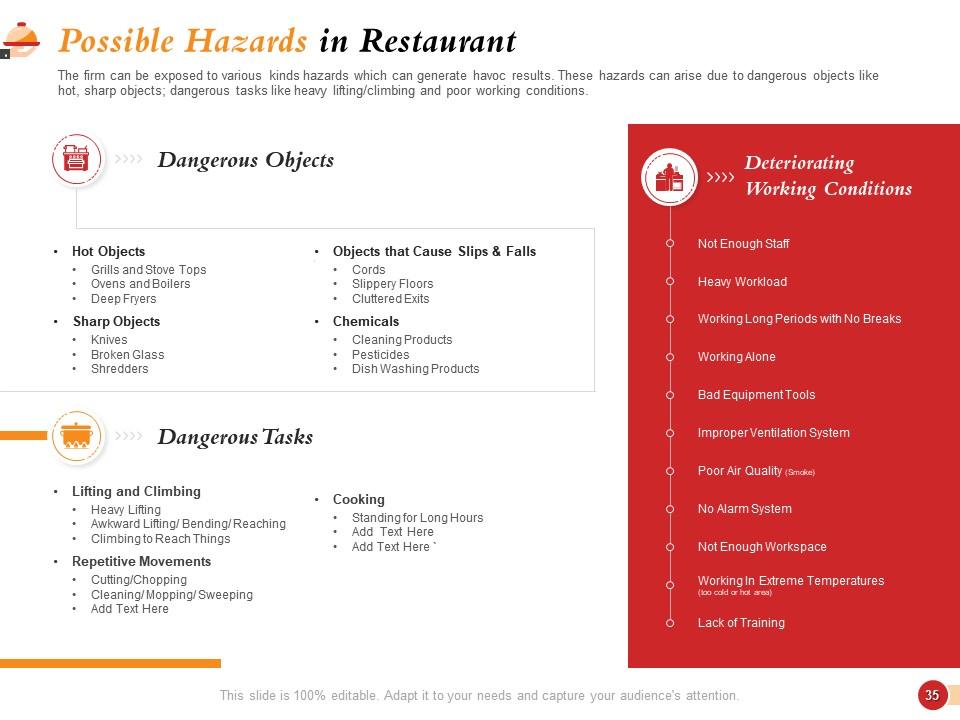
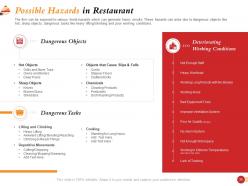
To exercise complete safety and precaution for staff as customers, you should mention all of the potential hazards for the consumer and staff. List dangerous objects and tasks part of the day’s activities so that the staff is fully prepared and skilled to handle them. You can also describe the deteriorating working conditions so that the staff hold themselves to a standard and make necessary escalations otherwise.
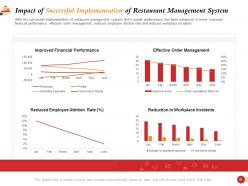
Template 9: Impact of Successful Implementation of Restaurant Management System
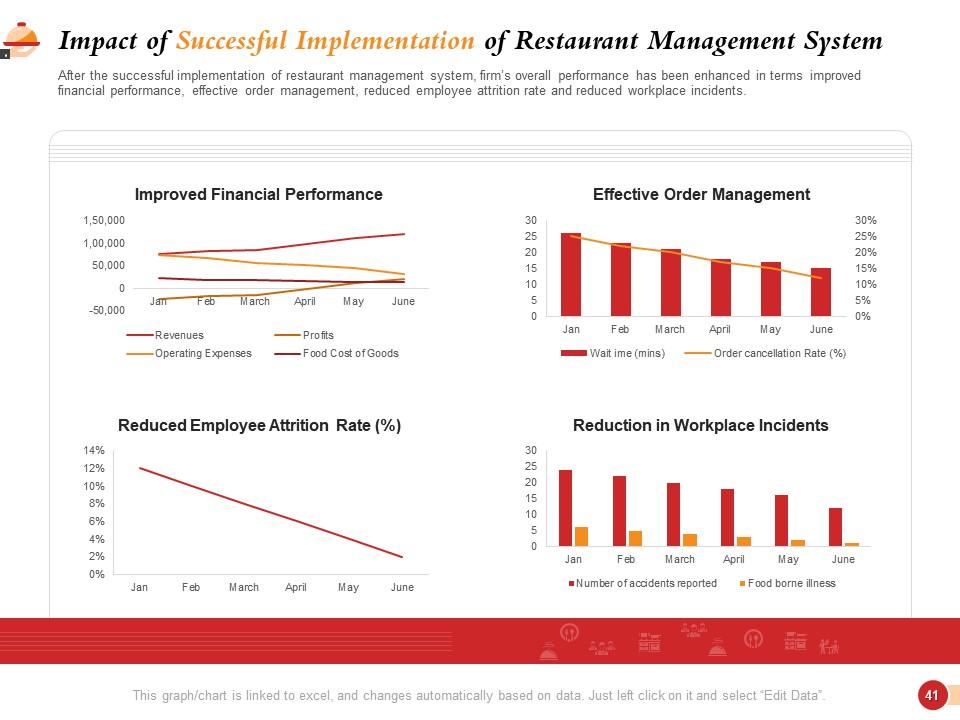
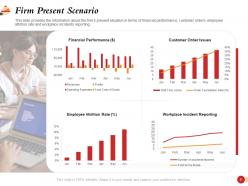
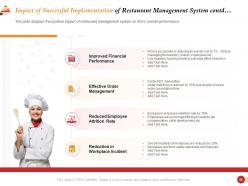
After addressing your restaurant's grievances and leaks with an effective restaurant management system, it’s wise to track its impact and this PPT Template is the way to do it. Report the improvement in financial performance, order management, employee attrition rates, and workplace safety, based on the month’s data and present it with bold graphs and figures, as shown.
Template 10: Projected Balance Sheet

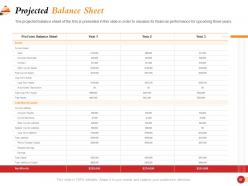
To ensure profitability is always there, and to track your business expenses, it's wise to create a balance sheet for your business. Keep track of your assets and liabilities over the years as you deal with the market dynamics. This balance sheet will also be helpful when pitching to investors as it speaks of your financial mindfulness in regularly recording your funds and assets.
Build a Wonderful Place to Eat and Hang Out at
Grab this wholesome package and create a food service that checks all boxes for customers, while keeping the in-house staff content as well. Earn the title of a responsible CEO, owner, or manager with this PPT Preset.
Restaurant management system powerpoint presentation slides with all 61 slides:
Use our Restaurant Management System Powerpoint Presentation Slides to effectively help you save your valuable time. They are readymade to fit into any presentation structure.


FAQs for Restaurant management system
Honestly, start with your biggest daily headaches and work backwards. POS integration is non-negotiable - you need seamless orders, payments, and table management. Inventory tracking will literally save your sanity (and money) by monitoring stock and automating reorders. Staff scheduling with shift swapping keeps everyone from hating you. Mobile compatibility is huge since you're never actually sitting at a desk, right? Don't sleep on the reporting features either - sales trends and performance metrics help you spot what's actually working. Oh, and customer data tracking is pretty clutch for building loyalty programs later.
Dude, get the restaurant management system. Your wait times will drop like crazy when everything's connected - POS, kitchen screens, reservations all talking to each other. No more servers running around with illegible order tickets (seriously, why is everyone's handwriting so bad?). Orders go straight from table to kitchen without the usual telephone game disaster. Your staff won't be stressed juggling paper everywhere, so they'll actually give better service. Customers get their food faster and it's actually what they ordered. Honestly, the repeat business alone makes it worth it. Just make sure you check satisfaction scores before and after to prove it worked.
Honestly, good inventory management will save your sanity. It tracks everything automatically - stock levels, usage, costs. When someone orders through your POS, it updates instantly. You'll get alerts before you run out of stuff, which is clutch because there's nothing worse than telling customers "sorry, we're out" during dinner rush. The waste tracking part is huge too since that's where you lose money without realizing it. Just set your reorder points once and let it handle the boring stuff. Way better than manually counting everything like some kind of masochist.
Yeah so basically your restaurant system talks to DoorDash, Uber Eats, all those apps through APIs. Once you hook it up, orders just pop into your POS automatically - no typing stuff in by hand. Your menu and prices sync in real-time too which is clutch. Customers get updates when their order's ready or whatever. Oh and the system I used at my last job worked with most platforms but honestly, double-check which ones your provider actually supports before signing anything. Some are way better than others at this stuff.
Dude, your POS system is sitting on gold mine data you're probably ignoring. Check which dishes actually make money - sometimes your "bestsellers" are profit killers. Peak hours become obvious so you can staff smart instead of guessing. I love how it shows exactly what you're wasting too - like ordering way too many tomatoes every week. Track customer patterns, adjust prices when demand spikes, and stop running out of the good stuff. Seriously though, just pull those weekly reports and plan ahead instead of winging it every month.
Honestly, I'd go cloud unless you've got really sensitive data or your internet sucks. You can log in from anywhere and updates just happen automatically - no IT drama. Opening new spots is way easier too since there's zero hardware involved. Monthly fees do pile up though, and you're screwed if your connection goes down. On-premise means you control everything but good luck managing those servers yourself (speaking from experience here lol). Really depends on whether you want convenience or total control. Most businesses nowadays just deal with the subscription costs because it's so much simpler.
Honestly, get the scheduling module first - that's where you'll save the most time right off the bat. It handles shift swaps digitally so no more "I never saw that text" BS from your staff. They can request time off through the app, pick up extra shifts, whatever. The system tracks labor costs too and suggests how many people you actually need based on sales (pretty helpful tbh). Your whole team gets updates pushed to their phones instantly. Way better than the usual chaos of calling everyone when someone calls out last minute. Oh, and it builds schedules super fast compared to doing it manually.
Honestly, start with what you actually need daily - POS, inventory tracking, staff scheduling, all that jazz. Integration's the big thing though. Trust me, you don't want multiple systems that can't talk to each other. Budget matters but think ahead too if you're planning to expand. Make sure your team can actually use it without losing their minds - I've seen fancy systems sit unused because they're too complicated. Oh, and definitely demo a few options with your staff first. They're the ones who'll be stuck with it every shift, so get their input before you commit.
Dude, mobile access is clutch for restaurants. You can check sales and inventory from literally anywhere instead of being stuck at that one computer. Staff love it too - they clock in/out from their phones and check schedules super easily. Real-time alerts are probably my favorite part though, like when you're low on something or someone calls out sick. I'd start with just managers using it first since some older staff might need time to get used to it, then expand from there. Trust me, once you try running things remotely you won't go back.
Honestly, your biggest headache will be getting staff on board - they'll complain about learning new workflows when the old system was "perfectly fine." Data migration is a pain too, plus you'll deal with integration issues with your POS and accounting software. Productivity's gonna tank for a while during the switch. Oh and obviously budget matters, especially if you're not huge. I'd say expect like 2-3 weeks of things moving slower than usual. Really focus on training everyone properly from day one though - it'll save you so much grief later.
Dude, you'll love this - restaurant management systems track everything automatically. Sales, costs, inventory, all in real-time. No more spreadsheet nightmares at month-end! The reports show food costs, labor, profit margins per dish, cash flow stuff. Honestly beats guessing on menu prices and staffing decisions. It'll set budgets from your past data and ping you when you're overspending. Oh, and you can finally see which dishes actually make money (some results might surprise you). Weekly reports are perfect for tracking the important stuff without getting overwhelmed.
Dude, first things first - encrypt everything. Payment data, personal info, all of it. PCI compliance isn't optional if you're taking cards. Get an SSL cert and set up two-factor auth this week - honestly those are the easiest fixes. Your staff shouldn't have access to full card numbers unless they absolutely need them. Keep your software updated (I know, boring but necessary) and set up regular backups because ransomware attacks are everywhere in hospitality right now. Also limit data access by role - your front desk doesn't need the same permissions as your manager.
Honestly, start simple with email surveys or those QR codes on receipts - customers hate long surveys so keep them super short. You'll want to sort feedback by stuff like food quality and service speed. Google and Yelp integration is clutch too. Set up alerts when ratings tank below whatever threshold makes sense for you. The real magic happens when you actually respond to reviews and fix the problems people complain about most. I'd probably just pick one method first instead of going crazy with everything at once. Track trends over time so you can spot patterns. Oh, and definitely flag anything urgent so managers see it right away.
Honestly, AI forecasting is where it's at right now - helps predict what you'll actually need. Voice ordering's getting big too. Most places are going all-in on contactless stuff like QR menus and mobile payments, which makes sense after everything that's happened. Ghost kitchens need their own management tools now apparently. The inventory systems are getting really smart about auto-reordering based on your sales data. Cloud systems are basically the only way to go since legacy stuff is such a pain to update. Sustainability tracking is huge if your customers are into that whole food waste thing. But honestly? Focus on nailing mobile ordering first - that's where you'll see the biggest boost.
Okay so basically these systems track everything for you - temps, cleaning schedules, when your staff certs expire, food dates, all that stuff. When something's about to go wrong, you get alerts instead of finding out during an inspection (which is honestly the worst). No more digging through random paperwork when health inspectors show up either. Everything's digital and you can pull reports instantly. I mean, my buddy Jake says it's kind of like having a compliance assistant that never calls in sick. Once you set it up, it just runs in the background keeping you covered.
-
good
-
good
-
good
-
Amazing product with appealing content and design.
-
Easily Understandable slides.
-
Perfect template with attractive color combination.