

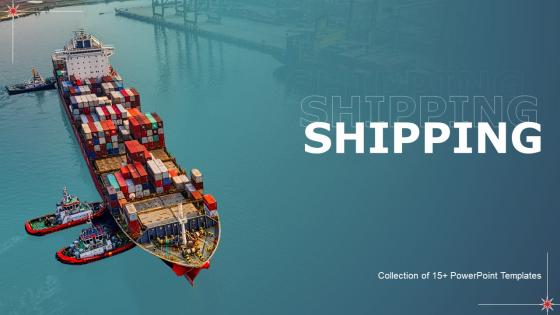
Shipping Powerpoint Ppt Template Bundles




Try Before you Buy Download Free Sample Product
 Impress Your
 Audience
 100%
100% Editable
 Save Hours
 of Time


Our Shipping Powerpoint Ppt Template Bundles are topically designed to provide an attractive backdrop to any subject. Use them to look like a presentation pro.
People who downloaded this PowerPoint presentation also viewed the following :
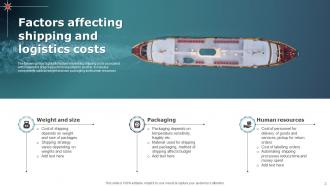
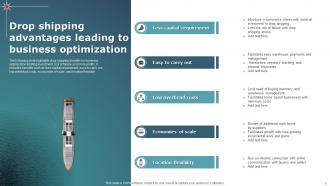
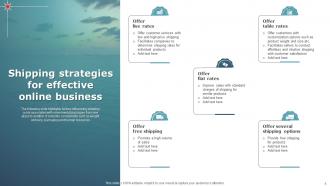
Shipping Powerpoint Ppt Template Bundles with all 24 slides:
Use our Shipping Powerpoint Ppt Template Bundles to effectively help you save your valuable time. They are readymade to fit into any presentation structure.







FAQs for Shipping Powerpoint
Make sure you get their full name, address, and phone number - I always space on the phone but delivery drivers actually need it. Package weight and dimensions are obvious ones. Pick your shipping method and service level upfront. Once you ship, tracking info goes in there too. Special handling stuff like "fragile" or "signature required" needs its own spot. Don't forget your return address either - learned that one the hard way lol. Cost breakdown helps too so you know what you're paying for. Basically just organize everything so you're not hunting around for random details when you're at the post office.
Oh totally - shipping templates are super industry-specific. Food stuff needs expedited delivery and temp control built right in. Electronics? You're gonna want protective packaging and insurance as defaults. Fashion companies usually plan around seasonal rushes (which honestly makes sense when you think about holiday shopping). Heavy machinery is a whole different beast - that's freight calculations and scheduled deliveries. Don't try using some basic template for everything though. It'll just bite you later when your specific product needs aren't covered. Match the template to what you're actually shipping and save yourself the headache.
Dude, shipping templates are a lifesaver - they automate all your shipping rules so you don't have to manually set rates for every product. Create different ones for heavy stuff, international orders, free shipping deals, whatever. Once you've got them dialed in, updating rates is cake when carriers inevitably jack up their prices (which happens way too often). No more typing in costs constantly, which means fewer mistakes too. I probably should've set mine up sooner honestly. You'll actually have time to work ON your business instead of getting buried in shipping nonsense.
Honestly, tracking all these shipping regulations yourself is such a pain - they change constantly and every country has different rules. I'd just partner with FedEx or UPS since they handle the compliance stuff for you. Way easier than trying to stay on top of everything solo. Your templates need the basics covered though - product descriptions, values, country codes, all that. Oh and set reminders to review them every few months because you'll definitely miss updates otherwise. There are also compliance services if you want to go that route, but the major carriers usually do the trick.
Okay so first thing - make your headers super clear and bold. People want to spot tracking info and delivery dates instantly, not dig around your email like they're hunting for treasure. White space is your friend here! Don't cram everything together. Keep colors simple with good contrast, stick to one font family, and make buttons actually look clickable. Oh and definitely test on mobile first since everyone checks shipping stuff on their phone anyway. I swear some companies still design like it's 2010.
Dude, automated shipping templates are such a lifesaver. You know how you're constantly typing in the same carrier details and package info for every order? Templates just auto-fill all that stuff based on what you're shipping and where it's going. Way fewer typos too, which is nice because I used to mess up addresses all the time. Your team can blast through orders so much faster. The system does all the boring repetitive work while you focus on other things. I'd start with templates for whatever you ship most - that's where you'll see the biggest difference right away.
Dude, branding your shipping stuff is so worth it! When someone gets your package, that's literally the last impression you make. I'd throw your logo and brand colors on the shipping labels first - super easy win. Your packing slips should match too, plus any little inserts you include. The whole vibe should feel like it came from the same place as your website, you know? People definitely notice when everything looks cohesive. Makes the unboxing experience feel way more legit and professional. Trust me, it's one of those small things that actually makes a big difference in how customers see your brand.
Hit up your customers with quick surveys after they get their stuff - but don't make them generic. Ask real questions like "Did you know when your package would arrive?" or "Got enough tracking info?" Short surveys work best, maybe throw in a small discount so people actually fill them out. Check social media and review sites too since that's where people vent about shipping problems first. Oh, and your customer service team probably hears complaints before anyone else does. Honestly, most people won't bother giving feedback unless you make it super easy. Then just use whatever they tell you to fix your messaging.
Don't be vague with your zones and weight ranges - you'll piss off customers or lose cash. Dimensional weight will screw you over too, especially with bulky lightweight stuff. Found that out the annoying way lol. Complex templates with a million conditions? Skip it. Your team needs to actually understand what they're using. Test everything with sample orders first - saves you headaches later. Oh and update when carrier rates change! I swear everyone forgets this part then wonders why their margins are trash. Keep it simple, test it, update it. That's basically it.
Okay so shipping templates are basically shortcuts for your most common shipments. You set them up once with your preferred carriers and rates, then just click instead of choosing everything manually each time. Honestly saves me like 10 minutes per order - I'm probably overthinking it but those minutes add up. Plus you'll get better bulk discounts since you're not randomly switching between different options. The consistency thing actually matters for rates. Just create 3-4 templates for whatever you ship most and you'll see your costs drop pretty fast. Way less headache too.
Honestly, start with your ERP, WMS, and ecommerce platform - those are the bread and butter systems feeding actual shipping data into templates. API connections are clutch here because manual updates will drive you insane (trust me on this one). Your carrier APIs matter too - FedEx, UPS, DHL - so templates can grab live rates and tracking automatically. Oh, and don't overlook customer notifications plus any 3PL partners you're using. Map out your current workflow first. That'll show you exactly where templates need to pull or push data, which saves tons of headaches later.
Oh this is actually pretty smart! Break down your customer groups first - like VIP folks who want fast shipping front and center, budget shoppers who need to see that free shipping cutoff, international customers dealing with customs stuff. Each group cares about totally different things. It's basically tailoring your message, you know? Like how you'd talk differently to your boss vs your college roommate. Map out what annoys each segment most about shipping, then build your templates around fixing those specific headaches. Way more effective than one generic template for everyone.
Dude, the shipping template game is changing fast. Machine learning is huge right now - it picks carriers automatically and actually predicts delivery times that don't suck. API connections are everywhere too, giving you live rates and tracking straight from carriers. Everyone's on mobile so your templates better work on phones (obviously). Honestly, the sustainability stuff surprised me - customers actually want to see carbon tracking now. My advice? Start with flexible APIs when you're rebuilding. Trust me, you'll thank yourself later when everything just... works together better.
So basically you want to see if those templates actually cut down on shipping questions hitting your support team. That's usually the biggest win right there. Check your delivery confirmation rates too - are people actually clicking those tracking links? Higher engagement usually means your messages are clearer. Customer satisfaction scores help, but honestly those can be all over the place depending on other stuff. The time savings thing is huge though. If your team isn't spending forever writing the same shipping emails over and over, you're golden. I'd just pick like 2-3 things that actually matter to you and check them monthly. Don't overthink it.
Dude, shipping templates are honestly a game changer for keeping customers happy. You won't get bombarded with "where's my stuff?" emails anymore because people actually know what to expect upfront. Clear delivery times mean way more completed purchases too. Nobody likes getting hit with surprise shipping costs at checkout - that's just annoying. I learned this the hard way when I was helping my cousin with her Etsy shop last year. Don't overpromise on delivery either, that'll bite you later. Set realistic timeframes and you'll deal with way fewer headaches.
-
A fantastic collection of templates. I'll likely use this as my go-to resource for future templates and support.
-
Wow! The design and quality of templates on SlideTeam are simply the best.