


Social event management and planning powerpoint presentation slides




Try Before you Buy Download Free Sample Product
 Impress Your
 Audience
 100%
100% Editable
 Save Hours
 of Time


Social Event Management And Planning Powerpoint Presentation Slides are designed using the best industry tools, and practices. Event management professionals from all domains can take advantage of our PowerPoint template deck. This versatile PPT presentation is suitable to compile an event planning portfolio. Showcase a professional overview of the company including details like company identity, sister companies, your approach, and management team. Use this event organization PowerPoint slideshow to elucidate your service spectrum, plan of action, as well as event timeline. Neatly consolidate a detailed fee structure. To make all this information interesting and organized, our designers have included plenty of data visualization tools. You get access to event timeline diagrams, tabular formats, infographics, and more. Provide a glimpse of your work proficiency by showing images from your past private, corporate, or charity events. Event planners can include photographs of international and local performers and talents. Hit the download icon and begin personalization. Our Social Event Management And Planning Powerpoint Presentation Slides are topically designed to provide an attractive backdrop to any subject. Use them to look like a presentation pro.
People who downloaded this PowerPoint presentation also viewed the following :
Content of this Powerpoint Presentation
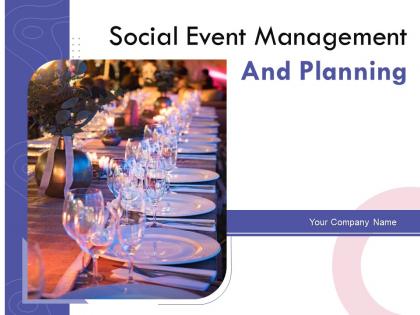
Slide 1: This slide introduces Social Event Management And Planning. State your Company name and begin.
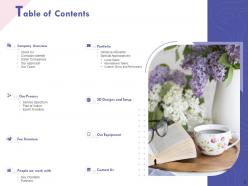
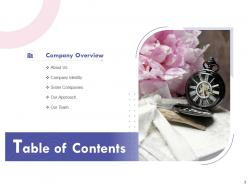
Slide 2: This slide displays Table of Contents.
Slide 3: This slide displays Table of Contents of the presentation.
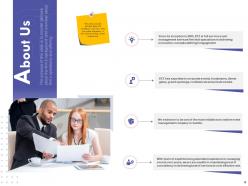
Slide 4: This slide provides glimpse about the company’s overview. User can made alterations in this slide according to their requirement.
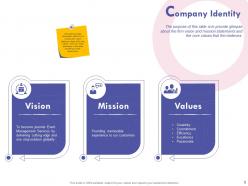
Slide 5: This slide provides glimpse about the company’s overview. User can made alterations in this slide according to their requirement.
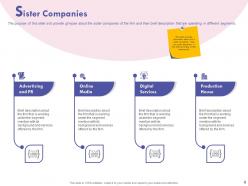
Slide 6: This slide provides glimpse about the company’s overview. User can made alterations in this slide according to their requirement.
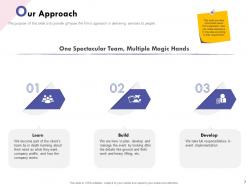
Slide 7: This slide provides glimpse about the company’s overview. User can made alterations in this slide according to their requirement.
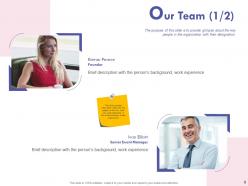
Slide 8: The purpose of this slide is to provide glimpse about the key people in the organization with their designation.
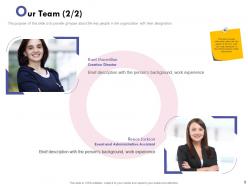
Slide 9: This slide provides glimpse about the company’s overview. User can made alterations in this slide according to their requirement.
Slide 10: This slide shows Table of Contents
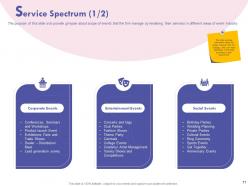
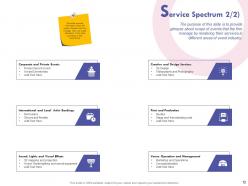
Slide 11: The purpose of this slide is to provide glimpse about scope of events that the firm manage by rendering their services in different areas of event industry.
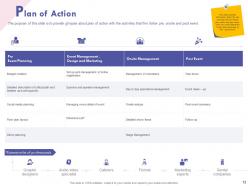
Slide 12: This slide provides glimpse about the company’s overview. User can made alterations in this slide according to their requirement.
Slide 13: This slide provides glimpse about the company’s overview. User can made alterations in this slide according to their requirement.
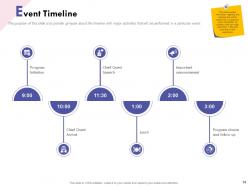
Slide 14: The purpose of this slide is to provide glimpse about the timeline with major activities that will be performed in a particular event.
Slide 15: This slide displays Table of Contents containing- Fee Structure.
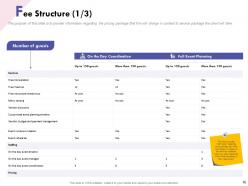
Slide 16: The purpose of this slide is to provide information regarding the pricing package that firm will charge in context to service package the client will take.
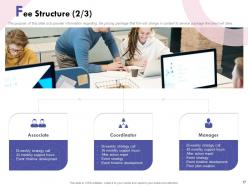
Slide 17: The purpose of this slide is to provide information regarding the pricing package that firm will charge in context to service package the client will take.
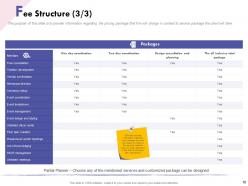
Slide 18: The purpose of this slide is to provide information regarding the pricing package that firm will charge in context to service package the client will take.
Slide 19: This slide displays Table of Contents.
Slide 20: The purpose of this slide is to give glimpse about the major clients of the firm.
Slide 21: The purpose of this slide is to give glimpse about the major partners that firm collaborated with whether they can be in catering, decoration, etc.
Slide 22: This slide displays Table of Contents.
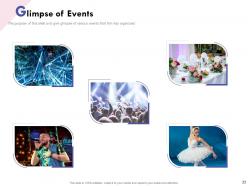
Slide 23: The purpose of this slide is to give glimpse of various events that firm has organized.
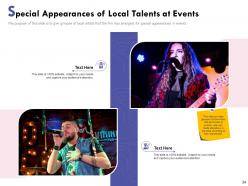
Slide 24: The purpose of this slide is to give glimpse of local artists that the firm has arranged for special appearances in events.
Slide 25: This slide provides glimpse about the company’s overview. User can made alterations in this slide according to their requirement.
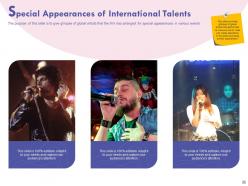
Slide 26: The purpose of this slide is to give glimpse of global artists that the firm has arranged for special appearances in various events.
Slide 27: This slide displays Table of Contents
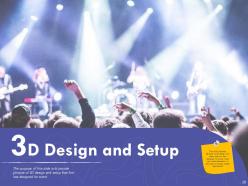
Slide 28: The purpose of this slide is to provide glimpse of 3D design and setup that firm has designed for event.
Slide 29: This slide displays Table of Contents.
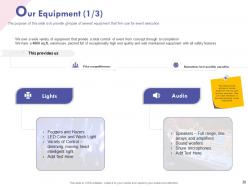
Slide 30: The purpose of this slide is to provide glimpse of several equipment that firm use for event execution.
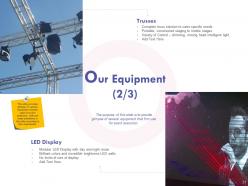
Slide 31: The purpose of this slide is to provide glimpse of several equipment that firm use for event execution.
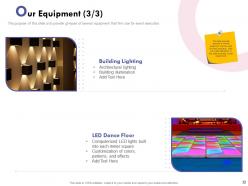
Slide 32: The purpose of this slide is to provide glimpse of several equipment that firm use for event execution.
Slide 33: This slide displays Table of Contents contanining- Contact Us
Slide 34: This is Contact us slide.
Slide 35: This is Event Management Company Profile Icons Slide
Slide 36: This slide is titled as Additional Slides for moving forward.
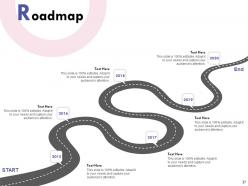
Slide 37: This slide depicts Roadmap process.
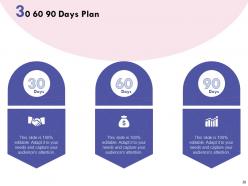
Slide 38: This is 30 60 90 Days Plan slide.
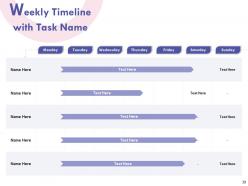
Slide 39: This slide presents Weekly Timeline with Task Name.
Slide 40: This slide shows Our Mission, Mission and Goals.
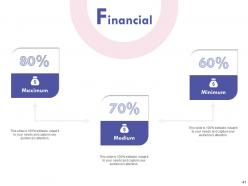
Slide 41: This is Financial slide for showcasing finance related stuff here.
Slide 42: This slide is titled as Post it Notes. Post important notes.
Slide 43: This is Idea Generation slide for representing ideas, facts.
Slide 44: This is Thank You slide with Contact details.
Social event management and planning powerpoint presentation slides with all 44 slides:
Use our Social Event Management And Planning Powerpoint Presentation Slides to effectively help you save your valuable time. They are readymade to fit into any presentation structure.
FAQs for Social event management and planning
So you'll need to figure out your budget first - honestly, that's gonna control everything else anyway. Get your venue locked down ASAP because the good ones disappear quick. Work backwards from your event date to create a timeline, and spend real time vetting vendors since they can totally tank your whole thing if they suck. Oh, and have backup plans ready for when stuff inevitably goes wrong - weather, people flaking, tech issues, whatever. I'd grab a basic event checklist online and just tweak it for your specific thing.
Seriously, tech will save your sanity with event planning. Project management apps help track all those crazy deadlines, and registration platforms handle RSVPs so you don't have to. Real-time check-ins are a game-changer too. Social media integration makes promotion way easier - though I still think Instagram stories work better than posts for events. Analytics dashboards let you watch ticket sales live, which is honestly kind of addictive. Virtual platforms mean you're not stuck with just local people anymore. My advice? Pick one tool that fixes your biggest headache first, then add more as you go.
Honestly, start with headcount - can it actually fit everyone without feeling like a subway car? Location's huge too, especially parking because nobody wants to walk six blocks in heels. Budget obviously, but watch out for sneaky fees like AV rentals or setup costs that pop up later. Does the vibe match what you're going for? Also their cancellation policy matters more than you'd think. I know photos look great online, but definitely go see it in person first - lighting can be super deceiving in pictures and you'll notice weird stuff the photos don't show.
Honestly, you'll want to split everything into categories first - venue, food, AV stuff, staffing, marketing. Then add like 15% buffer because trust me, random costs always pop up at the worst times. I use a shared Google sheet so everyone can see the damage in real-time lol. Multiple quotes are your friend for big expenses, and try to negotiate payment schedules that don't murder your cash flow. Weekly check-ins help catch problems early. Oh, and this is crucial - have ONE person approve all spending or you'll get nickel-and-dimed to death by budget creep.
Start strong - grab them with something that actually matters to them, you know? Clean slides are everything. Seriously, walls of text make people zone out instantly. Stories work way better than boring bullet points anyway. That client success story where someone tripled revenue? They'll remember that over any generic tip list. Throw in some polls or Q&A breaks so it's not just you talking at them for an hour. Practice those transitions between sections - nothing kills momentum like awkward pauses where you're like "um, so next we'll cover..." End with stuff they can actually go do tomorrow.
Start posting about 6-8 weeks out - trust me on this timing. Facebook events are perfect for tracking RSVPs, Instagram's where you want your visual stuff. LinkedIn too if it's work-related. Make a hashtag and actually use it everywhere (sounds obvious but people forget). Instagram countdown stickers are honestly addictive - I use them for everything now. Behind-the-scenes content works way better than you'd think. Speaker spotlights, venue peeks, that kind of thing. Oh and reply to comments! Sounds basic but it makes a huge difference. If people start posting about your event, definitely share their stuff too.
Honestly, skip the lecture format entirely - get people doing stuff instead of just sitting there. Live polls and Q&A sessions work great, plus breakout discussions if you've got time. I know it sounds cheesy, but gamification actually slays at these things. Like, people get weirdly competitive over scavenger hunts even in corporate settings. Switch up what you're doing every 15-20 minutes or you'll lose them completely. Keep sessions short with breaks built in. The trick is planning these interactive bits upfront when you're designing everything, not scrambling to add them later when you realize people look bored.
Okay so first thing - compare your actual attendance to how many people registered, then look at whether you stayed on budget. Did you hit whatever goals you set up front? Like if you wanted X number of leads or social posts, check those numbers. But honestly, the post-event survey is where the gold is. That's your best shot at finding out what people actually thought worked vs what flopped. Your team probably saw stuff attendees didn't too, so grab their feedback. Oh and do a debrief meeting soon - like within the week while everyone still remembers the details clearly.
Look, sustainability isn't optional anymore - clients just expect it now. But here's the thing: it actually saves you money most of the time. Skip the printed invites, find local caterers, pick a green-certified venue. Easy stuff first. I'd honestly start with just 2-3 changes for your next event. Go digital for registration, maybe find somewhere LEED-certified to host. The waste reduction thing sounds intimidating but it's really not that bad once you get going. Plus venues love promoting their eco-friendly events, so it's kind of a win-win situation for everyone involved.
Ugh, venue stuff is the WORST - they're always changing things on you. Plus vendors being late, weather being weird if you're outside. I swear it's like babysitting grown adults sometimes. Build extra time into everything though, seriously. Check in with people constantly or they'll just disappear on you. Keep backup plans for the big stuff and make a little emergency kit for event day. Oh and start planning way sooner than feels normal - I learned that one the hard way! Shared docs help too so everyone actually knows what's happening.
Oh man, cultural stuff can totally make or break your event! I'm talking everything from scheduling around religious holidays to figuring out if your networking setup actually works for different personal space expectations. Food preferences are huge too - learned that one the hard way at this international thing I helped with a few years back. Gift-giving gets weird between cultures, and honestly even basic communication styles vary so much. My advice? Do research upfront and maybe grab a local cultural consultant. They'll catch the stuff you'd never think of. Worth every penny.
Honestly, hybrid events are pretty great - you get that live energy but can reach tons more people online too. Way more budget-friendly since people pick how they want to participate. The mistake everyone makes though? Treating virtual attendees like they're just watching TV. Super annoying for them. You've gotta actively include both crowds with polls and Q&As that actually work for everyone. Good AV gear is non-negotiable, and seriously - assign someone to babysit the online experience. Don't just slap a camera in the corner and call it hybrid.
Definitely get feedback fast - like within 24-48 hours before people totally forget what happened. I'd mix it up with short email surveys, maybe some quick polls right at the end of your event, and honestly? Check social media too since people love posting their real thoughts there. Ask specific stuff about the logistics and content instead of just "how'd we do?" because that gets you way better answers. Oh and keep surveys super short - 3-5 questions max or people won't bother. One-on-one chats with your VIP attendees are gold too if you can swing it. This feedback becomes your game plan for next time and shows the higher-ups you're actually improving things.
Okay so definitely get your permits sorted first - most cities are pretty strict about this, especially if you're doing anything outdoors or serving booze. Insurance is huge too, like seriously don't skip it because one lawsuit will ruin everything. Your vendor contracts need solid cancellation policies and payment terms spelled out clearly. Oh and check if there's ADA stuff you need to handle, plus noise rules if you're having music. Honestly the permit thing takes forever sometimes so start that process way early. Also make sure someone's actually responsible when vendors inevitably mess something up.
Start planning for accessibility right away - don't just slap it on at the end. Pick venues with ramps, elevators, proper bathrooms. Send out a quick survey beforehand asking what people need. Sign language interpreters, captions, materials in different formats - all that stuff matters. Dietary restrictions too (honestly, the gluten-free folks will love you for thinking ahead). Some people have sensory issues or cultural considerations you might not think of. The small details really do make or break it. Then actually follow through on what you promised, obviously.
-
Helpful product design for delivering presentation.
-
Unique design & color.