


Software Go Live Powerpoint Ppt Template Bundles




Try Before you Buy Download Free Sample Product
 Impress Your
 Audience
 100%
100% Editable
 Save Hours
 of Time


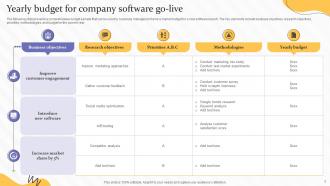
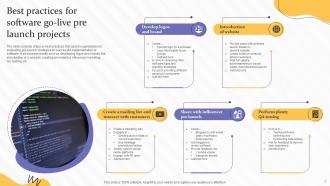
Introducing our comprehensive PowerPoint PPT presentation on Software Go Live. This informative presentation is designed to guide organizations through the process of successfully launching new software solutions. With a focus on efficiency and effectiveness, the PPT covers essential topics such as budget allocation, best practices of software pre launch, and tool selection matrix. Learn how to allocate your budget strategically for a smooth go live experience. Discover the proven best practices to ensure a seamless software pre launch phase, optimizing functionality and user experience. Moreover, our tool selection matrix offers valuable insights into selecting the right tools to support your software go live journey. With this PPT, you ll gain valuable knowledge and practical tips to achieve a successful software go live and maximize your organizations productivity and customer satisfaction.
People who downloaded this PowerPoint presentation also viewed the following :
Software Go Live Powerpoint Ppt Template Bundles with all 20 slides:
Use our Software Go Live Powerpoint Ppt Template Bundles to effectively help you save your valuable time. They are readymade to fit into any presentation structure.





FAQs for Software Go Live Powerpoint
Honestly, start with your testing and rollback plan - that's where most people mess up. Train your users properly and get your communication sorted for launch day. Do a full dress rehearsal too, seriously. I've watched projects crash because teams skipped that step thinking they had it covered. Get your monitoring set up early so you can spot problems fast. Also random thought - make sure someone's designated to actually pull the plug if needed, not just "we'll figure it out." Build that go/no-go checklist now while you're thinking clearly.
Dude, definitely run through your checklist before you deploy anything. Test all the main features and make sure performance looks good. Check that your integrations aren't broken - I learned this the hard way once. Security scans and database stuff might seem boring but they'll save your ass later. Your staging environment should basically be identical to production, so do your final tests there. Oh and make sure your monitoring actually works! You don't want to be that person frantically trying to figure out rollback procedures while everything's on fire. It should feel pretty routine by the time you hit deploy.
Dude, user training can totally make or break your launch. I've watched projects completely tank because nobody knew how to do basic stuff - it's painful to see. Don't try teaching every single feature though. Stick to what people actually need on day one. Train them right before you go live so they don't forget everything. Oh, and definitely have some power users ready to jump in and help when things get messy those first couple weeks. Trust me, you'll get way fewer panicked calls if people know what they're doing upfront.
Make sure everyone knows the exact dates and what "launch" actually means for their team. Marketing and engineering have totally different definitions, trust me. Build a visual timeline with milestones, testing windows, and rollback points. Send updates regularly, especially when things get delayed (they will). Add buffer time because launches are basically Murphy's Law in action - something always breaks. Set up a dedicated Slack channel or whatever for launch day. When chaos hits, you'll need everyone talking to each other. Oh, and define your terms upfront so nobody's confused about what phase means what.
Deploy during off-peak hours when nobody's really using the system. Blue-green deployments are clutch - you can flip traffic instantly if things go sideways. Rolling updates let you do it piece by piece instead of everything at once, which is way less stressful honestly. Test your rollback plan beforehand because you don't want to figure that out when you're panicking at 2am. Crank up monitoring during the switch so you catch problems quickly. Oh and rehearse your cutover plan multiple times - like, actually run through it with your team.
Back up everything first - seriously, don't skip this. Run validation checks constantly: before you start, while it's happening, and after. Use checksums to make sure nothing got corrupted during transfer. The reconciliation reports are clutch - they'll show you if records went missing or got messed up between your source and target systems. Test on a small batch first though, because honestly? One screwed up migration can tank years of work. Always have your rollback plan ready. Set up monitoring to catch any weird data stuff right after you go live.
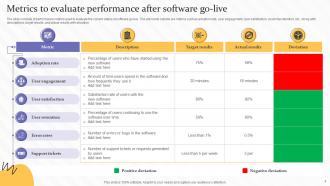
Track the technical stuff first - response times, error rates, uptime. Basic things that show if it's actually working. Then watch how people are using it: login rates, which features they're clicking, support tickets (this one's honestly the most telling). Business metrics matter too - whatever productivity or cost goals justified this whole project. I'd set up dashboards in week one so you catch problems before they blow up. Oh, and don't ignore the soft stuff like user feedback. Numbers don't tell you everything.
Get your feedback channels sorted *before* you launch - Slack channels, basic forms, whatever works. Trust me, those first few days will bury you if you're not prepared. Hit the bugs that break main workflows first, usability stuff can wait a bit. Here's the thing though - you've gotta respond to every single piece of feedback within 24 hours, even if it's just "thanks, we're checking this out." People lose their minds when they think you're ignoring them. Set up some basic tracking and tell users what you're actually fixing vs what's going in the maybe-later pile.
Dude, don't rush testing - that's where everything falls apart. Always have your rollback plan ready and actually test it first. Resist the urge to squeeze in "one more fix" before launch because I swear that's when stuff breaks. Make sure your support team knows what's happening so they're not blindsided by confused users. Oh and definitely watch system performance like a hawk those first couple days. Honestly, the rollback documentation is your lifeline when things go wrong (and they will). Don't try changing everything at once either - learned that one the hard way.
First thing - figure out your worst-case scenarios. System crashes, data going missing, people getting locked out, that kind of stuff. Document exactly who handles what when things blow up. Seriously, everything that can go wrong will happen at 3am on a Friday, so prep for it. Get your rollback plan written down, know how you'll update everyone, and make sure your key people are available. Oh and test this stuff ahead of time if you can. One person should have final say on pulling the plug - too many cooks in the kitchen when you're in crisis mode just makes everything worse.
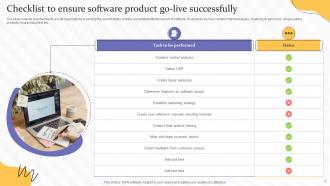
Dude, you absolutely need a pre-go live checklist - it's like your last line of defense before everything potentially explodes. Test all your integrations first. Double-check that data migration actually worked (not just "looks fine"). Verify user permissions aren't completely messed up. I once watched a launch crater because nobody bothered testing the payment system - awkward client call, trust me. Oh, and make sure backups are ready to go. The whole point is going through each item systematically instead of just crossing your fingers. Actually verify each thing works, don't just assume it does.
Honestly, run both systems side by side for at least 2-4 weeks when you go live. Something always breaks - it's like Murphy's law with tech rollouts. Make sure your legacy backups are current and have that rollback plan ready to go. Map out what's actually critical vs what would just be nice to keep working. Start planning your timeline now and tell users what's happening. The worst thing? Rushing the cutover because you're tired of managing two systems. Better to deal with the headache of running parallel systems than explaining to your boss why you lost three months of data. Don't ask me how I know that one.
Figure out who your main people are first and how they like to get info - some want all the details, others just the basics. Send regular updates before launch because surprises stress everyone out. That final week? Schedule quick check-ins because that's when people suddenly remember stuff they should've told you months ago (happens every time). Have someone ready to field all the random questions that'll definitely come up. Oh, and don't forget to actually celebrate when you're done - people remember that for next time.
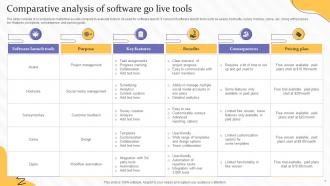
Honestly, project management tools are lifesavers for go-live stuff. Set up your checklists and workflows way before launch day - trust me on this one. Jira and Monday are solid for tracking everything in real-time and logging issues fast. Automated alerts for big milestones help too, so nothing slips through cracks. Dashboards let you watch system performance while everything's happening. The whole point is having one central place where your team can see what's going on. When chaos hits (and it will), everyone knows their role and when to escalate. Way better than scrambling around with scattered spreadsheets and emails.
Dude, change management can totally make or break your software launch. People absolutely hate surprises at work - like, they'll revolt if you don't prep them properly. You've got to start the communication and training stuff way early, not scramble at the last minute. I've seen so many projects fail because everyone focused on the tech but forgot about the human side. Users will resist anything new if they feel blindsided. Get them involved early with proper training and support. Trust me, most "software problems" are actually just people problems in disguise. Start planning this stuff from day one of your project timeline.
-
I am a big fan of their newsletters because that is how I found my perfect requirement at the time of urgency. Thank God, I kept opening those.
-
Loved the collection. Editing the presentation was seamless with their templates.