


Sponsorship Proposal Outline Powerpoint Presentation Slide




Try Before you Buy Download Free Sample Product
 Impress Your
 Audience
 100%
100% Editable
 Save Hours
 of Time


Need to write a sponsorship proposal outline? Use our content-ready sponsorship proposal outline PowerPoint presentation slides designed by our highly qualified design team. These business sponsorship plan PPT templates help secure funds and make your deal a success. Our research professionals have extensively researched our sponsorship plan presentation content. This sponsorship plan outline PPT presentation includes a slide on various essential subjects such as about us, about the event, sponsorship opportunities, benefits of sponsors, sponsorship form. Our customizable presentation templates enable you to convince your investor about the worthiness of your project. This advertisement program PowerPoint presentation slide will help you seek the attention of sponsors. Additionally, our sponsorship opportunities presentation slides can be utilized for product marketing, event proposal, cause marketing, business expansion project, advertising management, and sales campaign. Our promotional mix PowerPoint slides will guide you in raising awareness, thus resulting in acquiring various sponsors for your event. Download our integrated marketing communication PPT designs & set the right impression on your clients. Explain the journalese involved with our Sponsorship Proposal Outline Powerpoint Presentation Slide. Calm down apprehensions of actual intentions.
People who downloaded this PowerPoint presentation also viewed the following :
Content of this Powerpoint Presentation
Slide 1: This slide introduces Sponsorship Proposal Outline. State your company name and begins.
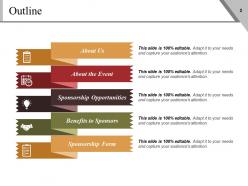
Slide 2: This slide showcases Outline which further includes- About Us, About the Event, Sponsorship Opportunities, Benefits to Sponsors, Sponsorship Form.
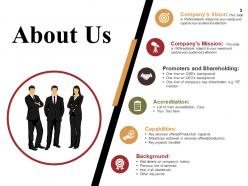
Slide 3: This slide showcase About us that includes- Company’s Vision, Promoters and Shareholding, Company’s Mission Background Accreditation Capabilities.
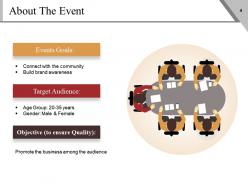
Slide 4: This slide presents About The Event.It can useful for adding further sub categories like- Events Goals, Target Audience, Objective.
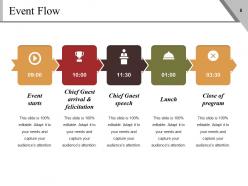
Slide 5: This slide shows Event Flow which can be helpful for making the timetable with title for event.
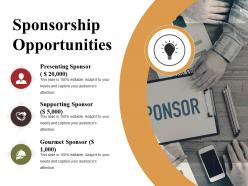
Slide 6: This slide displays Sponsorship Opportunities and those are as follows- Supporting Sponsor, Gourmet Sponsor, Presenting Sponsor.
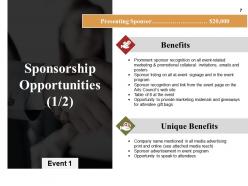
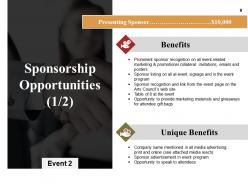
Slide 7: This slide presents Sponsorship Opportunities and also showing benefits and unique benefit so that you can add your info.
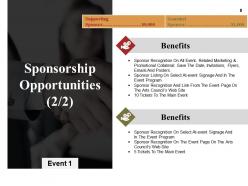
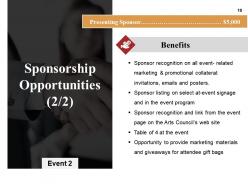
Slide 8: This slide displays Sponsorship Opportunities shows also benefits .
Slide 9: This slide showcases Sponsorship Opportunities in which you can add your benefits and unique benefis
Slide 10: This slide shows sponsorship opportunities showing benefits. You can add your benefits according to your requirements.
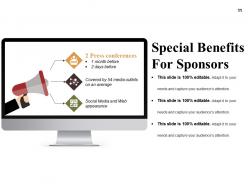
Slide 11: This slide showcase Special Benefits For Sponsors. You can make it usable as per your requirements.
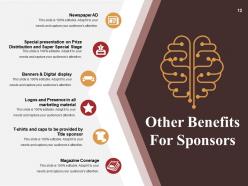
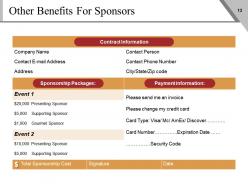
Slide 12: This slide displays Other Benefits For Sponsors which also includes- Newspaper AD, Special presentation on Prize Distribution and Super Special Stage, Logos and Presence in all marketing material, T-shirts and caps to be provided by Title sponsor, Magazine Coverage, You can add yours as per your requirement.
Slide 13: This slide presents Other Benefits For Sponsors showing - Sponsorship Packages, Payment information, Contract Information.
Slide 14: This Coffee Break icon slide is for display purposes to proceed forward.
Slide 15: This slide is titled Charts & Graphs to proceed forward.
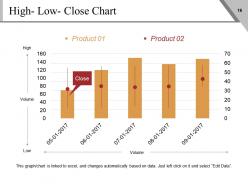
Slide 16: This slide presents High- Low- Close Chart. You can edit this as per your requirement.
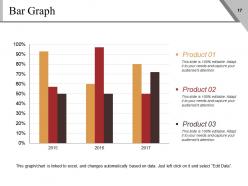
Slide 17: This slide displays a Bar Graph to put data information.
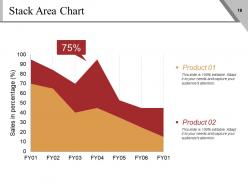
Slide 18: This slide presents Stack Area Chart. You can use for the comparison of two product.
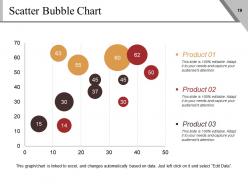
Slide 19: This slide shows Scatter Bubble Chart. You can add your data and use it accordingly.
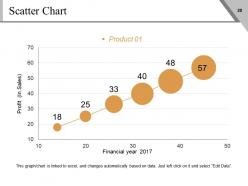
Slide 20: This slide showcases Scatter Chart. You can add your data as per your need.
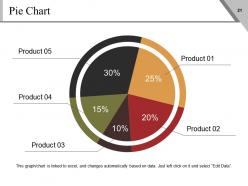
Slide 21: This slide is showing a Pie Chart. You can edit and use it for the comparison of the five products.
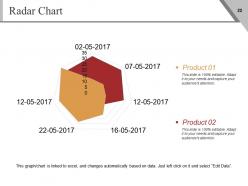
Slide 22: This slide showcase Radar Chart. You can use it for the comparison between two products.
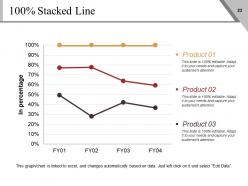
Slide 23: This is an slide for Stacked Line and is used for comparison of the three
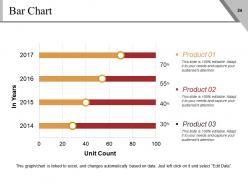
Slide 24: This is a Bar chart titled heading slide. Edit as per your requirement.
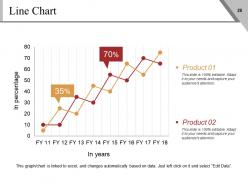
Slide 25: This slide is a Line Chart which can be used according to your requirement.
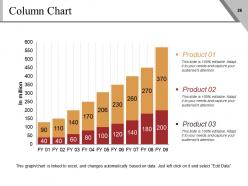
Slide 26: This slide presents Column Chart with nine financial years and three product in comparison.
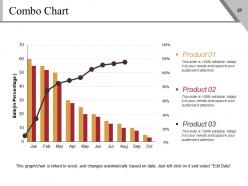
Slide 27: This slide displays combo chart that includes three product comparisons and shows up the business growth.
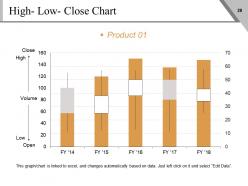
Slide 28: This slide shows High-Low-close chart. You can use this for showing the comparison of several years.
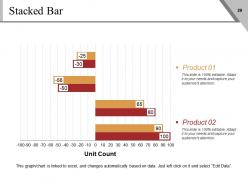
Slide 29: This slide showcases Stacked Bar with which you can compare the two products.
Slide 30: This slide is titled Additional slides to move forward.
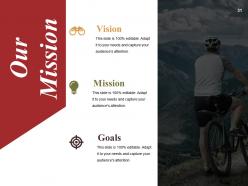
Slide 31: This is Our Vision slide showing Vision, Mission and Goals. State them here.
Slide 32: This is an About Us slide. State about your company team, company essentials, highlights etc. here.
Slide 33: This slide presents Our Team with name, image & text boxes.
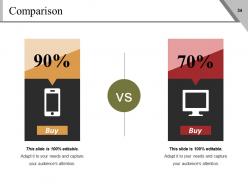
Slide 34: This slide shows Comparison in a creative manner with balancing scale and text boxes.
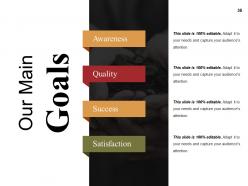
Slide 35: This slide displays Our Main Goals like - Awareness, Quality, Success, Satisfaction.
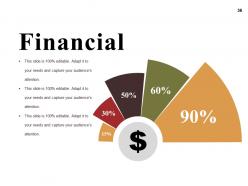
Slide 36: This slide showcases Financial scores to be put.
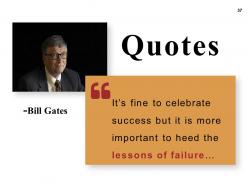
Slide 37: This is a Quotes slide to highlight, or state anything specific.
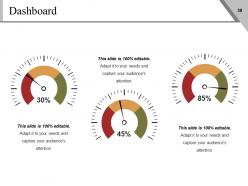
Slide 38: This is a Dashboard slide displaying- Revenue, Purchase Value, Units Sold.
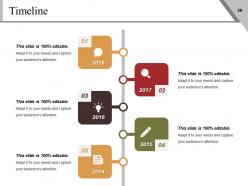
Slide 39: This slide presents a Timeline. Jot down your highlights, or present milestones etc. here.
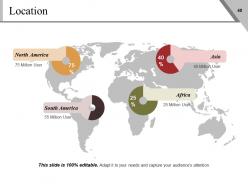
Slide 40: This slide displays global Locations. You can add and use accordingly.
Slide 41: This slide presents post it notes. You can use it to post your own notes.
Slide 42: This is a Newspaper slide to highlight something or add memeorabilia.
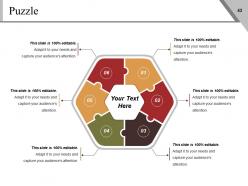
Slide 43: This slide presents a puzzle slide with the following subheadings- Integrity and Judgment, Critical and Decision Making, Leadership, Agility.
Slide 44: This is a Target slide. State your targets here.
Slide 45: This is a Circular slide to show information, specification etc.
Slide 46: This slide presents a Venn diagram with text boxes.
Slide 47: This slide presents a creative Mind Map with many text boxes.
Slide 48: This is a People's silhouettes slide. Use it the way you want to show solutions etc.
Slide 49: This is a LEGO slide with text boxes to show information.
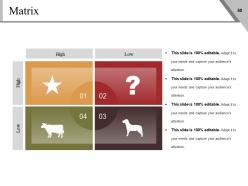
Slide 50: This is a MATRIX slide. Put relevant comparing data here.
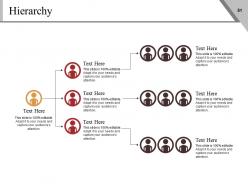
Slide 51: This slide is an Hierarchy chart. Put your information here.
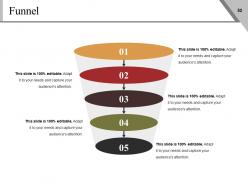
Slide 52: This is a Funnel slide. Showcase the funnel aspect of your team, company, product etc.
Slide 53: This is a Bulb or Idea slide to state a new idea or highlight specifications/information etc.
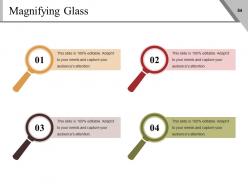
Slide 54: This slide presents a Magnifying Glass with text boxes and icon imagery.
Slide 55: This is a THANK YOU slide with Address # street number, city, state, Contact Numbers and email address.
Sponsorship Proposal Outline Powerpoint Presentation Slide with all 55 slides:
Find a better alternative with our Sponsorship Proposal Outline Powerpoint Presentation Slide. They help bypass hazards.





FAQs for Sponsorship Proposal Outline
Okay so you need five main things: clear value prop, detailed audience data, specific packages with prices, ROI metrics, and solid branding. But here's the thing - most people screw this up by talking about what they need instead of what the sponsor gets out of it. Get super specific with demographics too. Like don't just say "millennials" - give actual age ranges, income brackets, interests, the works. Include real deliverables like where their logo goes, how many social posts, booth placement, whatever. Oh and show them exactly how they'll track success - impressions, leads generated, that stuff. Research what sponsors have backed similar events first though.
Okay so here's the thing - you've gotta dig into what each sponsor actually wants, not just throw the same pitch at everyone. Tech companies? They want those engagement numbers and getting in front of your audience. But like a local restaurant just cares about getting people through their doors. I literally spend forever researching this stuff (probably too long honestly) but it pays off. Skip the boring generic benefits. Tell that bank exactly how you'll hit young professionals, show the fitness brand your active followers. Steal their own words from their website too. Start with what's in it for them, not what you need. Makes all the difference.
Honestly, the biggest thing is showing them what's in it for *them*, not you. Skip those obvious template emails - sponsors see right through that garbage. Be realistic with your ask too, like don't go straight for a $50k deal when you're starting out. Include real numbers about your audience, and actually research brands that make sense for your content. Oh and please don't be that person blowing up their inbox every other day. One good pitch, maybe follow up twice max, then move on. I've seen people send like 20 emails to the same company... just no.
Don't pitch what you need - show them what they'll gain. Hit them with real numbers first: "500 attendees, 60% are your target demo." Way better than vague promises. Connect those stats to whatever they're pushing right now. New product launch? Your event timing is perfect for that. Here's what works: mock up their logo on your stuff so they can actually picture it. I usually throw together a quick chart - exposure value versus what they're spending. Makes the ROI super obvious. Oh, and keep everything visual if you can. People need to see the benefit, not just hear about it. Basically make saying yes the easiest decision they'll make all week.
Focus on audience size, engagement rates, and demographics across your platforms. Website traffic and email subscribers matter too. Got past event numbers? Those are solid gold. Conversion metrics will make sponsors drool if you can track them. Social media impressions, media coverage you've gotten - that stuff shows real value. Testimonials from previous sponsors help a ton. Don't promise anything you can't actually deliver though. Trackable promo codes are clutch since sponsors can see direct results. They just want proof their money won't disappear into thin air, honestly.
Your budget is honestly what makes or breaks the whole proposal. Sponsors want to see exactly where their money goes - venue costs, marketing, staff, all that stuff. Map out each benefit they're getting and what it's worth. I've seen so many people just wing it with random numbers and it shows. The budget proves you actually know what you're doing and aren't just hoping for the best. Oh and definitely pad it a little because something always ends up costing more than you think it will.
Just grab a template from Canva or PowerPoint - saves you tons of time and looks way more professional. Go for clean layouts with your brand colors and consistent fonts. Seriously, as long as you avoid Comic Sans and keep things lined up, you're already ahead of most people! Look for templates with room for charts and testimonials since sponsors love seeing actual data. Don't pick anything too crazy though. You want them focused on your content, not distracted by rainbow backgrounds or whatever. Start simple and tweak it from there - honestly works every time.
Give it about a week, then shoot them a quick follow-up email mentioning your original proposal and asking about their decision timeline. You don't want to be that annoying person blowing up their inbox every couple days - learned that one the hard way! No response after two weeks? Try calling or hitting them up on LinkedIn since emails get lost all the time. Keep follow-ups short and add something useful like relevant case studies or updated metrics. For longer sales cycles, I'd set monthly calendar reminders. Just be persistent without being a pain about it.
Honestly, data is everything here. Grab your social media stats, website traffic, demographics - whatever shows your actual reach. Case studies work amazing too, even from other people's partnerships. I actually throw in competitor examples because it proves you're not just winging it. The key is ROI stuff that connects to their goals. Like if similar sponsorships boosted brand awareness by 30% or drove real sales numbers, that's gold. Oh and always circle back to what they're getting out of it - don't just dump numbers on them.
Dude, brands are SO over the basic logo slap these days. They want partnerships that actually match their values - like if they're big on sustainability or community stuff, that's your in. Digital collabs are where it's at because they can actually see what's working (unlike those old-school billboard deals that were basically throwing money into the void). Co-created content is huge right now. They don't just want to sponsor you - they want to be part of whatever you're building. Tell a real story together, you know? Give them ways to connect with your audience that don't feel forced or weird.
Yeah, brand alignment is huge - honestly can make or break the whole thing. Companies don't want to partner with orgs that clash with their values because it makes them look bad to customers. I've literally seen proposals with solid numbers get rejected just because the brands didn't mesh well. You gotta research their mission, recent campaigns, what they stand for socially - all that stuff. Then connect the dots between their values and yours when you pitch. If you can't draw those connections clearly, they'll probably pass. It's all about protecting their reputation while making the partnership feel genuine.
Don't just ask for money - show them what they're getting in return. Research what they actually want (brand visibility, leads, whatever) and prove you can deliver. I always start higher than my bottom line since there's gonna be negotiating anyway. Be flexible on what you'll do but don't budge on your main value. Get everything in writing after you shake hands. Oh, and bring data about your audience and past results - sponsors eat that stuff up because they need to justify spending to their higher-ups. Numbers make their job way easier.
Make a "Success Stories" section with real numbers from your past wins. Attendance figures, media reach, social engagement - whatever shows impact. Photos are clutch too, especially ones with sponsor logos and crowds looking pumped. But don't just dump stats on them. Actually explain what made each partnership work and how the sponsor benefited. Honestly, a short quote from a previous sponsor is gold if you can swing it. Keep everything punchy though - they don't need your life story, just proof you can deliver results.
Honestly, videos are your best bet - throw in some event highlights or people talking about why they loved it. Sponsors eat that stuff up. Demographics and ROI look way better as charts than boring paragraphs. I've seen some really cool proposals that embed live social feeds, though that might be overkill depending on your event size. Interactive PDFs are clutch too - links to your site, past footage, testimonials. But seriously, don't make it a maze to click through. Oh, and always have a simple one-page summary ready because executives never have time to dig through everything.
Set up 3-4 tiers with different price points. Bronze could be basic stuff - logo placement, social media shoutouts. Silver adds speaking slots or booth space. Gold gets the premium spots plus exclusive perks. Honestly, I always add a Platinum tier because there's always that one company that wants to spend big just to be the fanciest sponsor lol. Each level needs to feel way better than the one below it. Price them so it's obvious why someone would pay more - like make the value jump super clear between tiers.
-
Excellent template with unique design.
-
Awesome presentation, really professional and easy to edit.