

Strategy Wheel Powerpoint Ppt Template Bundles




Try Before you Buy Download Free Sample Product
 Impress Your
 Audience
 100%
100% Editable
 Save Hours
 of Time


Our Strategy Wheel Powerpoint Ppt Template Bundles are topically designed to provide an attractive backdrop to any subject. Use them to look like a presentation pro.
People who downloaded this PowerPoint presentation also viewed the following :
Strategy Wheel Powerpoint Ppt Template Bundles with all 12 slides:
Use our Strategy Wheel Powerpoint Ppt Template Bundles to effectively help you save your valuable time. They are readymade to fit into any presentation structure.
FAQs for Strategy Wheel Powerpoint
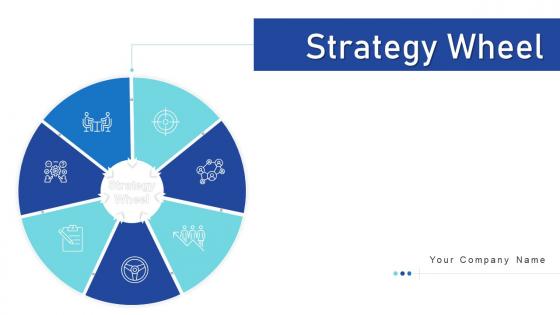
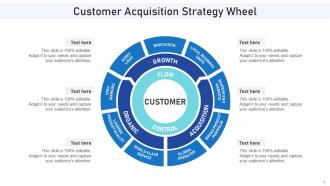
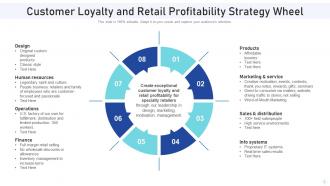
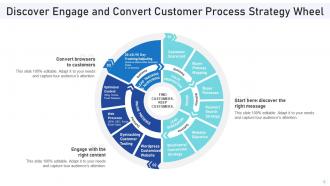
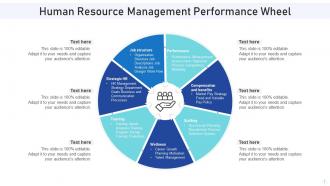
So the Strategy Wheel has four layers that all connect to each other. Your vision sits in the center - that's your "why." Around that you've got your strategic priorities, then key initiatives, and metrics on the outside ring. Picture a dartboard, basically. Here's the thing - you can't just jump around randomly. Your vision shapes your priorities, priorities drive initiatives, and you track it all with those outer metrics. Honestly, most people try building it backwards and wonder why their strategy feels all over the place. Start with that center vision and work outward. It'll save you tons of headache later. Once you see it mapped out, it actually makes sense.
So the Strategy Wheel is basically this visual thing where you put your main decision smack in the middle, then draw spokes out for all the stuff that matters - resources, risks, who's involved, timing, whatever. Way more useful than those boring pro/con lists (though honestly I still make those all the time). What's cool is seeing how everything connects to each other - like maybe your timeline constraint totally changes your risk tolerance, you know? Start with maybe 6-8 factors that actually matter for your situation. It sounds nerdy but it really does help catch things you'd normally miss.
Think of stakeholder analysis as prep work before you build your Strategy Wheel. You're basically figuring out who actually has skin in the game - customers, employees, investors, all those people. Map them out first, then rank by who's got the most influence on whether you'll succeed or crash and burn. Honestly, I've seen too many strategies fail because teams just talked to themselves instead of getting outside input. Your wheel needs those external voices or it becomes this weird internal bubble. Start simple: list everyone who matters, then prioritize by impact. It's like knowing your audience before a big presentation, but way more crucial.
So the Strategy Wheel is basically your business strategy's control center. Put your main goal in the middle, then map everything else around it - market position, operations, whatever. It looks super basic at first but honestly it's kind of genius once you get into it. You'll start noticing where your day-to-day stuff doesn't actually support your big picture goals (happens more than you'd think). Different teams can finally see how their work connects instead of just doing their own thing. Great for catching those gaps where you're spinning your wheels but not really getting anywhere strategically.
Don't go crazy with complexity from day one - I've seen teams just shut down when there's too much going on. Classic mistake is building this gorgeous framework that ends up sitting in some folder untouched. Nobody wants another pretty PowerPoint slide, you know? Keep it to maybe 4-6 pieces max at first. Also, strategies change! Don't make yours so rigid it can't adapt when things shift. The real trick is actually using it in your regular meetings - otherwise it's just corporate theater. Oh, and update the damn thing regularly or it'll become useless pretty fast.
Yeah, totally! I actually did this for my own career stuff last year. Just swap out the business segments for life areas - health, relationships, money, skills, whatever matters to you. The cool thing is seeing how everything connects. Like I never realized how my fitness goals were tied to my work stress until I mapped it out visually. Set up maybe 6-8 areas that matter most right now. You'll probably catch some patterns in what you're actually prioritizing vs what you think you are. The whole visual thing just makes gaps way more obvious than lists do.
Honestly, just pick 3-5 metrics that actually matter to your wheel's main goals. Revenue growth and customer retention are obvious ones. Market share too if that's relevant. But don't sleep on the operational stuff - employee engagement scores can tell you a lot about whether your strategy is actually working on the ground. Process efficiency improvements are solid indicators. Oh, and customer satisfaction or NPS scores are basically gold. The whole point of the Strategy Wheel is that everything connects, so you'll want both quick wins and longer-term measures. Review monthly and you're good.
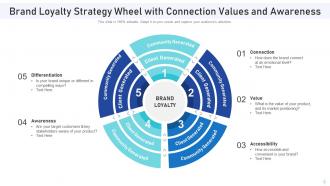
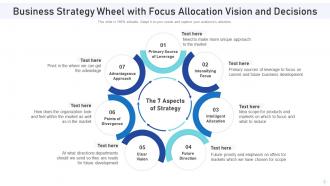
Honestly, visuals just make everything so much easier to digest. Colors help separate your different strategic pillars, and icons make each piece instantly recognizable. Nobody wants to stare at a wall of text - that's a guaranteed way to lose people. The wheel format is brilliant because it shows how all your strategy pieces actually connect instead of just listing them out. I'd stick with consistent colors and make sure each section looks different enough that people can actually follow what you're saying. Oh, and keep it clean - cluttered Strategy Wheels are the worst.
Strategy Wheels are clutch for messy industries - healthcare, tech, manufacturing. Perfect when you've got tons of departments that need to stay on the same page. Hospitals love them for coordinating between units. Software companies use them to balance dev work with what customers actually want. Marketing agencies go crazy for these things too, honestly. The magic happens when you're juggling multiple priorities at once. Your planning meetings a total disaster? Map it all out on a Strategy Wheel first. You'll actually see which pieces connect instead of just throwing ideas around.
Break up your Strategy Wheel into different chunks - market analysis, competitive stuff, customer needs, whatever makes sense. Have everyone work on separate sections for like 10-15 minutes, then rotate clockwise. The cool part is when people start building off each other's work or totally disagree with something. I swear the best ideas come from those "hold on, what about..." conversations. Someone should definitely jot down the good stuff as it happens. Finish with everyone talking through which strategy combos actually seem worth pursuing. It gets messy but that's kinda the point.
Look, you can't build a decent Strategy Wheel without doing your homework first. Market research gives you the actual data to figure out where to focus instead of just throwing darts at a wall. Gather customer insights, check out what competitors are doing, and get real numbers on market size. This stuff becomes your foundation - otherwise you're basically guessing what people want (spoiler: we're usually wrong). The research helps you spot genuine opportunities and find gaps others missed. Trust me, it's way better than the "build it and they'll come" approach that crashes and burns every time.
Look, quarterly reviews are the bare minimum, but honestly? Major shifts will probably force you to revisit it way sooner. I've watched teams fall in love with their first version and completely miss obvious pivots - it's painful to see. Your customers change, competitors do weird stuff, the whole market shifts. So treat that wheel like a living doc, not gospel. Pop some calendar reminders for regular check-ins, but also set up triggers for when big industry changes hit. Oh, and don't overthink it - better to update too often than get stuck with outdated strategy.
Honestly, PowerPoint or Google Slides are probably your easiest bet - just grab their circle SmartArt and tweak it however you want. Lucidchart and Miro have way better templates if you need something fancier, plus the collaboration stuff is actually useful. Canva's not bad either. I've seen people make surprisingly good ones in basic tools though, so don't overthink it. If your team's already using something specific, just stick with that - saves you the headache of getting everyone on board with new software. Mind mapping tools like MindMeister work too if you're into that whole approach.
So a Strategy Wheel basically puts everyone on the same page visually - like, you can actually see your shared goals and how each team connects. Map out responsibilities, spot where departments depend on each other, catch conflicts early. Way better than those "oh wait, I thought YOU were doing that" disasters we've all been in. Different teams can finally see how their work fits the big picture. Honestly, the visual thing makes such a difference compared to boring spreadsheets. Try it at your next cross-team meeting to get priorities straight from day one.
Oh totally! Netflix did this when they switched from DVDs to streaming - put customer experience right in the middle and built everything around that. Amazon's obsessed with their customer wheel too. Spotify's got a cool one where they balance what artists want with user stuff, which honestly seems tricky but they make it work. The thing is, you gotta figure out your main focus first and stick it in the center. Then everything else just... fits around it? Start by sketching what that central thing would be for you.
-
Thanks for all your great templates they have saved me lots of time and accelerate my presentations. Great product, keep them up!