


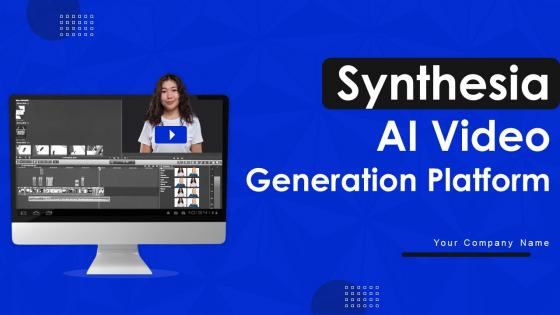
Synthesia AI Video Generation Platform Powerpoint Presentation Slides AI CD




Try Before you Buy Download Free Sample Product
 Impress Your
 Audience
 100%
100% Editable
 Save Hours
 of Time


Synthesia AI is a video-generating platform which allows businesses and individuals to create realistic, interactive videos using AI and deep learning technologies. Grab our Synthesia AI Video generation platform, a technology which has revolutionized the process of video creation. It generates realistic headshot videos for varied use cases such as voice-overs, tutorials, videos, explainer videos etc. Our AI video generator deck covers the overview of Synthesia AI video generation platform. It includes details related to its executive summary, company overview and financial summary. It covers details related to its unique value proposition along with its pros and cons. Our AI video generating platform PPT also covers the steps involved in creating an effective video using Synthesia AI platform. It further shows details related to unique features offered by the platform. Lastly, our AI avatars module displays the key integrations of Synthesia AI for enhancing users experiences. It also covers the comparison of Synthesia AI with its alternatives and showcases the reasons to select Synthesia over its alternatives. Get instant access.
People who downloaded this PowerPoint presentation also viewed the following :
Content of this Powerpoint Presentation
Slide 1: This slide introduces Synthesia AI Video Generation Platform. Commence by stating Your Company Name.
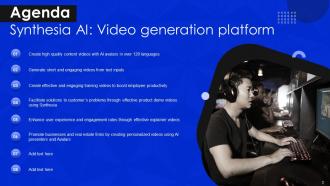
Slide 2: This slide depicts the Agenda of the presentation.
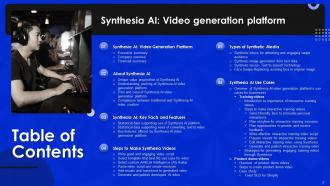
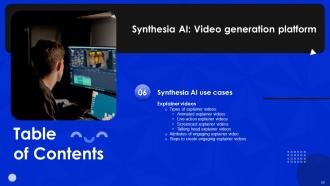
Slide 3: This slide includes the Table of Contents.
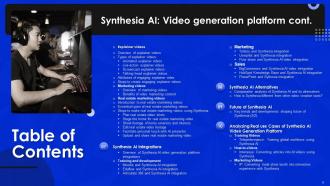
Slide 4: This slide further continues the Table of Contents.
Slide 5: This slide highlights the Title for the Topics to be covered further.
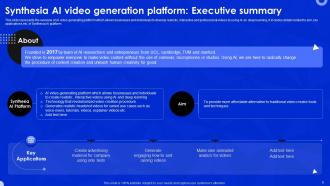
Slide 6: This slide represents the overview of AI video generating platform.
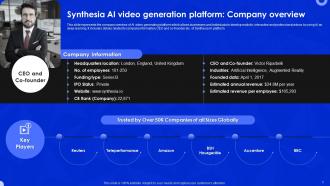
Slide 7: This slide showcases the Synthesia AI video generation platform.
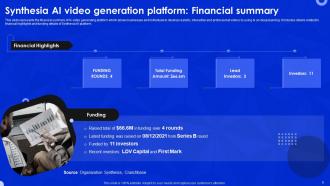
Slide 8: This slide portrays the financial summary of AI video generating platform.
Slide 9: This slide mentions the Heading for the Contents to be discussed next.
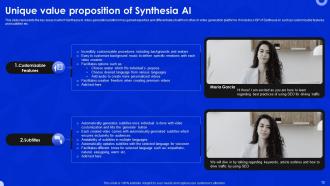
Slide 10: This slide reveals the key areas in which Synthesia AI video generation platform has gained expertise.
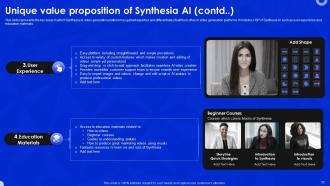
Slide 11: This slide continues the Unique value proposition of Synthesia AI.
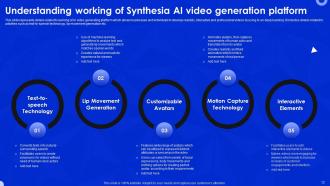
Slide 12: This slide presents the details related to working of AI video generating platform.
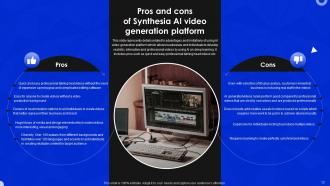
Slide 13: This slide highlights details related to advantages and limitations of using AI video generation platform.
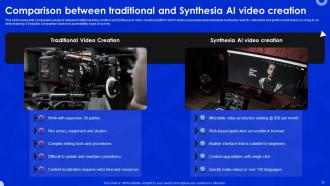
Slide 14: This slide represents comparative analysis between traditional video creation and Synthesia AI video creation platform.
Slide 15: This slide exhibits the Title for the Idaes to be covered further.
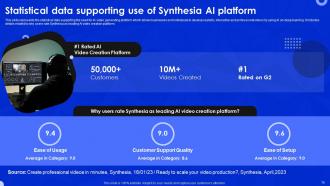
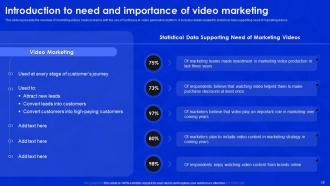
Slide 16: This slide represents the statistical data supporting the need for AI video generating platform.
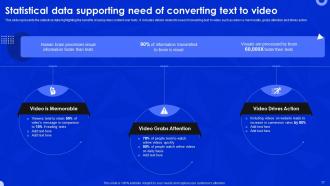
Slide 17: This slide shows the statistical data highlighting the benefits of using video content over texts.
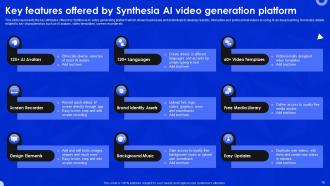
Slide 18: This slide continues the key attributes offered by Synthesia AI video generating platform.
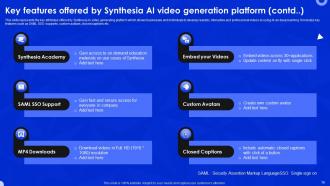
Slide 19: This slide continues the key attributes offered by Synthesia AI video generating platform.
Slide 20: This slide exhibits the Heading for the Ideas to be discussed next.
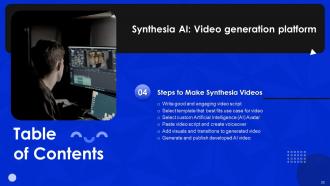
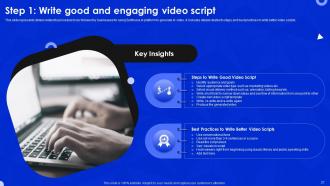
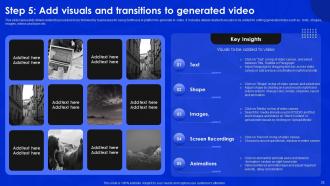
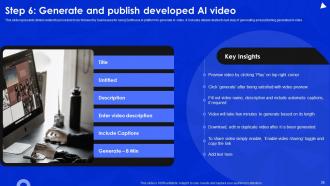
Slide 21: This slide represents details related to procedure to be followed by businesses for using Synthesia AI platform to generate AI video.
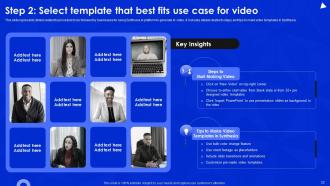
Slide 22: This slide depicts details related to procedure to be followed by businesses for using Synthesia AI platform to generate AI video.
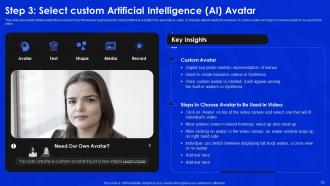
Slide 23: This slide represents details related to procedure to be followed by businesses for using Synthesia AI platform to generate AI video.
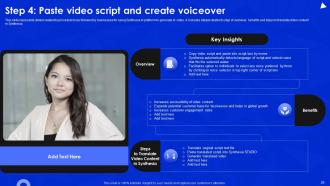
Slide 24: This slide shows details related to procedure to be followed by businesses for using Synthesia AI platform to generate AI video.
Slide 25: This slide shows procedure to be followed by businesses for using Synthesia AI platform to generate AI video.
Slide 26: This slide portrays details related to procedure to be followed by businesses for using Synthesia AI platform to generate AI video.
Slide 27: This slide dispalys the Title for the Contents to be discussed next.
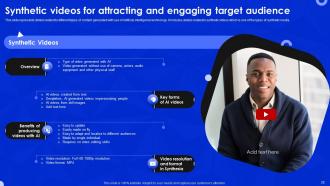
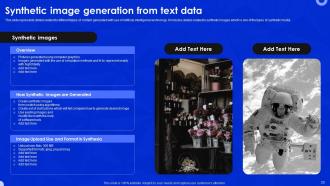
Slide 28: This slide represents details related to different types of content generated with use of Artificial intelligence technology.
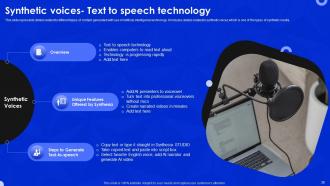
Slide 29: This slide represents details related to different types of content generated with use of Artificial intelligence technology.
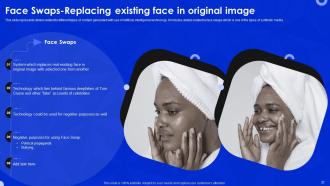
Slide 30: This slide shows details related to different types of content generated with use of Artificial intelligence technology.
Slide 31: This slide portrays details related to different types of content generated with use of Artificial intelligence technology.
Slide 32: This slide displays the Heading for the Topics to be covered further.
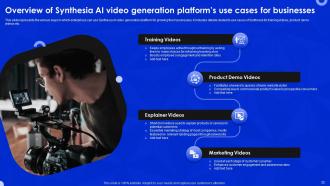
Slide 33: This slide represents the various ways in which enterprises can use Synthesia AI video generation platform for growing their businesses.
Slide 34: This slide reveals the Title for the Topics to be discussed next.
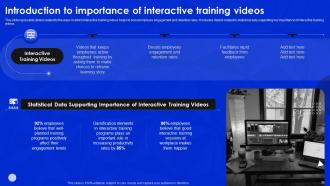
Slide 35: This slide states the ways in which interactive training videos helps to boost employee engagement and retention rates.
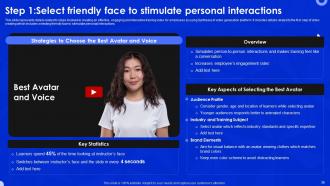
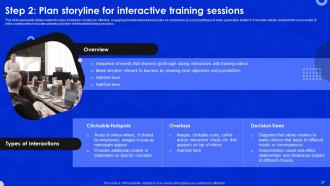
Slide 36: This slide represents details related to steps involved in creating an effective, engaging and interactive training video for employees.
Slide 37: This slide states the steps involved in creating an effective, engaging and interactive training video for employees.
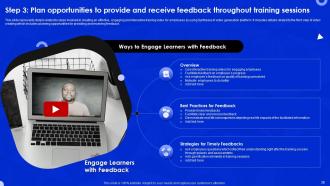
Slide 38: This slide represents details related to steps involved in creating an effective, engaging and interactive training video for employees.
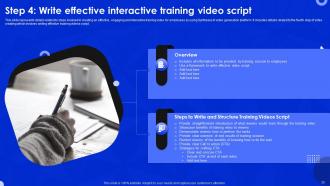
Slide 39: This slide shows the steps involved in creating an effective, engaging and interactive training video for employees.
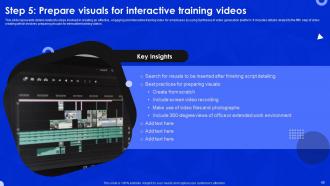
Slide 40: This slide mentions about the fifth step of video creating.
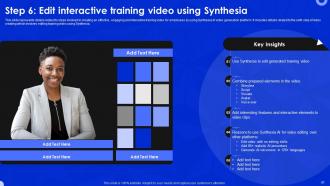
Slide 41: This slide indicates the sixth step of video creating.
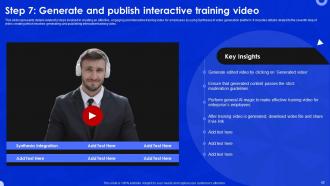
Slide 42: This slide displays Step 7.
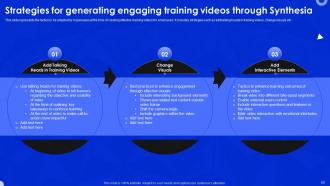
Slide 43: This slide represents the tactics to be adopted by businesses at the time of creating effective training videos for employees.
Slide 44: This slide includes the Heading for the Contents to be covered further.
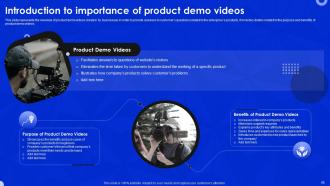
Slide 45: This slide represents the overview of product demo videos created by businesses.
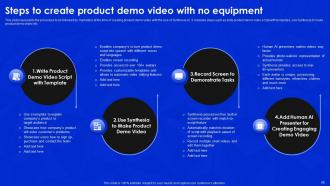
Slide 46: This slide shows the procedure to be followed by marketers at the time of creating product demo video with the use of Synthesia AI.
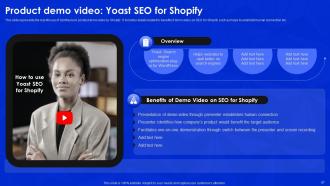
Slide 47: This slide portrays the real life use of Synthesia AI product demo video by Shopify.
Slide 48: This slide exhibits the Title for the Ideas to be discussed next.
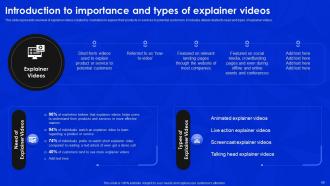
Slide 49: This slide represents overview of explainer videos created by marketers to explain their products or services to potential customers.
Slide 50: This slide contains the Heading for the Ideas to be covered in the upcoming template.
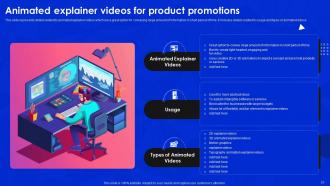
Slide 51: This slide presents details related to animated explainer videos.
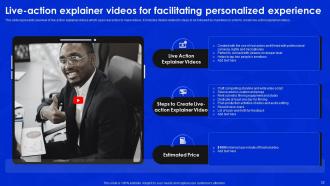
Slide 52: This slide reveals overview of live action explainer videos which uses real actors to make videos.
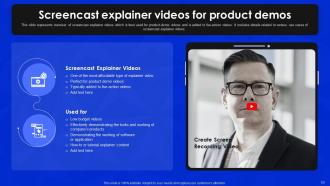
Slide 53: This slide depicts the Screencast explainer videos for product demos.
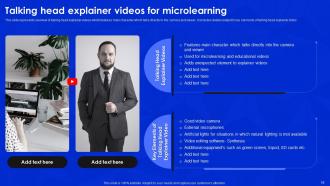
Slide 54: This slide shows overview of talking head explainer videos which features main character which talks directly to the camera and viewer.
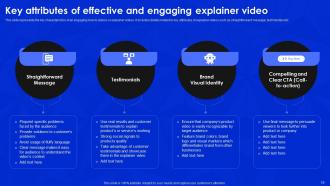
Slide 55: This slide states the key characteristics of an engaging how-to-videos or explainer videos.
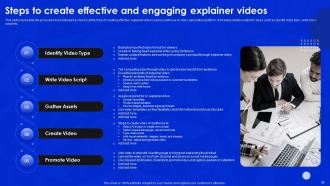
Slide 56: This slide presents the procedure to be followed by teams at the time of creating effective explainer videos.
Slide 57: This slide reveals the Title for the Contents to be discussed further.
Slide 58: This slide represents the overview of marketing videos made by teams with the use of Synthesia AI video generation platform.
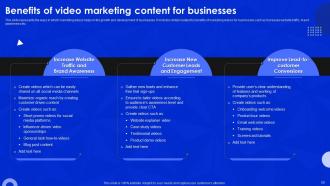
Slide 59: This slide portrays the ways in which marketing videos helps in the growth and development of businesses.
Slide 60: This slide displays the Heading for the Topics to be covered next.
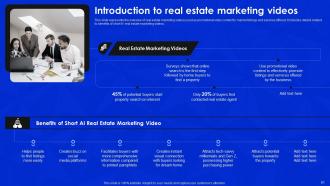
Slide 61: This slide portrays the overview of real estate marketing videos used as promotional video content.
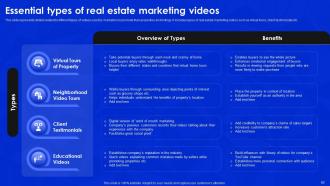
Slide 62: This slide shows details related to different types of videos used by marketers to promote their properties and listings.
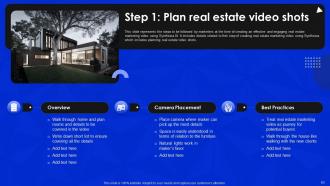
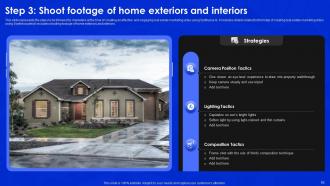
Slide 63: This slide represents the steps to be followed by marketers at the time of creating an effective and engaging video.
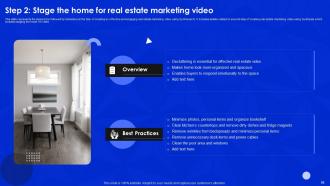
Slide 64: This slide shows the steps to be followed by marketers at the time of creating an effective and engaging real estate marketing video.
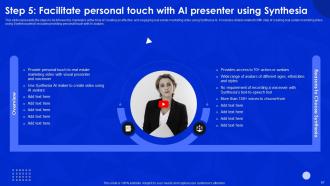
Slide 65: This slide includes the steps to be followed by marketers at the time of creating an effective and engaging real estate marketing video.
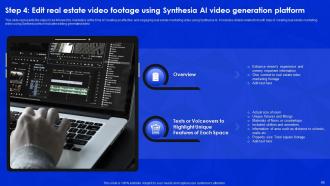
Slide 66: This slide displays the Step 4.
Slide 67: This slide represents the steps to be followed by marketers at the time of creating an effective video.
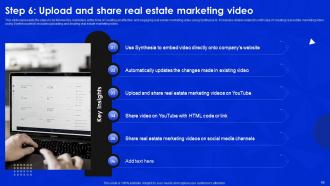
Slide 68: This slide exhibits the Step 6.
Slide 69: This slide represents the Title for the Contents to be discussed further.
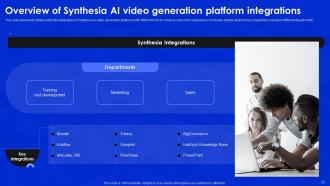
Slide 70: This slide portrays the integrations of Synthesia AI video generation platforms with different tools to enhance customer’s experience.
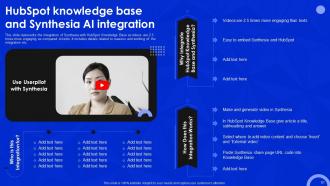
Slide 71: This slide includes the Heading for the Topics to be covered next.
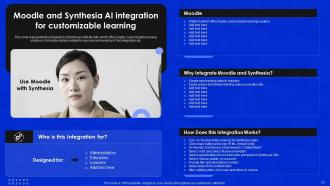
Slide 72: This slide represents the integration of Synthesia with Moodle which offers highly customizable learning solutions.
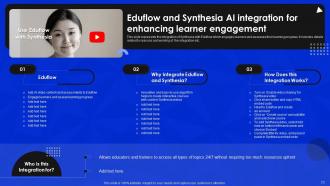
Slide 73: This slide illustrates the Eduflow and Synthesia AI integration for enhancing learner engagement.
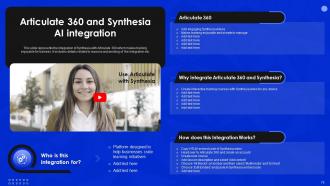
Slide 74: This slide represents the integration of Synthesia with Articulate 360 which makes training enjoyable for trainees.
Slide 75: This slide displays the Title for the Topics to be discussed further.
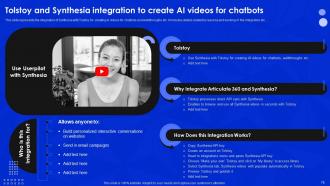
Slide 76: This slide represents the integration of Synthesia with Tolstoy for creating AI videos for chatbots and walkthroughs etc.
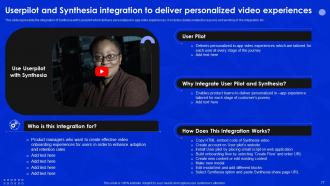
Slide 77: This slide includes the integration of Synthesia with Userpilot which delivers personalized in-app video experiences.
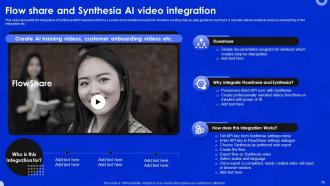
Slide 78: This slide portrays the integration of Synthesia with Flowshare which is a simple documentation program.
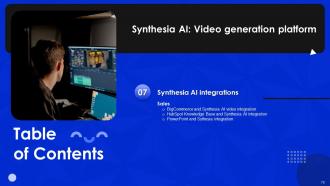
Slide 79: This slide contains the Heading for the Contents to be covered next.
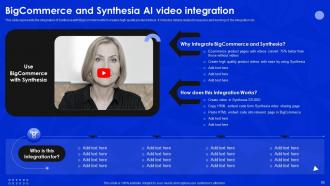
Slide 80: This slide represents the integration of Synthesia with BigCommerce which creates high quality product videos.
Slide 81: This slide states the integration of Synthesia with HubSpot Knowledge Base as videos are 2.5 times more engaging as compared to texts.
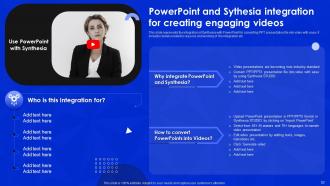
Slide 82: This slide shows PowerPoint and Sythesia integration for creating engaging videos.
Slide 83: This slide displays the Title for the Ideas to be discussed further.
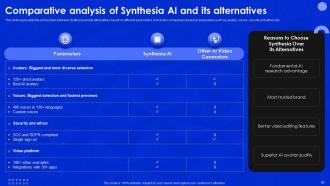
Slide 84: This slide represents the comparison between Synthesia and its alternatives based on different parameters.
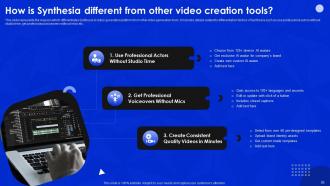
Slide 85: This slide shows the reasons which differentiates Synthesia AI video generation platform from other video generation tools.
Slide 86: This slide displays the Heading for the Ideas to be covered next.
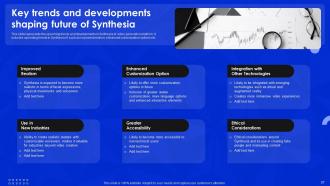
Slide 87: This slide represents the upcoming trends and developments in Synthesia AI video generation platform.
Slide 88: This slide includes the Title for the Contents to be discussed further.
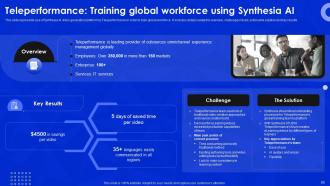
Slide 89: This slide presents use of Synthesia AI video generation platform by Teleperformance in order to train global workforce.
Slide 90: This slide displays the Heading for the Topics to be covered next.
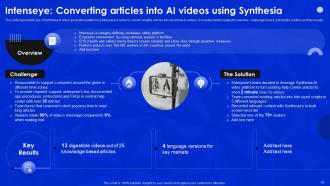
Slide 91: This slide represents use of Synthesia AI video generation platform by Intenseye.
Slide 92: This slide contains the Title for the Topics to be discussed further.
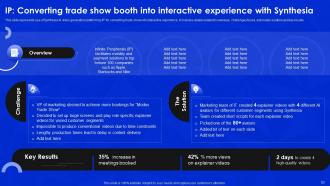
Slide 93: This slide shows use of Synthesia AI video generation platform by IP for converting trade show into interactive experience.
Slide 94: This is the Icons slide containing all the Icons used in the plan.
Slide 95: This slide is used for depicting some Additional information.
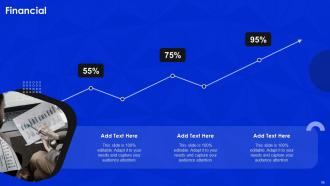
Slide 96: This side elucidates information related to the Financial topic.
Slide 97: This slide states the team-related ifnormation.
Slide 98: This is the Quote slide for motivation.
Slide 99: This slide contains the Post it notes for reminders and deadlines.
Slide 100: This is the 30, 60, 90 days plan slide for efficient planning.
Slide 101: This slide exhibits the company's Roadmap.
Slide 102: This is the Thank You slide for acknowledgement.
Synthesia AI Video Generation Platform Powerpoint Presentation Slides AI CD with all 107 slides:
Use our Synthesia AI Video Generation Platform Powerpoint Presentation Slides AI CD to effectively help you save your valuable time. They are readymade to fit into any presentation structure.









FAQs for Synthesia AI Video Generation Platform Powerpoint Presentation
Honestly, Synthesia's pretty cool - the AI avatars look way more realistic than I expected. You just type your script, pick someone to "present" it, and boom, professional video in minutes. Works in like 120+ languages too, which is wild. The custom avatar thing is interesting - you can literally make a digital version of yourself, though that might be weird for some people lol. Their templates make it dead simple for training videos or demos. Quality's solid compared to other tools I've tried. I'd definitely test their free trial first since avatar stuff can be hit or miss depending on what you need.
Yeah Synthesia's got like 120+ languages covered! You can even pick different accents - so if you want Spanish, you could go Mexican vs Argentinian, which is pretty cool. Just type your script, pick an avatar and voice combo, and it does its thing. The lip-syncing is honestly impressive how well it matches up. Oh and heads up - some of the newer languages don't have as many avatar choices yet, so maybe check that first before you write everything out. But yeah, it sounds way more natural than I expected.
Corporate training teams are obsessed with Synthesia right now - they're making onboarding videos and compliance stuff without any cameras. Marketing people use it for personalized campaigns too. Healthcare and education love it because they can update training materials super fast when policies change (which is like, constantly). Honestly, the healthcare use case makes total sense when you think about it. You should definitely peek at their template library first - gives you a good idea what you could actually do with it for your situation.
Yeah, it works pretty well with PowerPoint and Google Slides - you can just export the videos and drop them right in. Also plays nice with learning management systems, which is way better than those awful screen recordings we used to make (ugh). The API thing is there if your team wants to automate stuff, but honestly most people probably don't need that. You can share links or download in different formats too. I'd definitely try their free trial first though - see how it meshes with whatever you're already using before you pay for anything.
Dude, Synthesia is actually pretty crazy - you can make videos with AI avatars that look super realistic now. No need for cameras or hiring people to be on screen. The avatars speak tons of languages and it auto-generates subtitles, which is perfect for accessibility stuff. I tried it last month and honestly couldn't believe how good the voices sounded. Great for training videos or if you're trying to reach people globally. The translation feature alone saves so much time. Definitely worth checking out their language options first though.
Dude, Synthesia is ridiculously cheap compared to regular video stuff. You're looking at like $30-90 per video instead of dropping $5K-50K on the whole production nightmare with actors and crews. The monthly subscription thing is clutch too - you can make tons of videos without each one costing more. Sure, there's that slightly robotic vibe sometimes, but honestly? Most people don't even notice anymore. Less creative control is the main downside I guess. Oh and definitely do their free trial first - some people are pickier about the AI look than others.
Dude, you definitely need consent before making AI videos of real people - that's like, legal trouble waiting to happen. The whole deepfake thing is sketchy too since people can create super realistic fake videos of politicians or celebrities saying whatever. It's kinda scary honestly. Plus there's the misinformation angle - imagine how easy it'd be to fool people now. Always label your stuff as AI-generated and be upfront about it. The rules are still being figured out, but better safe than sorry. Don't be that person who ruins it for everyone else.
Synthesia's actually pretty cool for cranking out videos without hiring actors or dealing with production headaches. The AI avatars look surprisingly real now - kind of creepy but in a good way? Your team can make product demos, onboarding stuff, or even multilingual campaigns super fast. What I'd do is pick one video task you're constantly repeating and test it there first. You can personalize for different audiences without spending a fortune, plus A/B testing different messages is way easier. Honestly beats the traditional route for consistent branded content.
Yeah, there's tons you can do! Logo and brand colors are the obvious starting points - honestly those two changes alone make a huge difference. Custom backgrounds are pretty cool too if you want everything looking cohesive. The branded templates feature is actually really handy once you get into it, saves so much time later. Higher plans let you do custom avatars which is neat. Oh, and don't forget the video player itself - you can brand that too when people are watching your stuff. I'd definitely start with logo/colors first though, biggest bang for your buck.
Honestly, Synthesia's super easy to use. Just type your script, pick an avatar and voice, then hit generate. It's basically like PowerPoint but for AI videos - way less intimidating than I expected. No coding or video editing skills needed at all. The trickiest part? Writing scripts that don't sound robotic when the avatar speaks them. I'd definitely mess around with their templates first - gives you a good sense of what works before you try making your own stuff from scratch.
Oh man, Synthesia's actually perfect for this stuff. You can make personalized training videos without hiring actors or dealing with film crews - saves a ton of money. Works great for onboarding, compliance training, product demos, all that corporate stuff. The AI avatars are honestly kind of freaky how realistic they look, but they'll say your script in different languages which is cool. Best part? When your policies change, you don't have to reshoot everything from scratch. Just update the script and you're done. I'd probably start with something simple like an onboarding video first.
Oh dude, Synthesia's gotten way better lately! The avatars used to look super robotic but now they're actually realistic - like the lip-sync doesn't make you cringe anymore. You can customize them, do different languages, all that stuff. Video quality is solid too. Honestly thought it would take longer for AI video to get this good, but here we are. They're apparently working on real-time generation next which sounds wild. If you're doing training videos or whatever, definitely check their new templates. Way faster turnaround than before.
Honestly, there are some pretty big downsides. Customization is super limited, and the avatars look kinda fake - especially when they're trying to show emotion. You're stuck with whatever voices and gestures they give you, which gets old fast. Can't capture any real spontaneous moments either, unlike actual filming. The backgrounds are pretty meh compared to proper cinematography. But here's the thing - if you need tons of content quickly and cheaply, it beats hiring a whole crew. Just don't expect it to look totally natural. I'd definitely test it out with something simple first to see if you can live with that slightly robotic vibe.
So they film real actors in studios first, then train AI models on that footage. The deep learning stuff analyzes how people actually move their lips and faces when talking. Pretty smart approach honestly - way better than the janky lip-sync we used to get. They've got quality checks too but I noticed some avatars just work better than others? Definitely test a few when you start. The backgrounds use real footage training too. Oh and the rendering tech they use is solid - makes everything look way smoother than older AI video tools.
Honestly, people seem to love Synthesia for presentations. The AI presenters grab way more attention than boring slides - audiences actually retain stuff better. What really gets people excited is the time savings though. We're talking days of video work down to just a few hours, which is kinda insane. The avatars can look a bit robotic for emotional content, I'll admit that. But for training videos and corporate stuff? People are pretty happy with it. Actually, you should totally test it out on your next quarterly review - might be a game changer for you.
-
Presentation Design is very nice, good work with the content as well.
-
Amazing product with appealing content and design.