


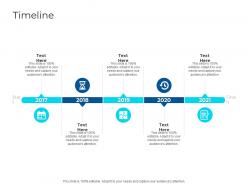
Timeline ai ppt slides





Try Before you Buy Download Free Sample Product
 Impress Your
 Audience
 100%
100% Editable
 Save Hours
 of Time


Our Timeline AI PPT Slides are topically designed to provide an attractive backdrop to any subject. Use them to look like a presentation pro.
People who downloaded this PowerPoint presentation also viewed the following :
Timeline ai ppt slides with all 2 slides:
Use our Timeline AI PPT Slides to effectively help you save your valuable time. They are readymade to fit into any presentation structure.
FAQs for Timeline
So timeline AI really took off around 2012-2014 with basic structured data stuff. Natural language processing joined the party in 2016-2018 - that's when it got cool. Then transformer models hit in 2019-2021 and everything changed. Now AI could pull time relationships from messy text documents. These days you've got multimodal versions that handle images, videos, the whole deal. The newest ones let you ask follow-up questions which is honestly pretty sweet. If you're shopping around, find tools that can combine different data sources - trust me on that one.
So Timeline AI looks at your old projects and figures out realistic deadlines - honestly way better than my usual "yeah, two weeks should be fine" approach. It spots bottlenecks before they mess you up and calls you out when you're being overly optimistic with timelines. As work progresses, it keeps updating predictions in real-time. Pretty neat actually. You'll want to start by uploading data from like 2-3 recent projects. More data means better predictions, though I guess that's obvious. The dependency tracking is probably the most useful feature.
So Timeline AI uses machine learning to actually make smart predictions about your projects - way better than just another scheduling tool. It learns from your past data to spot bottlenecks before they mess things up. The system gets pretty good at suggesting which tasks to tackle first and figuring out your team's work style. Honestly, I was skeptical at first but it's kinda impressive how it adapts. You just need to feed it consistent data from your current timelines. More data = better predictions, obviously. Oh and it'll start making way better suggestions once it has like a month of your actual workflow to analyze.
So Timeline AI basically takes your old business data and shows you patterns from past decisions - like why certain product launches worked or bombed. The cool part is running "what if" scenarios before you actually commit to anything big. You can test different strategic moves virtually and see how each one might play out timeline-wise. Honestly, I'd probably get lost in all the scenario planning (sounds kind of addictive?). But start simple - pick one major decision you're wrestling with and run it through to see what outcomes it predicts.
Honestly, the biggest issues are bias and privacy stuff. Your AI might just repeat whatever biases were baked into its training data - like around certain demographics or historical events. Privacy's messy too since it could accidentally reveal personal info people never agreed to share. Then there's that whole black box thing where you can't really explain why it found certain patterns, which is frustrating. Oh, and definitely audit your data for bias before you start anything. Be upfront with people that you're using AI, and make sure you've got solid data policies in place first.
Yeah, Timeline AI works with all the usual suspects - Asana, Trello, Monday, you know the drill. Takes maybe 10-15 minutes to set up depending on which tool you're using. The cool part is it syncs your existing stuff so you don't have to rebuild everything from zero. It grabs your tasks and deadlines, then does its magic to predict where things might go sideways. Honestly, I'd test it on something smaller first before throwing your biggest project at it. Oh, and the bottleneck detection thing is actually pretty solid once it learns your team's patterns.
Healthcare's probably the biggest one - patient care is basically one giant timeline with a million moving pieces. Project management and logistics are obvious winners too. Manufacturing works great since production schedules are already timeline-heavy anyway. Financial services use it for loan approvals and compliance stuff. Really though, if your day involves asking "what comes next?" constantly, you'll love this thing. Supply chain management is another no-brainer. Start with whatever process makes you want to pull your hair out - that chaotic mess where everything depends on the thing before it. That's your test case right there.
Dude, this Timeline AI thing is actually pretty sick for education. Basically it takes all your course stuff and turns it into these visual timelines that move at whatever speed each kid learns. What's crazy is it can tell when someone's about to bomb a concept and throws extra help their way before they even realize they're lost. My favorite part though? How it connects everything chronologically - like you can finally see how the Civil War ties into literature from that era or whatever. Students remember way more when they see the big picture instead of just random facts floating around. Definitely worth trying out.
Honestly, the data cleanup is gonna be your biggest headache - Timeline AI can't work magic on garbage data. Most companies totally underestimate how long it takes to get their messy historical records actually usable. Then there's the whole people problem (which is way worse, trust me). Getting your team to ditch their beloved Excel sheets for AI timelines? Good luck with that. Integration with old systems is another nightmare - nothing ever connects smoothly. Oh, and budget extra time because these things never go as planned. Definitely start small with a pilot before rolling it out everywhere.
So basically Timeline AI looks at your old project data and flags stuff that'll probably go sideways. Dependencies that might cause delays, resource crunches before they hit you - that kind of thing. It's actually pretty solid at catching budget issues and scope creep early. You get these warning signals about timeline problems, then you can shuffle resources or give stakeholders a heads up before everything's on fire. I'd check its predictions during your weekly project meetings. Way better than scrambling when deadlines are already toast, you know?
Honestly, let AI spot the patterns first - it's weirdly good at finding connections you'd totally miss. Group related stuff together and make everything interactive so people can zoom into specific time periods. Color-code different event types consistently. The spacing thing is huge - let AI handle that automatically based on how dense your data gets. Oh, and tooltips are clutch for context. Users should be able to switch between viewing years vs decades vs whatever. Test it early though. I learned this the hard way - users will immediately break whatever you think is intuitive.
Honestly, Timeline AI is great for small businesses - it handles all that project planning busywork nobody wants to do. Start with their free version to test it out on basic timelines. The real game-changer? Using it for client estimates. You'll quote way more accurately and dodge those nightmare scope creep moments (been there). I'd focus on whatever project types you do most often since that's where you'll save time right away. Don't go crazy though - pick one type of project first, see how it works, then branch out from there.
Okay so there's some crazy stuff happening with Timeline AI right now. The predictive cascading is getting insane - it can actually map out how one delayed project screws up everything else down the line. Real-time data integration is everywhere now too, which means your timelines update automatically instead of you guessing all the time. But here's the weirdest part - AI is literally suggesting timeline structures that are completely different from what we'd normally think of. Honestly blew my mind the first time I saw it. You should mess around with the predictive branching tools soon because I'm pretty sure everyone else is already using them.
So Timeline AI digs through all your old data looking for patterns and trends you'd never catch on your own. Pretty cool how it spots connections across years of info. The forecasting part takes those insights and predicts what's coming next. You can play around with different scenarios too - like change some variables and see how it affects your predictions. It'll even give you confidence levels on the forecasts, which is honestly super helpful. Oh, and start with your cleanest data first - garbage in, garbage out, you know? Makes a huge difference in accuracy.
Netflix cut their content planning by 40% with Timeline AI - pretty solid results. Spotify saw 25% better user engagement after using it for playlist scheduling. Ford's probably the craziest example though, they slashed supply chain delays by 30% just from better production scheduling. The pattern I'm seeing? It works best when your timelines are messy and connected, not just straightforward stuff. You'd probably want to tackle your most chaotic scheduling headaches first - that's where you'll actually notice the difference.
-
Topic best represented with attractive design.
-
Graphics are very appealing to eyes.
-
Excellent design and quick turnaround.