


Chatbot Using GPT 3 Powerpoint Presentation Slides




Try Before you Buy Download Free Sample Product
 Impress Your
 Audience
 100%
100% Editable
 Save Hours
 of Time


ChatGPT multitasks by seamlessly addressing multiple objectives at once. Access our meticulously crafted Chatbot using GPT-3 IT template, encompassing an introductory section, highlighting the benefits and features of OpenAIs ChatGPT model. Additionally, our Chatbot presentation delves into the pricing and availability details of its upgraded version, ChatGPT Pro. Our GPT-3 module also elucidates the inner workings and architecture of ChatGPT technology, encompassing its substantial language model and self-attention mechanism. Furthermore, this Text-based AI assistant showcases diverse applications of ChatGPT across various domains, spanning education, healthcare, research, information technology, advertising, banking, finance, and more. Our Intelligent assistant PowerPoint presentation focuses on the utilization of GPT-3 in chatbots and explores the three pivotal approaches supervised fine-tuning, reward-based learning, and reinforcement learning through human feedback. Moreover, the large language model module includes sections dedicated to understanding the impact of ChatGPT on social media and artificial intelligence tokens. Lastly, in this Natural Language Processing NLP presentation, you will discover a comprehensive roadmap, timeline, a 30-60-90 days plan, a checklist for the integration of OpenAIs GPT-3 model into web applications, and a compelling case study showcasing the collaboration between ChatGPT and mental health initiatives. Gain instant access now.
People who downloaded this PowerPoint presentation also viewed the following :
Content of this Powerpoint Presentation
Slide 1: This slide introduces Chatbot using GPT-3 (IT). Commence by stating Your Company Name.
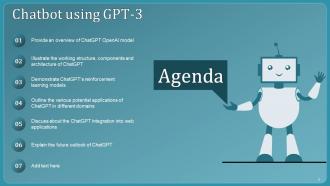
Slide 2: This slide depicts the Agenda of the presentation.
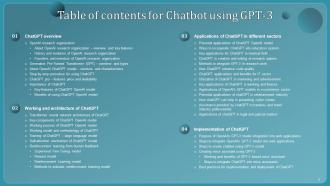
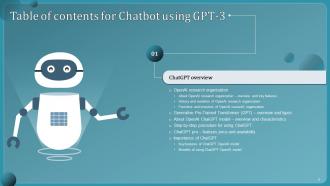
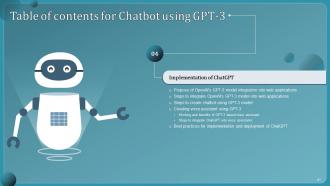
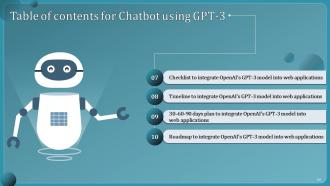
Slide 3: This slide incorporates the Table of contents.
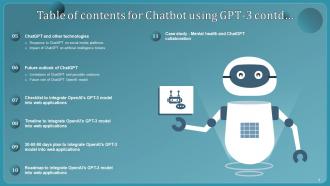
Slide 4: This is yet another slide continuing the Table of contents.
Slide 5: This slide highlights the Title for the Topics to be discussed further.
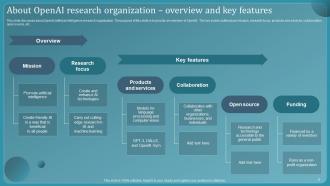
Slide 6: This slide discusses about OpenAI artificial intelligence research organization.
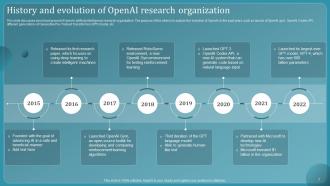
Slide 7: This slide showcases the History and evolution of OpenAI research organization.
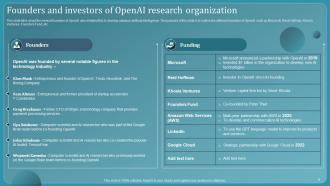
Slide 8: This slide talks about the several founders of OpenAI who initiated this to develop advance artificial intelligence.
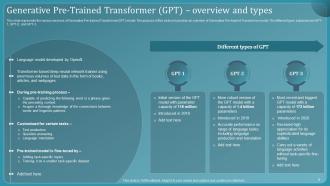
Slide 9: This slide represents the various versions of Generative Pre-trained Transformer(GPT) model.
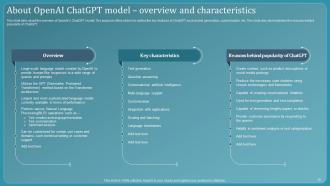
Slide 10: This slide mentions the overview of OpenAI’s ChatGPT model.
Slide 11: This slide illustrates the procedure of using ChatGPT.
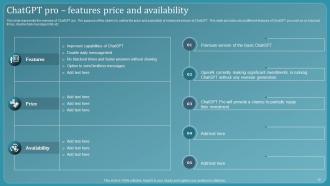
Slide 12: This slide represents the overview of ChatGPT pro.
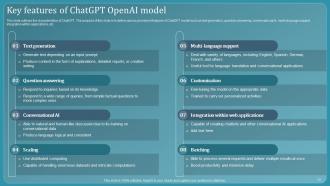
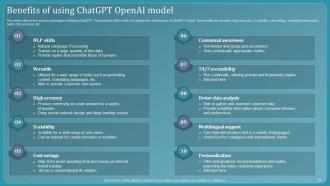
Slide 13: This slide outlines the various advantages of utilizing ChatGPT.
Slide 14: This slide indicates the Heading for the Components to be covered in the forth-coming template.
Slide 15: This slide demonstrates the architecture diagram of ChatGPT.
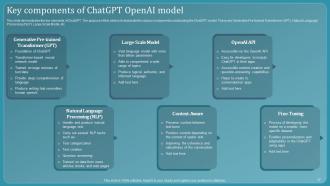
Slide 16: This slide highlights the Key components of ChatGPT OpenAI model.
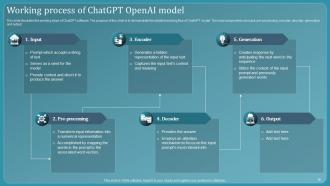
Slide 17: This slide portrays the Working process of ChatGPT OpenAI model.
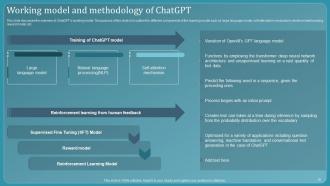
Slide 18: This slide discusses the overview of ChatGPT’s working model.
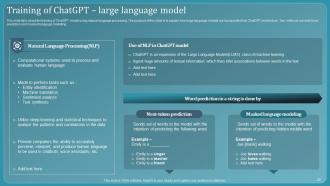
Slide 19: This slide talks about the training of ChatGPT model using natural language processing.
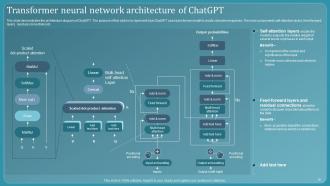
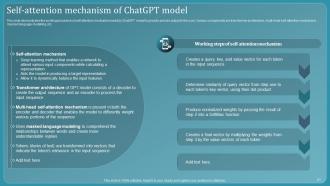
Slide 20: This slide demonstrates the working procedure of self-attention mechanism used by ChatGPT model to provide precise output to the user.
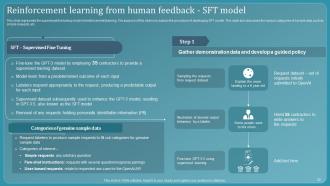
Slide 21: This slide represents the supervised fine tuning model of reinforcement learning.
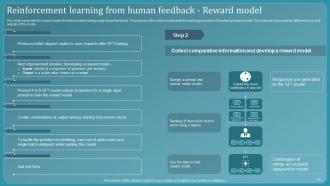
Slide 22: This slide showcases the reward model of reinforcement learning using human feedback.
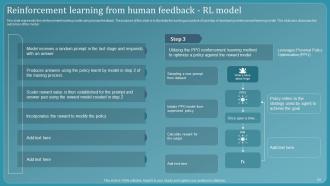
Slide 23: This slide highlights the reinforcement learning model using human feedback.
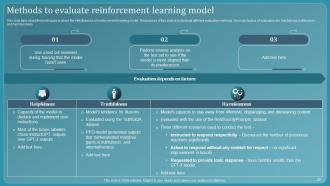
Slide 24: This slide talks about the techniques to check the effectiveness of reinforcement learning model.
Slide 25: This slide depicts the Title for the Ideas to be discussed further.
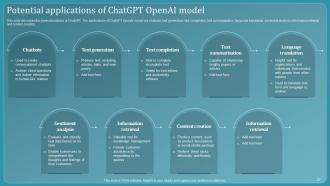
Slide 26: This slide discusses the several functions of ChatGPT.
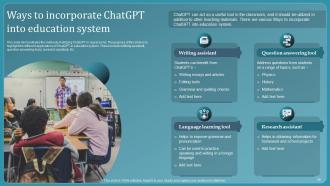
Slide 27: This slide demonstrates the various methods of utilizing ChatGPT in classrooms.
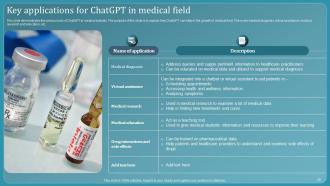
Slide 28: This slide showcases the various uses of ChatGPT in medical industry.
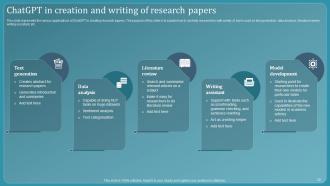
Slide 29: This slide represents the various applications of ChatGPT in creating research papers.
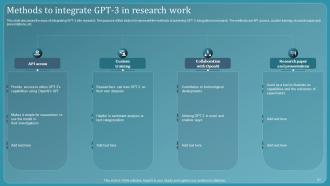
Slide 30: This slide discusses the ways of integrating GPT-3 into research.
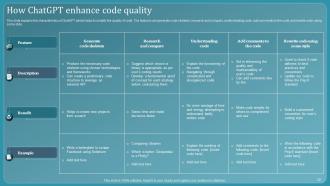
Slide 31: This slide explains the characteristics of ChatGPT which helps to amplify the quality of code.
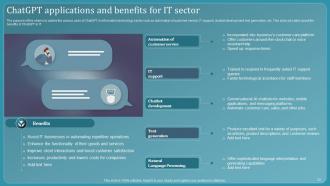
Slide 32: The purpose of this slide is to outline the various uses of ChatGPT in information technology sector.
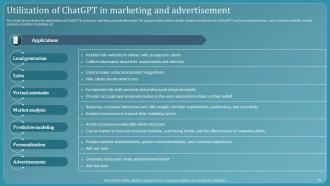
Slide 33: This slide elucidates the applications of ChatGPT in business marketing and advertisement.
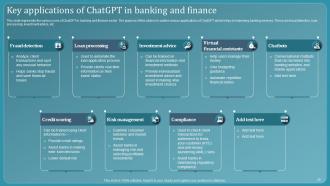
Slide 34: This slide exhibits the Key applications of ChatGPT in banking and finance.
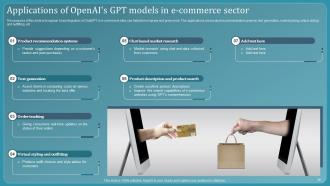
Slide 35: This slide deals with Applications of OpenAI's GPT models in e-commerce sector.
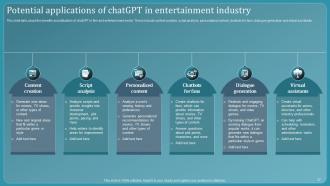
Slide 36: This slide talks about the benefits and utilization of chatGPT in film and entertainment sector.
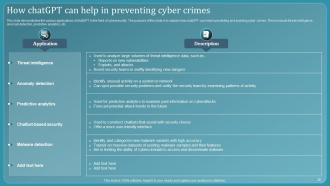
Slide 37: This slide demonstrates the various applications of chatGPT in the field of cybersecurity.
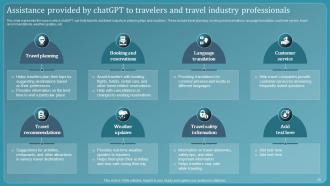
Slide 38: This slide represents the ways in which chatGPT can help tourists and travel industry in planning trips and vacations.
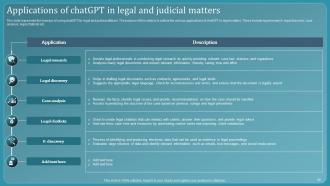
Slide 39: This slide highlights the Applications of chatGPT in legal and judicial matters.
Slide 40: This slide depicts the Heading for the Ideas to be covered further.
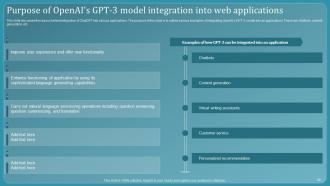
Slide 41: This slide discusses the reason behind integration of ChatGPT into various applications.
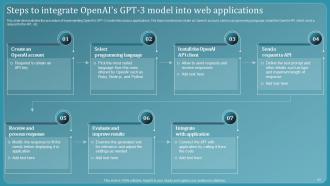
Slide 42: This slide demonstrates the procedure of implementing OpenAI’s GPT-3 model into various applications.
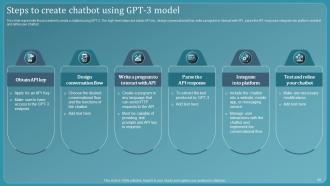
Slide 43: This slide states the Steps to create chatbot using GPT-3 model.
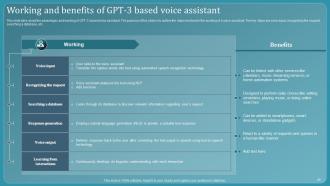
Slide 44: This slide talks about the advantages and working of GPT-3 based voice assistant.
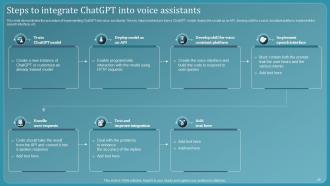
Slide 45: This slide demonstrates the procedure of implementing ChatGPT into voice assistants.
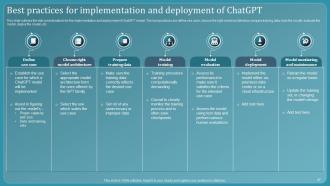
Slide 46: This slide outlines the vital considerations for the implementation and deployment of ChatGPT model.
Slide 47: This slide portrays the Title for the Components to be discussed in the forth-coming template.
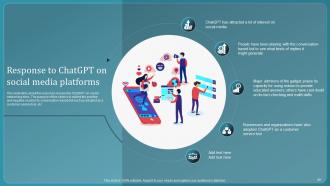
Slide 48: This slide talks about the response received by ChatGPT on social networking sites.
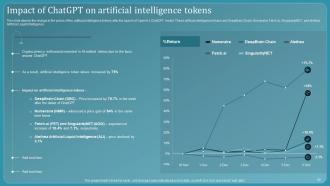
Slide 49: This slide depicts the change in the prices of five artificial intelligence tokens after the launch of OpenAI’s ChatGPT model.
Slide 50: This slide contains the Heading for the Topics to be covered in the upcoming template.
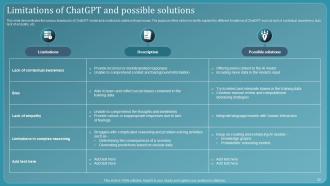
Slide 51: This slide demonstrates the various drawbacks of ChatGPT model and solutions to address those issues.
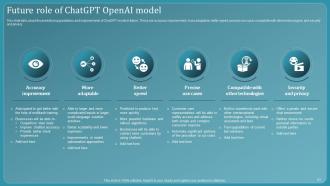
Slide 52: This slide outlines the Future role of ChatGPT OpenAI model.
Slide 53: This slide displays the Title for the Topics to be discussed next.
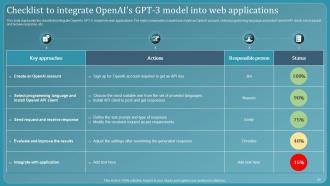
Slide 54: This slide represents the checklist to integrate OpenAI's GPT-3 model into web applications.
Slide 55: This slide mentions the Heading for the Components to be covered in the following template.
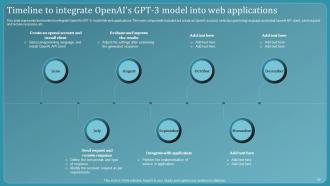
Slide 56: This slide reveals the timeline to integrate OpenAI's GPT-3 model into web applications.
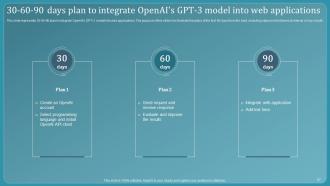
Slide 57: This is our 30-60-90plan mode slide.
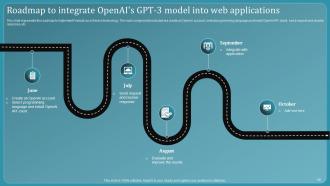
Slide 58: This slide represents the roadmap to implement Firewall-as-a-Service technology.
Slide 59: This side indicates the Title for the Components to be discussed further.
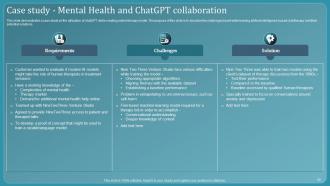
Slide 60: This slide demonstrates a case study on the utilization of chatGPT while creating online therapy model.
Slide 61: This is the Icons slide containing all the Icons used in the plan.
Slide 62: This slide is used for showcasing some Additional information.
Slide 63: This slide showcases the Timeline of the organization.
Slide 64: This slide is our Puzzle slide with additional text boxes.
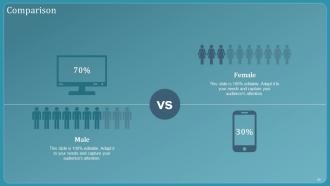
Slide 65: This slide shows the Comparison.
Slide 66: This slide contains the Post it notes for reminders and deadlines.
Slide 67: This slide portrays 30-60-90 plan to integrate OpenAI's GPT-3 model into web applications.
Slide 68: This is Our Goal slide. State your firm's long-term goals here.
Slide 69: This is the Thank you slide for acknowledgement.
Chatbot Using GPT 3 Powerpoint Presentation Slides with all 77 slides:
Use our Chatbot Using GPT 3 Powerpoint Presentation Slides to effectively help you save your valuable time. They are readymade to fit into any presentation structure.










FAQs for Chatbot Using GPT 3
Honestly, you'll want three main pieces. First is decent NLP - that's what figures out what people actually mean when they type stuff. Then you need a solid knowledge base to pull answers from, and man, keeping that updated is a pain but super necessary. The conversation design part is probably the trickiest though. If it feels too robotic or gets stuck repeating itself, people just bounce immediately. I'd start by writing out your most common scenarios first - like what are people usually asking? Build those flows really well before getting fancy with edge cases.
Honestly, chatbots are a game changer for customer service. Your team can stop answering the same "what are your hours?" questions all day and actually help people with real problems. Customers get answers instantly - no waiting on hold listening to terrible elevator music. They pull up account info fast too, which is pretty neat. The trick is starting small though. Figure out your top 10 most common questions and teach the bot those first. Make sure it hands off to humans smoothly when things get weird or complicated. Trust me, nobody wants to argue with a robot about their billing issue.
Honestly, customer service is where chatbots are absolutely killing it right now. E-commerce too - you know how annoying those chat bubbles can be, but they're actually handling like 80% of basic questions so real people can deal with the messy stuff. Healthcare's jumped on this hard for scheduling appointments and those "should I go to the ER" type questions. Banks are pretty obsessed with them for account stuff and fraud alerts. If you're in any of these areas, you'd be crazy not to at least look into it for handling all the repetitive customer headaches.
Honestly, the training part is brutal - people think these things can read minds but they're basically fancy autocomplete. You gotta be super upfront about what it can actually do. Getting it to play nice with your CRM and other systems? Total nightmare sometimes. Oh, and someone needs to babysit it constantly because new weird questions pop up all the time. I'd say just start with basic FAQ stuff first. Once you figure out what doesn't suck, then you can get fancy with it.
So instead of just keyword matching, NLP actually gets what you mean. Like when you type something weird or have typos - it can still figure out your intent. Pretty cool honestly. The bot keeps conversations flowing better since it's reading between the lines instead of hunting for specific trigger words. You won't get those annoying "sorry, I don't understand" responses as much. It handles context way better too, so even when we phrase stuff in totally random ways (which happens constantly), the thing can still help you out.
Honestly, chatbots are like having someone work your website 24/7 without needing sleep or paychecks. When people land on your site, the bot jumps in right away - asks qualifying questions, grabs their contact info before they disappear. Most visitors bounce super quick otherwise. The decent bots actually feel pretty natural now, which is wild. They'll answer FAQ stuff, book demos, keep conversations warm until your actual sales people take over. Oh, and they track everything automatically so you can see what's actually converting. Even just setting up basic lead capture will help your numbers.
Track your costs vs savings first - that's the real measure of ROI. Most companies I've heard about cut tier-1 support costs by around 40%, which is honestly pretty impressive. You'll want baseline metrics before you launch, then check monthly how much you're saving on headcount and faster resolution times. Don't forget the revenue side though - conversion rates from automated lead qualification matter too. User satisfaction scores are crucial since nobody wants an annoying bot. Calculate everything against implementation costs over maybe 12-18 months. The support ticket reduction alone usually pays for itself.
Honestly, start with the ethics stuff before you even touch the code. Be upfront that it's a bot - people hate feeling tricked. Your training data is probably gonna have weird biases baked in, so test with different groups of users early and often. Privacy's tricky because people overshare with bots like crazy. Oh, and think about how it handles heavy topics - you don't want it accidentally manipulating someone who's vulnerable. Draft some guidelines for your team first. Trust me, it's way easier than fixing problems later.
Dude, AI chatbots are getting scary good at actual conversations now - like ChatGPT level stuff is becoming the norm. Voice integration is huge too, so bots might handle your phone calls soon (kinda weird but cool?). The multimodal thing blows my mind though - they can look at images, read documents, AND chat all at once. Context memory is way better now so customers don't have to explain everything twice. Oh, and honestly? Start thinking about how this changes your whole customer experience game because it's happening fast.
So basically you just use APIs to connect the chatbot to whatever you're already using - CRM, help desk, inventory stuff. Most big platforms like Salesforce and Zendesk have connectors built right in, which is nice because you don't have to build from scratch. Your bot can grab customer info, make tickets, even process orders automatically. Way less painful than I expected, honestly. Oh and Shopify's integration is solid if you're doing ecommerce. I'd start by figuring out what systems your support team lives in most, then find a chatbot that already plays nice with those.
So rule-based chatbots are basically just fancy decision trees - they follow scripts and only recognize keywords you've programmed. Pretty limited but cheap to build. AI ones actually understand context and can handle random conversations, though they're way more complex to set up. Honestly, rule-based bots feel clunky fast since users hit dead ends constantly. The AI versions learn from chats and improve over time, but sometimes they say weird stuff you didn't expect. I'd probably start with rule-based just to test things out first.
So you'll want to grab tons of industry-specific stuff - customer service logs, tech docs, actual conversations from your field. Quality matters more than just dumping random data though. Most platforms let you create custom entities for specialized terms. Honestly, I've seen teams literally throw their entire internal wiki at the training data and it works way better than you'd expect lol. Pick your top 20-30 terms users will actually say first. Build examples around those. You can also fine-tune existing models with your domain content instead of starting from scratch.
Honestly, just be upfront about what your bot can actually handle from the start. Nothing's worse than users expecting it to do everything. When it doesn't understand something, make it fail gracefully - I've definitely rage-quit chatbots that just spat out gibberish at me. Keep responses short but actually useful. Always give people an easy way to reach a real human when they're stuck. Oh, and test with actual users before you go live - your team probably knows the bot too well to catch the weird stuff. Really though, people just want to feel like they're being heard, not talking to a brick wall.
Dude, multilingual support is huge - you're literally opening your chatbot up to billions more people instead of just English speakers. People get way more comfortable asking stuff in their own language, so you'll see better engagement and happier customers. Plus you can break into new markets without actually hiring a bunch of multilingual staff (which gets expensive fast). Even just adding Spanish or French makes a massive difference. My advice? Look at your user data first and see where most of your traffic comes from - don't just randomly pick languages and hope for the best.
Dude, voice chatbots are honestly amazing for accessibility. My visually impaired friend started using them and it completely changed how she gets stuff done online. No more struggling with tiny buttons or complicated menus - just talk and you're good. They're perfect for people with motor issues or reading troubles too. But (and this is key) you can't just slap something together and call it accessible. Test with different accents, speech speeds, the whole thing. Some users need extra time between responses. Oh, and actually test with disabled users - don't just guess what works. That's where most companies mess up honestly.
-
I loved the hassle-free signup process. A few minutes and, I had this giant collection of beautiful designs.
-
“Easy to use. I always wanted to have a quick search for products and SlideTeam has helped me have it.”