

Website Launch Proposal Powerpoint Presentation Slides




Try Before you Buy Download Free Sample Product
 Impress Your
 Audience
 100%
100% Editable
 Save Hours
 of Time


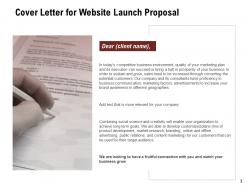
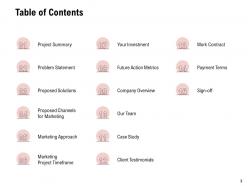
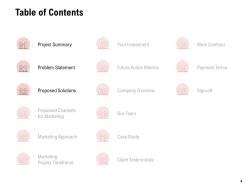
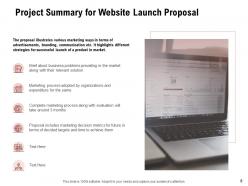
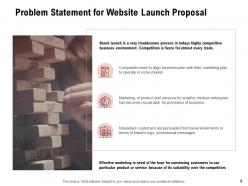
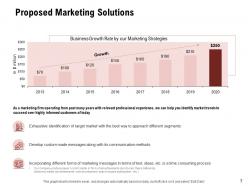
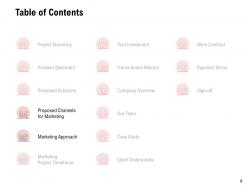
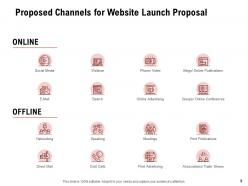
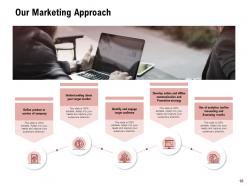
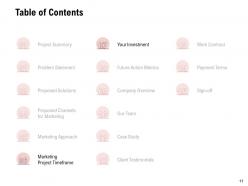
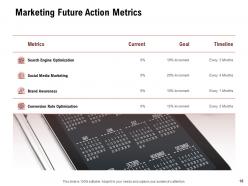
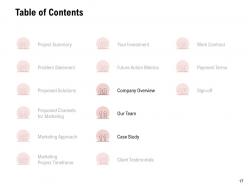
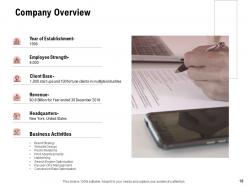
It takes a lot of effort to launch a successful website that engages the audience. To sustain and grow, sales need to be increased by converting potential customers. Business enthusiasts and any individual can easily use this readymade website presentation ppt to increase their brand awareness in different geographies. Presenting our well-informed Website Launch Proposal PowerPoint Presentation Slides that help you to reach out to prospective clients. Use this creatively designed website launch proposal PPT layout to showcase your latest web designs to the customers that hold their interest. Our proposal presentation template contains the table of contents for you to highlight your project summary, problem statement, proposed solutions, proposed channels for marketing, marketing approach, marketing project timeframe, future action metrics, company overview, client testimonials, etc. To grab the client’s attention, you can provide a brief about business problems prevailing in the marketplace along with the solutions you offer. Employ this professionally designed website proposal PowerPoint theme to highlight the different strategies your company follows for the successful launch of the product in the market. You can also determine the proposed online and offline marketing channels like social media, webinars, e-mail, online advertising, group conferences, online publications, networking, print publications, direct mails, trade shows, and print advertising. Take the assistance of this engaging website launch proposal template to mention the analytics tool your company provides for measuring and assessing the product launch results. This eye-catchy website launch proposal presentation template helps you to provide your clients with a clear idea of the overall monthly budget based on the project summary. By using the website launch proposal PPT theme, you can talk about the current marketing future action metrics that include search engine optimization, social media marketing, brand awareness, and conversion rate optimization. Efficiently express your ideas and stand out from the crowd by downloading our easily customizable website launch proposal PowerPoint presentation template.
People who downloaded this PowerPoint presentation also viewed the following :
Website Launch Proposal Powerpoint Presentation Slides with all 39 slides:
Use our Website Launch Proposal Powerpoint Presentation Slides to effectively help you save your valuable time. They are readymade to fit into any presentation structure.
FAQs for Website Launch Proposal
So basically we want more brand visibility and better qualified leads coming in. The current site is honestly pretty embarrassing next to our competitors - like, it's bad. User experience needs a major upgrade too. Obviously conversions and sales are the big goal here. Analytics is another huge thing because right now we can't track shit or figure out what's actually working. Oh and make sure your team gets all those lead capture forms working properly before launch - that's crucial. We need to be able to optimize based on real data, not just guessing.
So we're mainly going after our current customers who get totally lost in our ancient interface - you know, the ones constantly emailing support just to find their account details. Super frustrating for everyone. Also targeting those enterprise prospects who take one look at our site and nope right out of there. Decision-makers between 28-45 at bigger companies are the sweet spot, but honestly our small business users have stuck with us through this mess and they deserve way better. The redesign needs to work for both the tech nerds and people who just want things to actually make sense. Check that user personas doc from last week - has all the details.
So the real-time collab thing is huge - everyone can jump in and edit at the same time instead of that whole download-and-email-back nightmare. Most other tools are still stuck doing that, which feels so 2019 honestly. We've got AI suggestions baked right in too, so no platform jumping. Oh and the pricing is way cleaner - none of those surprise fees that make you want to throw your laptop. I'd definitely hit those three points hard when you're presenting. They line up perfectly with what users have been complaining about.
So basically your whole brand vibe gets baked into everything - colors, fonts, the way photos look, all that visual stuff from your brand guidelines. Navigation and how people move through the site should feel like your brand too. This part's honestly my favorite because you get to see your brand come alive digitally. We'll pull in your logo, keep the messaging consistent, make every page feel like it's actually yours. Oh and definitely start collecting all your brand files now - you'll need them once we start designing. Trust me, having everything organized upfront saves so much headache later.
Okay so you'll definitely need user login/registration and a solid CMS - that's honestly your biggest choice since everything else flows from there. Mobile responsive design is obvious but people still mess it up somehow. Don't be one of those sites without contact forms, I swear half the launches I see forget them completely. Analytics and search functionality are must-haves too. SSL certificate isn't optional anymore. Social media integration helps but isn't urgent day one. Start by mapping your user journey first - like what do people actually need to DO on your site? Then build around that instead of just adding random features.
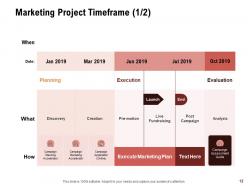
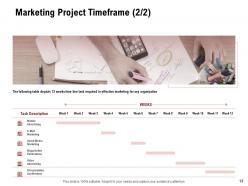
So we're looking at March 15th for launch - gives you about 6 weeks which honestly isn't tons of time. Content needs to be locked down by Feb 28th so dev can actually integrate everything properly. Trust me on this one, rushing the technical stuff always bites you later. First half of March is testing and fixing whatever breaks (something always does). I'd block out March 13th-14th for final review and tweaks. Does that Feb 28th deadline work for you?
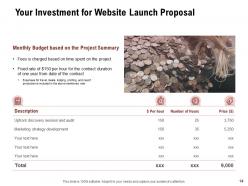
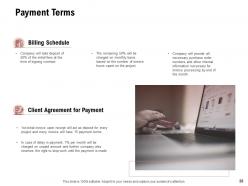
So we've got $75K total to work with. Development gets $45K, marketing gets $30K for the first six months. The dev money covers design, backend stuff, plus extra for when things inevitably go wrong (and trust me, they will). Marketing budget handles your paid ads, content, SEO - the usual suspects. Definitely get quotes from at least three agencies though. I've learned that one the hard way before. Shop around a bit, you know? Oh, and I've actually been putting together this vendor list if you want me to send it over. Could save you some time hunting around.
So definitely start with WCAG guidelines right from the beginning - trust me, retrofitting accessibility is a nightmare. Test with screen readers and keyboard navigation early on. Color contrast checking too, obviously. Mobile-first is crucial since everyone's glued to their phones these days anyway. Real user testing throughout development makes a huge difference - I'd say every couple weeks so you're not fixing a million things last minute. Honestly, accessibility testing always surprises me with how many stupid barriers we build without realizing it. But catching stuff early saves you so much headache later.
Focus on stuff that actually gets people to do something - demos, real customer stories, clear explanations of what you offer. Lead with benefits on your homepage instead of boring company history (seriously, who cares when you were founded?). Make your pricing super easy to find too. That's honestly what everyone's looking for anyway. Blog posts should solve actual problems your customers have, not just regurgitate industry news. Oh, and definitely check what content is already working well for you - might as well build on that instead of starting from scratch and tossing everything.
So here's the deal with SEO - we'll nail the technical stuff first (clean URLs, meta tags, fast loading). Google Analytics and Search Console get set up right away, though fair warning, those dashboards are pretty confusing at first. Your content team will weave keywords into headlines and descriptions naturally - none of that weird robotic stuff. Mobile responsiveness is obviously covered too. Once you're live, check your numbers monthly and tweak what's not working. Honestly, the real magic happens when you start seeing which content actually brings people in.
So we'll track the usual stuff - traffic, conversion rates, bounce rate, load times. Time on site and pages per session are clutch too since they show if people actually care about your content or just nope out immediately. Monthly check-ins for the first three months, then quarterly after that works well. Oh and definitely set up those Google Analytics dashboards so you can obsess over numbers whenever you want (I know I do lol). Just make sure you get solid baseline numbers in month one, otherwise you're comparing against nothing.
Yeah, partnerships are clutch for launch stuff. I'd hit up businesses that complement yours - you cross-promote to each other's people. Micro-influencers are way better than the big accounts with dead followers, honestly. Guest posts and podcast spots work really well too. Oh, and local partnerships if your thing has a geographic angle. Make a list of like 10-15 potential partners first. When you reach out, don't do that generic "let's collaborate" nonsense - pitch them something specific they'd actually want to do.
So we're doing full GDPR compliance - clear opt-ins for cookies, analytics, email stuff, all of it. People can edit or delete their data through their dashboard whenever. Honestly, we're collecting way less data anyway since minimal is better. Everything's encrypted with regular security checks. Won't sell or share personal info without permission, obviously. The privacy policy will actually make sense to read (shocking, I know). You should probably check that data handling doc I sent you last week before we lock this down though.
So here's what we're thinking - monthly security patches, quarterly content reviews, plus we'll jump on any bugs right away. Your hosting comes with automated backups and uptime monitoring, which honestly saves everyone a headache. Most people don't think about this stuff until their site crashes at 2am, but you're being smart about it. We'll give your team a content guide so they can handle basic updates themselves. Oh, and let's do monthly calls for the first three months? That way we can catch any weird issues early and you won't feel lost.
So first month after launch, grab feedback through those built-in forms, analytics, whatever direct outreach you can manage. Weekly reports will show you the pain points and what people actually want. Trust me, users never behave how you expect them to - it's wild how different their flow is from what's in your head. Fix stuff based on impact and how often it's breaking, then push updates every two weeks. Oh, and set up tracking from day one or you're basically guessing. Your team needs to jump on the big usability problems fast.
-
The Designed Graphic are very professional and classic.
-
Qualitative and comprehensive slides.
-
Excellent work done on template design and graphics.
-
Appreciate the research and its presentable format.
-
Excellent products for quick understanding.