


Web Design Proposal Powerpoint Presentation Slides





Try Before you Buy Download Free Sample Product
 Impress Your
 Audience
 100%
100% Editable
 Save Hours
 of Time


Need to present web project proposal? Here we bring Web Design Proposal PowerPoint Presentation Slides that can impress your buyers. Take advantage of the website development proposal PPT slide while introducing your company to prospecting clients. This PowerPoint complete deck contains slides on proposal outline, target audience demographic archetypes, project objectives, design process, marketing approach, mobile apps, social media approach, search marketing, project phases, and timeline, about us, our team, clientele, a record of success, case study and company logo, etc. Website designing and development proposal PowerPoint layout may be used to present your company expertise, tools, and techniques that you use in your web design process. Let your buyer know how exactly you complete each stage of the web design process, from planning and design to testing and deployment. Download the web development proposal presentation design to secure a deal for your company. Spread the buzz with our Web Design Proposal Powerpoint Presentation Slides. Generate interest with your views.
People who downloaded this PowerPoint presentation also viewed the following :
Content of this Powerpoint Presentation
The first point of contact for customers with business is often a website. Its design and functionality are critical factors in marketing and brand perception.
A Blue Corona survey suggests that five out of ten customers see website design as one factor in determining a business's credibility. Businesses can create accessible, efficient, and visually compelling websites with the process called web designing.
Starting a Web Development Project
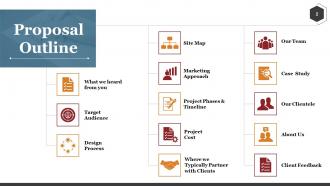
A web design proposal is the first document submitted for a web development project. In this document, a designer or agency outlines their vision for the website—the strategic blueprint—including how it will function, appear, and benefit users.
A solid web design proposal is a framework and pitch for setting client expectations and showcasing skills and creativity. It should include the following:
-
An assessment of the current web presence.
-
Target audience.
-
A clear outline of the project's goals.
-
Design process.
-
The scope of services.
-
A projected timeline.
-
Project Budget/Pricing.
-
Details of the firm submitting the proposal, including team members and experience.
Web Design Proposal Templates
Outlining creative ideas, technical information, and project management processes in a document can be overwhelming. Our pre-designed web design presentation templates will help you simplify this complexity. These PPT Slides provide content-ready structure and guidance to help you craft proposals that communicate expertise and instill confidence.
The templates cover key aspects of proposal development, from service outlines to timelines. With a 100% customizable nature, these presentation layouts provide a reliable and professional framework for proposal creation. Use these PPT Slides to create project-winning web designing proposals and invest your time and resources in the major task of designing remarkable web experiences.
1. Target Audience
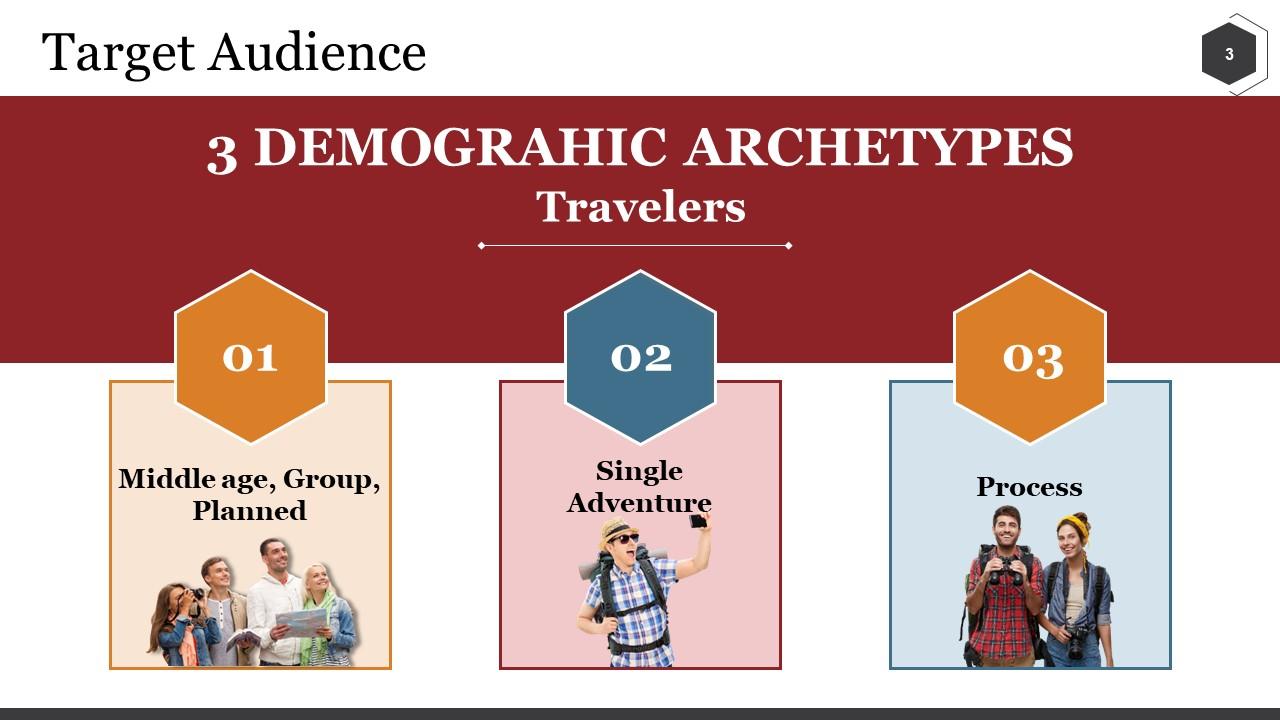
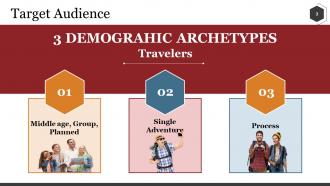
One of the cornerstones of a successful web design proposal is to define the target audience. It ensures that the website is tailored to the intended users. This slide presents a clear segmentation of potential customers into three demographic archetypes: middle-aged groups who prefer planned travel, adventurous individuals who travel alone, and those who emphasize the process of travel. Each category is visually distinguished with specific icons and brief descriptions. This presentation template will help guide the design process to design a more engaging and effective travel website.
2. Design Process
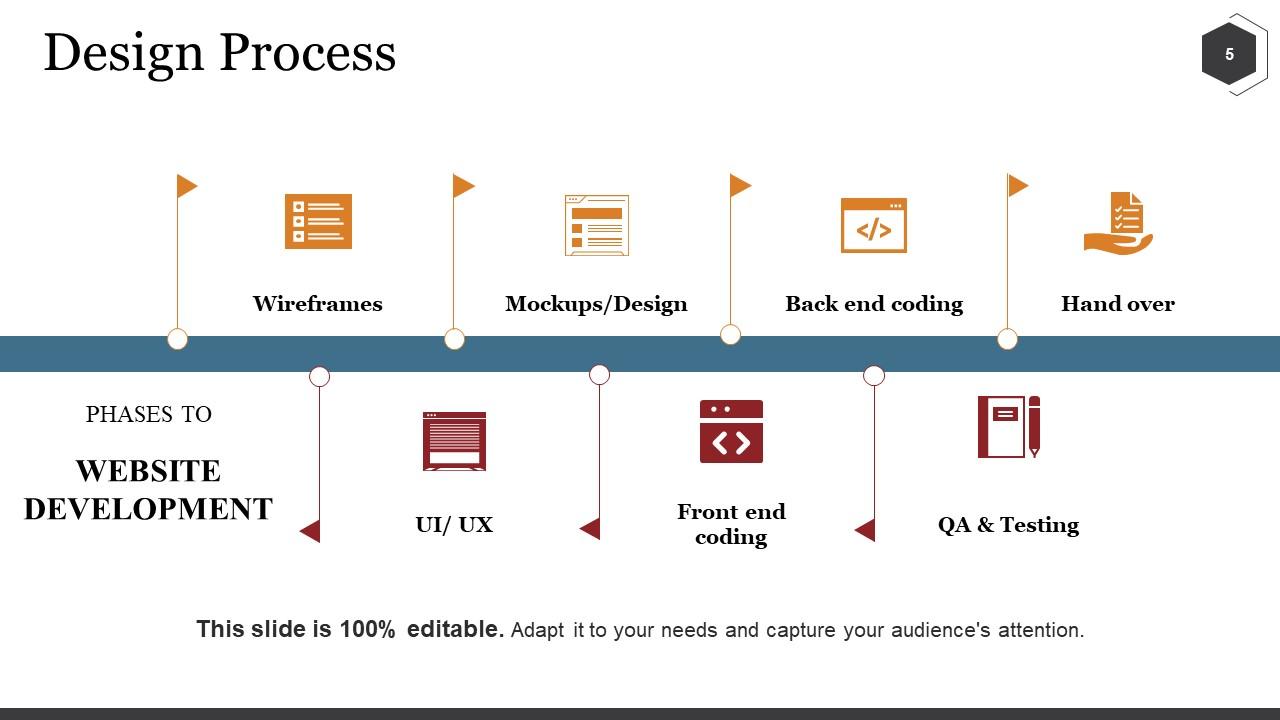
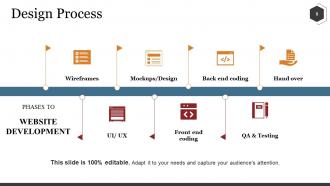
This professional PPT design provides a clear roadmap of the web design process. It outlines the sequential phases of website development including wireframes, mockups/design, back-end coding, and front-end coding. It also include QA & Testing, and website handover phase. These elements are showcased in an easy-to-follow, linear format. The presentation template set client expectations by outlining development stage and showing how the project will progress from concept to completion.
3. Site Map
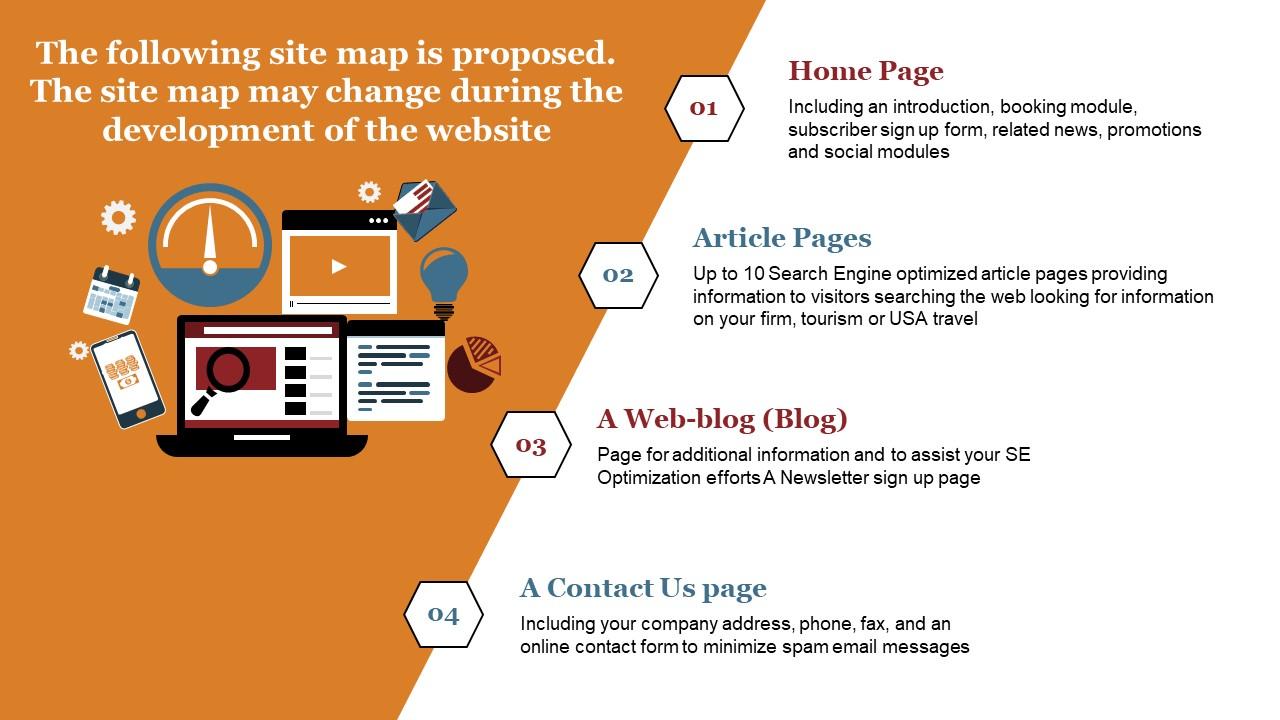
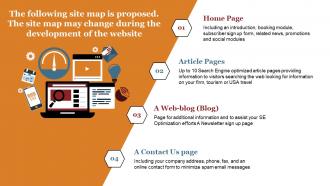
A site map is an architectural blueprint that guides the design and content placement of a website. This PowerPoint Layout outlines a proposed site map that can be changed as web development progresses. It highlights the home page with features like an introduction, booking module, and article pages section. The presentation design also showcases a web blog for SEO efforts and a ‘Contact Us’ page to mention communication channels. This PPT Template will convey the structure and navigation strategy of the website to ensure stakeholders understand the site's layout. It will help present the interconnectivity of site components before commencing the web development project.
4. Marketing Approach
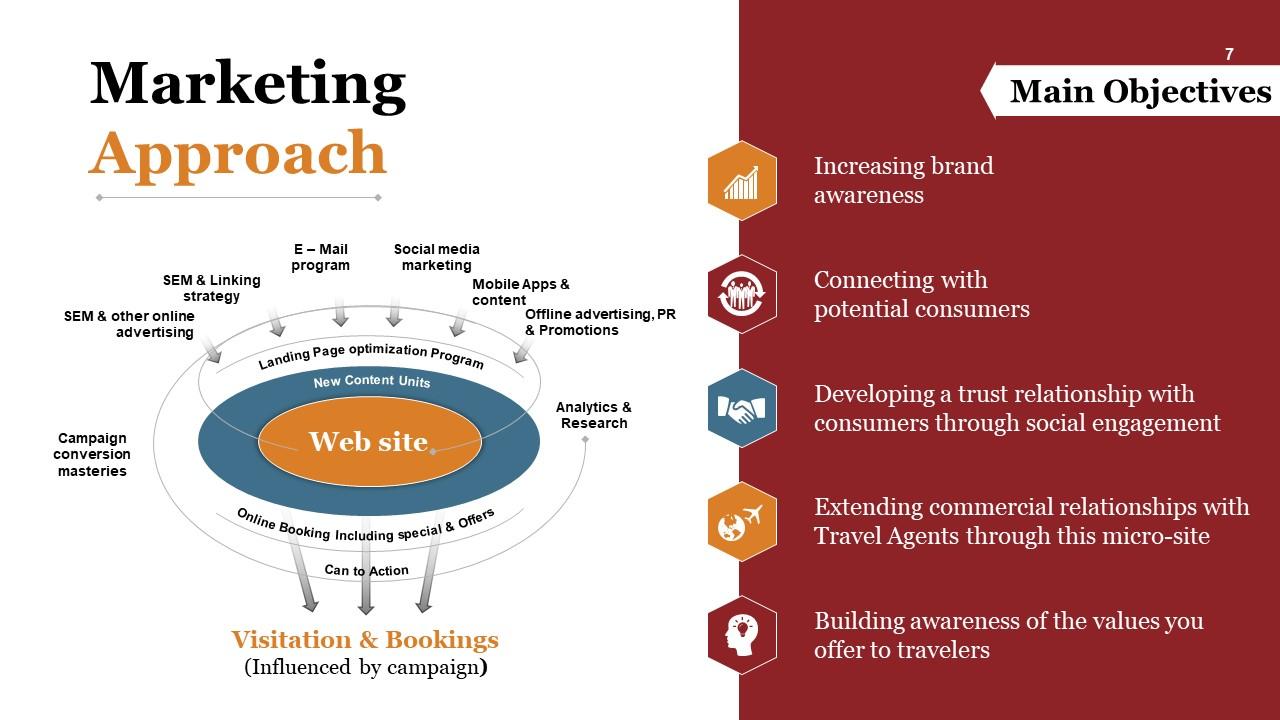
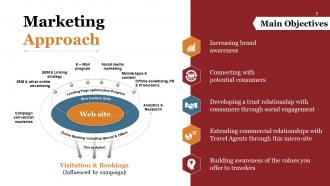
Defining the marketing approach in a web design project helps the website align with strategic promotional activities to drive visitation and bookings. This PowerPoint Design demonstrates an integrated marketing framework focused on brand awareness and consumer relationships. It features a strategy, including Search Engine Marketing (SEM), email campaigns, social media outreach, content for mobile apps, and offline advertising efforts. Key elements like landing page optimization and analytics are also highlighted in the slide. This presentation design shows the correlation between design, content, and marketing strategy in a web design project.
5. Mobile Apps
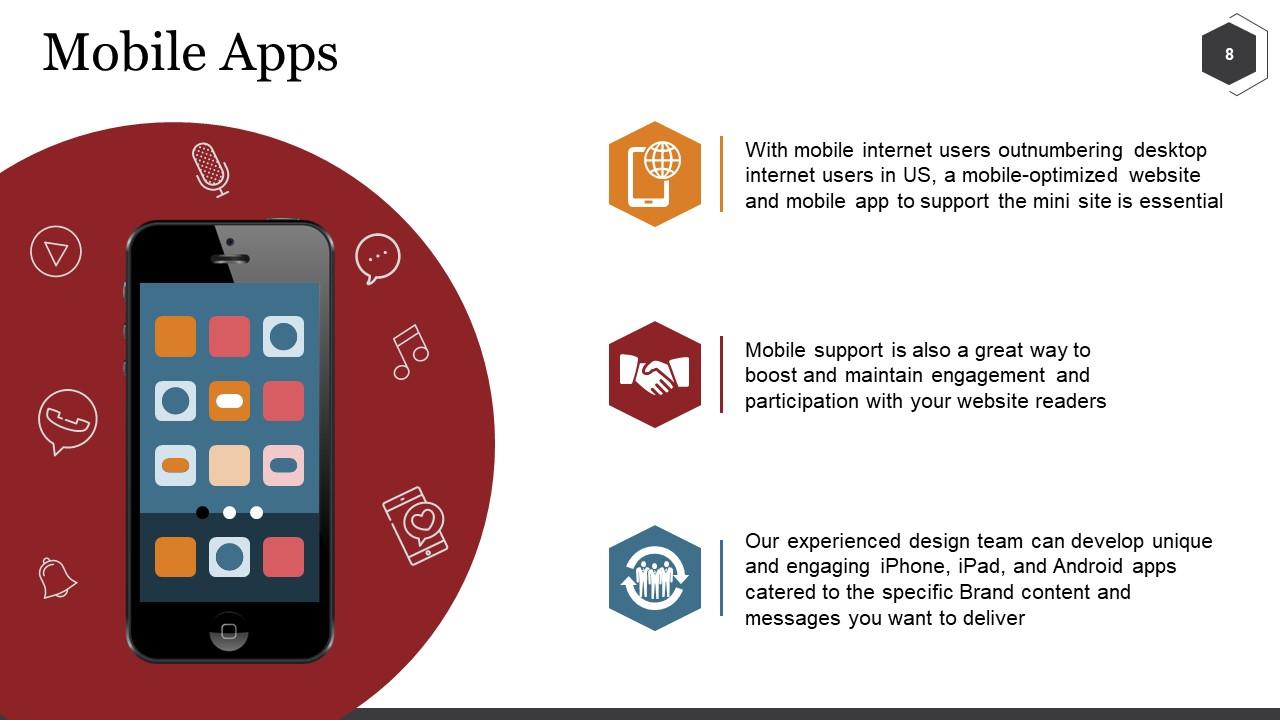
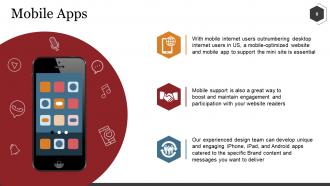
A website's mobile optimization is crucial as people visit websites more using mobiles than desktops. The PPT Template illustrates the significance of a mobile app or optimized website in enhancing user engagement. It outlines the strategic approach behind developing mobile applications for an integrated user experience. The design, along with its icons, emphasizes how a mobile application/website will support the main business website. This presentation slide will help developers convey how mobile app integration aligns with modern browsing trends and aid in extending the reach and effectiveness of website.
6. Social Media Approach
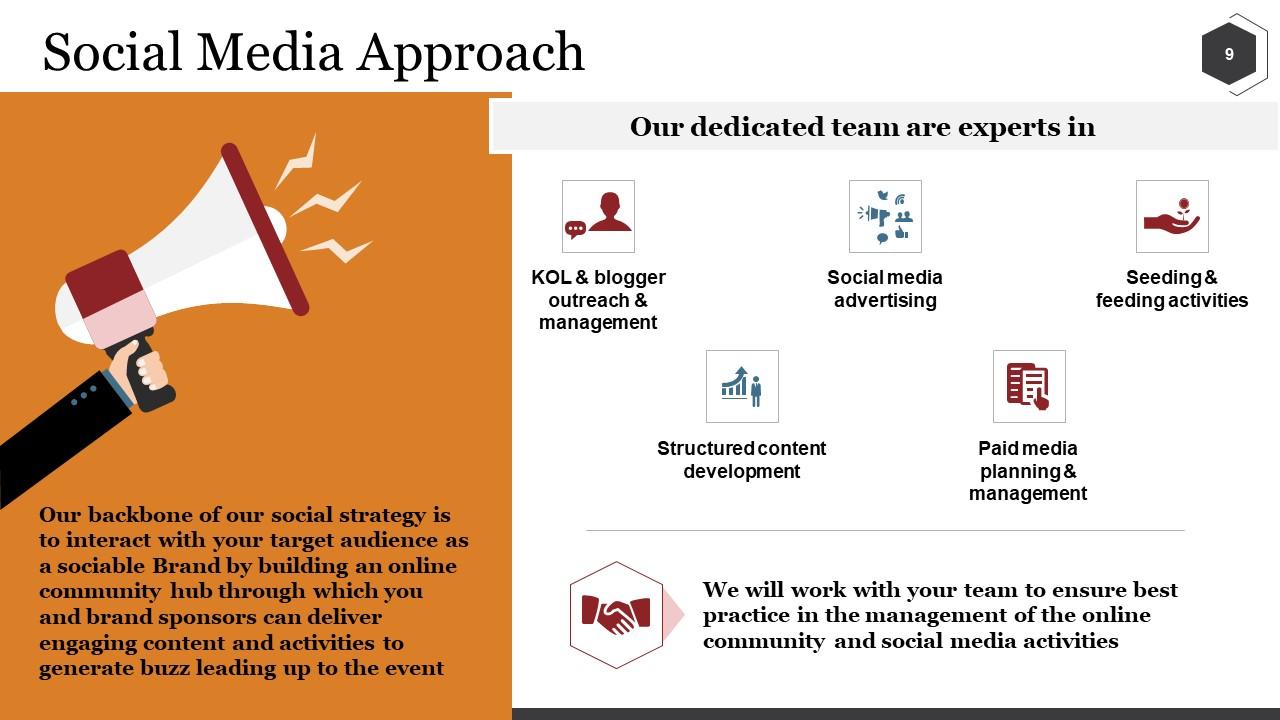
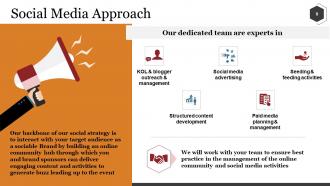
With a social media approach, it will be easy for newly developed website to connect with a target audience and build a sociable brand presence. The presentation slide will help the web designing firm offer its services in web design project proposals. Users can share a detailed social media strategy to help businesses amplify web presence and community engagement using this template. It showcases services like Key Opinion Leaders (KOL), blogger outreach, management, structured content development, SM advertising, and seeding & feeding activities. The proposal submitter can also pitch paid media planning and management services to the client. This PPT Template emphasizes that the design team's expertise can extends beyond website creation to robust social media services and strategy implementation.
7. Search Marketing
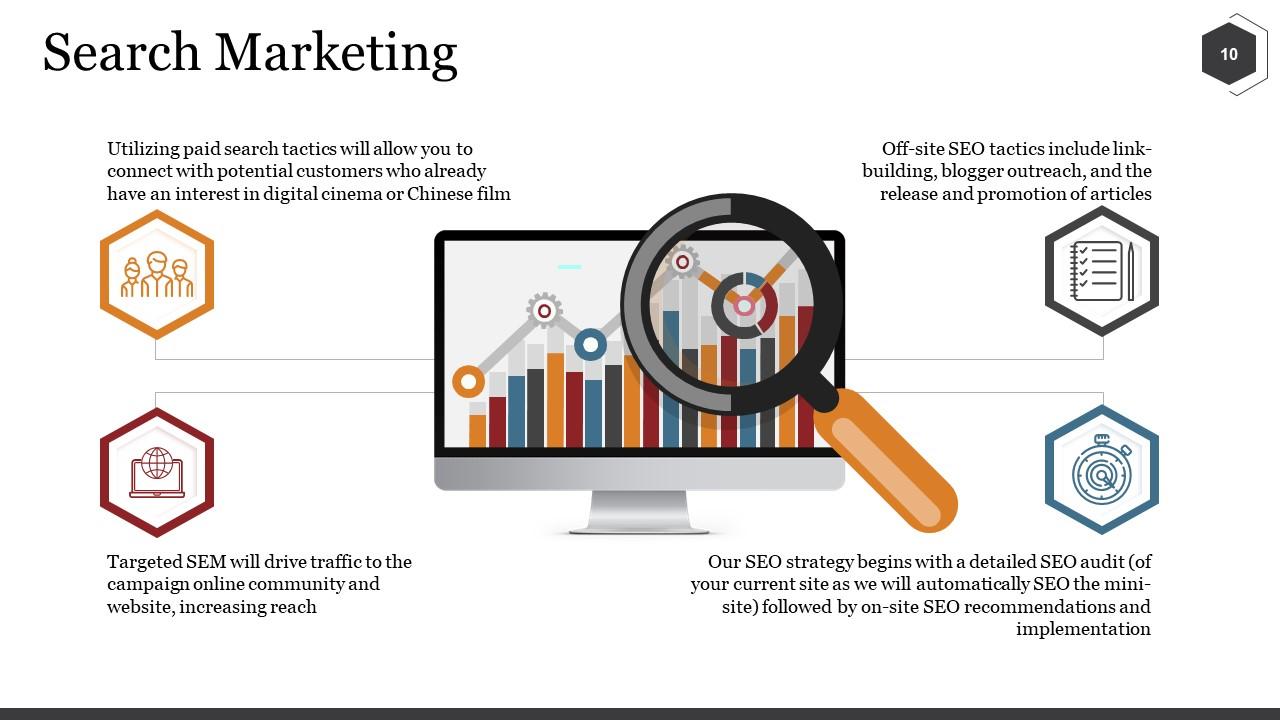
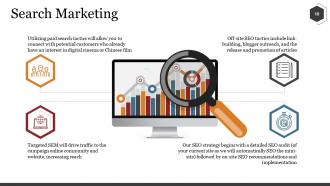
Search marketing connects businesses with interested consumers by boosting online visibility. The presentation layout showcases benefits and components of search marketing strategy. It focuses on leveraging paid search tactics like Targeted SEM to increase reach, drive traffic to campaigns, online communities, and website. Off-site SEO tactics like link-building, blogger outreach, and promotion of articles are also part of search marketing. Conducting a detailed SEO Audit to optimize website significantly impact the search engine marketing strategy. This PPT Slide emphasizes the importance of incorporating a robust search marketing plan to increase a website's reach and visibility.
8. Project Phase & Timeline
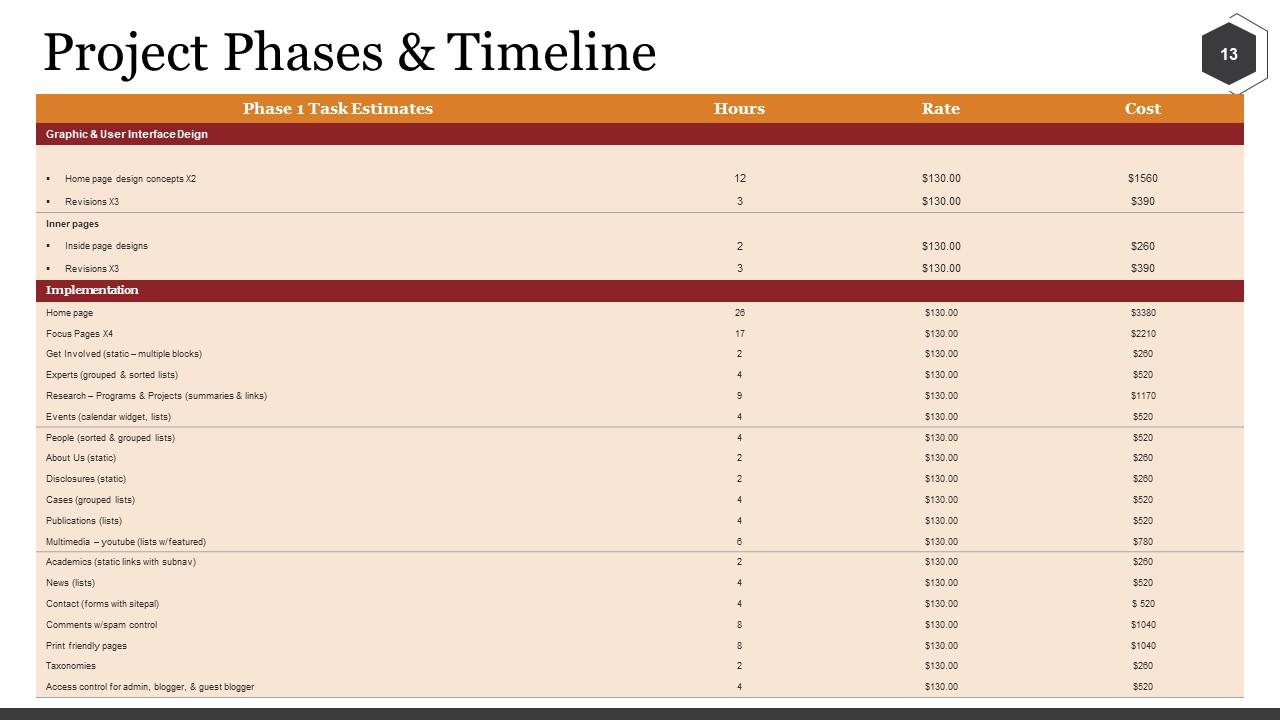
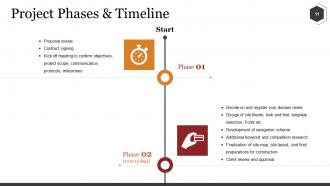
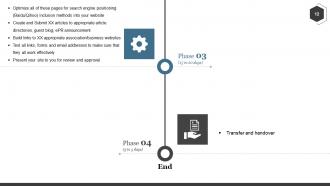
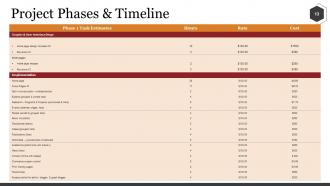
Outlining project phases and timelines ensures clarity, structure, and efficiency in a web design and development process. The slide displayed an organized chart outlining the tasks, hours, rates, and costs associated with a web project. It categorizes project deliverables like homepage concepts, inner page designs, research, About Us (static), multimedia, contact us, etc., into graphic & UI and implementation components. This presentation template also showcases a detailed estimate of the time (hours) and financial investment required for these components. Developers can use this design to set transparent expectations and share the project's scope, schedule, and budgetary framework. It will help stakeholders with informed decision-making and project management.
9. Our Clientele
Showcasing a portfolio of clientele highlights a company's experience and capability in the field. The slide will help you display client information with their company logos. A brief description of clients or projects can also be added to the space below the logo. This slide, when included in a web design proposal, establishes the credibility of your services and firm and provides confidence to potential clients.
10. A Proven Record of Success
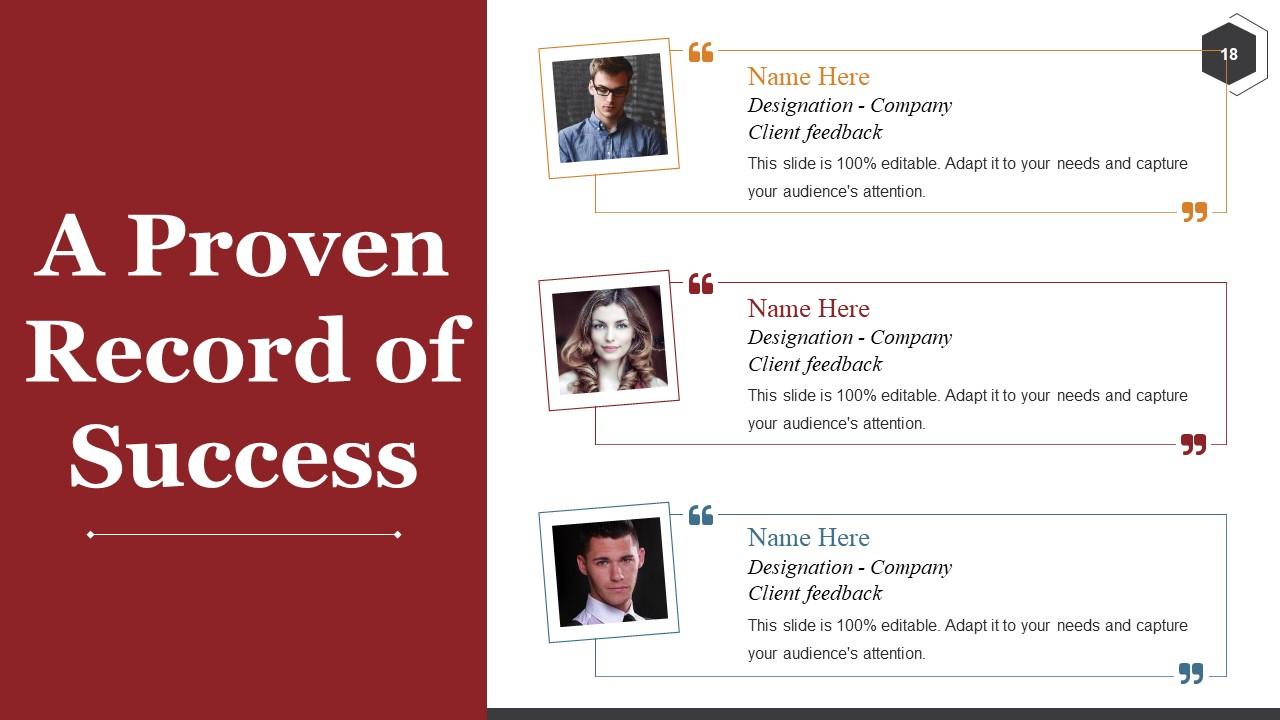
Displaying client feedback in a web design proposal affirms the company's successful track record and helps win the project/client. This PPT Template provides a well-designed space to share testimonials, names, designations, company affiliations, and portraits of satisfied customers. The presentation layout underscores the positive impact and tangible results delivered by your web design firm.
Seal The Deal!
Our comprehensive web design proposal presentation slides are expert-designed to help make a powerful impression on prospective clients. The deck is replete with proposal outlines, demographics, design processes, and marketing strategies. It also communicates the expertise, methodologies, and technological prowess of the company.
Win clients with SlideTeam's web design proposal templates by showcasing detailed stages of the web design process, track record, and previous client feedback.
Web Design Proposal Powerpoint Presentation Slides with all 35 slides:
Folks feel good about your brand with our Web Design Proposal Powerpoint Presentation Slides. Their graphic designs elicit emotion.



FAQs for Web Design Proposal
Okay so you'll definitely want project scope, timeline, and pricing broken down clearly. Show examples of past work - visuals are everything since most clients can't picture stuff from descriptions alone. I always add a discovery section because it shows you actually listened to what they want. Payment terms and revision process should be upfront too, trust me on this one. Technical specs matter, plus don't forget post-launch stuff like maintenance. Mockups or wireframes help a ton if you can swing it. Honestly, the clearer you are about deliverables, the fewer headaches you'll have later.
Look, a solid proposal shows you actually get their business instead of just copy-pasting the same pitch everywhere. Being upfront about timelines and costs? Game changer. Clients relax when they see you've thought things through. Focus on the specific results they'll get rather than rattling off features - nobody cares about your fancy tech stack if it doesn't solve their problem. Honestly, I've seen too many proposals that read like feature lists from a software catalog. The whole thing just prevents those messy "wait, what am I paying for again?" conversations down the road.
Honestly, competitor analysis is a game-changer for proposals. You get to see what's working in your client's industry and what's totally bombing. I always grab 3-4 screenshots of competitor sites and jot down quick notes about what I'd change. It's weirdly satisfying to critique other people's design choices, not gonna lie. But the real value comes when you can point to specific examples and say "look, everyone else is doing X, but here's why we should go with Y instead." Helps you spot those gaps where your design can actually shine. Makes your whole proposal way more convincing.
Okay so here's what actually works - map out your whole process visually first. Discovery, wireframes, mockups, then dev and testing. Clients need to see a timeline or flowchart, doesn't have to be fancy. The key thing is explaining WHY each step matters and what they're getting. Like "you'll see 3 wireframe options" or "we'll show 2 design directions." Honestly, being this specific upfront saves you from scope creep nightmares later. Oh and build in feedback points so they don't feel left out - nobody wants surprise design decisions dropped on them.
First, get their baseline numbers so you can show real before/after results. Focus on the money stuff - conversion rates, lead gen, average order value. Bounce rates and session time matter too since redesigns usually bump those up 20-30%. Mobile conversion is huge - honestly, that's where most businesses are just hemorrhaging cash right now. Page speed improvements are worth tracking because even one second slower can tank your conversions. Oh, and make sure you frame everything around ROI projections. Numbers don't lie, and neither will their increased sales.
Break your proposal into sections that hit each site's specific pain points. E-commerce needs payment stuff, product catalogs, shopping carts - all the conversion magic that actually gets sales. Informational sites? Focus on content management, SEO, lead forms, smooth user flow. Honestly, the biggest mistake I see is people just listing random web features instead of showing they get what each business actually needs. Pull examples from your portfolio that match their vibe. Oh, and don't forget to adjust your timeline - e-commerce builds take way longer than basic info sites.
Definitely throw in wireframes and mockups so they can see the actual layout. A mood board with your colors and fonts is clutch too. Screenshots from similar projects you've done? Gold. Clients eat that stuff up because it's proof you can actually deliver. Before/after examples are amazing if you have any lying around - even from totally different projects. Oh, and don't make it a wall of text. Use charts or timelines to break things up. Makes the whole scope feel way more real. Keep it clean but not sterile, you know? Lots of white space and clear headings so they can scan through quickly and get what you're offering.
Dude, yes - super important part of any proposal. You want clear timelines so everyone knows what's happening when. Break everything into chunks with actual deliverables and dates. I've watched projects completely fall apart because nobody was on the same page about deadlines. Plus it saves your ass when clients try to add random stuff later (which they will). Build in extra time though - seriously, everything takes way longer than you think. Oh and tie your payments to these milestones so you're not waiting forever to get paid.
Startups want cheap, fast solutions that can scale up later - show them MVPs and flexible pricing. Bigger companies? Totally different story. They need proven results, detailed case studies, and everything has to match their brand perfectly. The budget's usually better but holy hell, so many people have to sign off on decisions. Focus your startup pitches on growth potential. For established businesses, hammer home the ROI numbers and how you'll minimize risk. Oh, and definitely stalk their recent news first - I learned that one the hard way!
Get ridiculously detailed about what you're actually building and what you're NOT doing. I'm talking every single page, feature, how many rounds of changes you'll make - the whole thing. Trust me on this one... I had a client who kept saying "oh just add this tiny thing" and suddenly I'm working for free for three weeks. Also spell out exactly what costs extra money - new pages, different functionality, going over your revision limit. Whatever. Get them to agree to all this stuff in writing before you touch any code. Honestly, clients respect you more when you're super clear upfront anyway.
Dude, biggest mistake is being vague about what you're actually delivering and when. Clients freak out over uncertainty. Never lowball your prices to land the gig - scope creep will destroy you every single time. Your proposal can't look like some generic template either. Research their actual business and show you get what they need. Skip the tech jargon that confuses people. Oh, and spell out exactly what's included vs what costs extra. Seriously though, map out your revision process upfront or you'll hate yourself later when they want their logo "more purple" seventeen times.
Definitely drop 2-3 solid case studies right in the main proposal - don't hide them in some appendix nobody reads. Before/after screenshots are gold, plus throw in hard numbers like "boosted conversions 40%." Client testimonials as pull quotes? Chef's kiss. Honestly way more convincing than anything you'll write yourself. Match the examples to their industry though - nobody cares about your e-commerce wins if they're B2B. Focus on business results, not just what you built. Oh, and connect each case study back to what you'll do for them specifically.
Definitely hit the big three: who owns what IP, payment details, and project boundaries. Seriously, spell out ownership of code, designs, all that stuff upfront. Payment schedules are huge - include late fees because clients will test you on this. Liability limits are your friend so you're not responsible for every random thing. Oh, and termination clauses! What happens if someone bails halfway through? That's saved my butt before. Get a lawyer to look at your template once, then you can just tweak it for each new proposal.
Mood boards are a game changer - they turn vague ideas into something clients can actually see. You're basically showing them the vibe before diving into real work. Plus it proves you get their brand, which already puts you ahead of people sending boring text-only proposals. My favorite part? No more "can you make it more fun" feedback later since everyone's on the same page visually. Just don't go crazy with like 20 images - stick to 6-8 max or you'll overwhelm them. Trust me, I learned that one the hard way.
Honestly, Slack's a lifesaver for quick daily stuff and updates. For project tracking, go with Asana or Monday.com - both handle timelines pretty well. Figma's clutch for design work since clients can drop comments right on mockups instead of those nightmare email threads with random screenshots everywhere. Set up a shared Google Drive folder too, obviously. Oh and definitely do weekly Zoom calls to stay synced up. But here's the thing - ask what they're already using first. Getting clients to switch platforms is seriously painful sometimes.
-
Easily Editable.
-
Excellent work done on template design and graphics.